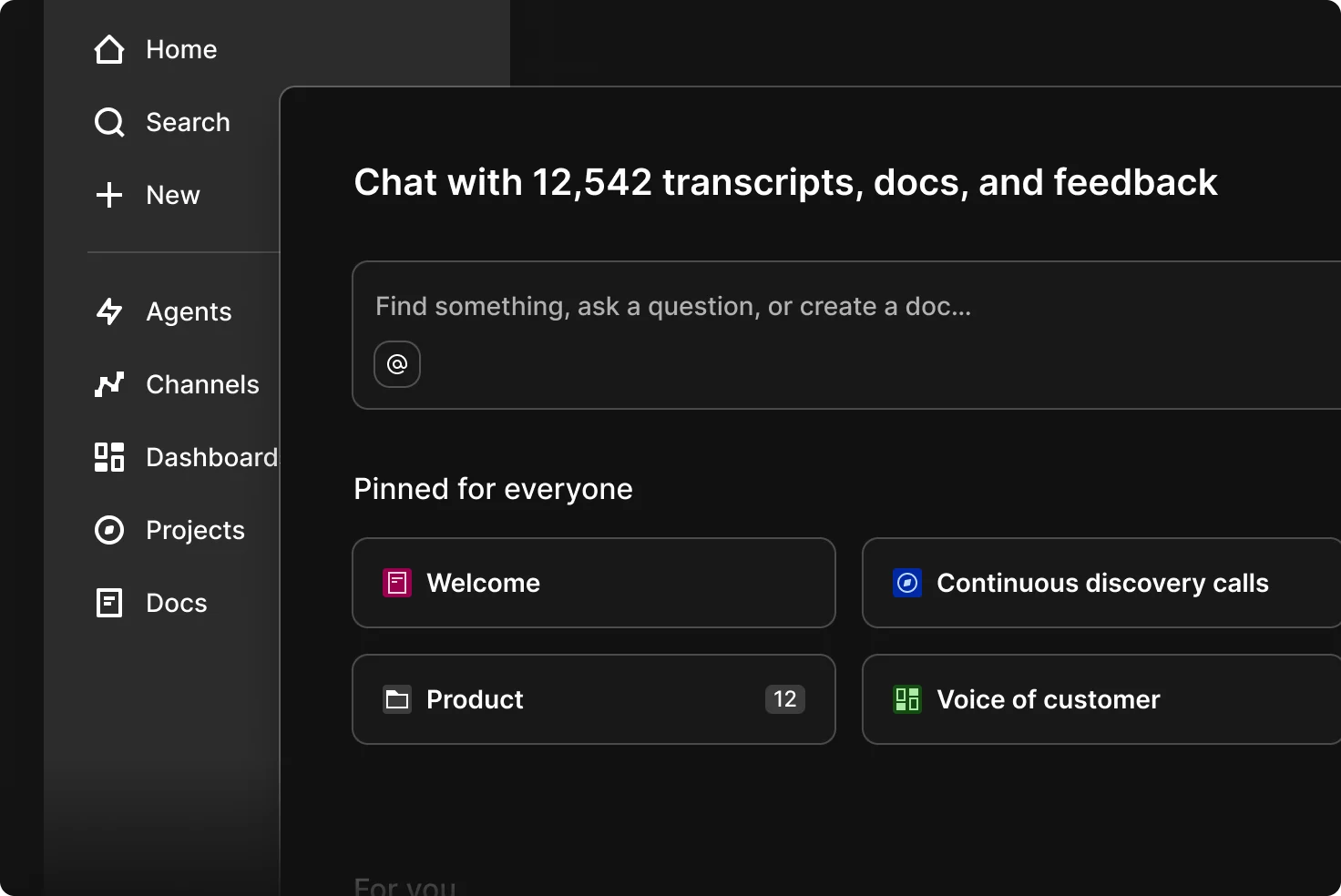
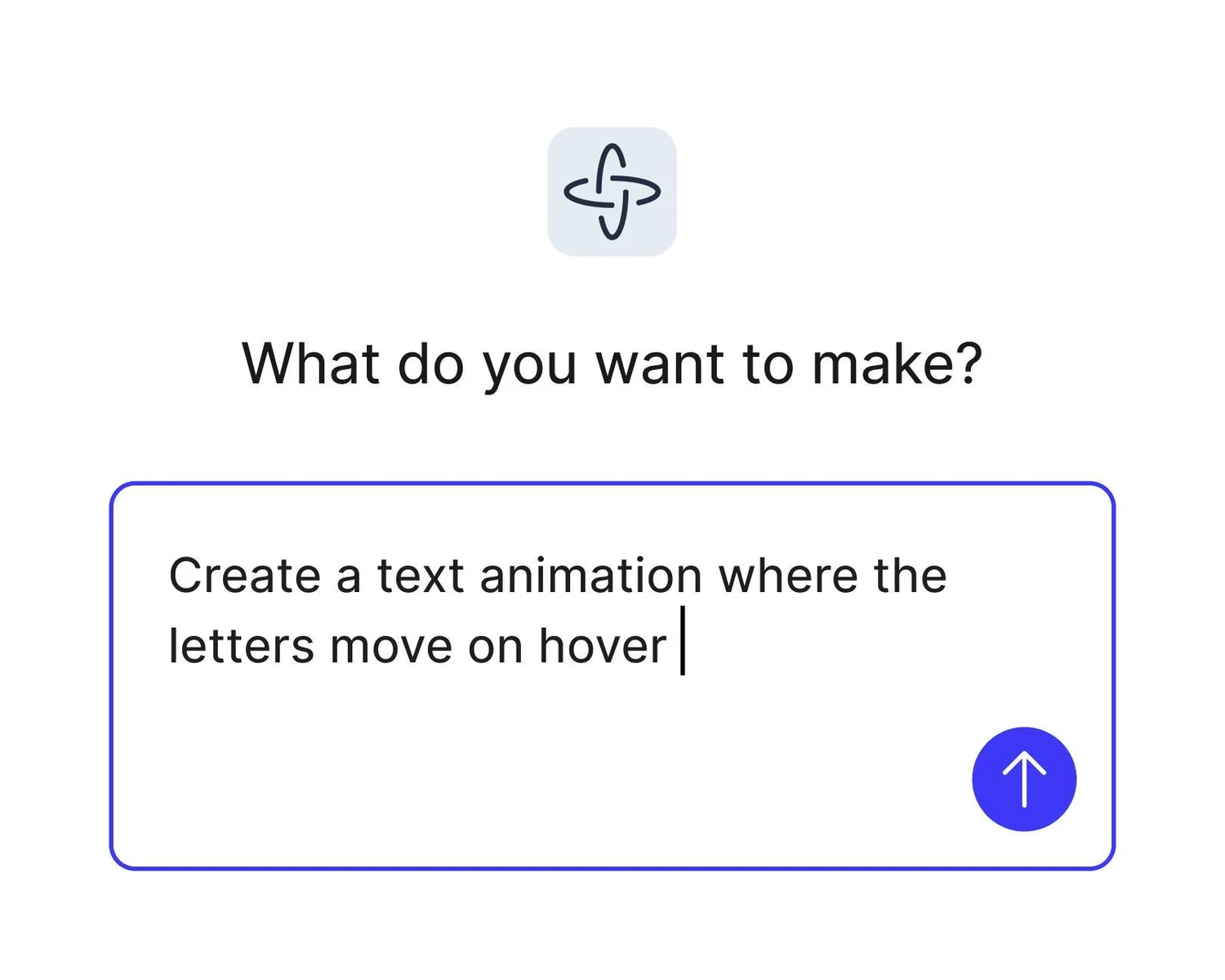
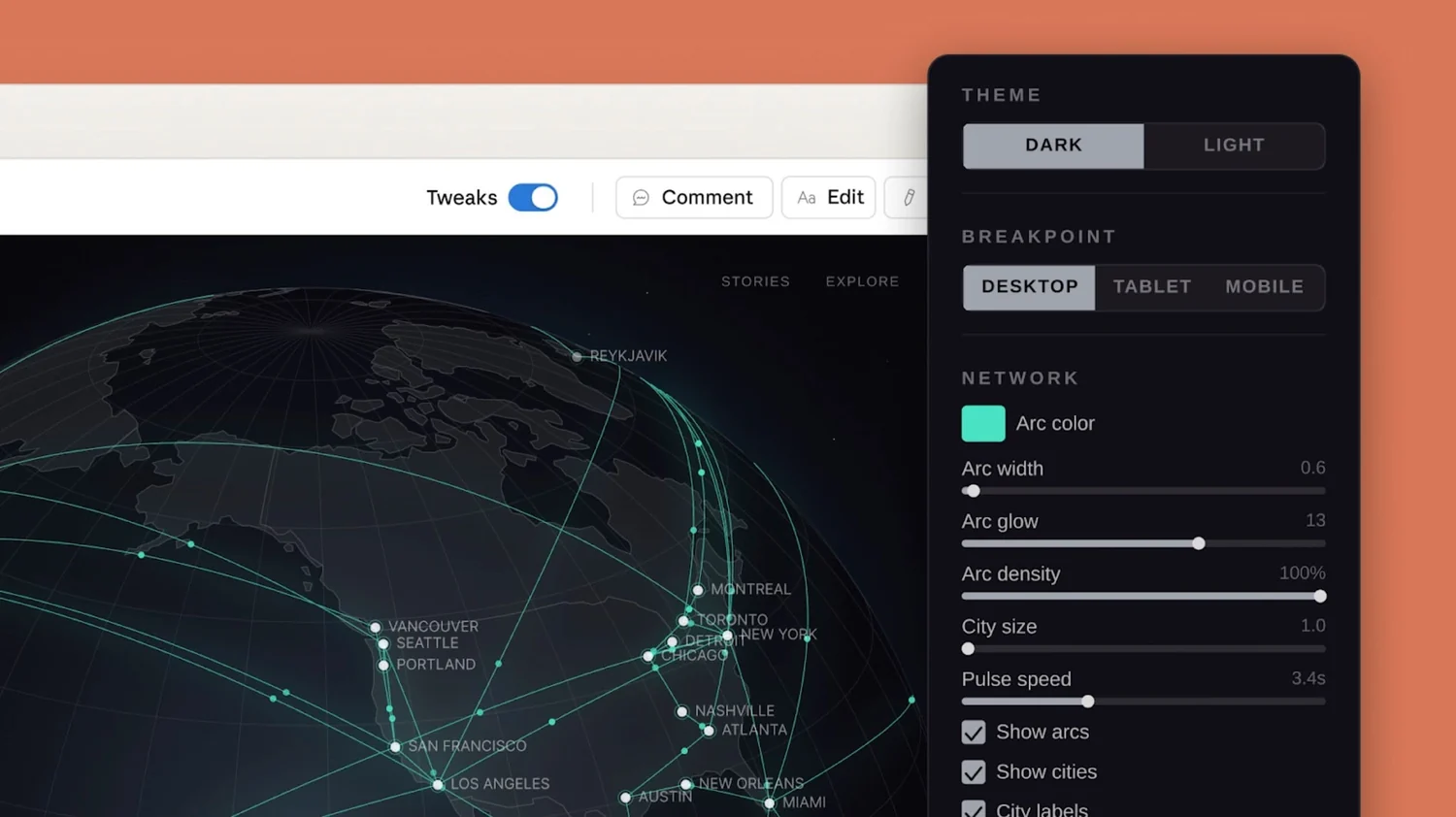
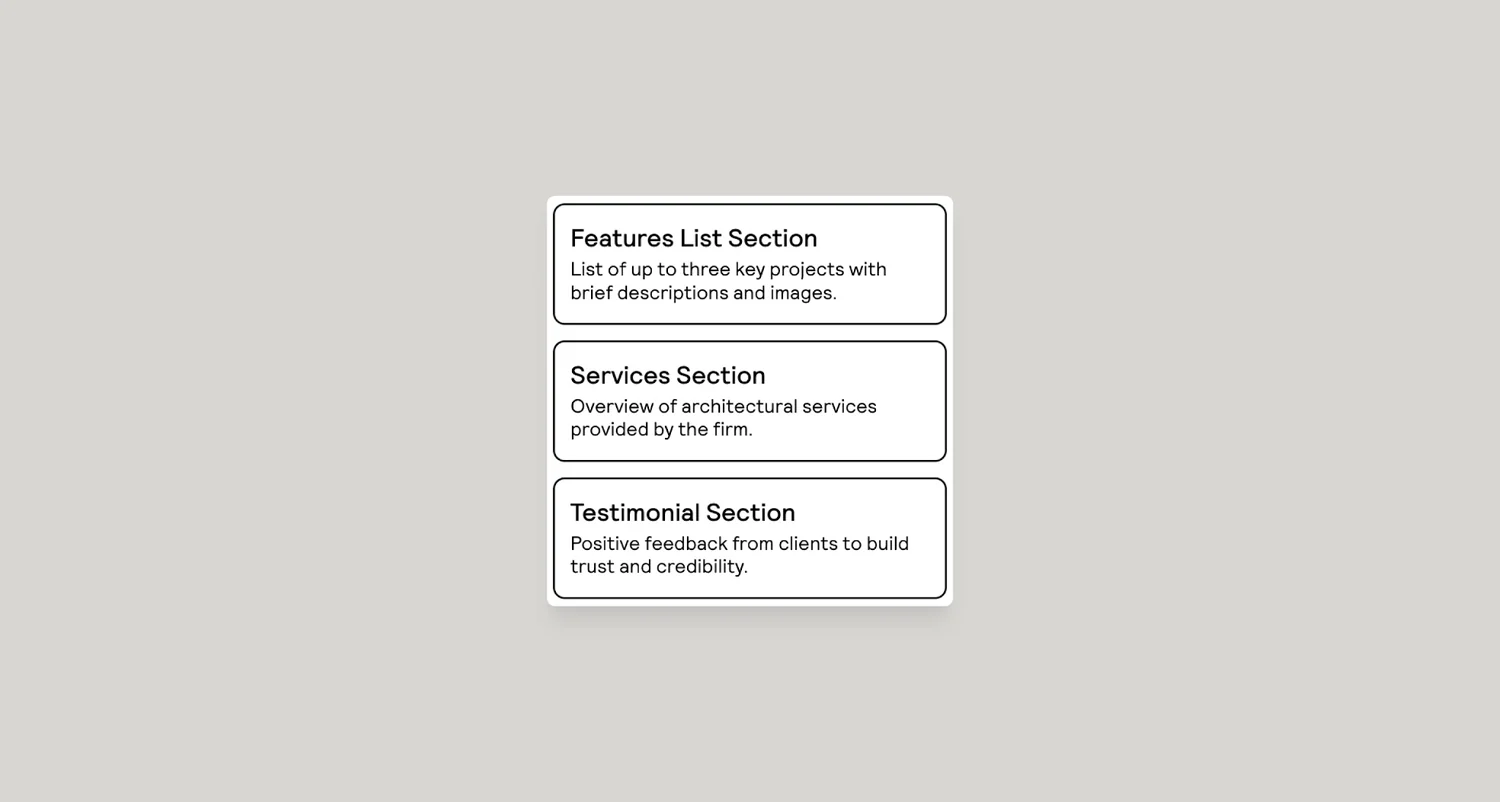
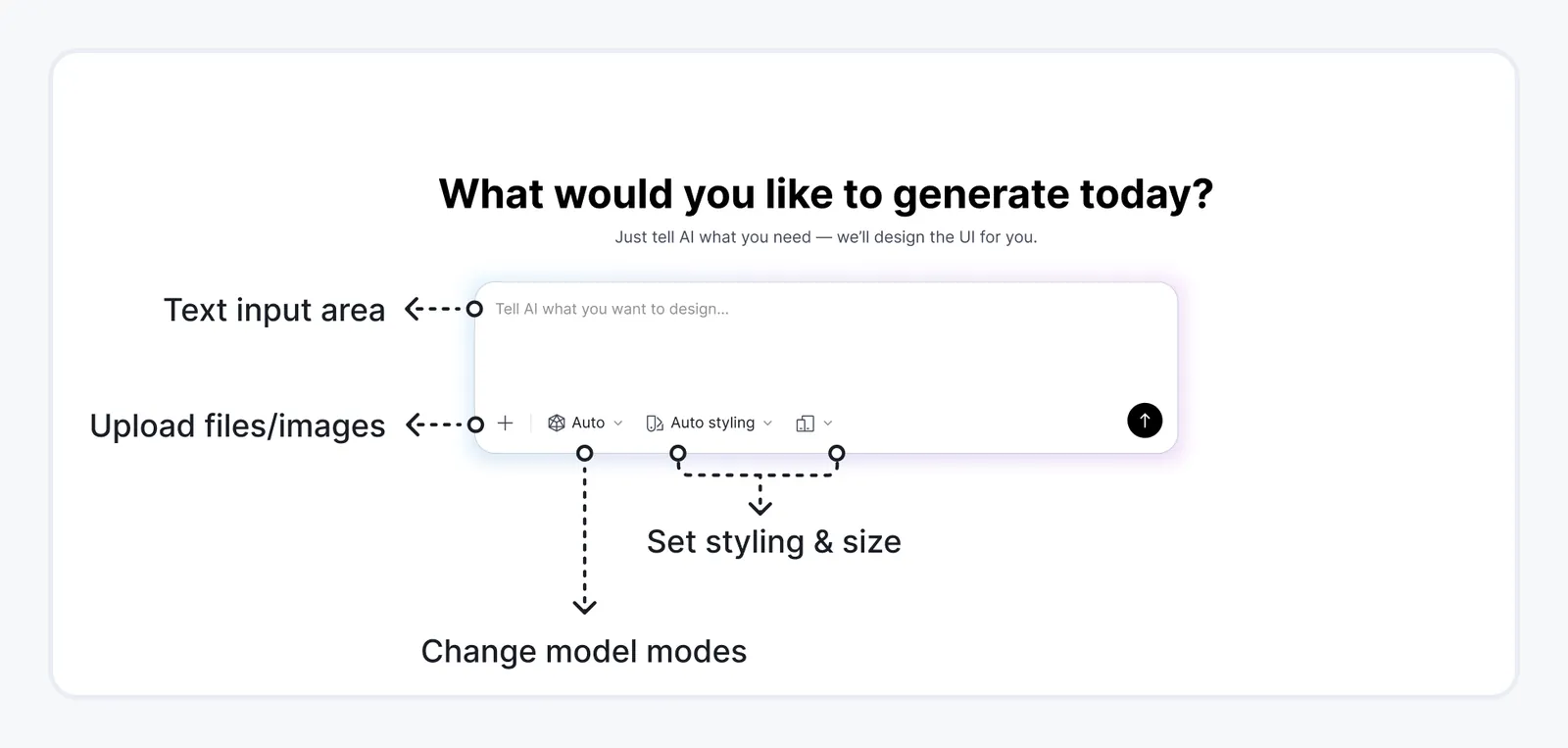
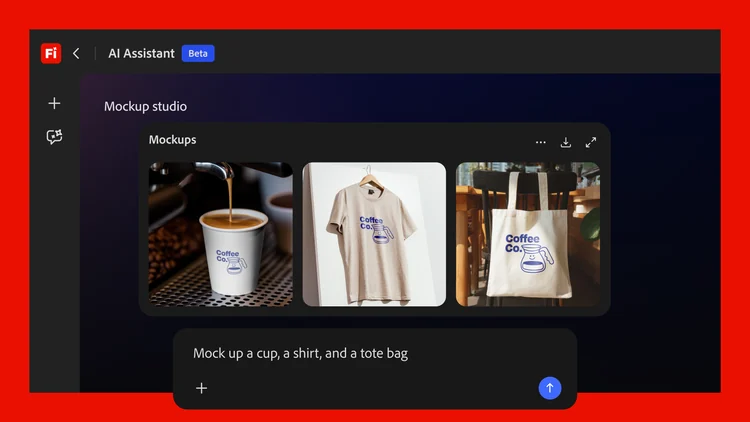
Claude Design changed the comparison because it is not simply another canvas. It starts with conversation and produces editable visual work, prototypes, and code-like output. That means a useful alternative has to answer a more specific question: what do you wish Claude Design did better for your workflow?
For product UI, the strongest alternatives are not generic graphics apps. They are tools that can turn intent into screens, iterate across flows, hand work to designers or developers, and keep enough structure to survive past the first impressive prompt.
The 6 best Claude Design alternatives
Figma Make — best for teams already using Figma
Google Stitch — best free AI UI exploration tool
Magic Patterns — best for prompt-to-product UI and React handoff
Uizard — best for non-designers and rapid mockups
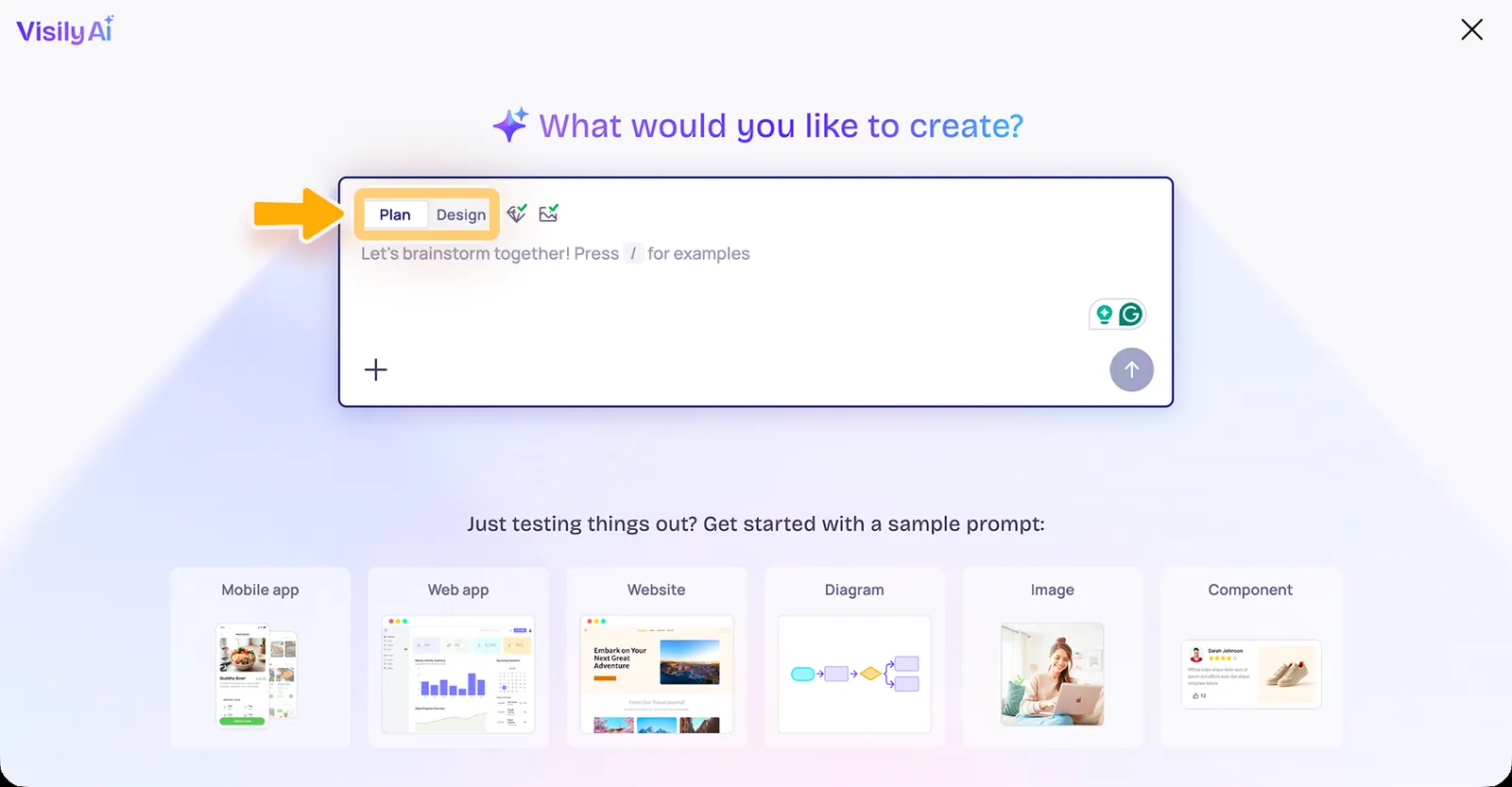
Visily — best for collaborative wireframes and prototypes
Open Design — best open-source/self-hosted alternative
1. Figma Make vs Claude Design
Best for: Product teams that need AI generation inside an established design system
Figma Make is the safest Claude Design alternative when the destination is already Figma. It can generate functional prototypes or web apps from prompts, accept existing Figma designs/components as context, publish prototypes, connect to Supabase, and copy generated previews back as editable design layers.
Where Figma Make wins: ecosystem, multiplayer collaboration, design libraries, developer handoff, and continuity with existing product files. Figma’s Professional full seat is currently $16/month and includes 3,000 AI credits/month.
Where Claude Design can feel better: conversational blank-page exploration is central to Claude’s experience and may feel lighter when you do not need a large design platform around the output.
Choose Figma Make if your team’s source of truth is Figma. Choose Claude Design if you want a chat-first creative surface without committing the work to Figma’s broader workflow.
Best for: Fast UI exploration, multi-screen concepts, and Google/Gemini-centric workflows
Google Stitch is one of the closest alternatives in intent. It focuses directly on UI generation and has evolved from prompt-to-screen generation toward a broader AI-native design workflow. It is especially attractive for exploring web and mobile interface directions before deciding where the final system should live.
Where Stitch wins: UI-specific generation, rapid exploration, and a low-friction path into Figma/front-end output.
Where Claude Design wins: Claude’s broader conversational reasoning can be useful when the design task includes documents, presentations, or mixed creative work beyond product UI.
Choose Stitch if the job is specifically interface design. Choose Claude Design when the canvas is part of a broader Claude workflow.
Best for: Product teams turning prompts and references into working UI patterns
Magic Patterns is much narrower than Claude Design, and that is a strength. It is built around product interface generation and iteration. Teams can start from prompts, screenshots, or existing product references, refine the result, and move toward React/Tailwind output.
Where Magic Patterns wins: product-UI focus and a workflow built around reusable interface patterns rather than general visual creation.
Where Claude Design wins: broader creative range and the ability to use Claude as the reasoning layer across more than UI work.
Choose Magic Patterns when the output should look and behave like a product interface. Choose Claude Design when you want one conversational tool for several design formats.
Best for: Founders, marketers, PMs, and beginners who want screens without a steep design-tool learning curve
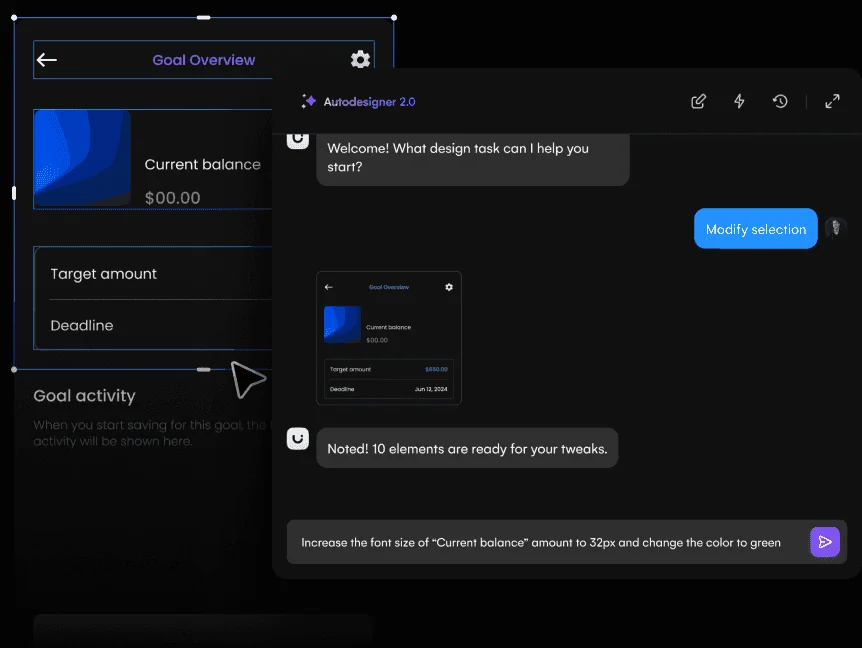
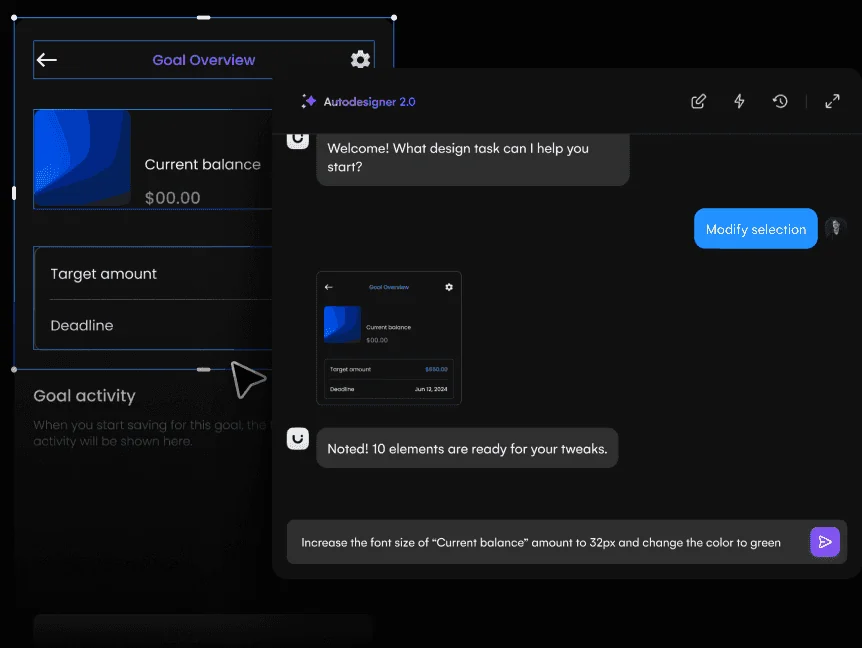
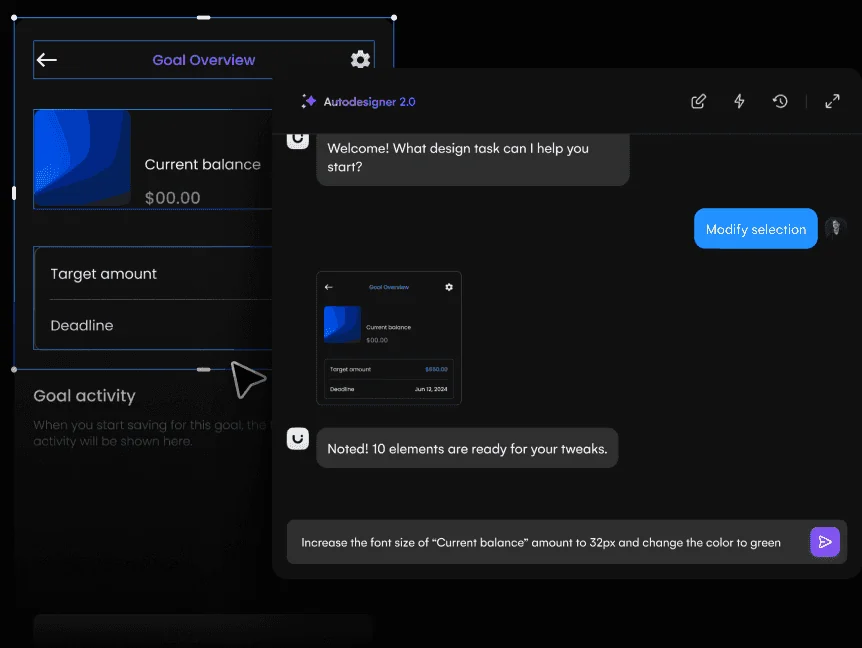
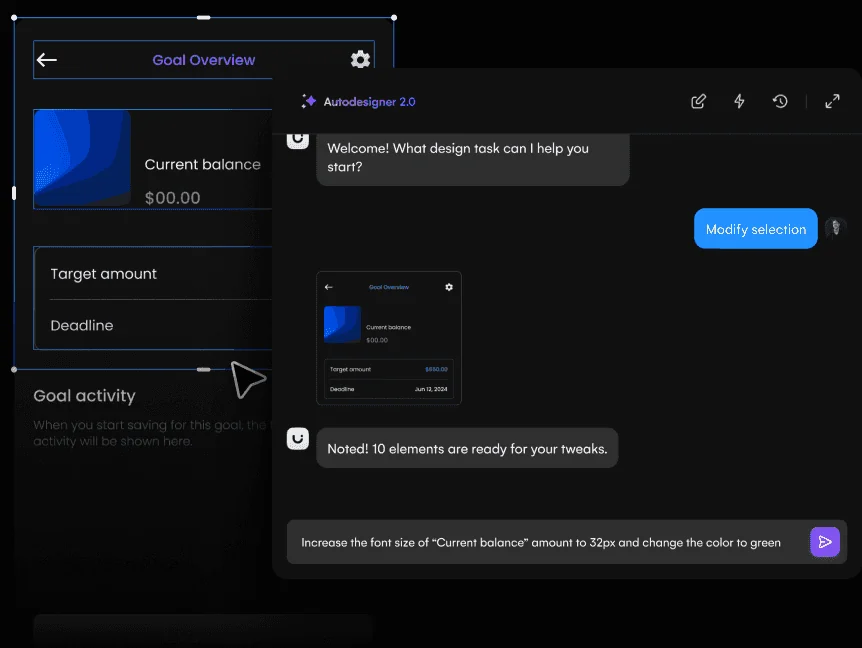
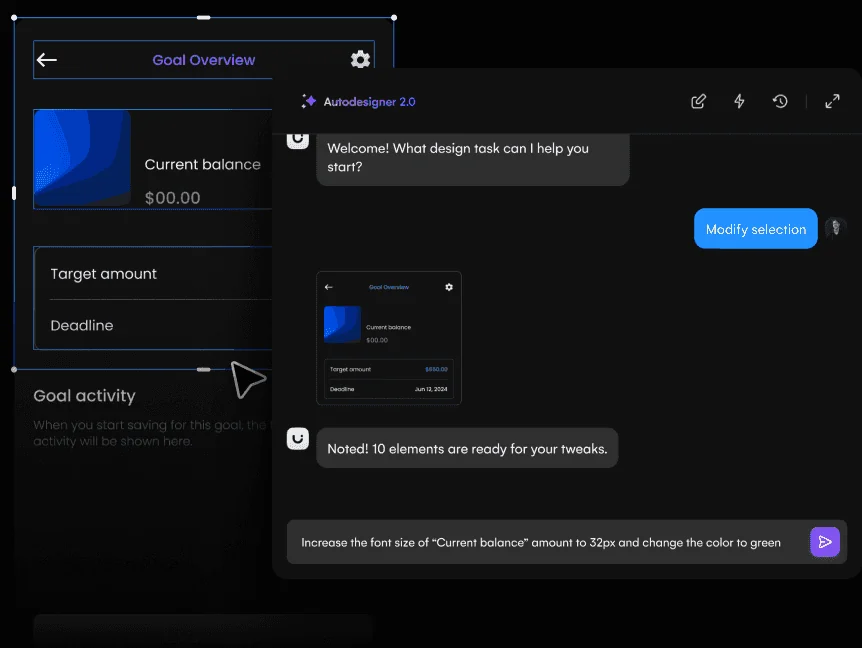
Uizard’s Autodesigner makes the “describe it and get UI” workflow approachable. It supports prompt-based generation, templates, prototypes, and developer handoff. The Free plan includes three AI generations per month; Pro is $12/month billed annually with 500 AI generations per month and React/CSS handoff.
Where Uizard wins: simplicity, predictable product-design workflow, and accessibility for people who are not professional designers.
Where Claude Design wins: deeper conversational iteration and a broader range of creative outputs.
Choose Uizard when you want a guided UI tool. Choose Claude Design when you want the AI conversation itself to drive the process.
Best for: Collaborative product discovery, wireframes, and stakeholder-friendly prototypes
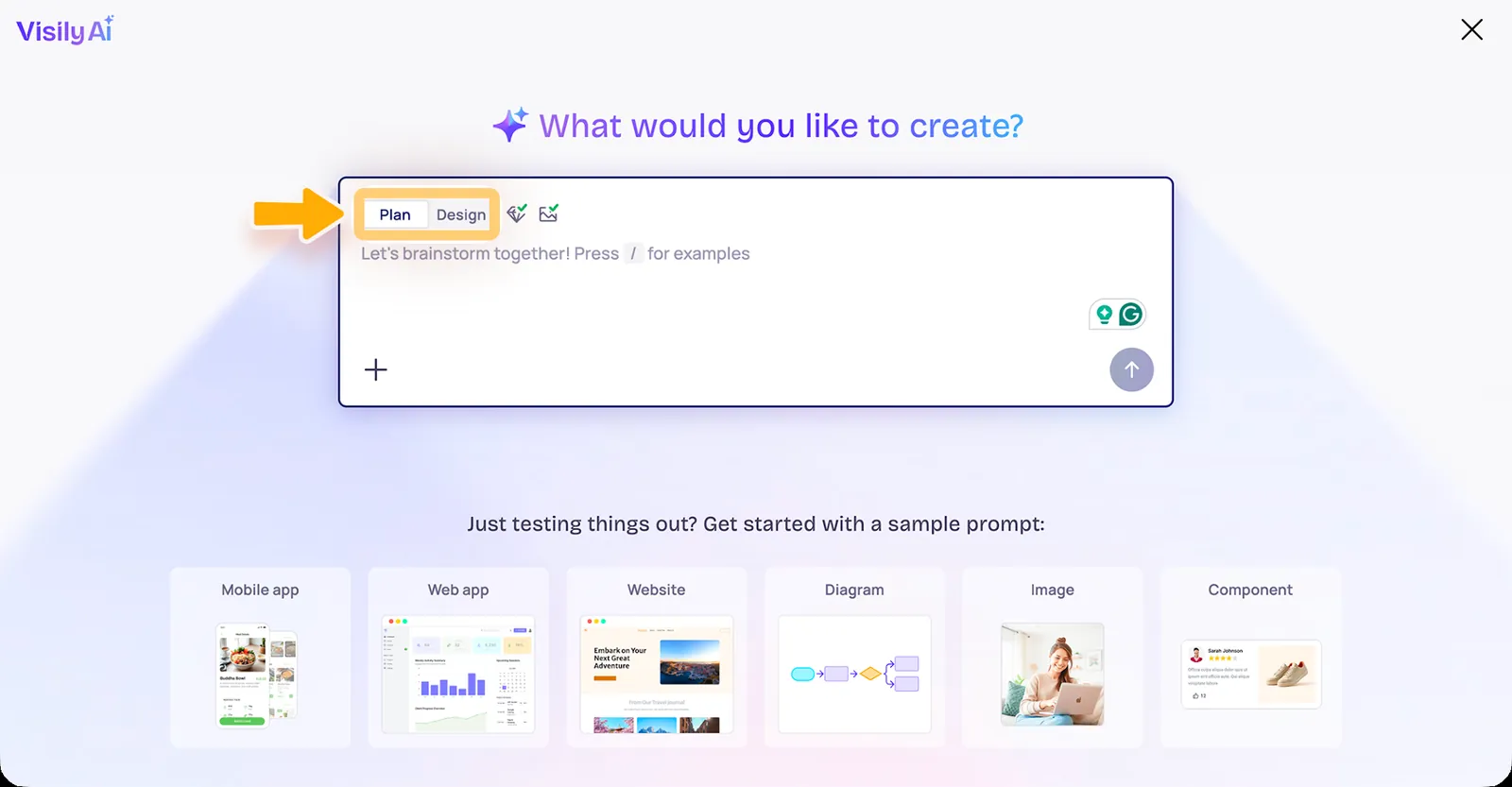
Visily combines AI generation with a conventional editable product-design surface. It supports wireframes, hi-fi designs, interactive prototypes, Figma import/export on paid plans, code export, and an MCP server. Pro currently starts at $11/editor/month billed annually.
Where Visily wins: structured collaboration between designers and non-designers, plus the ability to move between low- and high-fidelity work.
Where Claude Design wins: freer conversational generation and broader creative scope.
Choose Visily if your product process starts with PMs and stakeholders shaping flows together. Choose Claude Design if a single creator wants a more open-ended AI canvas.
Best for: Teams that care about open source, model choice, self-hosting, or owning the workflow
Open Design exists for a different reason than most competitors: control. It positions itself as an open-source alternative to closed AI design surfaces, with an emphasis on bringing your own model/key and reducing platform lock-in.
Where Open Design wins: openness, self-hosting potential, and flexibility around the AI layer.
Where Claude Design wins: polish, integration with Claude, and a more mainstream managed experience.
Choose Open Design when ownership is the reason you are leaving Claude Design. Choose Claude Design when convenience and the Claude ecosystem matter more.
Claude Design vs the alternatives: what actually matters
Do not choose by the prettiest one-shot generation. Test the workflow after the first screen.
Ask five questions: Can it keep multiple screens consistent? Can you edit the output without starting over? Can it understand your design system? Can the work move cleanly to Figma or code? Can teammates continue the work without the original prompt author?
What is the best Claude Design alternative for UI design?
Figma Make is the strongest choice for established design teams; Google Stitch is excellent for fast UI exploration; Magic Patterns is strong when the next step is React-based product UI.
What is the best free Claude Design alternative?
Google Stitch is a compelling free/experimental option for AI UI generation. Uizard and Visily also offer free tiers with limits.
Is there an open-source Claude Design alternative?
Open Design is specifically positioned around an open-source, model-flexible workflow.
Is Figma Make better than Claude Design?
For teams already using Figma libraries, components, multiplayer collaboration, and Dev Mode, Figma Make has a major workflow advantage. Claude Design can be more attractive for chat-first, mixed-format creative exploration.
Claude Design is one of the most interesting visual AI products of 2026, especially if you already work in Claude and Claude Code. But it is not automatically the best fit for every UI workflow. These alternatives are ranked by the specific gap they fill better: mature design systems, UI generation, collaboration, working apps, or production code.
Key Takeaways
Figma Make is the strongest pick for turning design context into functional prototypes and web experiences.
Google Stitch is the strongest pick for AI-native UI generation, exploration, and design-agent workflows.
Uizard is the strongest pick for quick editable UI concepts for designers and non-designers.
Visily is the strongest pick for AI-assisted UI ideation for product teams that want fast editable results.
Lovable is the strongest pick for building complete web apps through conversation with visual editing and cloud services.
What Claude Design Already Does Well
Claude Design already combines conversation, canvas editing, design-system import, comments, connectors, exports, and Claude Code sync. A competitor only becomes interesting if it gives you a stronger advantage somewhere: deeper Figma systems, a more AI-native UI canvas, easier non-designer generation, or a working full-stack application.
Choose an Alternative by the Missing Piece
Visual generation
Direct editing
Design-system context
Collaboration
Code path
Workflow maturity
Quick Comparison
Tool
Best For
Biggest Strength
Watch Out For
Figma Make
Turning design context into functional prototypes and web experiences
The strongest reason to choose it is continuity.
It makes the most sense inside a Figma-heavy workflow.
Google Stitch
Ai-native ui generation, exploration, and design-agent workflows
The strongest reason to use Stitch is exploration with an AI agent that understands the artifact as design context, not just an image.
It is still changing quickly.
Uizard
Quick editable ui concepts for designers and non-designers
It is particularly useful when the person shaping the product idea is not a full-time UI designer.
The ceiling is lower than Figma, Sketch, or a code-backed builder when you need a large design system, advanced interactions, or highly specific production handoff.
Visily
Ai-assisted ui ideation for product teams that want fast editable results
For product managers and founders, that can make it a practical middle ground between a whiteboard and a heavyweight design environment.
Advanced design-system work and final production handoff may still move to Figma or another specialist.
Lovable
Building complete web apps through conversation with visual editing and cloud services
Its appeal is the full journey.
It builds web applications, not native iOS or Android binaries.
v0
Prompt-to-frontend and full-stack web work inside the vercel ecosystem
Developers and technical product teams benefit from the proximity to modern React and Vercel workflows.
Non-technical users can get impressive first results, but production applications still need engineering decisions around architecture, data, testing, security, and maintainability.
1. Figma Make: Best for Turning design context into functional prototypes
Figma Make sits unusually close to the rest of the product-design workflow. You can start from a prompt, attach an existing Figma frame or design context, iterate visually, and move toward a code-backed interactive result without abandoning the design file.
Compared with Claude Design, Figma Make is the more interesting choice when the team prioritizes turning design context into functional prototypes and web experiences. That is the gap it can fill rather than a blanket replacement claim.
The strongest reason to choose it is continuity. Teams already using Figma can keep components, feedback, design context, and prototyping closer together instead of exporting an early idea into a completely separate AI builder.
Where it fits best
Use Figma Make when turning design context into functional prototypes and web experiences. It is particularly useful when that need is already visible in your current workflow and the team can measure whether the tool actually removes a handoff, shortens iteration, or improves the quality of the artifact.
The tradeoff
It makes the most sense inside a Figma-heavy workflow. If your team wants a standalone AI builder, a code-first IDE experience, or an open-source design stack, other options can feel less opinionated.
Current context: Figma says its 2026 State of the Designer research found 72% of designers now use generative AI, and 91% of designers who increased AI usage say it improves output quality. Source
Image placement: Use a current in-product interface image showing Figma Make doing the job described above. Filename: claude-design-alternatives-figma-make.webp. Keep WebP under 100 KB.
2. Google Stitch: Best for Ai-native ui generation, exploration,
Google Stitch has evolved into an AI-native design canvas rather than a simple prompt-to-screen experiment. Its 2026 updates added an infinite canvas, high-fidelity UI generation from natural language and visual context, design agents, instant prototyping, DESIGN.md, and developer-facing MCP and SDK workflows.
Compared with Claude Design, Google Stitch is the more interesting choice when the team prioritizes AI-native UI generation, exploration, and design-agent workflows. That is the gap it can fill rather than a blanket replacement claim.
The strongest reason to use Stitch is exploration with an AI agent that understands the artifact as design context, not just an image. It is increasingly useful as a bridge between early interface ideas and downstream code-oriented tools.
Where it fits best
Use Google Stitch when AI-native UI generation, exploration, and design-agent workflows. It is particularly useful when that need is already visible in your current workflow and the team can measure whether the tool actually removes a handoff, shortens iteration, or improves the quality of the artifact.
The tradeoff
It is still changing quickly. Teams that need a long-established enterprise design-system workflow may prefer Figma or an established code-aware platform until their Stitch process is proven.
Current context: Google’s March 2026 Stitch update introduced an AI-native infinite canvas, design agents, instant prototypes, DESIGN.md, MCP, and SDK access. Source
Image placement: Use a current product workflow image showing Google Stitch doing the job described above. Filename: claude-design-alternatives-google-stitch.webp. Keep WebP under 100 KB.
3. Uizard: Best for Quick editable ui concepts for designers
Uizard is built around getting from an idea to an editable interface quickly. Autodesigner can generate multi-screen app or website mockups from plain English, and the same workspace supports themes, screenshots-to-editable-design, components, flows, and interactive previews.
Compared with Claude Design, Uizard is the more interesting choice when the team prioritizes quick editable UI concepts for designers and non-designers. That is the gap it can fill rather than a blanket replacement claim.
It is particularly useful when the person shaping the product idea is not a full-time UI designer. Product managers, founders, marketers, and early-stage teams can produce something concrete without learning a dense professional design environment first.
Where it fits best
Use Uizard when quick editable UI concepts for designers and non-designers. It is particularly useful when that need is already visible in your current workflow and the team can measure whether the tool actually removes a handoff, shortens iteration, or improves the quality of the artifact.
The tradeoff
The ceiling is lower than Figma, Sketch, or a code-backed builder when you need a large design system, advanced interactions, or highly specific production handoff.
Current context: Uizard describes Autodesigner as an AI system that generates multi-screen app and website mockups from plain-English prompts. Source
Image placement: Use a current in-product interface image showing Uizard doing the job described above. Filename: claude-design-alternatives-uizard.webp. Keep WebP under 100 KB.
4. Visily: Best for Ai-assisted ui ideation for product teams that want fast editable results
Visily focuses on making UI creation accessible without turning every user into a professional interface designer. It can work from text, screenshots, and existing canvas context, and its AI features are designed to keep the result editable rather than producing a static inspiration image.
Compared with Claude Design, Visily is the more interesting choice when the team prioritizes AI-assisted UI ideation for product teams that want fast editable results. That is the gap it can fill rather than a blanket replacement claim.
For product managers and founders, that can make it a practical middle ground between a whiteboard and a heavyweight design environment. Figma import and export also reduce the cost of bringing a designer in later.
Where it fits best
Use Visily when AI-assisted UI ideation for product teams that want fast editable results. It is particularly useful when that need is already visible in your current workflow and the team can measure whether the tool actually removes a handoff, shortens iteration, or improves the quality of the artifact.
The tradeoff
Advanced design-system work and final production handoff may still move to Figma or another specialist. Visily is most compelling in ideation and early validation.
Current context: Visily’s current paid plans include AI design instructions, Figma import/export, code export, and MCP features. Source
Image placement: Use a current product workflow image showing Visily doing the job described above. Filename: claude-design-alternatives-visily.webp. Keep WebP under 100 KB.
5. Lovable: Best for Building complete web apps through conversation with visual editing
Lovable is an AI software-building environment aimed at people who want a working web app, not only a screen. It combines conversational building, visual edits, code ownership, integrations, cloud services, and GitHub sync so an early prototype can keep moving toward a real product.
Compared with Claude Design, Lovable is the more interesting choice when the team prioritizes building complete web apps through conversation with visual editing and cloud services. That is the gap it can fill rather than a blanket replacement claim.
Its appeal is the full journey. A founder can validate an idea with real data, authentication, integrations, and deployment instead of showing users a click-through simulation.
Where it fits best
Use Lovable when building complete web apps through conversation with visual editing and cloud services. It is particularly useful when that need is already visible in your current workflow and the team can measure whether the tool actually removes a handoff, shortens iteration, or improves the quality of the artifact.
The tradeoff
It builds web applications, not native iOS or Android binaries. Teams with deep platform-specific mobile requirements will need a different toolchain.
Current context: Lovable’s current pricing page says users own their code and projects, while paid workspaces share a common credit pool rather than charging per seat. Source
Image placement: Use a current in-product interface image showing Lovable doing the job described above. Filename: claude-design-alternatives-lovable.webp. Keep WebP under 100 KB.
v0 is strongest when the output needs to become real web code quickly. It can generate UI and application flows, edit visually through Design Mode, sync with GitHub, and deploy to Vercel, making it more of a build environment than a static mockup generator.
Compared with Claude Design, v0 is the more interesting choice when the team prioritizes prompt-to-frontend and full-stack web work inside the Vercel ecosystem. That is the gap it can fill rather than a blanket replacement claim.
Developers and technical product teams benefit from the proximity to modern React and Vercel workflows. You can move from idea to component to deployed preview without copying the concept through a traditional handoff chain.
Where it fits best
Use v0 when prompt-to-frontend and full-stack web work inside the Vercel ecosystem. It is particularly useful when that need is already visible in your current workflow and the team can measure whether the tool actually removes a handoff, shortens iteration, or improves the quality of the artifact.
The tradeoff
Non-technical users can get impressive first results, but production applications still need engineering decisions around architecture, data, testing, security, and maintainability.
Current context: v0’s current free plan includes visual Design Mode, GitHub sync, and Vercel deployment; paid plans add more credits and team features. Source
Image placement: Use a current product workflow image showing v0 doing the job described above. Filename: claude-design-alternatives-v0.webp. Keep WebP under 100 KB.
Which One Should You Choose?
Choose Figma Make if your priority is turning design context into functional prototypes and web experiences. Choose Google Stitch if your priority is AI-native UI generation, exploration, and design-agent workflows. Choose Uizard if your priority is quick editable UI concepts for designers and non-designers.
Choose Visily if your priority is AI-assisted UI ideation for product teams that want fast editable results. Choose Lovable if your priority is building complete web apps through conversation with visual editing and cloud services. Choose v0 if your priority is prompt-to-frontend and full-stack web work inside the Vercel ecosystem.
Do not choose from the feature count alone. Pick the tool that removes the next expensive handoff in your workflow. If it only gives you a faster first draft but creates more cleanup later, the speed is mostly cosmetic.
FAQs
What is the best Claude Design alternatives for most teams?
For most teams, Figma Make is the safest starting point because it matches the central job of this list: turning design context into functional prototypes and web experiences. The better answer can change quickly when your team has a strong platform, code, or workflow constraint.
Are free Claude Design alternatives good enough?
Free plans are usually enough to test the workflow and judge first-result quality. The limits show up later in collaboration, AI credits, private projects, exports, version history, team controls, or production use. Test your real workflow before paying for a year.
Should AI replace the designer in this workflow?
No. AI is most useful for generating options, assembling first passes, translating structure, or automating repetitive edits. Problem framing, accessibility, product judgment, prioritization, and deciding which direction is actually right still need human ownership.
How should I evaluate these tools before buying?
Use one small real project. Give every candidate the same brief, the same existing assets, and the same correction request. Compare the second and third iterations, not just the first output. That exposes workflow friction much faster than a feature checklist.
Final Thoughts
The best Claude Design alternatives is the one that makes the next decision cheaper. For this list, Figma Make is the strongest default, but the specialist options become better as soon as your constraint becomes specific. Match the tool to the output, handoff, and level of fidelity you actually need. That is how you get speed without simply moving the work somewhere else.
AI is now showing up across the whole UI/UX process, not just at the screen-generation stage. It can summarize research, sketch flows, generate interfaces, test concepts, predict attention, and structure websites. The useful question is where AI saves judgment-free effort without replacing the judgment you still need.
Key Takeaways
Dovetail is the strongest pick for research synthesis, customer evidence, and turning qualitative data into product insight.
Figma Make is the strongest pick for turning design context into functional prototypes and web experiences.
Google Stitch is the strongest pick for AI-native UI generation, exploration, and design-agent workflows.
Maze is the strongest pick for remote user testing, prototype validation, and rapid research.
Attention Insight is the strongest pick for predictive visual-attention analysis before running live eye-tracking studies.
Where AI Fits in the UI/UX Lifecycle
AI is most useful where the task is repetitive, compressible, or easy to verify: summarizing interviews, generating structural variations, filling first-pass layouts, creating test plans, or scanning visual hierarchy. Keep human judgment for problem framing, prioritization, ethics, tradeoffs, and deciding whether the interface actually makes sense.
The Rule: Automate Assembly, Keep Judgment
Research support
Structure generation
UI generation
Prototype/test support
Visual analysis
Human review burden
Quick Comparison
Tool
Best For
Biggest Strength
Watch Out For
Dovetail
Research synthesis, customer evidence, and turning qualitative data into product insight
For UX teams, this matters because better screens usually start with better evidence.
It does not replace a design or prototyping tool.
Figma Make
Turning design context into functional prototypes and web experiences
The strongest reason to choose it is continuity.
It makes the most sense inside a Figma-heavy workflow.
Google Stitch
Ai-native ui generation, exploration, and design-agent workflows
The strongest reason to use Stitch is exploration with an AI agent that understands the artifact as design context, not just an image.
It is still changing quickly.
Maze
Remote user testing, prototype validation, and rapid research
The real value is cadence.
The platform does not create the design itself.
Attention Insight
Predictive visual-attention analysis before running live eye-tracking studies
It is useful for catching obvious hierarchy problems: a CTA that disappears, a hero image that steals all attention, or a pricing layout whose visual weight is fighting the intended path.
A predictive heatmap is not user research and does not tell you whether people understand the content or can complete a task.
Uizard
Quick editable ui concepts for designers and non-designers
It is particularly useful when the person shaping the product idea is not a full-time UI designer.
The ceiling is lower than Figma, Sketch, or a code-backed builder when you need a large design system, advanced interactions, or highly specific production handoff.
Relume
Ai-assisted website sitemaps, wireframes, component-driven page planning, and export
The structure-first approach is the reason to use it.
It is not the tool for native app design or deeply custom interaction logic.
1. Dovetail: Best for Research synthesis, customer evidence,
Dovetail sits upstream of the UI canvas. It helps teams organize interviews, feedback, notes, and research, then use AI-assisted analysis to find themes and make evidence easier to reuse across product decisions.
Dovetail fits the lifecycle where the team needs research synthesis, customer evidence, and turning qualitative data into product insight. AI is useful here when it compresses assembly or analysis without hiding the evidence behind the decision.
For UX teams, this matters because better screens usually start with better evidence. Dovetail gives research a home that is more durable than scattered docs, meeting notes, and one-off presentation slides.
Where it fits best
Use Dovetail when research synthesis, customer evidence, and turning qualitative data into product insight. It is particularly useful when that need is already visible in your current workflow and the team can measure whether the tool actually removes a handoff, shortens iteration, or improves the quality of the artifact.
The tradeoff
It does not replace a design or prototyping tool. Its job is to improve the quality and traceability of the decisions that feed those tools.
Current context: Dovetail positions AI-assisted analysis as part of its customer-research and insights platform for product teams. Source
Image placement: Use a current in-product interface image showing Dovetail doing the job described above. Filename: best-ai-ui-ux-tools-dovetail.webp. Keep WebP under 100 KB.
2. Figma Make: Best for Turning design context into functional prototypes
Figma Make sits unusually close to the rest of the product-design workflow. You can start from a prompt, attach an existing Figma frame or design context, iterate visually, and move toward a code-backed interactive result without abandoning the design file.
Figma Make fits the lifecycle where the team needs turning design context into functional prototypes and web experiences. AI is useful here when it compresses assembly or analysis without hiding the evidence behind the decision.
The strongest reason to choose it is continuity. Teams already using Figma can keep components, feedback, design context, and prototyping closer together instead of exporting an early idea into a completely separate AI builder.
Where it fits best
Use Figma Make when turning design context into functional prototypes and web experiences. It is particularly useful when that need is already visible in your current workflow and the team can measure whether the tool actually removes a handoff, shortens iteration, or improves the quality of the artifact.
The tradeoff
It makes the most sense inside a Figma-heavy workflow. If your team wants a standalone AI builder, a code-first IDE experience, or an open-source design stack, other options can feel less opinionated.
Current context: Figma says its 2026 State of the Designer research found 72% of designers now use generative AI, and 91% of designers who increased AI usage say it improves output quality. Source
Image placement: Use a current product workflow image showing Figma Make doing the job described above. Filename: best-ai-ui-ux-tools-figma-make.webp. Keep WebP under 100 KB.
3. Google Stitch: Best for Ai-native ui generation, exploration,
Google Stitch has evolved into an AI-native design canvas rather than a simple prompt-to-screen experiment. Its 2026 updates added an infinite canvas, high-fidelity UI generation from natural language and visual context, design agents, instant prototyping, DESIGN.md, and developer-facing MCP and SDK workflows.
Google Stitch fits the lifecycle where the team needs AI-native UI generation, exploration, and design-agent workflows. AI is useful here when it compresses assembly or analysis without hiding the evidence behind the decision.
The strongest reason to use Stitch is exploration with an AI agent that understands the artifact as design context, not just an image. It is increasingly useful as a bridge between early interface ideas and downstream code-oriented tools.
Where it fits best
Use Google Stitch when AI-native UI generation, exploration, and design-agent workflows. It is particularly useful when that need is already visible in your current workflow and the team can measure whether the tool actually removes a handoff, shortens iteration, or improves the quality of the artifact.
The tradeoff
It is still changing quickly. Teams that need a long-established enterprise design-system workflow may prefer Figma or an established code-aware platform until their Stitch process is proven.
Current context: Google’s March 2026 Stitch update introduced an AI-native infinite canvas, design agents, instant prototypes, DESIGN.md, MCP, and SDK access. Source
Image placement: Use a current in-product interface image showing Google Stitch doing the job described above. Filename: best-ai-ui-ux-tools-google-stitch.webp. Keep WebP under 100 KB.
4. Maze: Best for Remote user testing, prototype validation,
Maze helps teams test prototypes and product experiences with users without turning every study into a fully moderated research project. It supports prototype testing, surveys, usability research, and analysis workflows that product teams can repeat frequently.
Maze fits the lifecycle where the team needs remote user testing, prototype validation, and rapid research. AI is useful here when it compresses assembly or analysis without hiding the evidence behind the decision.
The real value is cadence. Teams can test smaller decisions more often instead of saving research for the end of a project when changing direction is expensive.
Where it fits best
Use Maze when remote user testing, prototype validation, and rapid research. It is particularly useful when that need is already visible in your current workflow and the team can measure whether the tool actually removes a handoff, shortens iteration, or improves the quality of the artifact.
The tradeoff
The platform does not create the design itself. The quality of the test still depends on a clear research question, representative participants, and a prototype that reflects what you actually need to learn.
Current context: Maze focuses on continuous product discovery and supports prototype testing alongside other remote research methods. Source
Image placement: Use a current product workflow image showing Maze doing the job described above. Filename: best-ai-ui-ux-tools-maze.webp. Keep WebP under 100 KB.
5. Attention Insight: Best for Predictive visual-attention analysis before running live eye-tracking studies
Attention Insight uses predictive attention models to estimate where users are likely to look on a page or interface. Designers can use heatmaps and related visual-attention signals as an early diagnostic before committing to more expensive testing.
Attention Insight fits the lifecycle where the team needs predictive visual-attention analysis before running live eye-tracking studies. AI is useful here when it compresses assembly or analysis without hiding the evidence behind the decision.
It is useful for catching obvious hierarchy problems: a CTA that disappears, a hero image that steals all attention, or a pricing layout whose visual weight is fighting the intended path.
Where it fits best
Use Attention Insight when predictive visual-attention analysis before running live eye-tracking studies. It is particularly useful when that need is already visible in your current workflow and the team can measure whether the tool actually removes a handoff, shortens iteration, or improves the quality of the artifact.
The tradeoff
A predictive heatmap is not user research and does not tell you whether people understand the content or can complete a task. Use it as a signal, not as proof.
Current context: Attention Insight positions its AI heatmaps as predictive attention analysis for websites, ads, and interface designs. Source
Image placement: Use a current in-product interface image showing Attention Insight doing the job described above. Filename: best-ai-ui-ux-tools-attention-insight.webp. Keep WebP under 100 KB.
6. Uizard: Best for Quick editable ui concepts for designers
Uizard is built around getting from an idea to an editable interface quickly. Autodesigner can generate multi-screen app or website mockups from plain English, and the same workspace supports themes, screenshots-to-editable-design, components, flows, and interactive previews.
Uizard fits the lifecycle where the team needs quick editable UI concepts for designers and non-designers. AI is useful here when it compresses assembly or analysis without hiding the evidence behind the decision.
It is particularly useful when the person shaping the product idea is not a full-time UI designer. Product managers, founders, marketers, and early-stage teams can produce something concrete without learning a dense professional design environment first.
Where it fits best
Use Uizard when quick editable UI concepts for designers and non-designers. It is particularly useful when that need is already visible in your current workflow and the team can measure whether the tool actually removes a handoff, shortens iteration, or improves the quality of the artifact.
The tradeoff
The ceiling is lower than Figma, Sketch, or a code-backed builder when you need a large design system, advanced interactions, or highly specific production handoff.
Current context: Uizard describes Autodesigner as an AI system that generates multi-screen app and website mockups from plain-English prompts. Source
Image placement: Use a current product workflow image showing Uizard doing the job described above. Filename: best-ai-ui-ux-tools-uizard.webp. Keep WebP under 100 KB.
7. Relume: Best for Ai-assisted website sitemaps, wireframes, component-driven page planning,
Relume is focused on websites rather than general-purpose app UI. It can turn a website brief into a sitemap and structured wireframes, then move those sections into a component system that connects well with Figma and Webflow-oriented workflows.
Relume fits the lifecycle where the team needs AI-assisted website sitemaps, wireframes, component-driven page planning, and export. AI is useful here when it compresses assembly or analysis without hiding the evidence behind the decision.
The structure-first approach is the reason to use it. It encourages teams to settle page inventory, section order, and content architecture before getting lost in visual details.
Where it fits best
Use Relume when AI-assisted website sitemaps, wireframes, component-driven page planning, and export. It is particularly useful when that need is already visible in your current workflow and the team can measure whether the tool actually removes a handoff, shortens iteration, or improves the quality of the artifact.
The tradeoff
It is not the tool for native app design or deeply custom interaction logic. Its strongest workflows are marketing sites, content sites, agency work, and repeatable website production.
Current context: Relume has been testing a 2026 Publish workflow that extends its sitemap-and-component model toward a hosted end-to-end website workflow. Source
Image placement: Use a current in-product interface image showing Relume doing the job described above. Filename: best-ai-ui-ux-tools-relume.webp. Keep WebP under 100 KB.
Which One Should You Choose?
Choose Dovetail if your priority is research synthesis, customer evidence, and turning qualitative data into product insight. Choose Figma Make if your priority is turning design context into functional prototypes and web experiences. Choose Google Stitch if your priority is AI-native UI generation, exploration, and design-agent workflows.
Choose Maze if your priority is remote user testing, prototype validation, and rapid research. Choose Attention Insight if your priority is predictive visual-attention analysis before running live eye-tracking studies. Choose Uizard if your priority is quick editable UI concepts for designers and non-designers. Choose Relume if your priority is AI-assisted website sitemaps, wireframes, component-driven page planning, and export.
Do not choose from the feature count alone. Pick the tool that removes the next expensive handoff in your workflow. If it only gives you a faster first draft but creates more cleanup later, the speed is mostly cosmetic.
FAQs
What is the best AI UI UX tools for most teams?
For most teams, Dovetail is the safest starting point because it matches the central job of this list: research synthesis, customer evidence, and turning qualitative data into product insight. The better answer can change quickly when your team has a strong platform, code, or workflow constraint.
Are free AI UI UX tools good enough?
Free plans are usually enough to test the workflow and judge first-result quality. The limits show up later in collaboration, AI credits, private projects, exports, version history, team controls, or production use. Test your real workflow before paying for a year.
Should AI replace the designer in this workflow?
No. AI is most useful for generating options, assembling first passes, translating structure, or automating repetitive edits. Problem framing, accessibility, product judgment, prioritization, and deciding which direction is actually right still need human ownership.
How should I evaluate these tools before buying?
Use one small real project. Give every candidate the same brief, the same existing assets, and the same correction request. Compare the second and third iterations, not just the first output. That exposes workflow friction much faster than a feature checklist.
Final Thoughts
The best AI UI UX tools is the one that makes the next decision cheaper. For this list, Dovetail is the strongest default, but the specialist options become better as soon as your constraint becomes specific. Match the tool to the output, handoff, and level of fidelity you actually need. That is how you get speed without simply moving the work somewhere else.
The best AI setup for UI design may not be one giant prompt box. A specialist tool can be better for color, another for visual attention, another for assets, and another for the layout itself. This list builds a practical AI-assisted UI stack instead of six versions of the same generator.
Key Takeaways
Figma Make is the strongest pick for turning design context into functional prototypes and web experiences.
Uizard is the strongest pick for quick editable UI concepts for designers and non-designers.
Khroma is the strongest pick for AI-assisted color exploration and palette discovery.
Adobe Firefly is the strongest pick for AI-assisted creative production inside an Adobe-heavy workflow.
Attention Insight is the strongest pick for predictive visual-attention analysis before running live eye-tracking studies.
One AI Tool Does Not Need to Do Everything
Use Figma Make or Uizard to create and reshape the interface. Use Khroma to explore palette direction. Use Firefly for the image and visual assets the interface needs. Use Attention Insight to question visual hierarchy. Use Stark to catch accessibility issues before they become development debt.
The Six Jobs in This Stack
Specialist job quality
Time saved
Ease of verification
Fit with Figma/design workflow
Cost of switching context
Output control
Quick Comparison
Tool
Best For
Biggest Strength
Watch Out For
Figma Make
Turning design context into functional prototypes and web experiences
The strongest reason to choose it is continuity.
It makes the most sense inside a Figma-heavy workflow.
Uizard
Quick editable ui concepts for designers and non-designers
It is particularly useful when the person shaping the product idea is not a full-time UI designer.
The ceiling is lower than Figma, Sketch, or a code-backed builder when you need a large design system, advanced interactions, or highly specific production handoff.
Khroma
Ai-assisted color exploration and palette discovery
Because it is focused, it is faster than asking a general AI assistant for endless hex-code lists with no visual context.
It does not understand your product hierarchy, accessibility requirements, or component system by itself.
Adobe Firefly
Ai-assisted creative production inside an adobe-heavy workflow
The practical advantage is depth after generation.
For pure UI or product design, Firefly is a supporting creative tool rather than the place where the full interface system lives.
Attention Insight
Predictive visual-attention analysis before running live eye-tracking studies
It is useful for catching obvious hierarchy problems: a CTA that disappears, a hero image that steals all attention, or a pricing layout whose visual weight is fighting the intended path.
A predictive heatmap is not user research and does not tell you whether people understand the content or can complete a task.
Stark
Accessibility checks inside design and development workflows
That timing is its biggest benefit.
It is intentionally narrow.
1. Figma Make: Best for Turning design context into functional prototypes
Figma Make sits unusually close to the rest of the product-design workflow. You can start from a prompt, attach an existing Figma frame or design context, iterate visually, and move toward a code-backed interactive result without abandoning the design file.
In a specialist AI stack, Figma Make does not need to replace the design tool. It only needs to be excellent at turning design context into functional prototypes and web experiences and hand the result back cleanly.
The strongest reason to choose it is continuity. Teams already using Figma can keep components, feedback, design context, and prototyping closer together instead of exporting an early idea into a completely separate AI builder.
Where it fits best
Use Figma Make when turning design context into functional prototypes and web experiences. It is particularly useful when that need is already visible in your current workflow and the team can measure whether the tool actually removes a handoff, shortens iteration, or improves the quality of the artifact.
The tradeoff
It makes the most sense inside a Figma-heavy workflow. If your team wants a standalone AI builder, a code-first IDE experience, or an open-source design stack, other options can feel less opinionated.
Current context: Figma says its 2026 State of the Designer research found 72% of designers now use generative AI, and 91% of designers who increased AI usage say it improves output quality. Source
Image placement: Use a current in-product interface image showing Figma Make doing the job described above. Filename: best-ai-tools-for-ui-design-figma-make.webp. Keep WebP under 100 KB.
2. Uizard: Best for Quick editable ui concepts for designers
Uizard is built around getting from an idea to an editable interface quickly. Autodesigner can generate multi-screen app or website mockups from plain English, and the same workspace supports themes, screenshots-to-editable-design, components, flows, and interactive previews.
In a specialist AI stack, Uizard does not need to replace the design tool. It only needs to be excellent at quick editable UI concepts for designers and non-designers and hand the result back cleanly.
It is particularly useful when the person shaping the product idea is not a full-time UI designer. Product managers, founders, marketers, and early-stage teams can produce something concrete without learning a dense professional design environment first.
Where it fits best
Use Uizard when quick editable UI concepts for designers and non-designers. It is particularly useful when that need is already visible in your current workflow and the team can measure whether the tool actually removes a handoff, shortens iteration, or improves the quality of the artifact.
The tradeoff
The ceiling is lower than Figma, Sketch, or a code-backed builder when you need a large design system, advanced interactions, or highly specific production handoff.
Current context: Uizard describes Autodesigner as an AI system that generates multi-screen app and website mockups from plain-English prompts. Source
Image placement: Use a current product workflow image showing Uizard doing the job described above. Filename: best-ai-tools-for-ui-design-uizard.webp. Keep WebP under 100 KB.
Khroma is a narrow tool with a clear job: learn the colors you like and generate combinations around those preferences. For UI designers, that makes it useful during early visual exploration when the problem is finding a direction rather than managing a full design system.
In a specialist AI stack, Khroma does not need to replace the design tool. It only needs to be excellent at AI-assisted color exploration and palette discovery and hand the result back cleanly.
Because it is focused, it is faster than asking a general AI assistant for endless hex-code lists with no visual context.
Where it fits best
Use Khroma when AI-assisted color exploration and palette discovery. It is particularly useful when that need is already visible in your current workflow and the team can measure whether the tool actually removes a handoff, shortens iteration, or improves the quality of the artifact.
The tradeoff
It does not understand your product hierarchy, accessibility requirements, or component system by itself. Final palette choices still need contrast checks and real interface testing.
Current context: Khroma uses machine learning to learn a user’s color preferences and generate palette combinations. Source
Image placement: Use a current in-product interface image showing Khroma doing the job described above. Filename: best-ai-tools-for-ui-design-khroma.webp. Keep WebP under 100 KB.
4. Adobe Firefly: Best for Ai-assisted creative production inside an adobe-heavy workflow
Adobe Firefly is now much more than a text-to-image page. It combines image, video, audio, editing, partner models, and a 2026 AI Assistant that can orchestrate multi-step creative work across Adobe apps while keeping outputs editable.
In a specialist AI stack, Adobe Firefly does not need to replace the design tool. It only needs to be excellent at AI-assisted creative production inside an Adobe-heavy workflow and hand the result back cleanly.
The practical advantage is depth after generation. A concept can continue into Photoshop, Illustrator, Premiere, Lightroom, or Express instead of ending as a flattened AI output.
Where it fits best
Use Adobe Firefly when AI-assisted creative production inside an Adobe-heavy workflow. It is particularly useful when that need is already visible in your current workflow and the team can measure whether the tool actually removes a handoff, shortens iteration, or improves the quality of the artifact.
The tradeoff
For pure UI or product design, Firefly is a supporting creative tool rather than the place where the full interface system lives. It is strongest for visual assets, campaigns, image editing, and multimodal production.
Current context: Adobe said in April 2026 that Firefly had expanded to more than 30 creative AI models across Adobe and partner providers. Source
Image placement: Use a current product workflow image showing Adobe Firefly doing the job described above. Filename: best-ai-tools-for-ui-design-adobe-firefly.webp. Keep WebP under 100 KB.
5. Attention Insight: Best for Predictive visual-attention analysis before running live eye-tracking studies
Attention Insight uses predictive attention models to estimate where users are likely to look on a page or interface. Designers can use heatmaps and related visual-attention signals as an early diagnostic before committing to more expensive testing.
In a specialist AI stack, Attention Insight does not need to replace the design tool. It only needs to be excellent at predictive visual-attention analysis before running live eye-tracking studies and hand the result back cleanly.
It is useful for catching obvious hierarchy problems: a CTA that disappears, a hero image that steals all attention, or a pricing layout whose visual weight is fighting the intended path.
Where it fits best
Use Attention Insight when predictive visual-attention analysis before running live eye-tracking studies. It is particularly useful when that need is already visible in your current workflow and the team can measure whether the tool actually removes a handoff, shortens iteration, or improves the quality of the artifact.
The tradeoff
A predictive heatmap is not user research and does not tell you whether people understand the content or can complete a task. Use it as a signal, not as proof.
Current context: Attention Insight positions its AI heatmaps as predictive attention analysis for websites, ads, and interface designs. Source
Image placement: Use a current in-product interface image showing Attention Insight doing the job described above. Filename: best-ai-tools-for-ui-design-attention-insight.webp. Keep WebP under 100 KB.
6. Stark: Best for Accessibility checks inside design
Stark is a specialist accessibility platform that helps teams catch issues around contrast, typography, focus order, vision simulation, and related accessibility concerns while design and code are still changing.
In a specialist AI stack, Stark does not need to replace the design tool. It only needs to be excellent at accessibility checks inside design and development workflows and hand the result back cleanly.
That timing is its biggest benefit. Accessibility becomes much cheaper when it is part of the design workflow rather than a final compliance gate before launch.
Where it fits best
Use Stark when accessibility checks inside design and development workflows. It is particularly useful when that need is already visible in your current workflow and the team can measure whether the tool actually removes a handoff, shortens iteration, or improves the quality of the artifact.
The tradeoff
It is intentionally narrow. Stark complements Figma, Sketch, browsers, and engineering tools instead of replacing any of them.
Current context: Stark integrates accessibility tooling into design and development workflows rather than treating accessibility as a separate end-stage audit. Source
Image placement: Use a current product workflow image showing Stark doing the job described above. Filename: best-ai-tools-for-ui-design-stark.webp. Keep WebP under 100 KB.
Which One Should You Choose?
Choose Figma Make if your priority is turning design context into functional prototypes and web experiences. Choose Uizard if your priority is quick editable UI concepts for designers and non-designers. Choose Khroma if your priority is AI-assisted color exploration and palette discovery.
Choose Adobe Firefly if your priority is AI-assisted creative production inside an Adobe-heavy workflow. Choose Attention Insight if your priority is predictive visual-attention analysis before running live eye-tracking studies. Choose Stark if your priority is accessibility checks inside design and development workflows.
Do not choose from the feature count alone. Pick the tool that removes the next expensive handoff in your workflow. If it only gives you a faster first draft but creates more cleanup later, the speed is mostly cosmetic.
FAQs
What is the best AI tools for UI design for most teams?
For most teams, Figma Make is the safest starting point because it matches the central job of this list: turning design context into functional prototypes and web experiences. The better answer can change quickly when your team has a strong platform, code, or workflow constraint.
Are free AI tools for UI design good enough?
Free plans are usually enough to test the workflow and judge first-result quality. The limits show up later in collaboration, AI credits, private projects, exports, version history, team controls, or production use. Test your real workflow before paying for a year.
Should AI replace the designer in this workflow?
No. AI is most useful for generating options, assembling first passes, translating structure, or automating repetitive edits. Problem framing, accessibility, product judgment, prioritization, and deciding which direction is actually right still need human ownership.
How should I evaluate these tools before buying?
Use one small real project. Give every candidate the same brief, the same existing assets, and the same correction request. Compare the second and third iterations, not just the first output. That exposes workflow friction much faster than a feature checklist.
Final Thoughts
The best AI tools for UI design is the one that makes the next decision cheaper. For this list, Figma Make is the strongest default, but the specialist options become better as soon as your constraint becomes specific. Match the tool to the output, handoff, and level of fidelity you actually need. That is how you get speed without simply moving the work somewhere else.
Generating an image is not the same as finishing creative work. The useful AI design tools are the ones that help after the first generation: editing, resizing, vector cleanup, brand consistency, typography, variations, and actual delivery. That is the filter behind this list.
Key Takeaways
Canva AI is the strongest pick for high-volume creative work and editable multi-format marketing assets.
Adobe Firefly is the strongest pick for AI-assisted creative production inside an Adobe-heavy workflow.
Midjourney is the strongest pick for visual exploration, mood, art direction, and high-impact concept imagery.
Recraft is the strongest pick for brand-consistent image, vector, icon, and design-system asset generation.
Ideogram is the strongest pick for image generation where typography and graphic composition matter.
Judge the Workflow After Generation
The first generation is often the cheapest part of the job. The expensive part is getting ten assets on brand, in the right size, with clean typography, editable elements, consistent characters, and approval-ready variations. I gave more weight to that second half of the workflow.
What Faster Creative Work Really Means
Generation quality
Editing
Brand consistency
Batch variations
Typography/vector support
Delivery speed
Quick Comparison
Tool
Best For
Biggest Strength
Watch Out For
Canva AI
High-volume creative work and editable multi-format marketing assets
For marketers and non-specialist designers, the value is range.
It is not a replacement for a dedicated product-design environment when you need sophisticated component systems, developer handoff, complex app prototyping, or detailed UX logic.
Adobe Firefly
Ai-assisted creative production inside an adobe-heavy workflow
The practical advantage is depth after generation.
For pure UI or product design, Firefly is a supporting creative tool rather than the place where the full interface system lives.
Midjourney
Visual exploration, mood, art direction, and high-impact concept imagery
Its strength is aesthetic range.
The output is not a structured UI file, design system, or editable component tree.
Recraft
Brand-consistent image, vector, icon, and design-system asset generation
The vector and brand-system angle matters.
It is not a product UI editor.
Ideogram
Image generation where typography and graphic composition matter
That makes it a useful creative companion for UI teams building hero concepts, launch visuals, or stylistic directions that need type integrated into the visual exploration.
Like Midjourney, it generates visual output rather than structured interface components.
Kittl AI
Quick brand, illustration, merchandise, and graphic-design production
The workflow is more production-oriented than a pure image generator because the AI output lives next to typography, layouts, templates, and editable graphic-design tools.
It is not intended for application UI, product flows, or developer handoff.
Canva AI 2.0 pushes Canva beyond one-off image generation. The 2026 research preview is conversational and agentic, with layered editable outputs, brand intelligence, connectors, web research, scheduling, and Canva Code 2.0 inside the wider Visual Suite.
The first generation is not why Canva AI is here. The stronger case is what happens afterward: high-volume creative work and editable multi-format marketing assets, plus enough control to turn an idea into something deliverable.
For marketers and non-specialist designers, the value is range. A single workspace can move from a campaign brief to social assets, a deck, an interactive element, and resized variants without rebuilding the work in separate apps.
Where it fits best
Use Canva AI when high-volume creative work and editable multi-format marketing assets. It is particularly useful when that need is already visible in your current workflow and the team can measure whether the tool actually removes a handoff, shortens iteration, or improves the quality of the artifact.
The tradeoff
It is not a replacement for a dedicated product-design environment when you need sophisticated component systems, developer handoff, complex app prototyping, or detailed UX logic.
Current context: Canva says more than a quarter of a billion people use the platform every month, and its Magic Studio products have been used more than 16 billion times since 2023. Source
Image placement: Use a current in-product interface image showing Canva AI doing the job described above. Filename: best-ai-design-tools-creative-work-canva-ai.webp. Keep WebP under 100 KB.
2. Adobe Firefly: Best for Ai-assisted creative production inside an adobe-heavy workflow
Adobe Firefly is now much more than a text-to-image page. It combines image, video, audio, editing, partner models, and a 2026 AI Assistant that can orchestrate multi-step creative work across Adobe apps while keeping outputs editable.
The first generation is not why Adobe Firefly is here. The stronger case is what happens afterward: AI-assisted creative production inside an Adobe-heavy workflow, plus enough control to turn an idea into something deliverable.
The practical advantage is depth after generation. A concept can continue into Photoshop, Illustrator, Premiere, Lightroom, or Express instead of ending as a flattened AI output.
Where it fits best
Use Adobe Firefly when AI-assisted creative production inside an Adobe-heavy workflow. It is particularly useful when that need is already visible in your current workflow and the team can measure whether the tool actually removes a handoff, shortens iteration, or improves the quality of the artifact.
The tradeoff
For pure UI or product design, Firefly is a supporting creative tool rather than the place where the full interface system lives. It is strongest for visual assets, campaigns, image editing, and multimodal production.
Current context: Adobe said in April 2026 that Firefly had expanded to more than 30 creative AI models across Adobe and partner providers. Source
Image placement: Use a current product workflow image showing Adobe Firefly doing the job described above. Filename: best-ai-design-tools-creative-work-adobe-firefly.webp. Keep WebP under 100 KB.
3. Midjourney: Best for Visual exploration, mood, art direction,
Midjourney remains one of the strongest tools when the problem is visual direction rather than editable layout. It is fast for exploring moods, materials, environments, illustration styles, campaign concepts, and visual references before a designer commits to a direction.
The first generation is not why Midjourney is here. The stronger case is what happens afterward: visual exploration, mood, art direction, and high-impact concept imagery, plus enough control to turn an idea into something deliverable.
Its strength is aesthetic range. For teams that need ten genuinely different visual territories instead of ten minor layout changes, it is a powerful ideation engine.
Where it fits best
Use Midjourney when visual exploration, mood, art direction, and high-impact concept imagery. It is particularly useful when that need is already visible in your current workflow and the team can measure whether the tool actually removes a handoff, shortens iteration, or improves the quality of the artifact.
The tradeoff
The output is not a structured UI file, design system, or editable component tree. You still need another tool to turn the visual direction into production design.
Current context: Midjourney made V8.2 the default model in July 2026, focusing on image quality, aesthetics, and personalization. Source
Image placement: Use a current in-product interface image showing Midjourney doing the job described above. Filename: best-ai-design-tools-creative-work-midjourney.webp. Keep WebP under 100 KB.
4. Recraft: Best for Brand-consistent image, vector, icon,
Recraft has carved out a useful place between generative imagery and practical design production. Its 2026 Design Agent can create a reusable kit that includes logo direction, color palette, typography, icons, and related brand assets, while the editor supports vector-focused work.
The first generation is not why Recraft is here. The stronger case is what happens afterward: brand-consistent image, vector, icon, and design-system asset generation, plus enough control to turn an idea into something deliverable.
The vector and brand-system angle matters. If the output needs to stay useful as an actual design asset rather than just serve as inspiration, Recraft often gives you a cleaner path than general image generators.
Where it fits best
Use Recraft when brand-consistent image, vector, icon, and design-system asset generation. It is particularly useful when that need is already visible in your current workflow and the team can measure whether the tool actually removes a handoff, shortens iteration, or improves the quality of the artifact.
The tradeoff
It is not a product UI editor. Use it to create and refine the visual ingredients that feed a UI, brand, or campaign workflow rather than to manage screens, flows, and developer handoff.
Current context: Recraft opened its Design Agent for testing in July 2026 and added direct vector editing to Recraft Studio the same month. Source
Image placement: Use a current product workflow image showing Recraft doing the job described above. Filename: best-ai-design-tools-creative-work-recraft.webp. Keep WebP under 100 KB.
5. Ideogram: Best for Image generation where typography
Ideogram is especially useful for concept art, campaign visuals, posters, and other generated graphics where readable text and composition are part of the image rather than something added afterward.
The first generation is not why Ideogram is here. The stronger case is what happens afterward: image generation where typography and graphic composition matter, plus enough control to turn an idea into something deliverable.
That makes it a useful creative companion for UI teams building hero concepts, launch visuals, or stylistic directions that need type integrated into the visual exploration.
Where it fits best
Use Ideogram when image generation where typography and graphic composition matter. It is particularly useful when that need is already visible in your current workflow and the team can measure whether the tool actually removes a handoff, shortens iteration, or improves the quality of the artifact.
The tradeoff
Like Midjourney, it generates visual output rather than structured interface components. The result still needs to be translated into a design system or production layout.
Current context: Ideogram focuses on generative image creation with strong typography and graphic-design use cases. Source
Image placement: Use a current in-product interface image showing Ideogram doing the job described above. Filename: best-ai-design-tools-creative-work-ideogram.webp. Keep WebP under 100 KB.
6. Kittl AI: Best for Quick brand, illustration, merchandise,
Kittl combines template-driven graphic design with AI image, vector, and creative tools. It is useful for marketers and designers who need finished-looking campaign assets, merchandise concepts, logos, or illustrations without building every composition from scratch.
The first generation is not why Kittl AI is here. The stronger case is what happens afterward: quick brand, illustration, merchandise, and graphic-design production, plus enough control to turn an idea into something deliverable.
The workflow is more production-oriented than a pure image generator because the AI output lives next to typography, layouts, templates, and editable graphic-design tools.
Where it fits best
Use Kittl AI when quick brand, illustration, merchandise, and graphic-design production. It is particularly useful when that need is already visible in your current workflow and the team can measure whether the tool actually removes a handoff, shortens iteration, or improves the quality of the artifact.
The tradeoff
It is not intended for application UI, product flows, or developer handoff. Think creative asset production, not product interface design.
Current context: Kittl combines generative AI tools with an editable browser-based graphic-design workspace. Source
Image placement: Use a current product workflow image showing Kittl AI doing the job described above. Filename: best-ai-design-tools-creative-work-kittl-ai.webp. Keep WebP under 100 KB.
Which One Should You Choose?
Choose Canva AI if your priority is high-volume creative work and editable multi-format marketing assets. Choose Adobe Firefly if your priority is AI-assisted creative production inside an Adobe-heavy workflow. Choose Midjourney if your priority is visual exploration, mood, art direction, and high-impact concept imagery.
Choose Recraft if your priority is brand-consistent image, vector, icon, and design-system asset generation. Choose Ideogram if your priority is image generation where typography and graphic composition matter. Choose Kittl AI if your priority is quick brand, illustration, merchandise, and graphic-design production.
Do not choose from the feature count alone. Pick the tool that removes the next expensive handoff in your workflow. If it only gives you a faster first draft but creates more cleanup later, the speed is mostly cosmetic.
FAQs
What is the best best AI design tools for most teams?
For most teams, Canva AI is the safest starting point because it matches the central job of this list: high-volume creative work and editable multi-format marketing assets. The better answer can change quickly when your team has a strong platform, code, or workflow constraint.
Are free best AI design tools good enough?
Free plans are usually enough to test the workflow and judge first-result quality. The limits show up later in collaboration, AI credits, private projects, exports, version history, team controls, or production use. Test your real workflow before paying for a year.
Should AI replace the designer in this workflow?
No. AI is most useful for generating options, assembling first passes, translating structure, or automating repetitive edits. Problem framing, accessibility, product judgment, prioritization, and deciding which direction is actually right still need human ownership.
How should I evaluate these tools before buying?
Use one small real project. Give every candidate the same brief, the same existing assets, and the same correction request. Compare the second and third iterations, not just the first output. That exposes workflow friction much faster than a feature checklist.
Final Thoughts
The best best AI design tools is the one that makes the next decision cheaper. For this list, Canva AI is the strongest default, but the specialist options become better as soon as your constraint becomes specific. Match the tool to the output, handoff, and level of fidelity you actually need. That is how you get speed without simply moving the work somewhere else.
Google Stitch is moving fast, but it is not the only way to turn an idea into an interface with AI. The useful question is not ‘what looks like Stitch?’ It is ‘what do you need Stitch to do better?’ The answer changes depending on whether you care about design systems, code, collaboration, or website structure.
Key Takeaways
Figma Make is the strongest pick for turning design context into functional prototypes and web experiences.
Claude Design is the strongest pick for conversational visual work tied closely to Claude and Claude Code.
Uizard is the strongest pick for quick editable UI concepts for designers and non-designers.
Visily is the strongest pick for AI-assisted UI ideation for product teams that want fast editable results.
Lovable is the strongest pick for building complete web apps through conversation with visual editing and cloud services.
Why You Might Want a Stitch Alternative
Choose an alternative because you need a specific advantage: a mature collaborative design system, stronger code output, a simpler interface for non-designers, a real application backend, or a structure-first website workflow. ‘Similar to Stitch’ is too vague to be useful.
How the Alternatives Split
UI generation quality
Design-system support
Collaboration
Code path
Learning curve
Maturity of the workflow
Quick Comparison
Tool
Best For
Biggest Strength
Watch Out For
Figma Make
Turning design context into functional prototypes and web experiences
The strongest reason to choose it is continuity.
It makes the most sense inside a Figma-heavy workflow.
Claude Design
Conversational visual work tied closely to claude and claude code
The tight relationship with Claude Code is the differentiator.
It is still a relatively young product.
Uizard
Quick editable ui concepts for designers and non-designers
It is particularly useful when the person shaping the product idea is not a full-time UI designer.
The ceiling is lower than Figma, Sketch, or a code-backed builder when you need a large design system, advanced interactions, or highly specific production handoff.
Visily
Ai-assisted ui ideation for product teams that want fast editable results
For product managers and founders, that can make it a practical middle ground between a whiteboard and a heavyweight design environment.
Advanced design-system work and final production handoff may still move to Figma or another specialist.
Lovable
Building complete web apps through conversation with visual editing and cloud services
Its appeal is the full journey.
It builds web applications, not native iOS or Android binaries.
v0
Prompt-to-frontend and full-stack web work inside the vercel ecosystem
Developers and technical product teams benefit from the proximity to modern React and Vercel workflows.
Non-technical users can get impressive first results, but production applications still need engineering decisions around architecture, data, testing, security, and maintainability.
Relume
Ai-assisted website sitemaps, wireframes, component-driven page planning, and export
The structure-first approach is the reason to use it.
It is not the tool for native app design or deeply custom interaction logic.
1. Figma Make: Best for Turning design context into functional prototypes
Figma Make sits unusually close to the rest of the product-design workflow. You can start from a prompt, attach an existing Figma frame or design context, iterate visually, and move toward a code-backed interactive result without abandoning the design file.
Choose Figma Make over Stitch when your priority is turning design context into functional prototypes and web experiences. That is the specific trade, not a claim that one product is universally better.
The strongest reason to choose it is continuity. Teams already using Figma can keep components, feedback, design context, and prototyping closer together instead of exporting an early idea into a completely separate AI builder.
Where it fits best
Use Figma Make when turning design context into functional prototypes and web experiences. It is particularly useful when that need is already visible in your current workflow and the team can measure whether the tool actually removes a handoff, shortens iteration, or improves the quality of the artifact.
The tradeoff
It makes the most sense inside a Figma-heavy workflow. If your team wants a standalone AI builder, a code-first IDE experience, or an open-source design stack, other options can feel less opinionated.
Current context: Figma says its 2026 State of the Designer research found 72% of designers now use generative AI, and 91% of designers who increased AI usage say it improves output quality. Source
2. Claude Design: Best for Conversational visual work tied closely to claude
Claude Design is a chat-plus-canvas workspace for creating interfaces, prototypes, one-pagers, decks, and other visual artifacts. Its 2026 updates added design-system import, direct canvas control, inline comments, Claude Code sync, connectors, and multiple export routes.
Choose Claude Design over Stitch when your priority is conversational visual work tied closely to Claude and Claude Code. That is the specific trade, not a claim that one product is universally better.
The tight relationship with Claude Code is the differentiator. A designer can explore visually, then hand context into code without translating the idea through a completely separate AI product.
Where it fits best
Use Claude Design when conversational visual work tied closely to Claude and Claude Code. It is particularly useful when that need is already visible in your current workflow and the team can measure whether the tool actually removes a handoff, shortens iteration, or improves the quality of the artifact.
The tradeoff
It is still a relatively young product. Teams that need mature component governance, years of design-tool conventions, or specialized interaction prototyping may use it beside rather than instead of established platforms.
Current context: Anthropic said more than 1 million people used Claude Design in its first week, and later added design-system import and Claude Code synchronization. Source
3. Uizard: Best for Quick editable ui concepts for designers
Uizard is built around getting from an idea to an editable interface quickly. Autodesigner can generate multi-screen app or website mockups from plain English, and the same workspace supports themes, screenshots-to-editable-design, components, flows, and interactive previews.
Choose Uizard over Stitch when your priority is quick editable UI concepts for designers and non-designers. That is the specific trade, not a claim that one product is universally better.
It is particularly useful when the person shaping the product idea is not a full-time UI designer. Product managers, founders, marketers, and early-stage teams can produce something concrete without learning a dense professional design environment first.
Where it fits best
Use Uizard when quick editable UI concepts for designers and non-designers. It is particularly useful when that need is already visible in your current workflow and the team can measure whether the tool actually removes a handoff, shortens iteration, or improves the quality of the artifact.
The tradeoff
The ceiling is lower than Figma, Sketch, or a code-backed builder when you need a large design system, advanced interactions, or highly specific production handoff.
Current context: Uizard describes Autodesigner as an AI system that generates multi-screen app and website mockups from plain-English prompts. Source
4. Visily: Best for Ai-assisted ui ideation for product teams that want fast editable results
Visily focuses on making UI creation accessible without turning every user into a professional interface designer. It can work from text, screenshots, and existing canvas context, and its AI features are designed to keep the result editable rather than producing a static inspiration image.
Choose Visily over Stitch when your priority is AI-assisted UI ideation for product teams that want fast editable results. That is the specific trade, not a claim that one product is universally better.
For product managers and founders, that can make it a practical middle ground between a whiteboard and a heavyweight design environment. Figma import and export also reduce the cost of bringing a designer in later.
Where it fits best
Use Visily when AI-assisted UI ideation for product teams that want fast editable results. It is particularly useful when that need is already visible in your current workflow and the team can measure whether the tool actually removes a handoff, shortens iteration, or improves the quality of the artifact.
The tradeoff
Advanced design-system work and final production handoff may still move to Figma or another specialist. Visily is most compelling in ideation and early validation.
Current context: Visily’s current paid plans include AI design instructions, Figma import/export, code export, and MCP features. Source
5. Lovable: Best for Building complete web apps through conversation with visual editing
Lovable is an AI software-building environment aimed at people who want a working web app, not only a screen. It combines conversational building, visual edits, code ownership, integrations, cloud services, and GitHub sync so an early prototype can keep moving toward a real product.
Choose Lovable over Stitch when your priority is building complete web apps through conversation with visual editing and cloud services. That is the specific trade, not a claim that one product is universally better.
Its appeal is the full journey. A founder can validate an idea with real data, authentication, integrations, and deployment instead of showing users a click-through simulation.
Where it fits best
Use Lovable when building complete web apps through conversation with visual editing and cloud services. It is particularly useful when that need is already visible in your current workflow and the team can measure whether the tool actually removes a handoff, shortens iteration, or improves the quality of the artifact.
The tradeoff
It builds web applications, not native iOS or Android binaries. Teams with deep platform-specific mobile requirements will need a different toolchain.
Current context: Lovable’s current pricing page says users own their code and projects, while paid workspaces share a common credit pool rather than charging per seat. Source
v0 is strongest when the output needs to become real web code quickly. It can generate UI and application flows, edit visually through Design Mode, sync with GitHub, and deploy to Vercel, making it more of a build environment than a static mockup generator.
Choose v0 over Stitch when your priority is prompt-to-frontend and full-stack web work inside the Vercel ecosystem. That is the specific trade, not a claim that one product is universally better.
Developers and technical product teams benefit from the proximity to modern React and Vercel workflows. You can move from idea to component to deployed preview without copying the concept through a traditional handoff chain.
Where it fits best
Use v0 when prompt-to-frontend and full-stack web work inside the Vercel ecosystem. It is particularly useful when that need is already visible in your current workflow and the team can measure whether the tool actually removes a handoff, shortens iteration, or improves the quality of the artifact.
The tradeoff
Non-technical users can get impressive first results, but production applications still need engineering decisions around architecture, data, testing, security, and maintainability.
Current context: v0’s current free plan includes visual Design Mode, GitHub sync, and Vercel deployment; paid plans add more credits and team features. Source
7. Relume: Best for Ai-assisted website sitemaps, wireframes, component-driven page planning,
Relume is focused on websites rather than general-purpose app UI. It can turn a website brief into a sitemap and structured wireframes, then move those sections into a component system that connects well with Figma and Webflow-oriented workflows.
Choose Relume over Stitch when your priority is AI-assisted website sitemaps, wireframes, component-driven page planning, and export. That is the specific trade, not a claim that one product is universally better.
The structure-first approach is the reason to use it. It encourages teams to settle page inventory, section order, and content architecture before getting lost in visual details.
Where it fits best
Use Relume when AI-assisted website sitemaps, wireframes, component-driven page planning, and export. It is particularly useful when that need is already visible in your current workflow and the team can measure whether the tool actually removes a handoff, shortens iteration, or improves the quality of the artifact.
The tradeoff
It is not the tool for native app design or deeply custom interaction logic. Its strongest workflows are marketing sites, content sites, agency work, and repeatable website production.
Current context: Relume has been testing a 2026 Publish workflow that extends its sitemap-and-component model toward a hosted end-to-end website workflow. Source
Which One Should You Choose?
Choose Figma Make if your priority is turning design context into functional prototypes and web experiences. Choose Claude Design if your priority is conversational visual work tied closely to Claude and Claude Code. Choose Uizard if your priority is quick editable UI concepts for designers and non-designers.
Choose Visily if your priority is AI-assisted UI ideation for product teams that want fast editable results. Choose Lovable if your priority is building complete web apps through conversation with visual editing and cloud services. Choose v0 if your priority is prompt-to-frontend and full-stack web work inside the Vercel ecosystem. Choose Relume if your priority is AI-assisted website sitemaps, wireframes, component-driven page planning, and export.
Do not choose from the feature count alone. Pick the tool that removes the next expensive handoff in your workflow. If it only gives you a faster first draft but creates more cleanup later, the speed is mostly cosmetic.
FAQs
What is the best Google Stitch alternatives for most teams?
For most teams, Figma Make is the safest starting point because it matches the central job of this list: turning design context into functional prototypes and web experiences. The better answer can change quickly when your team has a strong platform, code, or workflow constraint.
Are free Google Stitch alternatives good enough?
Free plans are usually enough to test the workflow and judge first-result quality. The limits show up later in collaboration, AI credits, private projects, exports, version history, team controls, or production use. Test your real workflow before paying for a year.
Should AI replace the designer in this workflow?
No. AI is most useful for generating options, assembling first passes, translating structure, or automating repetitive edits. Problem framing, accessibility, product judgment, prioritization, and deciding which direction is actually right still need human ownership.
How should I evaluate these tools before buying?
Use one small real project. Give every candidate the same brief, the same existing assets, and the same correction request. Compare the second and third iterations, not just the first output. That exposes workflow friction much faster than a feature checklist.
Final Thoughts
The best Google Stitch alternatives is the one that makes the next decision cheaper. For this list, Figma Make is the strongest default, but the specialist options become better as soon as your constraint becomes specific. Match the tool to the output, handoff, and level of fidelity you actually need. That is how you get speed without simply moving the work somewhere else.
Prompt-to-UI is easy to demo and surprisingly hard to judge. A beautiful first screen means very little if you cannot edit it, add the next state, reuse your design system, or hand the work to someone else. These AI UI tools are ranked by what happens after the first prompt.
Key Takeaways
Figma Make is the strongest pick for turning design context into functional prototypes and web experiences.
Google Stitch is the strongest pick for AI-native UI generation, exploration, and design-agent workflows.
Uizard is the strongest pick for quick editable UI concepts for designers and non-designers.
Visily is the strongest pick for AI-assisted UI ideation for product teams that want fast editable results.
Claude Design is the strongest pick for conversational visual work tied closely to Claude and Claude Code.
The Prompt Is Only the First Test
For every AI UI tool, I care about four moments: the first prompt, the first correction, the first new state, and the handoff. If the output looks great but falls apart when you ask for an error state or try to match an existing component library, it is not a strong product-design tool yet.
How I Judged AI UI Tools
First-result usefulness
Editability
Multi-screen consistency
Design-system context
Collaboration
Export or handoff path
Quick Comparison
Tool
Best For
Biggest Strength
Watch Out For
Figma Make
Turning design context into functional prototypes and web experiences
The strongest reason to choose it is continuity.
It makes the most sense inside a Figma-heavy workflow.
Google Stitch
Ai-native ui generation, exploration, and design-agent workflows
The strongest reason to use Stitch is exploration with an AI agent that understands the artifact as design context, not just an image.
It is still changing quickly.
Uizard
Quick editable ui concepts for designers and non-designers
It is particularly useful when the person shaping the product idea is not a full-time UI designer.
The ceiling is lower than Figma, Sketch, or a code-backed builder when you need a large design system, advanced interactions, or highly specific production handoff.
Visily
Ai-assisted ui ideation for product teams that want fast editable results
For product managers and founders, that can make it a practical middle ground between a whiteboard and a heavyweight design environment.
Advanced design-system work and final production handoff may still move to Figma or another specialist.
Claude Design
Conversational visual work tied closely to claude and claude code
The tight relationship with Claude Code is the differentiator.
It is still a relatively young product.
Motiff
Collaborative ui design with ai-native assistance
The attraction is a familiar design-tool model with more AI assistance woven into the workflow, rather than a separate prompt-only generator that produces something you then have to rebuild.
It has a younger ecosystem than Figma.
Relume
Ai-assisted website sitemaps, wireframes, component-driven page planning, and export
The structure-first approach is the reason to use it.
It is not the tool for native app design or deeply custom interaction logic.
Figma Make sits unusually close to the rest of the product-design workflow. You can start from a prompt, attach an existing Figma frame or design context, iterate visually, and move toward a code-backed interactive result without abandoning the design file.
The first prompt is only the opening move. Figma Make is more convincing when you judge how the result survives editing, expansion, and real product context.
The strongest reason to choose it is continuity. Teams already using Figma can keep components, feedback, design context, and prototyping closer together instead of exporting an early idea into a completely separate AI builder.
Where it fits best
Use Figma Make when turning design context into functional prototypes and web experiences. It is particularly useful when that need is already visible in your current workflow and the team can measure whether the tool actually removes a handoff, shortens iteration, or improves the quality of the artifact.
The tradeoff
It makes the most sense inside a Figma-heavy workflow. If your team wants a standalone AI builder, a code-first IDE experience, or an open-source design stack, other options can feel less opinionated.
Current context: Figma says its 2026 State of the Designer research found 72% of designers now use generative AI, and 91% of designers who increased AI usage say it improves output quality. Source
Google Stitch has evolved into an AI-native design canvas rather than a simple prompt-to-screen experiment. Its 2026 updates added an infinite canvas, high-fidelity UI generation from natural language and visual context, design agents, instant prototyping, DESIGN.md, and developer-facing MCP and SDK workflows.
The first prompt is only the opening move. Google Stitch is more convincing when you judge how the result survives editing, expansion, and real product context.
The strongest reason to use Stitch is exploration with an AI agent that understands the artifact as design context, not just an image. It is increasingly useful as a bridge between early interface ideas and downstream code-oriented tools.
Where it fits best
Use Google Stitch when AI-native UI generation, exploration, and design-agent workflows. It is particularly useful when that need is already visible in your current workflow and the team can measure whether the tool actually removes a handoff, shortens iteration, or improves the quality of the artifact.
The tradeoff
It is still changing quickly. Teams that need a long-established enterprise design-system workflow may prefer Figma or an established code-aware platform until their Stitch process is proven.
Current context: Google’s March 2026 Stitch update introduced an AI-native infinite canvas, design agents, instant prototypes, DESIGN.md, MCP, and SDK access. Source
Uizard is built around getting from an idea to an editable interface quickly. Autodesigner can generate multi-screen app or website mockups from plain English, and the same workspace supports themes, screenshots-to-editable-design, components, flows, and interactive previews.
The first prompt is only the opening move. Uizard is more convincing when you judge how the result survives editing, expansion, and real product context.
It is particularly useful when the person shaping the product idea is not a full-time UI designer. Product managers, founders, marketers, and early-stage teams can produce something concrete without learning a dense professional design environment first.
Where it fits best
Use Uizard when quick editable UI concepts for designers and non-designers. It is particularly useful when that need is already visible in your current workflow and the team can measure whether the tool actually removes a handoff, shortens iteration, or improves the quality of the artifact.
The tradeoff
The ceiling is lower than Figma, Sketch, or a code-backed builder when you need a large design system, advanced interactions, or highly specific production handoff.
Current context: Uizard describes Autodesigner as an AI system that generates multi-screen app and website mockups from plain-English prompts. Source
Visily focuses on making UI creation accessible without turning every user into a professional interface designer. It can work from text, screenshots, and existing canvas context, and its AI features are designed to keep the result editable rather than producing a static inspiration image.
The first prompt is only the opening move. Visily is more convincing when you judge how the result survives editing, expansion, and real product context.
For product managers and founders, that can make it a practical middle ground between a whiteboard and a heavyweight design environment. Figma import and export also reduce the cost of bringing a designer in later.
Where it fits best
Use Visily when AI-assisted UI ideation for product teams that want fast editable results. It is particularly useful when that need is already visible in your current workflow and the team can measure whether the tool actually removes a handoff, shortens iteration, or improves the quality of the artifact.
The tradeoff
Advanced design-system work and final production handoff may still move to Figma or another specialist. Visily is most compelling in ideation and early validation.
Current context: Visily’s current paid plans include AI design instructions, Figma import/export, code export, and MCP features. Source
5. Claude Design: Best for Claude and Claude Code Users
Claude Design is a chat-plus-canvas workspace for creating interfaces, prototypes, one-pagers, decks, and other visual artifacts. Its 2026 updates added design-system import, direct canvas control, inline comments, Claude Code sync, connectors, and multiple export routes.
The first prompt is only the opening move. Claude Design is more convincing when you judge how the result survives editing, expansion, and real product context.
The tight relationship with Claude Code is the differentiator. A designer can explore visually, then hand context into code without translating the idea through a completely separate AI product.
Where it fits best
Use Claude Design when conversational visual work tied closely to Claude and Claude Code. It is particularly useful when that need is already visible in your current workflow and the team can measure whether the tool actually removes a handoff, shortens iteration, or improves the quality of the artifact.
The tradeoff
It is still a relatively young product. Teams that need mature component governance, years of design-tool conventions, or specialized interaction prototyping may use it beside rather than instead of established platforms.
Current context: Anthropic said more than 1 million people used Claude Design in its first week, and later added design-system import and Claude Code synchronization. Source
Motiff is a modern collaborative interface design tool that competes directly with established screen-design platforms while building AI into common design tasks. It is aimed at teams that want professional UI design, components, prototyping, and developer collaboration in one environment.
The first prompt is only the opening move. Motiff is more convincing when you judge how the result survives editing, expansion, and real product context.
The attraction is a familiar design-tool model with more AI assistance woven into the workflow, rather than a separate prompt-only generator that produces something you then have to rebuild.
Where it fits best
Use Motiff when collaborative UI design with AI-native assistance. It is particularly useful when that need is already visible in your current workflow and the team can measure whether the tool actually removes a handoff, shortens iteration, or improves the quality of the artifact.
The tradeoff
It has a younger ecosystem than Figma. Teams should evaluate plugin depth, design-system migration, and developer workflow before making it the default platform.
Current context: Motiff positions itself as an AI-powered professional interface design tool for collaborative product teams. Source
Relume is focused on websites rather than general-purpose app UI. It can turn a website brief into a sitemap and structured wireframes, then move those sections into a component system that connects well with Figma and Webflow-oriented workflows.
The first prompt is only the opening move. Relume is more convincing when you judge how the result survives editing, expansion, and real product context.
The structure-first approach is the reason to use it. It encourages teams to settle page inventory, section order, and content architecture before getting lost in visual details.
Where it fits best
Use Relume when AI-assisted website sitemaps, wireframes, component-driven page planning, and export. It is particularly useful when that need is already visible in your current workflow and the team can measure whether the tool actually removes a handoff, shortens iteration, or improves the quality of the artifact.
The tradeoff
It is not the tool for native app design or deeply custom interaction logic. Its strongest workflows are marketing sites, content sites, agency work, and repeatable website production.
Current context: Relume has been testing a 2026 Publish workflow that extends its sitemap-and-component model toward a hosted end-to-end website workflow. Source
Which One Should You Choose?
Choose Figma Make if your priority is turning design context into functional prototypes and web experiences. Choose Google Stitch if your priority is AI-native UI generation, exploration, and design-agent workflows. Choose Uizard if your priority is quick editable UI concepts for designers and non-designers.
Choose Visily if your priority is AI-assisted UI ideation for product teams that want fast editable results. Choose Claude Design if your priority is conversational visual work tied closely to Claude and Claude Code. Choose Motiff if your priority is collaborative UI design with AI-native assistance. Choose Relume if your priority is AI-assisted website sitemaps, wireframes, component-driven page planning, and export.
Do not choose from the feature count alone. Pick the tool that removes the next expensive handoff in your workflow. If it only gives you a faster first draft but creates more cleanup later, the speed is mostly cosmetic.
FAQs
What is the best AI UI tools for most teams?
For most teams, Figma Make is the safest starting point because it matches the central job of this list: turning design context into functional prototypes and web experiences. The better answer can change quickly when your team has a strong platform, code, or workflow constraint.
Are free AI UI tools good enough?
Free plans are usually enough to test the workflow and judge first-result quality. The limits show up later in collaboration, AI credits, private projects, exports, version history, team controls, or production use. Test your real workflow before paying for a year.
Should AI replace the designer in this workflow?
No. AI is most useful for generating options, assembling first passes, translating structure, or automating repetitive edits. Problem framing, accessibility, product judgment, prioritization, and deciding which direction is actually right still need human ownership.
How should I evaluate these tools before buying?
Use one small real project. Give every candidate the same brief, the same existing assets, and the same correction request. Compare the second and third iterations, not just the first output. That exposes workflow friction much faster than a feature checklist.
Final Thoughts
The best AI UI tools is the one that makes the next decision cheaper. For this list, Figma Make is the strongest default, but the specialist options become better as soon as your constraint becomes specific. Match the tool to the output, handoff, and level of fidelity you actually need. That is how you get speed without simply moving the work somewhere else.
AI design tools have stopped being one category. One tool generates an editable interface, another builds campaign assets, and another is best used before you open your design file at all. So ranking them by ‘AI features’ is not very helpful. This list ranks them by the kind of design work they actually help you finish.
Key Takeaways
Figma Make is the strongest pick for turning design context into functional prototypes and web experiences.
Canva AI is the strongest pick for high-volume creative work and editable multi-format marketing assets.
Adobe Firefly is the strongest pick for AI-assisted creative production inside an Adobe-heavy workflow.
Uizard is the strongest pick for quick editable UI concepts for designers and non-designers.
Recraft is the strongest pick for brand-consistent image, vector, icon, and design-system asset generation.
First, Decide What You Want AI to Produce
Start by naming the output. If you need editable product UI, a layout-oriented system wins. If you need campaign production, the winner changes. If you need illustration, art direction, or brand assets, a UI generator is the wrong benchmark. That sounds obvious, but it is the easiest way to avoid buying a tool because its demo looked impressive.
How I Compared the Tools
Editability after generation
Quality of layout or visual output
Brand and design-system control
Collaboration
How much work remains before delivery
Quick Comparison
Tool
Best For
Biggest Strength
Watch Out For
Figma Make
Turning design context into functional prototypes and web experiences
The strongest reason to choose it is continuity.
It makes the most sense inside a Figma-heavy workflow.
Canva AI
High-volume creative work and editable multi-format marketing assets
For marketers and non-specialist designers, the value is range.
It is not a replacement for a dedicated product-design environment when you need sophisticated component systems, developer handoff, complex app prototyping, or detailed UX logic.
Adobe Firefly
Ai-assisted creative production inside an adobe-heavy workflow
The practical advantage is depth after generation.
For pure UI or product design, Firefly is a supporting creative tool rather than the place where the full interface system lives.
Uizard
Quick editable ui concepts for designers and non-designers
It is particularly useful when the person shaping the product idea is not a full-time UI designer.
The ceiling is lower than Figma, Sketch, or a code-backed builder when you need a large design system, advanced interactions, or highly specific production handoff.
Recraft
Brand-consistent image, vector, icon, and design-system asset generation
The vector and brand-system angle matters.
It is not a product UI editor.
Midjourney
Visual exploration, mood, art direction, and high-impact concept imagery
Its strength is aesthetic range.
The output is not a structured UI file, design system, or editable component tree.
Figma Make sits unusually close to the rest of the product-design workflow. You can start from a prompt, attach an existing Figma frame or design context, iterate visually, and move toward a code-backed interactive result without abandoning the design file.
For this list, Figma Make makes sense when the output you need is turning design context into functional prototypes and web experiences. That is a more useful reason to pick it than a generic promise to ‘design faster.’
The strongest reason to choose it is continuity. Teams already using Figma can keep components, feedback, design context, and prototyping closer together instead of exporting an early idea into a completely separate AI builder.
Where it fits best
Use Figma Make when turning design context into functional prototypes and web experiences. It is particularly useful when that need is already visible in your current workflow and the team can measure whether the tool actually removes a handoff, shortens iteration, or improves the quality of the artifact.
The tradeoff
It makes the most sense inside a Figma-heavy workflow. If your team wants a standalone AI builder, a code-first IDE experience, or an open-source design stack, other options can feel less opinionated.
Current context: Figma says its 2026 State of the Designer research found 72% of designers now use generative AI, and 91% of designers who increased AI usage say it improves output quality. Source
Canva AI 2.0 pushes Canva beyond one-off image generation. The 2026 research preview is conversational and agentic, with layered editable outputs, brand intelligence, connectors, web research, scheduling, and Canva Code 2.0 inside the wider Visual Suite.
For this list, Canva AI makes sense when the output you need is high-volume creative work and editable multi-format marketing assets. That is a more useful reason to pick it than a generic promise to ‘design faster.’
For marketers and non-specialist designers, the value is range. A single workspace can move from a campaign brief to social assets, a deck, an interactive element, and resized variants without rebuilding the work in separate apps.
Where it fits best
Use Canva AI when high-volume creative work and editable multi-format marketing assets. It is particularly useful when that need is already visible in your current workflow and the team can measure whether the tool actually removes a handoff, shortens iteration, or improves the quality of the artifact.
The tradeoff
It is not a replacement for a dedicated product-design environment when you need sophisticated component systems, developer handoff, complex app prototyping, or detailed UX logic.
Current context: Canva says more than a quarter of a billion people use the platform every month, and its Magic Studio products have been used more than 16 billion times since 2023. Source
Adobe Firefly is now much more than a text-to-image page. It combines image, video, audio, editing, partner models, and a 2026 AI Assistant that can orchestrate multi-step creative work across Adobe apps while keeping outputs editable.
For this list, Adobe Firefly makes sense when the output you need is AI-assisted creative production inside an Adobe-heavy workflow. That is a more useful reason to pick it than a generic promise to ‘design faster.’
The practical advantage is depth after generation. A concept can continue into Photoshop, Illustrator, Premiere, Lightroom, or Express instead of ending as a flattened AI output.
Where it fits best
Use Adobe Firefly when AI-assisted creative production inside an Adobe-heavy workflow. It is particularly useful when that need is already visible in your current workflow and the team can measure whether the tool actually removes a handoff, shortens iteration, or improves the quality of the artifact.
The tradeoff
For pure UI or product design, Firefly is a supporting creative tool rather than the place where the full interface system lives. It is strongest for visual assets, campaigns, image editing, and multimodal production.
Current context: Adobe said in April 2026 that Firefly had expanded to more than 30 creative AI models across Adobe and partner providers. Source
Uizard is built around getting from an idea to an editable interface quickly. Autodesigner can generate multi-screen app or website mockups from plain English, and the same workspace supports themes, screenshots-to-editable-design, components, flows, and interactive previews.
For this list, Uizard makes sense when the output you need is quick editable UI concepts for designers and non-designers. That is a more useful reason to pick it than a generic promise to ‘design faster.’
It is particularly useful when the person shaping the product idea is not a full-time UI designer. Product managers, founders, marketers, and early-stage teams can produce something concrete without learning a dense professional design environment first.
Where it fits best
Use Uizard when quick editable UI concepts for designers and non-designers. It is particularly useful when that need is already visible in your current workflow and the team can measure whether the tool actually removes a handoff, shortens iteration, or improves the quality of the artifact.
The tradeoff
The ceiling is lower than Figma, Sketch, or a code-backed builder when you need a large design system, advanced interactions, or highly specific production handoff.
Current context: Uizard describes Autodesigner as an AI system that generates multi-screen app and website mockups from plain-English prompts. Source
Recraft has carved out a useful place between generative imagery and practical design production. Its 2026 Design Agent can create a reusable kit that includes logo direction, color palette, typography, icons, and related brand assets, while the editor supports vector-focused work.
For this list, Recraft makes sense when the output you need is brand-consistent image, vector, icon, and design-system asset generation. That is a more useful reason to pick it than a generic promise to ‘design faster.’
The vector and brand-system angle matters. If the output needs to stay useful as an actual design asset rather than just serve as inspiration, Recraft often gives you a cleaner path than general image generators.
Where it fits best
Use Recraft when brand-consistent image, vector, icon, and design-system asset generation. It is particularly useful when that need is already visible in your current workflow and the team can measure whether the tool actually removes a handoff, shortens iteration, or improves the quality of the artifact.
The tradeoff
It is not a product UI editor. Use it to create and refine the visual ingredients that feed a UI, brand, or campaign workflow rather than to manage screens, flows, and developer handoff.
Current context: Recraft opened its Design Agent for testing in July 2026 and added direct vector editing to Recraft Studio the same month. Source
Midjourney remains one of the strongest tools when the problem is visual direction rather than editable layout. It is fast for exploring moods, materials, environments, illustration styles, campaign concepts, and visual references before a designer commits to a direction.
For this list, Midjourney makes sense when the output you need is visual exploration, mood, art direction, and high-impact concept imagery. That is a more useful reason to pick it than a generic promise to ‘design faster.’
Its strength is aesthetic range. For teams that need ten genuinely different visual territories instead of ten minor layout changes, it is a powerful ideation engine.
Where it fits best
Use Midjourney when visual exploration, mood, art direction, and high-impact concept imagery. It is particularly useful when that need is already visible in your current workflow and the team can measure whether the tool actually removes a handoff, shortens iteration, or improves the quality of the artifact.
The tradeoff
The output is not a structured UI file, design system, or editable component tree. You still need another tool to turn the visual direction into production design.
Current context: Midjourney made V8.2 the default model in July 2026, focusing on image quality, aesthetics, and personalization. Source
Which One Should You Choose?
Choose Figma Make if your priority is turning design context into functional prototypes and web experiences. Choose Canva AI if your priority is high-volume creative work and editable multi-format marketing assets. Choose Adobe Firefly if your priority is AI-assisted creative production inside an Adobe-heavy workflow.
Choose Uizard if your priority is quick editable UI concepts for designers and non-designers. Choose Recraft if your priority is brand-consistent image, vector, icon, and design-system asset generation. Choose Midjourney if your priority is visual exploration, mood, art direction, and high-impact concept imagery.
Do not choose from the feature count alone. Pick the tool that removes the next expensive handoff in your workflow. If it only gives you a faster first draft but creates more cleanup later, the speed is mostly cosmetic.
FAQs
What is the best AI design tools for most teams?
For most teams, Figma Make is the safest starting point because it matches the central job of this list: turning design context into functional prototypes and web experiences. The better answer can change quickly when your team has a strong platform, code, or workflow constraint.
Are free AI design tools good enough?
Free plans are usually enough to test the workflow and judge first-result quality. The limits show up later in collaboration, AI credits, private projects, exports, version history, team controls, or production use. Test your real workflow before paying for a year.
Should AI replace the designer in this workflow?
No. AI is most useful for generating options, assembling first passes, translating structure, or automating repetitive edits. Problem framing, accessibility, product judgment, prioritization, and deciding which direction is actually right still need human ownership.
How should I evaluate these tools before buying?
Use one small real project. Give every candidate the same brief, the same existing assets, and the same correction request. Compare the second and third iterations, not just the first output. That exposes workflow friction much faster than a feature checklist.
Final Thoughts
The best AI design tools is the one that makes the next decision cheaper. For this list, Figma Make is the strongest default, but the specialist options become better as soon as your constraint becomes specific. Match the tool to the output, handoff, and level of fidelity you actually need. That is how you get speed without simply moving the work somewhere else.