Category: UI/UX Design

  • Best Figma Alternatives in 2026: 6 Tools Worth Switching For

    Best Figma Alternatives in 2026: 6 Tools Worth Switching For

    Figma is still the default design workspace for a huge part of the product world. That is exactly why choosing an alternative is harder than it sounds. You are rarely replacing a drawing tool. You are replacing multiplayer collaboration, components, prototyping, developer handoff, design systems, AI features, and years of team habits.

    So this list does not pretend six products are interchangeable with Figma. We picked six established tools that beat Figma at a specific job. The right switch depends on what you actually want to improve.

    Quick answer: the 6 best Figma alternatives

    1. Penpot — best open-source Figma alternative
    2. Sketch — best for Mac-native product design
    3. Framer — best for designing and publishing websites
    4. UXPin — best for code-backed design systems and enterprise prototypes
    5. Uizard — best for fast AI-generated UI concepts
    6. Visily — best for AI wireframes and non-designer collaboration

    If AI generation is the main reason you are looking beyond Figma, also read Omnix Studio’s Best AI Design Tools: https://omnixstudio.co/blog/best-ai-design-tools and Best AI UI Tools: https://omnixstudio.co/blog/best-ai-ui-tools.

    1. Penpot: Best Open-Source Figma Alternative

    Best for: Teams that want an open design platform, self-hosting, and less platform lock-in

    Penpot is the clearest answer when the problem is not Figma’s feature set but ownership. It is an open-source design and prototyping platform built around web standards. Designers get a familiar canvas, reusable components, prototyping, shared libraries, and collaboration without committing the organization to a closed design-file ecosystem.

    The more technical difference matters: Penpot leans into CSS, SVG, and web-native concepts. That can make designer-to-developer conversations cleaner because the structure is closer to how interfaces are ultimately implemented.

    Choose Penpot over Figma when: open source, self-hosting, or web-standard output matters more than the size of Figma’s plugin ecosystem.

    Watch out for: Figma still has the deeper community, template, plugin, and enterprise adoption network.

    Official site: https://penpot.app/

    2. Sketch: Best Figma Alternative for Mac Teams

    Best for: UI teams that want a mature native macOS design app and offline/local-file flexibility

    Sketch helped define modern interface design before browser-first collaboration became the norm. In 2026 it remains a serious choice for teams that work primarily on Macs and value a fast native desktop experience. It covers vector design, reusable components, prototypes, design systems, collaboration, version history, and developer handoff.

    Its biggest distinction from Figma is not a single feature. It is the workflow. Sketch can work privately and offline and lets designers save documents locally. Current direct pricing lists Standard at $12 per editor/month billed yearly, with a Mac-only license also available.

    Choose Sketch over Figma when: your team is Mac-centric and native/offline work is a priority.

    Watch out for: cross-platform teams will find Figma easier to standardize around.

    Official pricing: https://www.sketch.com/pricing/

    3. Framer: Best Figma Alternative for Web Design + Publishing

    Best for: Designers who want to move from visual design to a live production website without a traditional handoff

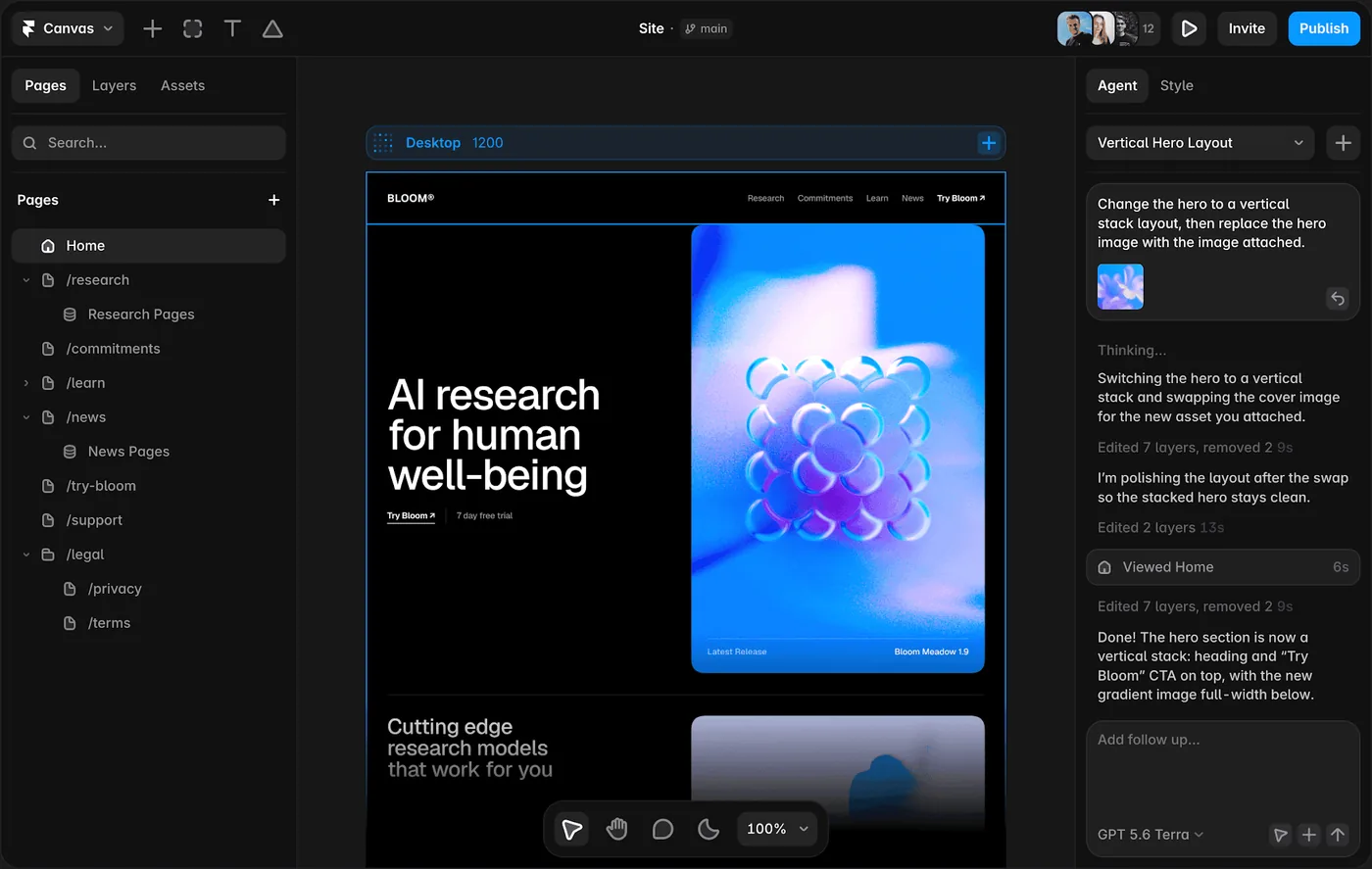
    Framer attacks one of Figma’s oldest workflow gaps: the distance between a polished website mockup and the thing that actually goes live. You can design responsively, work with CMS content, add interactions and animations, use AI agents, and publish on Framer hosting from the same environment.

    That makes Framer a particularly strong alternative for marketing sites, portfolios, landing pages, and content-led websites. It is less compelling as a universal replacement for teams designing complex native apps or broad enterprise product systems.

    Framer’s 2026 Free plan includes a Framer domain and AI credits; Basic starts at $10/month on yearly billing. Its newer AI agents can work with the canvas, CMS, content, and code components.

    Choose Framer over Figma when: the final product is a website and publishing is part of the design workflow.

    Watch out for: product teams may still want Figma or another dedicated product-design system alongside it.

    Official: https://www.framer.com/

    Related Omnix read: Best Design-to-Code Tools — https://omnixstudio.co/blog/best-design-to-code-tools

    4. UXPin: Best for Code-Backed Design Systems

    Best for: Enterprise teams that need realistic prototypes and stronger design-to-development alignment

    UXPin is strongest when static design-system representations are no longer enough. Its component-driven approach can let teams prototype with interactive states and, through Merge workflows, use components tied to production code.

    That changes the value of a prototype. Instead of approximating how a component behaves, teams can test interactions much closer to the implementation model. For complex products, internal tools, financial software, and mature design systems, that can be more important than having the largest creative canvas ecosystem.

    Choose UXPin over Figma when: prototype realism and code-component alignment are the priority.

    Watch out for: it is a more specialized workflow and can be heavier than necessary for quick visual exploration.

    Official: https://www.uxpin.com/

    Related: Best Prototyping Tools — https://omnixstudio.co/blog/best-prototyping-tools

    5. Uizard: Best AI-First Figma Alternative for Fast Concepts

    Best for: Founders, PMs, marketers, and teams that want to turn prompts or rough ideas into screens quickly

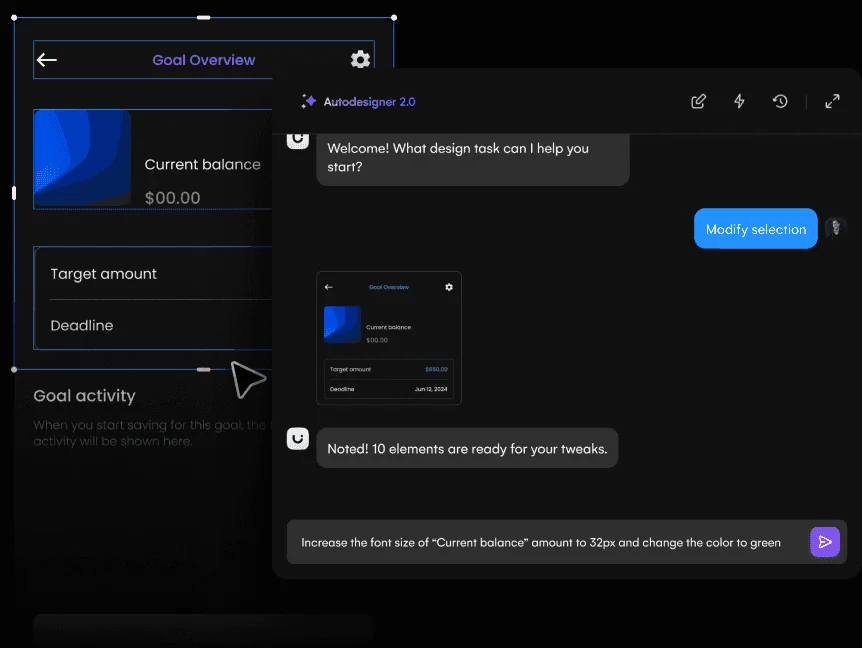
    Uizard is not trying to win a manual vector-editing contest with Figma. Its advantage is speed from idea to interface. Autodesigner can generate UI concepts from prompts, while Uizard also supports templates, wireframes, prototypes, and developer handoff.

    The Free plan currently allows three AI generations per month; Pro is listed at $12/month when billed annually and includes 500 AI generations per month plus developer handoff in React/CSS.

    Choose Uizard over Figma when: getting a first concept on screen matters more than pixel-level control.

    Watch out for: experienced product designers may still want a deeper design environment for the final system.

    Official pricing: https://uizard.io/pricing/

    Related: Best AI Wireframing Tools — https://omnixstudio.co/blog/best-ai-wireframing-tools

    6. Visily: Best for AI Wireframing and Cross-Functional Teams

    Best for: PMs, founders, analysts, and designers building editable wireframes and prototypes together

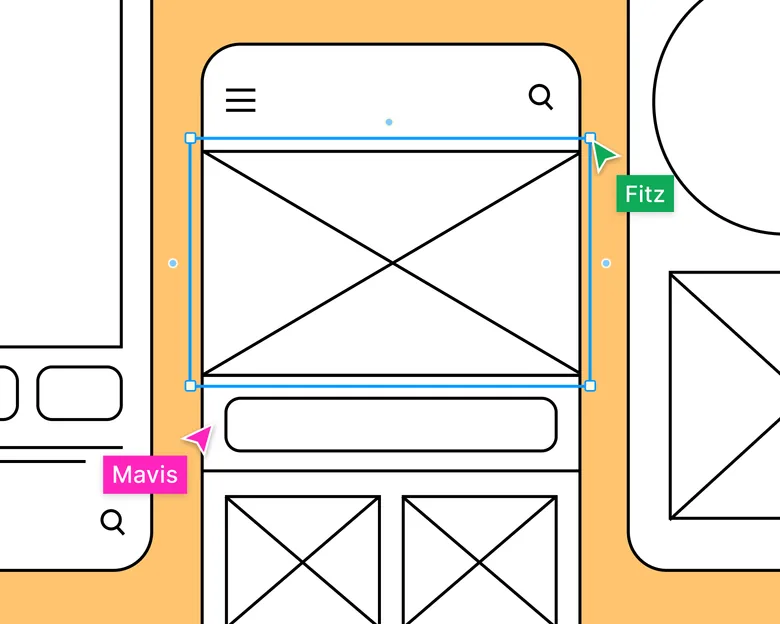
    Visily sits in a useful middle ground. It is easier for non-designers to approach than a traditional professional design suite, but it goes beyond static AI screenshots. It supports wireframing, interactive prototyping, AI screen generation, hi-fi/lo-fi switching, templates, and Figma import/export on paid plans.

    The Starter plan is free. Pro is currently $11 per editor/month billed annually and adds 3,000 AI credits per editor/month, unlimited boards, Figma import/export, code export, and Visily MCP.

    Choose Visily over Figma when: product thinking and rapid collaborative wireframing need to happen before high-fidelity design.

    Watch out for: Figma remains stronger as a mature end-to-end system of record for large professional design teams.

    Official pricing: https://www.visily.ai/pricing/

    Related: Best Wireframing Tools — https://omnixstudio.co/blog/best-wireframing-tools

    Which Figma alternative should you choose?

    There is no clean universal replacement. Pick based on the part of Figma you are trying to replace.

    Choose Penpot for open source and self-hosting. Choose Sketch for a native Mac workflow. Choose Framer when the design needs to become a published website. Choose UXPin when production components and prototype fidelity matter. Choose Uizard for rapid AI concepts. Choose Visily when non-designers need to participate in wireframing and prototyping.

    If you are leaving Figma specifically because you want prompt-to-interface generation, compare these tools with our AI Wireframe Generator guide: https://omnixstudio.co/blog/ai-wireframe-generator and AI Prototyping Tools guide: https://omnixstudio.co/blog/ai-prototyping-tools.

    FAQ

    What is the best free alternative to Figma?

    Penpot is the strongest open-source alternative for teams that want a full UI design and prototyping environment. Uizard, Visily, and Framer also offer free entry plans, but their limits and intended workflows differ.

    Is there an open-source Figma alternative?

    Yes. Penpot is an open-source design and prototyping platform and can be self-hosted.

    Which Figma alternative is best for AI?

    Uizard and Visily are strong choices when AI-generated screens and wireframes are central. Framer is stronger when AI-assisted design needs to end as a live website.

    Which Figma alternative is best for developers?

    UXPin is especially relevant for teams using code-backed component systems, while Penpot’s web-standards approach can also make developer handoff attractive.
  • 6 Best UI Design Tools in 2026

    6 Best UI Design Tools in 2026

    A good UI design tool should disappear while you are working. The canvas should be fast, components predictable, feedback easy, and the path to a prototype or handoff obvious. These six tools are the ones I would shortlist first in 2026, each for a different reason.

    Key Takeaways

    • Figma is the strongest pick for collaborative interface design from wireframe to developer handoff.
    • Sketch is the strongest pick for native Mac interface design with mature prototyping and handoff.
    • Penpot is the strongest pick for open-source UI design, self-hosting, and closer design-to-code alignment.
    • Motiff is the strongest pick for collaborative UI design with AI-native assistance.
    • Framer is the strongest pick for website design that can move directly into a responsive published site.

    The Short Version

    Figma is the default for broad collaboration. Sketch is the native Mac specialist. Penpot is the open-source answer. Motiff is the AI-forward challenger. Framer owns the website-to-publish path. Lunacy is the cross-platform desktop option with a deep built-in asset library.

    How I Chose the Six

    • Core UI design
    • Components
    • Collaboration
    • Prototype path
    • Platform fit
    • Handoff

    Quick Comparison

    ToolBest ForBiggest StrengthWatch Out For
    FigmaCollaborative interface design from wireframe to developer handoffReal-time collaboration, browser access, mature component systems, Dev Mode, and a huge surrounding ecosystem make it easy to bring product managers and developers into the same source of truth.Because it can do almost everything, it can also encourage teams to polish too soon.
    SketchNative mac interface design with mature prototyping and handoffDesigners who value a native desktop workflow, local files, and a mature Mac product can find it calmer than an everything-in-the-browser stack.Designing still requires macOS, which makes it a poor default for mixed-platform teams.
    PenpotOpen-source ui design, self-hosting, and closer design-to-code alignmentIts emphasis on web standards, CSS Grid, Flex Layout, tokens, and developer collaboration gives it a different center of gravity from Figma.The ecosystem is smaller than Figma’s, and some teams will miss the volume of templates, plugins, community files, and established workflows surrounding the market leader.
    MotiffCollaborative ui design with ai-native assistanceThe attraction is a familiar design-tool model with more AI assistance woven into the workflow, rather than a separate prompt-only generator that produces something you then have to rebuild.It has a younger ecosystem than Figma.
    FramerWebsite design that can move directly into a responsive published siteThe unusual advantage is that the design does not have to die at handoff.It is website-centric.
    LunacyCross-platform ui design with built-in assets and offline-friendly desktop workflowThe practical benefit is self-containment.It has less team mindshare and a smaller professional ecosystem than Figma or Sketch, so collaboration conventions and handoff expectations may need more deliberate setup.

    1. Figma: Best for Collaborative interface design from wireframe to developer handoff

    Product: Figma

    Figma remains the safest default for teams that want one workspace for interface design, reusable components, prototyping, comments, and handoff. Its biggest advantage is not a single feature. It is how little context has to be lost as a rough screen becomes a production-ready design.

    Figma design interface

    The reason to shortlist Figma is simple: collaborative interface design from wireframe to developer handoff. You do not need it to win every category for that to be useful.

    Real-time collaboration, browser access, mature component systems, Dev Mode, and a huge surrounding ecosystem make it easy to bring product managers and developers into the same source of truth.

    Where it fits best

    Use Figma when collaborative interface design from wireframe to developer handoff. It is particularly useful when that need is already visible in your current workflow and the team can measure whether the tool actually removes a handoff, shortens iteration, or improves the quality of the artifact.

    The tradeoff

    Because it can do almost everything, it can also encourage teams to polish too soon. Specialized tools are often faster for rough ideation, complex interaction logic, or code-backed prototypes.

    Current context: Figma reports that 95% of the Fortune 500 uses its platform, based on March 2025 data. Source

    Image placement: Use a current in-product interface image showing Figma doing the job described above. Filename: best-ui-design-tools-2026-figma.webp. Keep WebP under 100 KB.

    2. Sketch: Best for Native mac interface design with mature prototyping

    Product: Sketch

    Sketch remains a focused product-design environment for Mac-first teams. It combines reusable components, libraries, prototyping, and developer-facing web inspection without turning the interface into a general whiteboard or website builder.

    Sketch design interface

    The reason to shortlist Sketch is simple: native Mac interface design with mature prototyping and handoff. You do not need it to win every category for that to be useful.

    Designers who value a native desktop workflow, local files, and a mature Mac product can find it calmer than an everything-in-the-browser stack.

    Where it fits best

    Use Sketch when native Mac interface design with mature prototyping and handoff. It is particularly useful when that need is already visible in your current workflow and the team can measure whether the tool actually removes a handoff, shortens iteration, or improves the quality of the artifact.

    The tradeoff

    Designing still requires macOS, which makes it a poor default for mixed-platform teams. Browser collaboration helps reviewers, but the authoring environment is a deliberate platform choice.

    Current context: Sketch currently requires macOS Sonoma 14 or newer for design work, while its web app supports viewing, inspecting, and commenting. Source

    Image placement: Use a current product workflow image showing Sketch doing the job described above. Filename: best-ui-design-tools-2026-sketch.webp. Keep WebP under 100 KB.

    3. Penpot: Best for Open-source ui design, self-hosting,

    Product: Penpot

    Penpot is the strongest mainstream option for teams that want an open-source design platform rather than another proprietary design file. It runs in the browser, supports reusable components and prototypes, and can be self-hosted.

    Penpot design interface

    The reason to shortlist Penpot is simple: open-source UI design, self-hosting, and closer design-to-code alignment. You do not need it to win every category for that to be useful.

    Its emphasis on web standards, CSS Grid, Flex Layout, tokens, and developer collaboration gives it a different center of gravity from Figma. Ownership and implementation structure are part of the product story.

    Where it fits best

    Use Penpot when open-source UI design, self-hosting, and closer design-to-code alignment. It is particularly useful when that need is already visible in your current workflow and the team can measure whether the tool actually removes a handoff, shortens iteration, or improves the quality of the artifact.

    The tradeoff

    The ecosystem is smaller than Figma’s, and some teams will miss the volume of templates, plugins, community files, and established workflows surrounding the market leader.

    Current context: Penpot’s official media kit reports more than 1 million users and availability in more than 49 languages. Source

    Image placement: Use a current in-product interface image showing Penpot doing the job described above. Filename: best-ui-design-tools-2026-penpot.webp. Keep WebP under 100 KB.

    4. Motiff: Best for Collaborative ui design with ai-native assistance

    Product: Motiff

    Motiff is a modern collaborative interface design tool that competes directly with established screen-design platforms while building AI into common design tasks. It is aimed at teams that want professional UI design, components, prototyping, and developer collaboration in one environment.

    Motiff AI design interface

    The reason to shortlist Motiff is simple: collaborative UI design with AI-native assistance. You do not need it to win every category for that to be useful.

    The attraction is a familiar design-tool model with more AI assistance woven into the workflow, rather than a separate prompt-only generator that produces something you then have to rebuild.

    Where it fits best

    Use Motiff when collaborative UI design with AI-native assistance. It is particularly useful when that need is already visible in your current workflow and the team can measure whether the tool actually removes a handoff, shortens iteration, or improves the quality of the artifact.

    The tradeoff

    It has a younger ecosystem than Figma. Teams should evaluate plugin depth, design-system migration, and developer workflow before making it the default platform.

    Current context: Motiff positions itself as an AI-powered professional interface design tool for collaborative product teams. Source

    Image placement: Use a current product workflow image showing Motiff doing the job described above. Filename: best-ui-design-tools-2026-motiff.webp. Keep WebP under 100 KB.

    5. Framer: Best for Website design that can move directly into a responsive published site

    Product: Framer

    Framer is strongest when the artifact you are designing is a website and the team wants to shorten the trip from layout to live URL. Responsive design, CMS, animations, interactions, and publishing live in one environment, while AI can help generate starting structures.

    Framer website design canvas

    The reason to shortlist Framer is simple: website design that can move directly into a responsive published site. You do not need it to win every category for that to be useful.

    The unusual advantage is that the design does not have to die at handoff. A marketing page or content site can keep evolving inside the same tool until it ships.

    Where it fits best

    Use Framer when website design that can move directly into a responsive published site. It is particularly useful when that need is already visible in your current workflow and the team can measure whether the tool actually removes a handoff, shortens iteration, or improves the quality of the artifact.

    The tradeoff

    It is website-centric. For large native applications, research-heavy UX work, or complicated enterprise interaction logic, it is usually better as a specialist rather than the main design platform.

    Current context: Framer said in June 2026 that more than 188,000 companies across 200 countries were using the platform, powering more than 4 million published websites. Source

    Image placement: Use a current in-product interface image showing Framer doing the job described above. Filename: best-ui-design-tools-2026-framer.webp. Keep WebP under 100 KB.

    6. Lunacy: Best for Cross-platform ui design with built-in assets

    Product: Lunacy

    Lunacy is a desktop UI and graphic design tool from Icons8 with built-in graphics, icons, photos, and AI-assisted features. It is useful for designers who prefer a native app and want access to a large asset library without constantly leaving the workspace.

    The reason to shortlist Lunacy is simple: cross-platform UI design with built-in assets and offline-friendly desktop workflow. You do not need it to win every category for that to be useful.

    The practical benefit is self-containment. A lot of the supporting visual material that usually requires browsing stock sites is already close to the design canvas.

    Where it fits best

    Use Lunacy when cross-platform UI design with built-in assets and offline-friendly desktop workflow. It is particularly useful when that need is already visible in your current workflow and the team can measure whether the tool actually removes a handoff, shortens iteration, or improves the quality of the artifact.

    The tradeoff

    It has less team mindshare and a smaller professional ecosystem than Figma or Sketch, so collaboration conventions and handoff expectations may need more deliberate setup.

    Current context: Lunacy is available on Windows, macOS, and Linux and integrates Icons8 assets directly into the design workflow. Source

    Image placement: Use a current product workflow image showing Lunacy doing the job described above. Filename: best-ui-design-tools-2026-lunacy.webp. Keep WebP under 100 KB.

    Which One Should You Choose?

    Choose Figma if your priority is collaborative interface design from wireframe to developer handoff. Choose Sketch if your priority is native Mac interface design with mature prototyping and handoff. Choose Penpot if your priority is open-source UI design, self-hosting, and closer design-to-code alignment.

    Choose Motiff if your priority is collaborative UI design with AI-native assistance. Choose Framer if your priority is website design that can move directly into a responsive published site. Choose Lunacy if your priority is cross-platform UI design with built-in assets and offline-friendly desktop workflow.

    Do not choose from the feature count alone. Pick the tool that removes the next expensive handoff in your workflow. If it only gives you a faster first draft but creates more cleanup later, the speed is mostly cosmetic.

    FAQs

    What is the best best UI design tools for most teams?

    For most teams, Figma is the safest starting point because it matches the central job of this list: collaborative interface design from wireframe to developer handoff. The better answer can change quickly when your team has a strong platform, code, or workflow constraint.

    Are free best UI design tools good enough?

    Free plans are usually enough to test the workflow and judge first-result quality. The limits show up later in collaboration, AI credits, private projects, exports, version history, team controls, or production use. Test your real workflow before paying for a year.

    Should AI replace the designer in this workflow?

    No. AI is most useful for generating options, assembling first passes, translating structure, or automating repetitive edits. Problem framing, accessibility, product judgment, prioritization, and deciding which direction is actually right still need human ownership.

    How should I evaluate these tools before buying?

    Use one small real project. Give every candidate the same brief, the same existing assets, and the same correction request. Compare the second and third iterations, not just the first output. That exposes workflow friction much faster than a feature checklist.

    Final Thoughts

    The best best UI design tools is the one that makes the next decision cheaper. For this list, Figma is the strongest default, but the specialist options become better as soon as your constraint becomes specific. Match the tool to the output, handoff, and level of fidelity you actually need. That is how you get speed without simply moving the work somewhere else.

    If you want help turning product ideas into a polished interface, Omnix Studio offers website UI/UX design and mobile app UI/UX design.

  • 7 Best Design Tools for Designers and Product Teams

    7 Best Design Tools for Designers and Product Teams

    Product teams do not design in a straight line, and they do not all live in the same app. A researcher needs evidence. A PM needs a shared model of the problem. A designer needs a system. Engineering needs a clear handoff. These tools earn their place by helping a specific decision move forward.

    Key Takeaways

    • Figma is the strongest pick for collaborative interface design from wireframe to developer handoff.
    • Miro is the strongest pick for collaborative discovery, workshops, research synthesis, flows, and early wireframes.
    • Dovetail is the strongest pick for research synthesis, customer evidence, and turning qualitative data into product insight.
    • Maze is the strongest pick for remote user testing, prototype validation, and rapid research.
    • ProtoPie is the strongest pick for high-fidelity interaction prototypes with logic, sensors, and realistic behavior.

    Map the Tool to the Decision

    A tool earns its place when it removes a handoff or makes a decision easier. Research tools help a team agree on what is true. Whiteboards help agree on the problem. Design tools make a proposed solution visible. Testing tools tell you where it fails. Handoff tools reduce ambiguity when the solution moves into code.

    What Product Teams Actually Need

    • Who owns the tool
    • Decision it improves
    • Collaboration cost
    • Handoff created or removed
    • Learning curve
    • Long-term reuse

    Quick Comparison

    ToolBest ForBiggest StrengthWatch Out For
    FigmaCollaborative interface design from wireframe to developer handoffReal-time collaboration, browser access, mature component systems, Dev Mode, and a huge surrounding ecosystem make it easy to bring product managers and developers into the same source of truth.Because it can do almost everything, it can also encourage teams to polish too soon.
    MiroCollaborative discovery, workshops, research synthesis, flows, and early wireframesThat context makes it one of the best tools for cross-functional discovery.It is a collaboration workspace first.
    DovetailResearch synthesis, customer evidence, and turning qualitative data into product insightFor UX teams, this matters because better screens usually start with better evidence.It does not replace a design or prototyping tool.
    MazeRemote user testing, prototype validation, and rapid researchThe real value is cadence.The platform does not create the design itself.
    ProtoPieHigh-fidelity interaction prototypes with logic, sensors, and realistic behaviorThat makes it especially valuable for advanced mobile experiences, automotive interfaces, connected devices, and product ideas where the quality of the interaction is the thing being tested.It is not the fastest place to sketch a rough screen.
    FramerWebsite design that can move directly into a responsive published siteThe unusual advantage is that the design does not have to die at handoff.It is website-centric.
    ZeplinStructured design delivery, specs, screens, and design-to-development communicationThat separation can be valuable in larger teams where “latest design” and “ready to build” are not the same thing.Figma Dev Mode and code-aware workflows have absorbed some of the handoff work Zeplin once owned.

    1. Figma: Best for Collaborative interface design from wireframe to developer handoff

    Product: Figma

    Figma remains the safest default for teams that want one workspace for interface design, reusable components, prototyping, comments, and handoff. Its biggest advantage is not a single feature. It is how little context has to be lost as a rough screen becomes a production-ready design.

    Figma design interface

    For a product team, the right owner for Figma is the person responsible for collaborative interface design from wireframe to developer handoff. The tool works best when that decision is visible to the rest of the team, not trapped in a specialist silo.

    Real-time collaboration, browser access, mature component systems, Dev Mode, and a huge surrounding ecosystem make it easy to bring product managers and developers into the same source of truth.

    Where it fits best

    Use Figma when collaborative interface design from wireframe to developer handoff. It is particularly useful when that need is already visible in your current workflow and the team can measure whether the tool actually removes a handoff, shortens iteration, or improves the quality of the artifact.

    The tradeoff

    Because it can do almost everything, it can also encourage teams to polish too soon. Specialized tools are often faster for rough ideation, complex interaction logic, or code-backed prototypes.

    Current context: Figma reports that 95% of the Fortune 500 uses its platform, based on March 2025 data. Source

    2. Miro: Best for Collaborative discovery, workshops, research synthesis, flows,

    Product: Miro

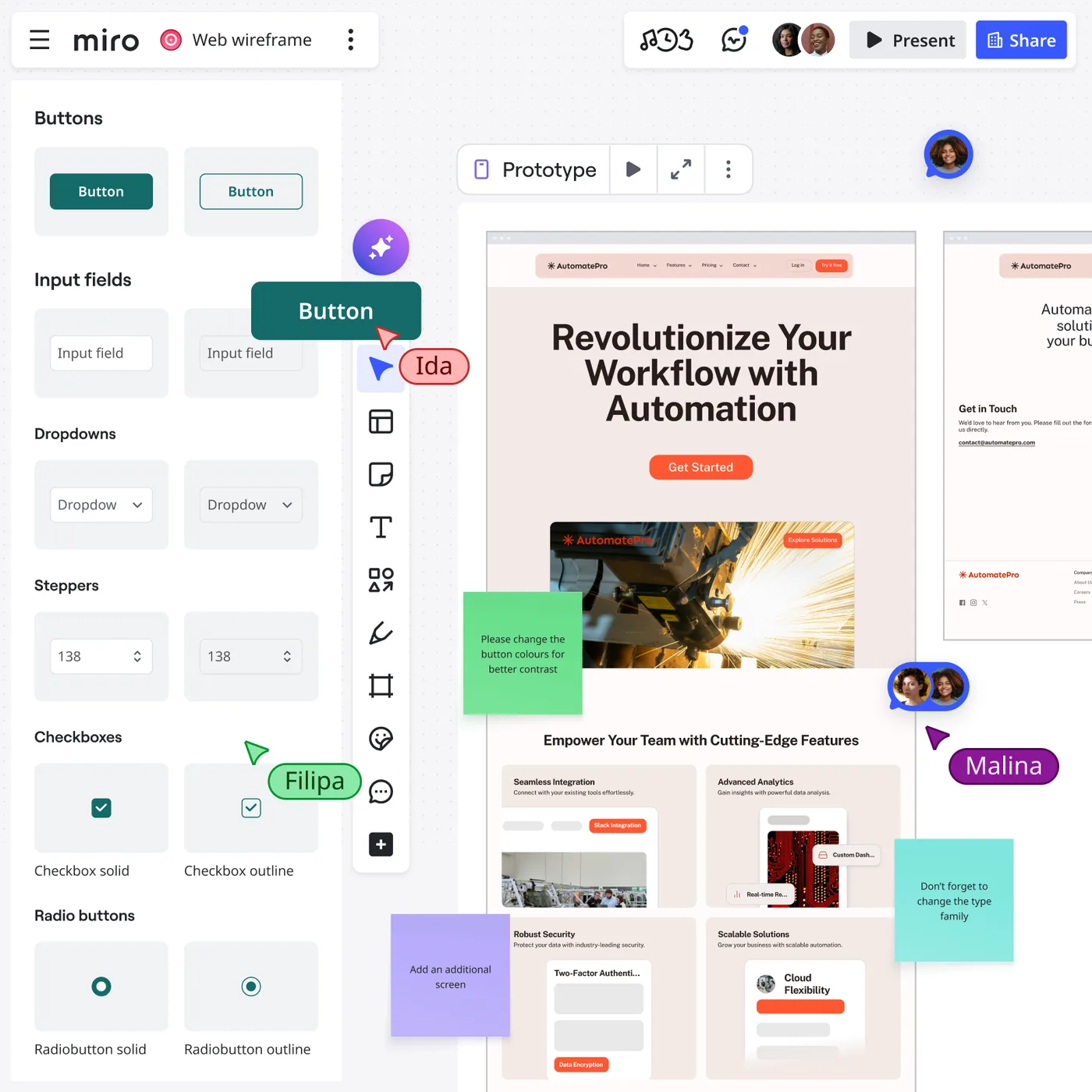
    Miro is useful when the design problem is still messy. Research notes, journey maps, service blueprints, flow diagrams, workshop voting, competitor references, and rough wireframes can live on the same board instead of being split across six documents.

    Miro collaborative design board

    For a product team, the right owner for Miro is the person responsible for collaborative discovery, workshops, research synthesis, flows, and early wireframes. The tool works best when that decision is visible to the rest of the team, not trapped in a specialist silo.

    That context makes it one of the best tools for cross-functional discovery. Product, design, engineering, and stakeholders can work visibly together before the team commits to polished screens.

    Where it fits best

    Use Miro when collaborative discovery, workshops, research synthesis, flows, and early wireframes. It is particularly useful when that need is already visible in your current workflow and the team can measure whether the tool actually removes a handoff, shortens iteration, or improves the quality of the artifact.

    The tradeoff

    It is a collaboration workspace first. Once a screen needs a production-grade component system, advanced visual design, or precise handoff, most teams will move into a dedicated design environment.

    Current context: Miro says more than 100 million users across 250,000 organizations use its platform. Source

    3. Dovetail: Best for Research synthesis, customer evidence,

    Product: Dovetail

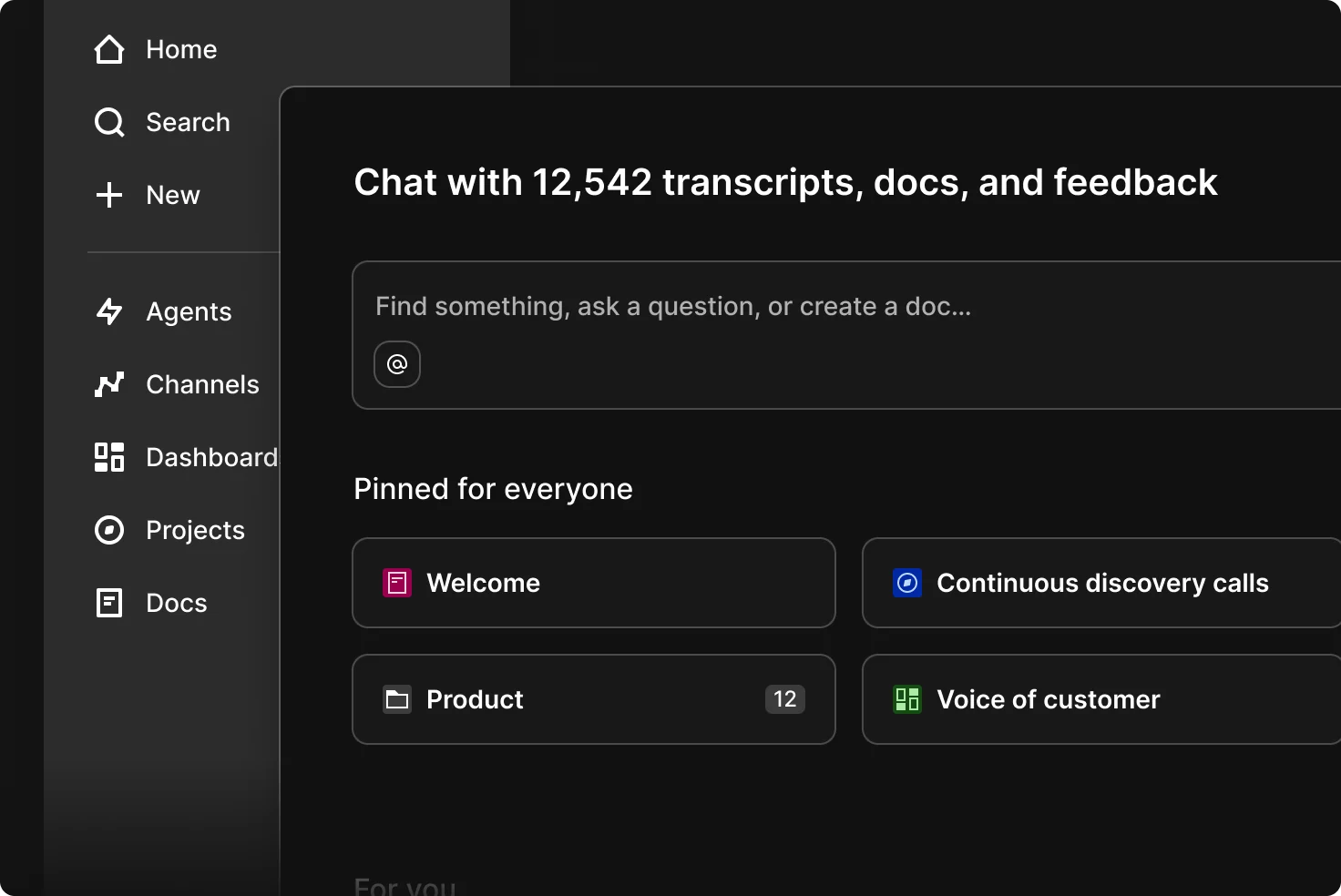
    Dovetail sits upstream of the UI canvas. It helps teams organize interviews, feedback, notes, and research, then use AI-assisted analysis to find themes and make evidence easier to reuse across product decisions.

    Dovetail research workspace

    For a product team, the right owner for Dovetail is the person responsible for research synthesis, customer evidence, and turning qualitative data into product insight. The tool works best when that decision is visible to the rest of the team, not trapped in a specialist silo.

    For UX teams, this matters because better screens usually start with better evidence. Dovetail gives research a home that is more durable than scattered docs, meeting notes, and one-off presentation slides.

    Where it fits best

    Use Dovetail when research synthesis, customer evidence, and turning qualitative data into product insight. It is particularly useful when that need is already visible in your current workflow and the team can measure whether the tool actually removes a handoff, shortens iteration, or improves the quality of the artifact.

    The tradeoff

    It does not replace a design or prototyping tool. Its job is to improve the quality and traceability of the decisions that feed those tools.

    Current context: Dovetail positions AI-assisted analysis as part of its customer-research and insights platform for product teams. Source

    4. Maze: Best for Remote user testing, prototype validation,

    Product: Maze

    Maze helps teams test prototypes and product experiences with users without turning every study into a fully moderated research project. It supports prototype testing, surveys, usability research, and analysis workflows that product teams can repeat frequently.

    Maze usability testing interface

    For a product team, the right owner for Maze is the person responsible for remote user testing, prototype validation, and rapid research. The tool works best when that decision is visible to the rest of the team, not trapped in a specialist silo.

    The real value is cadence. Teams can test smaller decisions more often instead of saving research for the end of a project when changing direction is expensive.

    Where it fits best

    Use Maze when remote user testing, prototype validation, and rapid research. It is particularly useful when that need is already visible in your current workflow and the team can measure whether the tool actually removes a handoff, shortens iteration, or improves the quality of the artifact.

    The tradeoff

    The platform does not create the design itself. The quality of the test still depends on a clear research question, representative participants, and a prototype that reflects what you actually need to learn.

    Current context: Maze focuses on continuous product discovery and supports prototype testing alongside other remote research methods. Source

    5. ProtoPie: Best for High-fidelity interaction prototypes with logic, sensors,

    Product: ProtoPie

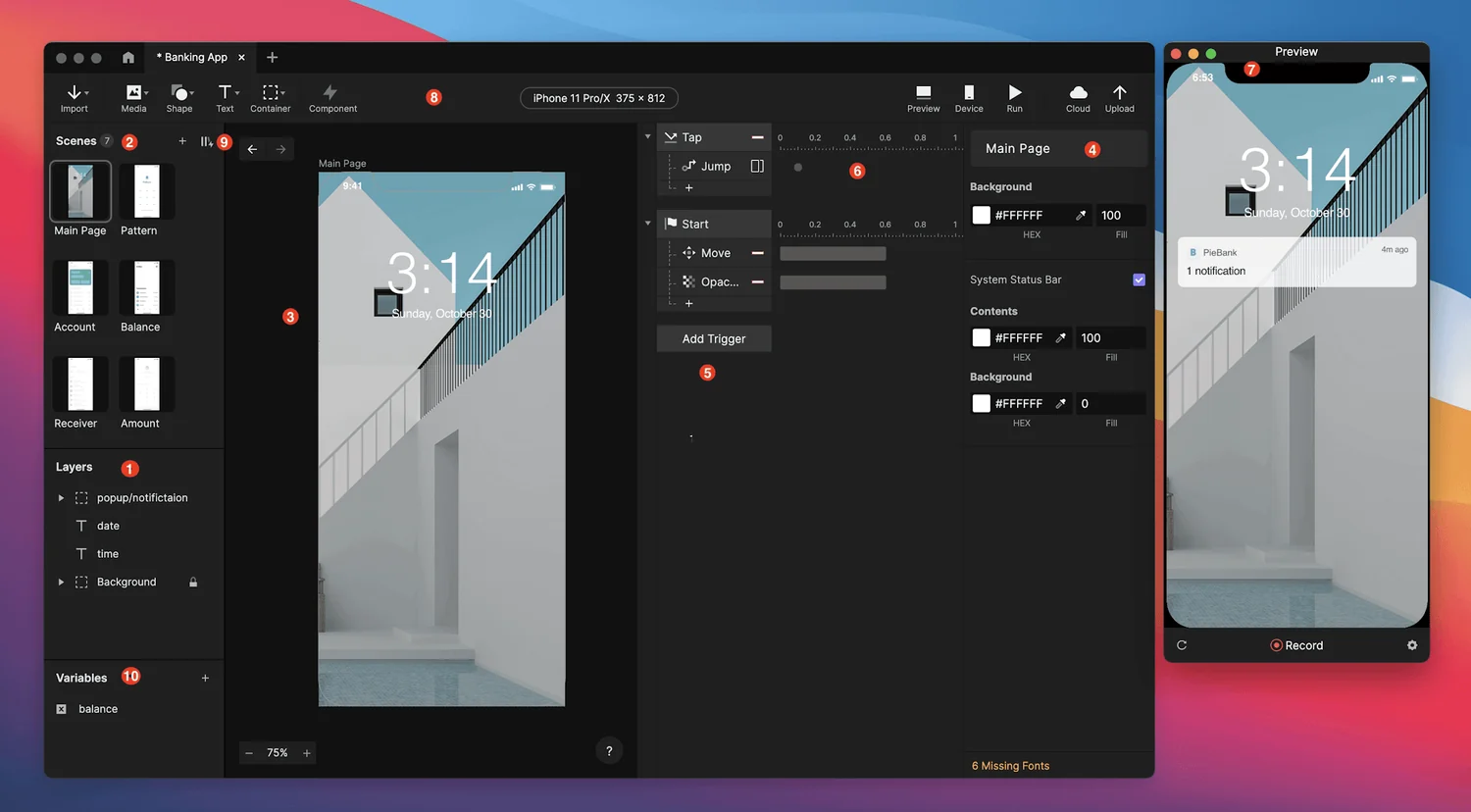
    ProtoPie is built for the point where a clickable slideshow is no longer enough. It handles variables, conditions, sensors, multi-device interactions, API-connected behavior, and realistic microinteractions without requiring the prototype itself to become a production app.

    ProtoPie prototyping studio interface

    For a product team, the right owner for ProtoPie is the person responsible for high-fidelity interaction prototypes with logic, sensors, and realistic behavior. The tool works best when that decision is visible to the rest of the team, not trapped in a specialist silo.

    That makes it especially valuable for advanced mobile experiences, automotive interfaces, connected devices, and product ideas where the quality of the interaction is the thing being tested.

    Where it fits best

    Use ProtoPie when high-fidelity interaction prototypes with logic, sensors, and realistic behavior. It is particularly useful when that need is already visible in your current workflow and the team can measure whether the tool actually removes a handoff, shortens iteration, or improves the quality of the artifact.

    The tradeoff

    It is not the fastest place to sketch a rough screen. Most teams will design elsewhere first, then move the screens into ProtoPie when interaction fidelity becomes the priority.

    Current context: ProtoPie introduced AI-assisted component authoring in June 2026, extending its interaction workflow with natural-language assistance. Source

    6. Framer: Best for Website design that can move directly into a responsive published site

    Product: Framer

    Framer is strongest when the artifact you are designing is a website and the team wants to shorten the trip from layout to live URL. Responsive design, CMS, animations, interactions, and publishing live in one environment, while AI can help generate starting structures.

    Framer website design canvas

    For a product team, the right owner for Framer is the person responsible for website design that can move directly into a responsive published site. The tool works best when that decision is visible to the rest of the team, not trapped in a specialist silo.

    The unusual advantage is that the design does not have to die at handoff. A marketing page or content site can keep evolving inside the same tool until it ships.

    Where it fits best

    Use Framer when website design that can move directly into a responsive published site. It is particularly useful when that need is already visible in your current workflow and the team can measure whether the tool actually removes a handoff, shortens iteration, or improves the quality of the artifact.

    The tradeoff

    It is website-centric. For large native applications, research-heavy UX work, or complicated enterprise interaction logic, it is usually better as a specialist rather than the main design platform.

    Current context: Framer said in June 2026 that more than 188,000 companies across 200 countries were using the platform, powering more than 4 million published websites. Source

    7. Zeplin: Best for Structured design delivery, specs, screens,

    Product: Zeplin

    Zeplin remains useful for teams that want a deliberate handoff layer between design files and implementation. It organizes approved screens, components, specs, flows, and developer context so engineers are not forced to infer what is ready from a working design canvas.

    For a product team, the right owner for Zeplin is the person responsible for structured design delivery, specs, screens, and design-to-development communication. The tool works best when that decision is visible to the rest of the team, not trapped in a specialist silo.

    That separation can be valuable in larger teams where “latest design” and “ready to build” are not the same thing.

    Where it fits best

    Use Zeplin when structured design delivery, specs, screens, and design-to-development communication. It is particularly useful when that need is already visible in your current workflow and the team can measure whether the tool actually removes a handoff, shortens iteration, or improves the quality of the artifact.

    The tradeoff

    Figma Dev Mode and code-aware workflows have absorbed some of the handoff work Zeplin once owned. Its value is highest when the team genuinely benefits from a dedicated delivery layer.

    Current context: Zeplin positions itself around design delivery and collaboration between designers and developers. Source

    Which One Should You Choose?

    Choose Figma if your priority is collaborative interface design from wireframe to developer handoff. Choose Miro if your priority is collaborative discovery, workshops, research synthesis, flows, and early wireframes. Choose Dovetail if your priority is research synthesis, customer evidence, and turning qualitative data into product insight.

    Choose Maze if your priority is remote user testing, prototype validation, and rapid research. Choose ProtoPie if your priority is high-fidelity interaction prototypes with logic, sensors, and realistic behavior. Choose Framer if your priority is website design that can move directly into a responsive published site. Choose Zeplin if your priority is structured design delivery, specs, screens, and design-to-development communication.

    Do not choose from the feature count alone. Pick the tool that removes the next expensive handoff in your workflow. If it only gives you a faster first draft but creates more cleanup later, the speed is mostly cosmetic.

    FAQs

    What is the best best design tools for most teams?

    For most teams, Figma is the safest starting point because it matches the central job of this list: collaborative interface design from wireframe to developer handoff. The better answer can change quickly when your team has a strong platform, code, or workflow constraint.

    Are free best design tools good enough?

    Free plans are usually enough to test the workflow and judge first-result quality. The limits show up later in collaboration, AI credits, private projects, exports, version history, team controls, or production use. Test your real workflow before paying for a year.

    Should AI replace the designer in this workflow?

    No. AI is most useful for generating options, assembling first passes, translating structure, or automating repetitive edits. Problem framing, accessibility, product judgment, prioritization, and deciding which direction is actually right still need human ownership.

    How should I evaluate these tools before buying?

    Use one small real project. Give every candidate the same brief, the same existing assets, and the same correction request. Compare the second and third iterations, not just the first output. That exposes workflow friction much faster than a feature checklist.

    Final Thoughts

    The best best design tools is the one that makes the next decision cheaper. For this list, Figma is the strongest default, but the specialist options become better as soon as your constraint becomes specific. Match the tool to the output, handoff, and level of fidelity you actually need. That is how you get speed without simply moving the work somewhere else.

    If you want help turning UX decisions into a polished interface, Omnix Studio offers website UI/UX design and mobile app UI/UX design.

  • 7 Best Design Tools for UI/UX Designers in 2026

    7 Best Design Tools for UI/UX Designers in 2026

    UI/UX design is not one activity, so one design tool is rarely enough. Research has to become evidence, evidence has to become flows, flows become screens, screens become prototypes, and prototypes have to survive testing, accessibility review, and handoff. This is a stack, not a canvas contest.

    Key Takeaways

    • Dovetail is the strongest pick for research synthesis, customer evidence, and turning qualitative data into product insight.
    • Miro is the strongest pick for collaborative discovery, workshops, research synthesis, flows, and early wireframes.
    • Figma is the strongest pick for collaborative interface design from wireframe to developer handoff.
    • ProtoPie is the strongest pick for high-fidelity interaction prototypes with logic, sensors, and realistic behavior.
    • Maze is the strongest pick for remote user testing, prototype validation, and rapid research.

    The UI/UX Stack at a Glance

    The stack in this article follows a real sequence: Dovetail for evidence, Miro for shared thinking, Figma for interface systems, ProtoPie for interaction fidelity, Maze for validation, Stark for accessibility, and Zeplin for delivery when a dedicated handoff layer is useful. You may not need all seven, but the roles should stay clear.

    How the Tools Fit Together

    • Evidence quality
    • Shared context
    • Design system
    • Interaction realism
    • Testing cadence
    • Accessibility
    • Delivery

    Quick Comparison

    ToolBest ForBiggest StrengthWatch Out For
    DovetailResearch synthesis, customer evidence, and turning qualitative data into product insightFor UX teams, this matters because better screens usually start with better evidence.It does not replace a design or prototyping tool.
    MiroCollaborative discovery, workshops, research synthesis, flows, and early wireframesThat context makes it one of the best tools for cross-functional discovery.It is a collaboration workspace first.
    FigmaCollaborative interface design from wireframe to developer handoffReal-time collaboration, browser access, mature component systems, Dev Mode, and a huge surrounding ecosystem make it easy to bring product managers and developers into the same source of truth.Because it can do almost everything, it can also encourage teams to polish too soon.
    ProtoPieHigh-fidelity interaction prototypes with logic, sensors, and realistic behaviorThat makes it especially valuable for advanced mobile experiences, automotive interfaces, connected devices, and product ideas where the quality of the interaction is the thing being tested.It is not the fastest place to sketch a rough screen.
    MazeRemote user testing, prototype validation, and rapid researchThe real value is cadence.The platform does not create the design itself.
    StarkAccessibility checks inside design and development workflowsThat timing is its biggest benefit.It is intentionally narrow.
    ZeplinStructured design delivery, specs, screens, and design-to-development communicationThat separation can be valuable in larger teams where “latest design” and “ready to build” are not the same thing.Figma Dev Mode and code-aware workflows have absorbed some of the handoff work Zeplin once owned.

    1. Dovetail: Best for Research synthesis, customer evidence,

    Product: Dovetail

    Dovetail sits upstream of the UI canvas. It helps teams organize interviews, feedback, notes, and research, then use AI-assisted analysis to find themes and make evidence easier to reuse across product decisions.

    Dovetail research workspace

    In the wider UX stack, Dovetail has one job: research synthesis, customer evidence, and turning qualitative data into product insight. Keeping that job explicit stops the team from forcing a canvas tool to solve research, testing, and delivery problems it was never built for.

    For UX teams, this matters because better screens usually start with better evidence. Dovetail gives research a home that is more durable than scattered docs, meeting notes, and one-off presentation slides.

    Where it fits best

    Use Dovetail when research synthesis, customer evidence, and turning qualitative data into product insight. It is particularly useful when that need is already visible in your current workflow and the team can measure whether the tool actually removes a handoff, shortens iteration, or improves the quality of the artifact.

    The tradeoff

    It does not replace a design or prototyping tool. Its job is to improve the quality and traceability of the decisions that feed those tools.

    Current context: Dovetail positions AI-assisted analysis as part of its customer-research and insights platform for product teams. Source

    2. Miro: Best for Collaborative discovery, workshops, research synthesis, flows,

    Product: Miro

    Miro is useful when the design problem is still messy. Research notes, journey maps, service blueprints, flow diagrams, workshop voting, competitor references, and rough wireframes can live on the same board instead of being split across six documents.

    Miro collaborative design board

    In the wider UX stack, Miro has one job: collaborative discovery, workshops, research synthesis, flows, and early wireframes. Keeping that job explicit stops the team from forcing a canvas tool to solve research, testing, and delivery problems it was never built for.

    That context makes it one of the best tools for cross-functional discovery. Product, design, engineering, and stakeholders can work visibly together before the team commits to polished screens.

    Where it fits best

    Use Miro when collaborative discovery, workshops, research synthesis, flows, and early wireframes. It is particularly useful when that need is already visible in your current workflow and the team can measure whether the tool actually removes a handoff, shortens iteration, or improves the quality of the artifact.

    The tradeoff

    It is a collaboration workspace first. Once a screen needs a production-grade component system, advanced visual design, or precise handoff, most teams will move into a dedicated design environment.

    Current context: Miro says more than 100 million users across 250,000 organizations use its platform. Source

    3. Figma: Best for Collaborative interface design from wireframe to developer handoff

    Product: Figma

    Figma remains the safest default for teams that want one workspace for interface design, reusable components, prototyping, comments, and handoff. Its biggest advantage is not a single feature. It is how little context has to be lost as a rough screen becomes a production-ready design.

    Figma design interface

    In the wider UX stack, Figma has one job: collaborative interface design from wireframe to developer handoff. Keeping that job explicit stops the team from forcing a canvas tool to solve research, testing, and delivery problems it was never built for.

    Real-time collaboration, browser access, mature component systems, Dev Mode, and a huge surrounding ecosystem make it easy to bring product managers and developers into the same source of truth.

    Where it fits best

    Use Figma when collaborative interface design from wireframe to developer handoff. It is particularly useful when that need is already visible in your current workflow and the team can measure whether the tool actually removes a handoff, shortens iteration, or improves the quality of the artifact.

    The tradeoff

    Because it can do almost everything, it can also encourage teams to polish too soon. Specialized tools are often faster for rough ideation, complex interaction logic, or code-backed prototypes.

    Current context: Figma reports that 95% of the Fortune 500 uses its platform, based on March 2025 data. Source

    4. ProtoPie: Best for High-fidelity interaction prototypes with logic, sensors,

    Product: ProtoPie

    ProtoPie is built for the point where a clickable slideshow is no longer enough. It handles variables, conditions, sensors, multi-device interactions, API-connected behavior, and realistic microinteractions without requiring the prototype itself to become a production app.

    ProtoPie prototyping studio interface

    In the wider UX stack, ProtoPie has one job: high-fidelity interaction prototypes with logic, sensors, and realistic behavior. Keeping that job explicit stops the team from forcing a canvas tool to solve research, testing, and delivery problems it was never built for.

    That makes it especially valuable for advanced mobile experiences, automotive interfaces, connected devices, and product ideas where the quality of the interaction is the thing being tested.

    Where it fits best

    Use ProtoPie when high-fidelity interaction prototypes with logic, sensors, and realistic behavior. It is particularly useful when that need is already visible in your current workflow and the team can measure whether the tool actually removes a handoff, shortens iteration, or improves the quality of the artifact.

    The tradeoff

    It is not the fastest place to sketch a rough screen. Most teams will design elsewhere first, then move the screens into ProtoPie when interaction fidelity becomes the priority.

    Current context: ProtoPie introduced AI-assisted component authoring in June 2026, extending its interaction workflow with natural-language assistance. Source

    5. Maze: Best for Remote user testing, prototype validation,

    Product: Maze

    Maze helps teams test prototypes and product experiences with users without turning every study into a fully moderated research project. It supports prototype testing, surveys, usability research, and analysis workflows that product teams can repeat frequently.

    Maze usability testing interface

    In the wider UX stack, Maze has one job: remote user testing, prototype validation, and rapid research. Keeping that job explicit stops the team from forcing a canvas tool to solve research, testing, and delivery problems it was never built for.

    The real value is cadence. Teams can test smaller decisions more often instead of saving research for the end of a project when changing direction is expensive.

    Where it fits best

    Use Maze when remote user testing, prototype validation, and rapid research. It is particularly useful when that need is already visible in your current workflow and the team can measure whether the tool actually removes a handoff, shortens iteration, or improves the quality of the artifact.

    The tradeoff

    The platform does not create the design itself. The quality of the test still depends on a clear research question, representative participants, and a prototype that reflects what you actually need to learn.

    Current context: Maze focuses on continuous product discovery and supports prototype testing alongside other remote research methods. Source

    6. Stark: Best for Accessibility checks inside design

    Product: Stark

    Stark is a specialist accessibility platform that helps teams catch issues around contrast, typography, focus order, vision simulation, and related accessibility concerns while design and code are still changing.

    In the wider UX stack, Stark has one job: accessibility checks inside design and development workflows. Keeping that job explicit stops the team from forcing a canvas tool to solve research, testing, and delivery problems it was never built for.

    That timing is its biggest benefit. Accessibility becomes much cheaper when it is part of the design workflow rather than a final compliance gate before launch.

    Where it fits best

    Use Stark when accessibility checks inside design and development workflows. It is particularly useful when that need is already visible in your current workflow and the team can measure whether the tool actually removes a handoff, shortens iteration, or improves the quality of the artifact.

    The tradeoff

    It is intentionally narrow. Stark complements Figma, Sketch, browsers, and engineering tools instead of replacing any of them.

    Current context: Stark integrates accessibility tooling into design and development workflows rather than treating accessibility as a separate end-stage audit. Source

    7. Zeplin: Best for Structured design delivery, specs, screens,

    Product: Zeplin

    Zeplin remains useful for teams that want a deliberate handoff layer between design files and implementation. It organizes approved screens, components, specs, flows, and developer context so engineers are not forced to infer what is ready from a working design canvas.

    In the wider UX stack, Zeplin has one job: structured design delivery, specs, screens, and design-to-development communication. Keeping that job explicit stops the team from forcing a canvas tool to solve research, testing, and delivery problems it was never built for.

    That separation can be valuable in larger teams where “latest design” and “ready to build” are not the same thing.

    Where it fits best

    Use Zeplin when structured design delivery, specs, screens, and design-to-development communication. It is particularly useful when that need is already visible in your current workflow and the team can measure whether the tool actually removes a handoff, shortens iteration, or improves the quality of the artifact.

    The tradeoff

    Figma Dev Mode and code-aware workflows have absorbed some of the handoff work Zeplin once owned. Its value is highest when the team genuinely benefits from a dedicated delivery layer.

    Current context: Zeplin positions itself around design delivery and collaboration between designers and developers. Source

    Which One Should You Choose?

    Choose Dovetail if your priority is research synthesis, customer evidence, and turning qualitative data into product insight. Choose Miro if your priority is collaborative discovery, workshops, research synthesis, flows, and early wireframes. Choose Figma if your priority is collaborative interface design from wireframe to developer handoff.

    Choose ProtoPie if your priority is high-fidelity interaction prototypes with logic, sensors, and realistic behavior. Choose Maze if your priority is remote user testing, prototype validation, and rapid research. Choose Stark if your priority is accessibility checks inside design and development workflows. Choose Zeplin if your priority is structured design delivery, specs, screens, and design-to-development communication.

    Do not choose from the feature count alone. Pick the tool that removes the next expensive handoff in your workflow. If it only gives you a faster first draft but creates more cleanup later, the speed is mostly cosmetic.

    FAQs

    What is the best design tools for UI UX for most teams?

    For most teams, Dovetail is the safest starting point because it matches the central job of this list: research synthesis, customer evidence, and turning qualitative data into product insight. The better answer can change quickly when your team has a strong platform, code, or workflow constraint.

    Are free design tools for UI UX good enough?

    Free plans are usually enough to test the workflow and judge first-result quality. The limits show up later in collaboration, AI credits, private projects, exports, version history, team controls, or production use. Test your real workflow before paying for a year.

    Should AI replace the designer in this workflow?

    No. AI is most useful for generating options, assembling first passes, translating structure, or automating repetitive edits. Problem framing, accessibility, product judgment, prioritization, and deciding which direction is actually right still need human ownership.

    How should I evaluate these tools before buying?

    Use one small real project. Give every candidate the same brief, the same existing assets, and the same correction request. Compare the second and third iterations, not just the first output. That exposes workflow friction much faster than a feature checklist.

    Final Thoughts

    The best design tools for UI UX is the one that makes the next decision cheaper. For this list, Dovetail is the strongest default, but the specialist options become better as soon as your constraint becomes specific. Match the tool to the output, handoff, and level of fidelity you actually need. That is how you get speed without simply moving the work somewhere else.

    If you want help turning UX decisions into a polished interface, Omnix Studio offers website UI/UX design and mobile app UI/UX design.

  • 7 Best Figma Alternatives for UI/UX Design in 2026

    7 Best Figma Alternatives for UI/UX Design in 2026

    A Figma alternative only makes sense when it solves the reason you are thinking about leaving Figma. Price, open source, Mac-native work, code alignment, website publishing, and easier AI-assisted ideation all lead to different answers. This list starts there instead of pretending every alternative is a drop-in clone.

    Key Takeaways

    • Penpot is the strongest pick for open-source UI design, self-hosting, and closer design-to-code alignment.
    • Sketch is the strongest pick for native Mac interface design with mature prototyping and handoff.
    • Motiff is the strongest pick for collaborative UI design with AI-native assistance.
    • UXPin is the strongest pick for code-aware prototyping and design-system work.
    • Framer is the strongest pick for website design that can move directly into a responsive published site.

    Start With Your Reason for Leaving Figma

    Open source points toward Penpot. Native Mac work points toward Sketch. Website publishing points toward Framer. Code-component design points toward UXPin. AI-first UI ideation points toward Uizard or Motiff. The best alternative is the one that changes the part of your workflow you actually dislike.

    What a Real Alternative Has to Replace

    • Migration cost
    • Component model
    • Collaboration
    • Platform freedom
    • AI workflow
    • Developer handoff

    Quick Comparison

    ToolBest ForBiggest StrengthWatch Out For
    PenpotOpen-source ui design, self-hosting, and closer design-to-code alignmentIts emphasis on web standards, CSS Grid, Flex Layout, tokens, and developer collaboration gives it a different center of gravity from Figma.The ecosystem is smaller than Figma’s, and some teams will miss the volume of templates, plugins, community files, and established workflows surrounding the market leader.
    SketchNative mac interface design with mature prototyping and handoffDesigners who value a native desktop workflow, local files, and a mature Mac product can find it calmer than an everything-in-the-browser stack.Designing still requires macOS, which makes it a poor default for mixed-platform teams.
    MotiffCollaborative ui design with ai-native assistanceThe attraction is a familiar design-tool model with more AI assistance woven into the workflow, rather than a separate prompt-only generator that produces something you then have to rebuild.It has a younger ecosystem than Figma.
    UXPinCode-aware prototyping and design-system workFor organizations with an established component library, that can collapse the gap between what designers prototype and what engineers eventually build.It is a more specialized choice than Figma.
    FramerWebsite design that can move directly into a responsive published siteThe unusual advantage is that the design does not have to die at handoff.It is website-centric.
    LunacyCross-platform ui design with built-in assets and offline-friendly desktop workflowThe practical benefit is self-containment.It has less team mindshare and a smaller professional ecosystem than Figma or Sketch, so collaboration conventions and handoff expectations may need more deliberate setup.
    UizardQuick editable ui concepts for designers and non-designersIt is particularly useful when the person shaping the product idea is not a full-time UI designer.The ceiling is lower than Figma, Sketch, or a code-backed builder when you need a large design system, advanced interactions, or highly specific production handoff.

    1. Penpot: Best for Open-source ui design, self-hosting,

    Product: Penpot

    Penpot is the strongest mainstream option for teams that want an open-source design platform rather than another proprietary design file. It runs in the browser, supports reusable components and prototypes, and can be self-hosted.

    Penpot design interface

    If you are leaving Figma because you want open-source UI design, self-hosting, and closer design-to-code alignment, Penpot has a coherent reason to exist in the comparison. If that is not your problem, switching may create more work than it removes.

    Its emphasis on web standards, CSS Grid, Flex Layout, tokens, and developer collaboration gives it a different center of gravity from Figma. Ownership and implementation structure are part of the product story.

    Where it fits best

    Use Penpot when open-source UI design, self-hosting, and closer design-to-code alignment. It is particularly useful when that need is already visible in your current workflow and the team can measure whether the tool actually removes a handoff, shortens iteration, or improves the quality of the artifact.

    The tradeoff

    The ecosystem is smaller than Figma’s, and some teams will miss the volume of templates, plugins, community files, and established workflows surrounding the market leader.

    Current context: Penpot’s official media kit reports more than 1 million users and availability in more than 49 languages. Source

    2. Sketch: Best for Native mac interface design with mature prototyping

    Product: Sketch

    Sketch remains a focused product-design environment for Mac-first teams. It combines reusable components, libraries, prototyping, and developer-facing web inspection without turning the interface into a general whiteboard or website builder.

    Sketch design interface

    If you are leaving Figma because you want native Mac interface design with mature prototyping and handoff, Sketch has a coherent reason to exist in the comparison. If that is not your problem, switching may create more work than it removes.

    Designers who value a native desktop workflow, local files, and a mature Mac product can find it calmer than an everything-in-the-browser stack.

    Where it fits best

    Use Sketch when native Mac interface design with mature prototyping and handoff. It is particularly useful when that need is already visible in your current workflow and the team can measure whether the tool actually removes a handoff, shortens iteration, or improves the quality of the artifact.

    The tradeoff

    Designing still requires macOS, which makes it a poor default for mixed-platform teams. Browser collaboration helps reviewers, but the authoring environment is a deliberate platform choice.

    Current context: Sketch currently requires macOS Sonoma 14 or newer for design work, while its web app supports viewing, inspecting, and commenting. Source

    3. Motiff: Best for Collaborative ui design with ai-native assistance

    Product: Motiff

    Motiff is a modern collaborative interface design tool that competes directly with established screen-design platforms while building AI into common design tasks. It is aimed at teams that want professional UI design, components, prototyping, and developer collaboration in one environment.

    Motiff AI design interface

    If you are leaving Figma because you want collaborative UI design with AI-native assistance, Motiff has a coherent reason to exist in the comparison. If that is not your problem, switching may create more work than it removes.

    The attraction is a familiar design-tool model with more AI assistance woven into the workflow, rather than a separate prompt-only generator that produces something you then have to rebuild.

    Where it fits best

    Use Motiff when collaborative UI design with AI-native assistance. It is particularly useful when that need is already visible in your current workflow and the team can measure whether the tool actually removes a handoff, shortens iteration, or improves the quality of the artifact.

    The tradeoff

    It has a younger ecosystem than Figma. Teams should evaluate plugin depth, design-system migration, and developer workflow before making it the default platform.

    Current context: Motiff positions itself as an AI-powered professional interface design tool for collaborative product teams. Source

    4. UXPin: Best for Code-aware prototyping

    Product: UXPin

    UXPin sits between traditional design tools and production code. Its prototyping supports logic, variables, states, and interactions, while Merge can let teams design with real React components pulled from a development system.

    If you are leaving Figma because you want code-aware prototyping and design-system work, UXPin has a coherent reason to exist in the comparison. If that is not your problem, switching may create more work than it removes.

    For organizations with an established component library, that can collapse the gap between what designers prototype and what engineers eventually build. The prototype uses the same component logic instead of a visual imitation.

    Where it fits best

    Use UXPin when code-aware prototyping and design-system work. It is particularly useful when that need is already visible in your current workflow and the team can measure whether the tool actually removes a handoff, shortens iteration, or improves the quality of the artifact.

    The tradeoff

    It is a more specialized choice than Figma. Teams without a mature design system or code-component workflow may not use enough of its advantage to justify switching.

    Current context: UXPin Merge supports code-component workflows through sources such as Storybook and Git, depending on plan and setup. Source

    5. Framer: Best for Website design that can move directly into a responsive published site

    Product: Framer

    Framer is strongest when the artifact you are designing is a website and the team wants to shorten the trip from layout to live URL. Responsive design, CMS, animations, interactions, and publishing live in one environment, while AI can help generate starting structures.

    Framer website design canvas

    If you are leaving Figma because you want website design that can move directly into a responsive published site, Framer has a coherent reason to exist in the comparison. If that is not your problem, switching may create more work than it removes.

    The unusual advantage is that the design does not have to die at handoff. A marketing page or content site can keep evolving inside the same tool until it ships.

    Where it fits best

    Use Framer when website design that can move directly into a responsive published site. It is particularly useful when that need is already visible in your current workflow and the team can measure whether the tool actually removes a handoff, shortens iteration, or improves the quality of the artifact.

    The tradeoff

    It is website-centric. For large native applications, research-heavy UX work, or complicated enterprise interaction logic, it is usually better as a specialist rather than the main design platform.

    Current context: Framer said in June 2026 that more than 188,000 companies across 200 countries were using the platform, powering more than 4 million published websites. Source

    6. Lunacy: Best for Cross-platform ui design with built-in assets

    Product: Lunacy

    Lunacy is a desktop UI and graphic design tool from Icons8 with built-in graphics, icons, photos, and AI-assisted features. It is useful for designers who prefer a native app and want access to a large asset library without constantly leaving the workspace.

    If you are leaving Figma because you want cross-platform UI design with built-in assets and offline-friendly desktop workflow, Lunacy has a coherent reason to exist in the comparison. If that is not your problem, switching may create more work than it removes.

    The practical benefit is self-containment. A lot of the supporting visual material that usually requires browsing stock sites is already close to the design canvas.

    Where it fits best

    Use Lunacy when cross-platform UI design with built-in assets and offline-friendly desktop workflow. It is particularly useful when that need is already visible in your current workflow and the team can measure whether the tool actually removes a handoff, shortens iteration, or improves the quality of the artifact.

    The tradeoff

    It has less team mindshare and a smaller professional ecosystem than Figma or Sketch, so collaboration conventions and handoff expectations may need more deliberate setup.

    Current context: Lunacy is available on Windows, macOS, and Linux and integrates Icons8 assets directly into the design workflow. Source

    7. Uizard: Best for Quick editable ui concepts for designers

    Product: Uizard

    Uizard is built around getting from an idea to an editable interface quickly. Autodesigner can generate multi-screen app or website mockups from plain English, and the same workspace supports themes, screenshots-to-editable-design, components, flows, and interactive previews.

    Uizard AI design interface

    If you are leaving Figma because you want quick editable UI concepts for designers and non-designers, Uizard has a coherent reason to exist in the comparison. If that is not your problem, switching may create more work than it removes.

    It is particularly useful when the person shaping the product idea is not a full-time UI designer. Product managers, founders, marketers, and early-stage teams can produce something concrete without learning a dense professional design environment first.

    Where it fits best

    Use Uizard when quick editable UI concepts for designers and non-designers. It is particularly useful when that need is already visible in your current workflow and the team can measure whether the tool actually removes a handoff, shortens iteration, or improves the quality of the artifact.

    The tradeoff

    The ceiling is lower than Figma, Sketch, or a code-backed builder when you need a large design system, advanced interactions, or highly specific production handoff.

    Current context: Uizard describes Autodesigner as an AI system that generates multi-screen app and website mockups from plain-English prompts. Source

    Which One Should You Choose?

    Choose Penpot if your priority is open-source UI design, self-hosting, and closer design-to-code alignment. Choose Sketch if your priority is native Mac interface design with mature prototyping and handoff. Choose Motiff if your priority is collaborative UI design with AI-native assistance.

    Choose UXPin if your priority is code-aware prototyping and design-system work. Choose Framer if your priority is website design that can move directly into a responsive published site. Choose Lunacy if your priority is cross-platform UI design with built-in assets and offline-friendly desktop workflow. Choose Uizard if your priority is quick editable UI concepts for designers and non-designers.

    Do not choose from the feature count alone. Pick the tool that removes the next expensive handoff in your workflow. If it only gives you a faster first draft but creates more cleanup later, the speed is mostly cosmetic.

    FAQs

    What is the best Figma alternatives for most teams?

    For most teams, Penpot is the safest starting point because it matches the central job of this list: open-source UI design, self-hosting, and closer design-to-code alignment. The better answer can change quickly when your team has a strong platform, code, or workflow constraint.

    Are free Figma alternatives good enough?

    Free plans are usually enough to test the workflow and judge first-result quality. The limits show up later in collaboration, AI credits, private projects, exports, version history, team controls, or production use. Test your real workflow before paying for a year.

    Should AI replace the designer in this workflow?

    No. AI is most useful for generating options, assembling first passes, translating structure, or automating repetitive edits. Problem framing, accessibility, product judgment, prioritization, and deciding which direction is actually right still need human ownership.

    How should I evaluate these tools before buying?

    Use one small real project. Give every candidate the same brief, the same existing assets, and the same correction request. Compare the second and third iterations, not just the first output. That exposes workflow friction much faster than a feature checklist.

    Final Thoughts

    The best Figma alternatives is the one that makes the next decision cheaper. For this list, Penpot is the strongest default, but the specialist options become better as soon as your constraint becomes specific. Match the tool to the output, handoff, and level of fidelity you actually need. That is how you get speed without simply moving the work somewhere else.

    If you want help turning UX decisions into a polished interface, Omnix Studio offers website UI/UX design and mobile app UI/UX design.

  • 7 Best UI Design Tools for Web and App Designers

    7 Best UI Design Tools for Web and App Designers

    There is no shortage of UI design software. The harder problem is choosing one without wasting a week moving files, rebuilding components, and convincing the rest of the team to follow. This shortlist starts with workflow decisions first, then matches the tool to the job.

    Key Takeaways

    • Figma is the strongest pick for collaborative interface design from wireframe to developer handoff.
    • Sketch is the strongest pick for native Mac interface design with mature prototyping and handoff.
    • Penpot is the strongest pick for open-source UI design, self-hosting, and closer design-to-code alignment.
    • Framer is the strongest pick for website design that can move directly into a responsive published site.
    • Motiff is the strongest pick for collaborative UI design with AI-native assistance.

    Pick the Workflow Before the Tool

    If your team is cross-platform and collaboration-heavy, start with Figma or Penpot. If designers are Mac-first, Sketch deserves a serious look. If the output is a website, Framer changes the economics. If real code components are the center of the design system, UXPin becomes more interesting.

    What Matters in a UI Design Platform

    • Canvas speed
    • Components and libraries
    • Prototyping
    • Cross-platform access
    • Collaboration
    • Developer workflow

    Quick Comparison

    ToolBest ForBiggest StrengthWatch Out For
    FigmaCollaborative interface design from wireframe to developer handoffReal-time collaboration, browser access, mature component systems, Dev Mode, and a huge surrounding ecosystem make it easy to bring product managers and developers into the same source of truth.Because it can do almost everything, it can also encourage teams to polish too soon.
    SketchNative mac interface design with mature prototyping and handoffDesigners who value a native desktop workflow, local files, and a mature Mac product can find it calmer than an everything-in-the-browser stack.Designing still requires macOS, which makes it a poor default for mixed-platform teams.
    PenpotOpen-source ui design, self-hosting, and closer design-to-code alignmentIts emphasis on web standards, CSS Grid, Flex Layout, tokens, and developer collaboration gives it a different center of gravity from Figma.The ecosystem is smaller than Figma’s, and some teams will miss the volume of templates, plugins, community files, and established workflows surrounding the market leader.
    FramerWebsite design that can move directly into a responsive published siteThe unusual advantage is that the design does not have to die at handoff.It is website-centric.
    MotiffCollaborative ui design with ai-native assistanceThe attraction is a familiar design-tool model with more AI assistance woven into the workflow, rather than a separate prompt-only generator that produces something you then have to rebuild.It has a younger ecosystem than Figma.
    LunacyCross-platform ui design with built-in assets and offline-friendly desktop workflowThe practical benefit is self-containment.It has less team mindshare and a smaller professional ecosystem than Figma or Sketch, so collaboration conventions and handoff expectations may need more deliberate setup.
    UXPinCode-aware prototyping and design-system workFor organizations with an established component library, that can collapse the gap between what designers prototype and what engineers eventually build.It is a more specialized choice than Figma.

    1. Figma: Best for Collaborative interface design from wireframe to developer handoff

    Product: Figma

    Figma remains the safest default for teams that want one workspace for interface design, reusable components, prototyping, comments, and handoff. Its biggest advantage is not a single feature. It is how little context has to be lost as a rough screen becomes a production-ready design.

    Figma design interface

    The workflow fit is clear: Figma belongs on the shortlist when collaborative interface design from wireframe to developer handoff is more important than having the broadest possible ecosystem.

    Real-time collaboration, browser access, mature component systems, Dev Mode, and a huge surrounding ecosystem make it easy to bring product managers and developers into the same source of truth.

    Where it fits best

    Use Figma when collaborative interface design from wireframe to developer handoff. It is particularly useful when that need is already visible in your current workflow and the team can measure whether the tool actually removes a handoff, shortens iteration, or improves the quality of the artifact.

    The tradeoff

    Because it can do almost everything, it can also encourage teams to polish too soon. Specialized tools are often faster for rough ideation, complex interaction logic, or code-backed prototypes.

    Current context: Figma reports that 95% of the Fortune 500 uses its platform, based on March 2025 data. Source

    2. Sketch: Best for Native mac interface design with mature prototyping

    Product: Sketch

    Sketch remains a focused product-design environment for Mac-first teams. It combines reusable components, libraries, prototyping, and developer-facing web inspection without turning the interface into a general whiteboard or website builder.

    Sketch design interface

    The workflow fit is clear: Sketch belongs on the shortlist when native Mac interface design with mature prototyping and handoff is more important than having the broadest possible ecosystem.

    Designers who value a native desktop workflow, local files, and a mature Mac product can find it calmer than an everything-in-the-browser stack.

    Where it fits best

    Use Sketch when native Mac interface design with mature prototyping and handoff. It is particularly useful when that need is already visible in your current workflow and the team can measure whether the tool actually removes a handoff, shortens iteration, or improves the quality of the artifact.

    The tradeoff

    Designing still requires macOS, which makes it a poor default for mixed-platform teams. Browser collaboration helps reviewers, but the authoring environment is a deliberate platform choice.

    Current context: Sketch currently requires macOS Sonoma 14 or newer for design work, while its web app supports viewing, inspecting, and commenting. Source

    3. Penpot: Best for Open-source ui design, self-hosting,

    Product: Penpot

    Penpot is the strongest mainstream option for teams that want an open-source design platform rather than another proprietary design file. It runs in the browser, supports reusable components and prototypes, and can be self-hosted.

    Penpot design interface

    The workflow fit is clear: Penpot belongs on the shortlist when open-source UI design, self-hosting, and closer design-to-code alignment is more important than having the broadest possible ecosystem.

    Its emphasis on web standards, CSS Grid, Flex Layout, tokens, and developer collaboration gives it a different center of gravity from Figma. Ownership and implementation structure are part of the product story.

    Where it fits best

    Use Penpot when open-source UI design, self-hosting, and closer design-to-code alignment. It is particularly useful when that need is already visible in your current workflow and the team can measure whether the tool actually removes a handoff, shortens iteration, or improves the quality of the artifact.

    The tradeoff

    The ecosystem is smaller than Figma’s, and some teams will miss the volume of templates, plugins, community files, and established workflows surrounding the market leader.

    Current context: Penpot’s official media kit reports more than 1 million users and availability in more than 49 languages. Source

    4. Framer: Best for Website design that can move directly into a responsive published site

    Product: Framer

    Framer is strongest when the artifact you are designing is a website and the team wants to shorten the trip from layout to live URL. Responsive design, CMS, animations, interactions, and publishing live in one environment, while AI can help generate starting structures.

    Framer website design canvas

    The workflow fit is clear: Framer belongs on the shortlist when website design that can move directly into a responsive published site is more important than having the broadest possible ecosystem.

    The unusual advantage is that the design does not have to die at handoff. A marketing page or content site can keep evolving inside the same tool until it ships.

    Where it fits best

    Use Framer when website design that can move directly into a responsive published site. It is particularly useful when that need is already visible in your current workflow and the team can measure whether the tool actually removes a handoff, shortens iteration, or improves the quality of the artifact.

    The tradeoff

    It is website-centric. For large native applications, research-heavy UX work, or complicated enterprise interaction logic, it is usually better as a specialist rather than the main design platform.

    Current context: Framer said in June 2026 that more than 188,000 companies across 200 countries were using the platform, powering more than 4 million published websites. Source

    5. Motiff: Best for Collaborative ui design with ai-native assistance

    Product: Motiff

    Motiff is a modern collaborative interface design tool that competes directly with established screen-design platforms while building AI into common design tasks. It is aimed at teams that want professional UI design, components, prototyping, and developer collaboration in one environment.

    Motiff AI design interface

    The workflow fit is clear: Motiff belongs on the shortlist when collaborative UI design with AI-native assistance is more important than having the broadest possible ecosystem.

    The attraction is a familiar design-tool model with more AI assistance woven into the workflow, rather than a separate prompt-only generator that produces something you then have to rebuild.

    Where it fits best

    Use Motiff when collaborative UI design with AI-native assistance. It is particularly useful when that need is already visible in your current workflow and the team can measure whether the tool actually removes a handoff, shortens iteration, or improves the quality of the artifact.

    The tradeoff

    It has a younger ecosystem than Figma. Teams should evaluate plugin depth, design-system migration, and developer workflow before making it the default platform.

    Current context: Motiff positions itself as an AI-powered professional interface design tool for collaborative product teams. Source

    6. Lunacy: Best for Cross-platform ui design with built-in assets

    Product: Lunacy

    Lunacy is a desktop UI and graphic design tool from Icons8 with built-in graphics, icons, photos, and AI-assisted features. It is useful for designers who prefer a native app and want access to a large asset library without constantly leaving the workspace.

    The workflow fit is clear: Lunacy belongs on the shortlist when cross-platform UI design with built-in assets and offline-friendly desktop workflow is more important than having the broadest possible ecosystem.

    The practical benefit is self-containment. A lot of the supporting visual material that usually requires browsing stock sites is already close to the design canvas.

    Where it fits best

    Use Lunacy when cross-platform UI design with built-in assets and offline-friendly desktop workflow. It is particularly useful when that need is already visible in your current workflow and the team can measure whether the tool actually removes a handoff, shortens iteration, or improves the quality of the artifact.

    The tradeoff

    It has less team mindshare and a smaller professional ecosystem than Figma or Sketch, so collaboration conventions and handoff expectations may need more deliberate setup.

    Current context: Lunacy is available on Windows, macOS, and Linux and integrates Icons8 assets directly into the design workflow. Source

    7. UXPin: Best for Code-aware prototyping

    Product: UXPin

    UXPin sits between traditional design tools and production code. Its prototyping supports logic, variables, states, and interactions, while Merge can let teams design with real React components pulled from a development system.

    The workflow fit is clear: UXPin belongs on the shortlist when code-aware prototyping and design-system work is more important than having the broadest possible ecosystem.

    For organizations with an established component library, that can collapse the gap between what designers prototype and what engineers eventually build. The prototype uses the same component logic instead of a visual imitation.

    Where it fits best

    Use UXPin when code-aware prototyping and design-system work. It is particularly useful when that need is already visible in your current workflow and the team can measure whether the tool actually removes a handoff, shortens iteration, or improves the quality of the artifact.

    The tradeoff

    It is a more specialized choice than Figma. Teams without a mature design system or code-component workflow may not use enough of its advantage to justify switching.

    Current context: UXPin Merge supports code-component workflows through sources such as Storybook and Git, depending on plan and setup. Source

    Which One Should You Choose?

    Choose Figma if your priority is collaborative interface design from wireframe to developer handoff. Choose Sketch if your priority is native Mac interface design with mature prototyping and handoff. Choose Penpot if your priority is open-source UI design, self-hosting, and closer design-to-code alignment.

    Choose Framer if your priority is website design that can move directly into a responsive published site. Choose Motiff if your priority is collaborative UI design with AI-native assistance. Choose Lunacy if your priority is cross-platform UI design with built-in assets and offline-friendly desktop workflow. Choose UXPin if your priority is code-aware prototyping and design-system work.

    Do not choose from the feature count alone. Pick the tool that removes the next expensive handoff in your workflow. If it only gives you a faster first draft but creates more cleanup later, the speed is mostly cosmetic.

    FAQs

    What is the best UI design tools for most teams?

    For most teams, Figma is the safest starting point because it matches the central job of this list: collaborative interface design from wireframe to developer handoff. The better answer can change quickly when your team has a strong platform, code, or workflow constraint.

    Are free UI design tools good enough?

    Free plans are usually enough to test the workflow and judge first-result quality. The limits show up later in collaboration, AI credits, private projects, exports, version history, team controls, or production use. Test your real workflow before paying for a year.

    Should AI replace the designer in this workflow?

    No. AI is most useful for generating options, assembling first passes, translating structure, or automating repetitive edits. Problem framing, accessibility, product judgment, prioritization, and deciding which direction is actually right still need human ownership.

    How should I evaluate these tools before buying?

    Use one small real project. Give every candidate the same brief, the same existing assets, and the same correction request. Compare the second and third iterations, not just the first output. That exposes workflow friction much faster than a feature checklist.

    Final Thoughts

    The best UI design tools is the one that makes the next decision cheaper. For this list, Figma is the strongest default, but the specialist options become better as soon as your constraint becomes specific. Match the tool to the output, handoff, and level of fidelity you actually need. That is how you get speed without simply moving the work somewhere else.

    If you want help turning UX decisions into a polished interface, Omnix Studio offers website UI/UX design and mobile app UI/UX design.