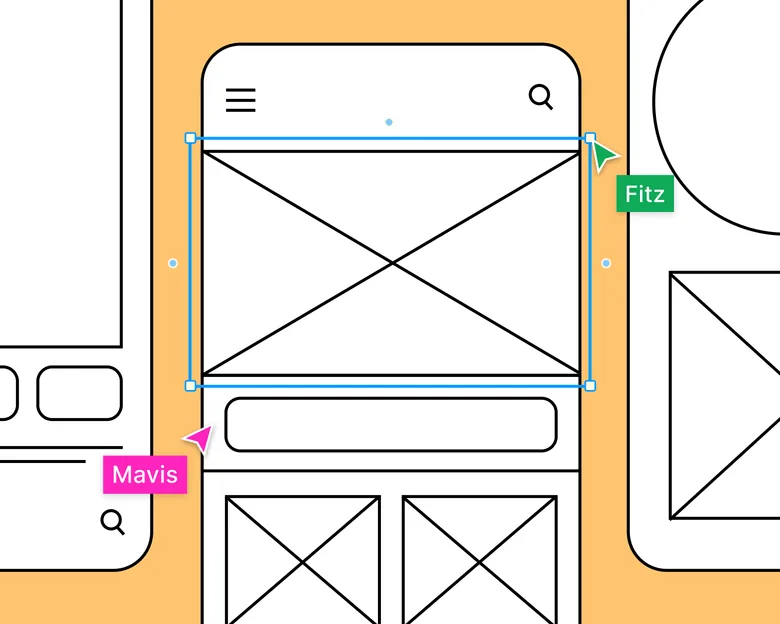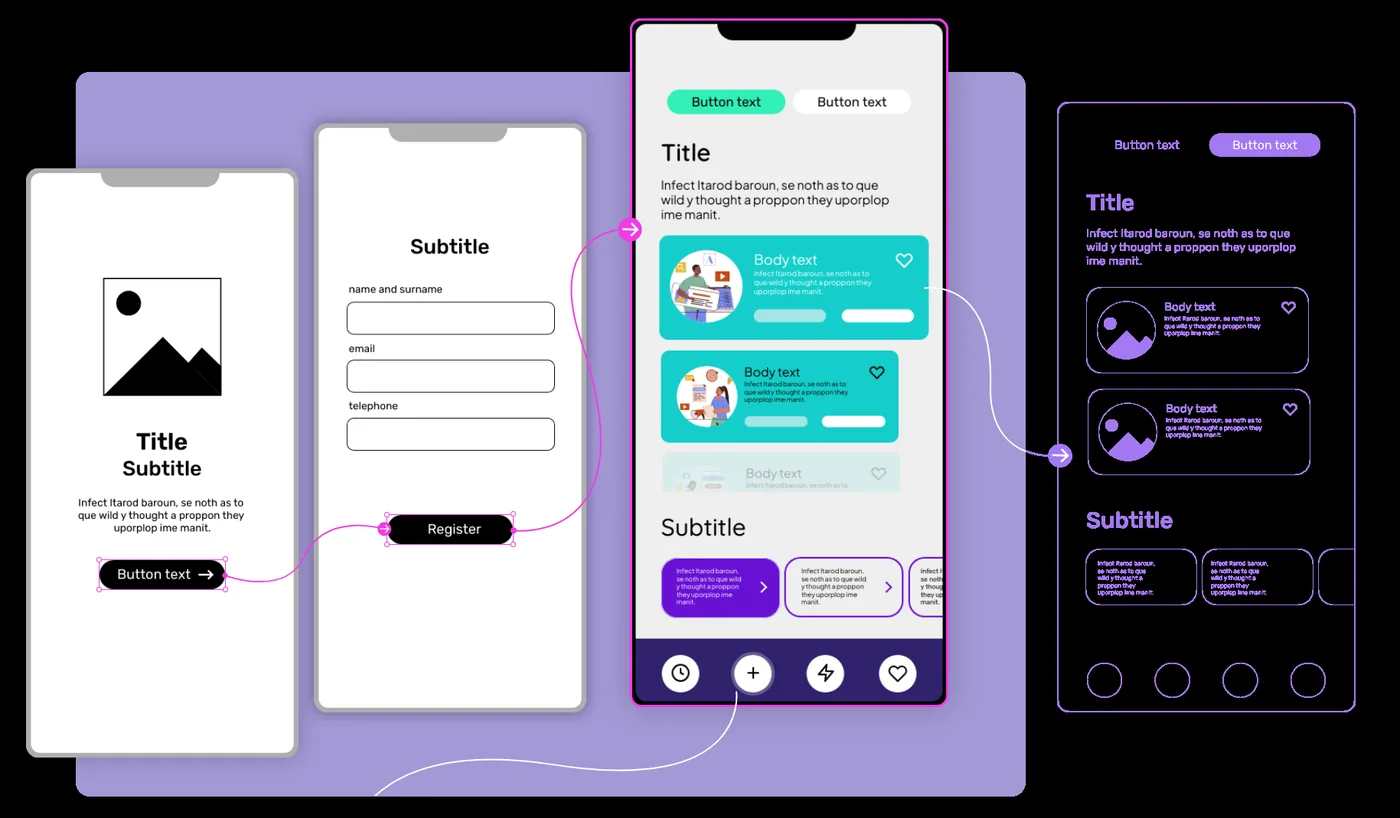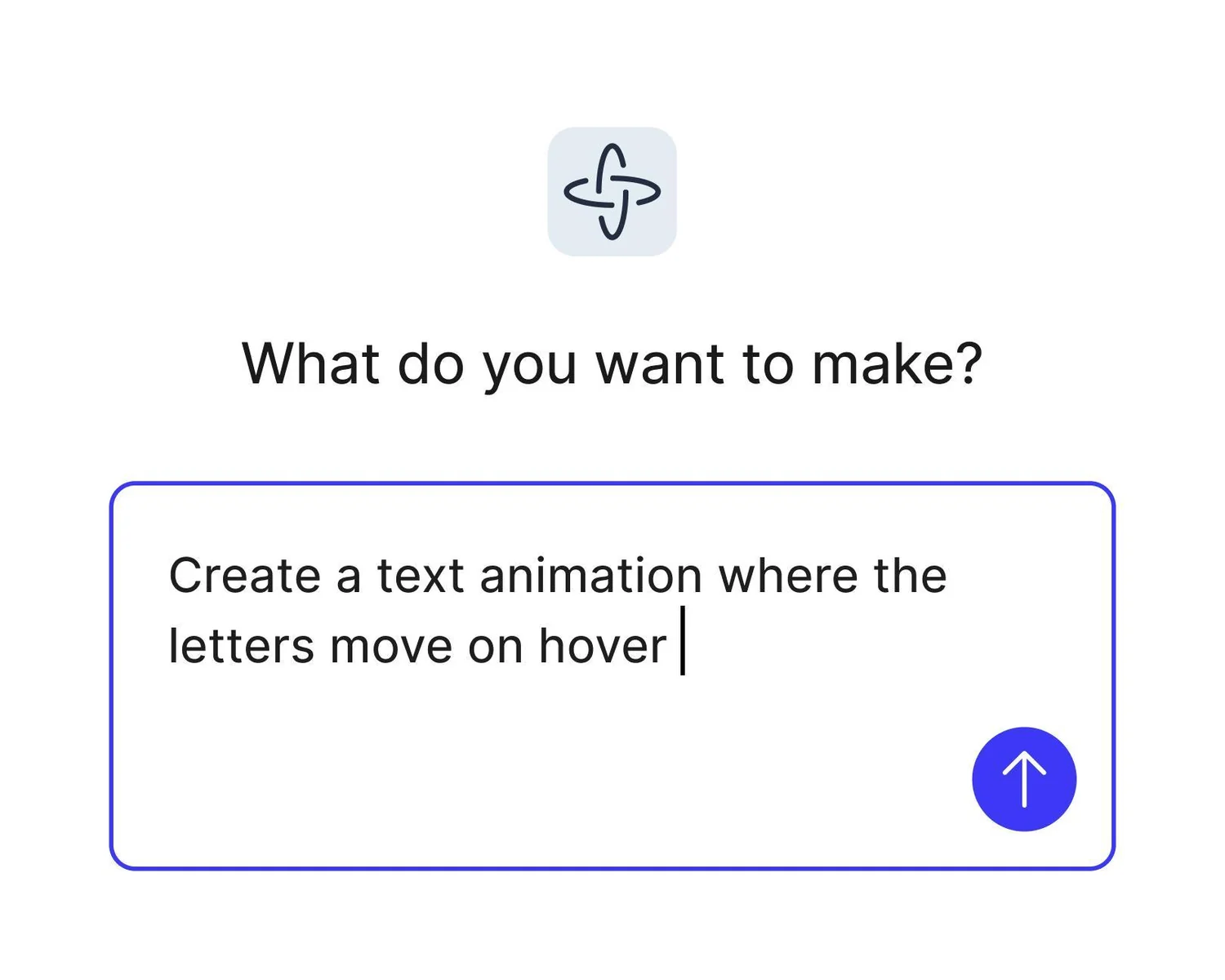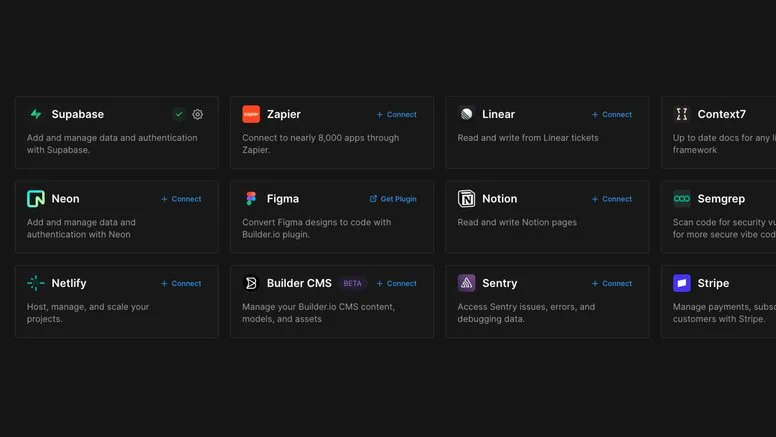
Author: Edward Philip Strum

  • 6 Best AI Design Tools for Faster Creative Work

    6 Best AI Design Tools for Faster Creative Work

    Generating an image is not the same as finishing creative work. The useful AI design tools are the ones that help after the first generation: editing, resizing, vector cleanup, brand consistency, typography, variations, and actual delivery. That is the filter behind this list.

    Key Takeaways

    • Canva AI is the strongest pick for high-volume creative work and editable multi-format marketing assets.
    • Adobe Firefly is the strongest pick for AI-assisted creative production inside an Adobe-heavy workflow.
    • Midjourney is the strongest pick for visual exploration, mood, art direction, and high-impact concept imagery.
    • Recraft is the strongest pick for brand-consistent image, vector, icon, and design-system asset generation.
    • Ideogram is the strongest pick for image generation where typography and graphic composition matter.

    Judge the Workflow After Generation

    The first generation is often the cheapest part of the job. The expensive part is getting ten assets on brand, in the right size, with clean typography, editable elements, consistent characters, and approval-ready variations. I gave more weight to that second half of the workflow.

    What Faster Creative Work Really Means

    • Generation quality
    • Editing
    • Brand consistency
    • Batch variations
    • Typography/vector support
    • Delivery speed

    Quick Comparison

    ToolBest ForBiggest StrengthWatch Out For
    Canva AIHigh-volume creative work and editable multi-format marketing assetsFor marketers and non-specialist designers, the value is range.It is not a replacement for a dedicated product-design environment when you need sophisticated component systems, developer handoff, complex app prototyping, or detailed UX logic.
    Adobe FireflyAi-assisted creative production inside an adobe-heavy workflowThe practical advantage is depth after generation.For pure UI or product design, Firefly is a supporting creative tool rather than the place where the full interface system lives.
    MidjourneyVisual exploration, mood, art direction, and high-impact concept imageryIts strength is aesthetic range.The output is not a structured UI file, design system, or editable component tree.
    RecraftBrand-consistent image, vector, icon, and design-system asset generationThe vector and brand-system angle matters.It is not a product UI editor.
    IdeogramImage generation where typography and graphic composition matterThat makes it a useful creative companion for UI teams building hero concepts, launch visuals, or stylistic directions that need type integrated into the visual exploration.Like Midjourney, it generates visual output rather than structured interface components.
    Kittl AIQuick brand, illustration, merchandise, and graphic-design productionThe workflow is more production-oriented than a pure image generator because the AI output lives next to typography, layouts, templates, and editable graphic-design tools.It is not intended for application UI, product flows, or developer handoff.

    1. Canva AI: Best for High-volume creative work

    Product: Canva AI

    Canva AI 2.0 pushes Canva beyond one-off image generation. The 2026 research preview is conversational and agentic, with layered editable outputs, brand intelligence, connectors, web research, scheduling, and Canva Code 2.0 inside the wider Visual Suite.

    Canva AI workflow interface

    The first generation is not why Canva AI is here. The stronger case is what happens afterward: high-volume creative work and editable multi-format marketing assets, plus enough control to turn an idea into something deliverable.

    For marketers and non-specialist designers, the value is range. A single workspace can move from a campaign brief to social assets, a deck, an interactive element, and resized variants without rebuilding the work in separate apps.

    Where it fits best

    Use Canva AI when high-volume creative work and editable multi-format marketing assets. It is particularly useful when that need is already visible in your current workflow and the team can measure whether the tool actually removes a handoff, shortens iteration, or improves the quality of the artifact.

    The tradeoff

    It is not a replacement for a dedicated product-design environment when you need sophisticated component systems, developer handoff, complex app prototyping, or detailed UX logic.

    Current context: Canva says more than a quarter of a billion people use the platform every month, and its Magic Studio products have been used more than 16 billion times since 2023. Source

    Image placement: Use a current in-product interface image showing Canva AI doing the job described above. Filename: best-ai-design-tools-creative-work-canva-ai.webp. Keep WebP under 100 KB.

    2. Adobe Firefly: Best for Ai-assisted creative production inside an adobe-heavy workflow

    Product: Adobe Firefly

    Adobe Firefly is now much more than a text-to-image page. It combines image, video, audio, editing, partner models, and a 2026 AI Assistant that can orchestrate multi-step creative work across Adobe apps while keeping outputs editable.
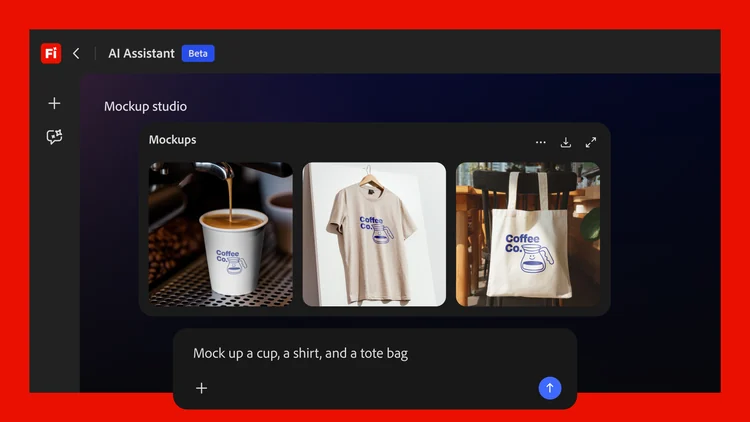
    Adobe Firefly generative design interface

    The first generation is not why Adobe Firefly is here. The stronger case is what happens afterward: AI-assisted creative production inside an Adobe-heavy workflow, plus enough control to turn an idea into something deliverable.

    The practical advantage is depth after generation. A concept can continue into Photoshop, Illustrator, Premiere, Lightroom, or Express instead of ending as a flattened AI output.

    Where it fits best

    Use Adobe Firefly when AI-assisted creative production inside an Adobe-heavy workflow. It is particularly useful when that need is already visible in your current workflow and the team can measure whether the tool actually removes a handoff, shortens iteration, or improves the quality of the artifact.

    The tradeoff

    For pure UI or product design, Firefly is a supporting creative tool rather than the place where the full interface system lives. It is strongest for visual assets, campaigns, image editing, and multimodal production.

    Current context: Adobe said in April 2026 that Firefly had expanded to more than 30 creative AI models across Adobe and partner providers. Source

    Image placement: Use a current product workflow image showing Adobe Firefly doing the job described above. Filename: best-ai-design-tools-creative-work-adobe-firefly.webp. Keep WebP under 100 KB.

    3. Midjourney: Best for Visual exploration, mood, art direction,

    Product: Midjourney

    Midjourney remains one of the strongest tools when the problem is visual direction rather than editable layout. It is fast for exploring moods, materials, environments, illustration styles, campaign concepts, and visual references before a designer commits to a direction.
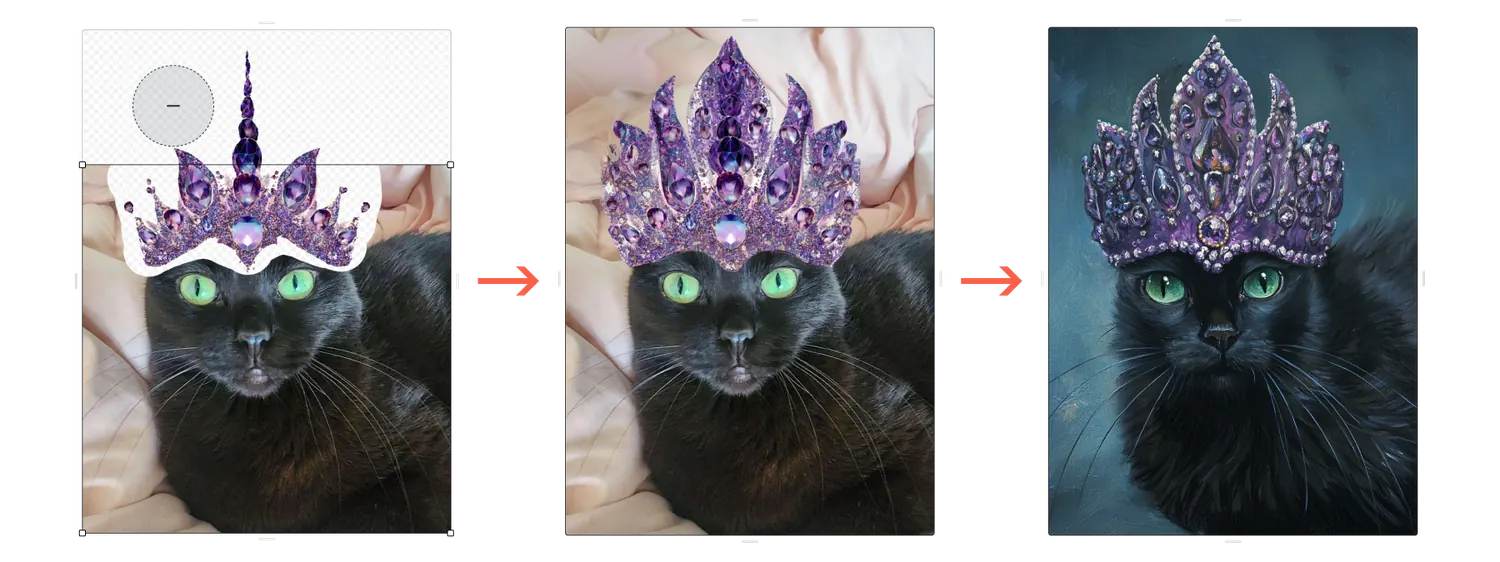
    Midjourney image editor interface

    The first generation is not why Midjourney is here. The stronger case is what happens afterward: visual exploration, mood, art direction, and high-impact concept imagery, plus enough control to turn an idea into something deliverable.

    Its strength is aesthetic range. For teams that need ten genuinely different visual territories instead of ten minor layout changes, it is a powerful ideation engine.

    Where it fits best

    Use Midjourney when visual exploration, mood, art direction, and high-impact concept imagery. It is particularly useful when that need is already visible in your current workflow and the team can measure whether the tool actually removes a handoff, shortens iteration, or improves the quality of the artifact.

    The tradeoff

    The output is not a structured UI file, design system, or editable component tree. You still need another tool to turn the visual direction into production design.

    Current context: Midjourney made V8.2 the default model in July 2026, focusing on image quality, aesthetics, and personalization. Source

    Image placement: Use a current in-product interface image showing Midjourney doing the job described above. Filename: best-ai-design-tools-creative-work-midjourney.webp. Keep WebP under 100 KB.

    4. Recraft: Best for Brand-consistent image, vector, icon,

    Product: Recraft

    Recraft has carved out a useful place between generative imagery and practical design production. Its 2026 Design Agent can create a reusable kit that includes logo direction, color palette, typography, icons, and related brand assets, while the editor supports vector-focused work.

    The first generation is not why Recraft is here. The stronger case is what happens afterward: brand-consistent image, vector, icon, and design-system asset generation, plus enough control to turn an idea into something deliverable.

    The vector and brand-system angle matters. If the output needs to stay useful as an actual design asset rather than just serve as inspiration, Recraft often gives you a cleaner path than general image generators.

    Where it fits best

    Use Recraft when brand-consistent image, vector, icon, and design-system asset generation. It is particularly useful when that need is already visible in your current workflow and the team can measure whether the tool actually removes a handoff, shortens iteration, or improves the quality of the artifact.

    The tradeoff

    It is not a product UI editor. Use it to create and refine the visual ingredients that feed a UI, brand, or campaign workflow rather than to manage screens, flows, and developer handoff.

    Current context: Recraft opened its Design Agent for testing in July 2026 and added direct vector editing to Recraft Studio the same month. Source

    Image placement: Use a current product workflow image showing Recraft doing the job described above. Filename: best-ai-design-tools-creative-work-recraft.webp. Keep WebP under 100 KB.

    5. Ideogram: Best for Image generation where typography

    Product: Ideogram

    Ideogram is especially useful for concept art, campaign visuals, posters, and other generated graphics where readable text and composition are part of the image rather than something added afterward.

    The first generation is not why Ideogram is here. The stronger case is what happens afterward: image generation where typography and graphic composition matter, plus enough control to turn an idea into something deliverable.

    That makes it a useful creative companion for UI teams building hero concepts, launch visuals, or stylistic directions that need type integrated into the visual exploration.

    Where it fits best

    Use Ideogram when image generation where typography and graphic composition matter. It is particularly useful when that need is already visible in your current workflow and the team can measure whether the tool actually removes a handoff, shortens iteration, or improves the quality of the artifact.

    The tradeoff

    Like Midjourney, it generates visual output rather than structured interface components. The result still needs to be translated into a design system or production layout.

    Current context: Ideogram focuses on generative image creation with strong typography and graphic-design use cases. Source

    Image placement: Use a current in-product interface image showing Ideogram doing the job described above. Filename: best-ai-design-tools-creative-work-ideogram.webp. Keep WebP under 100 KB.

    6. Kittl AI: Best for Quick brand, illustration, merchandise,

    Product: Kittl AI

    Kittl combines template-driven graphic design with AI image, vector, and creative tools. It is useful for marketers and designers who need finished-looking campaign assets, merchandise concepts, logos, or illustrations without building every composition from scratch.

    The first generation is not why Kittl AI is here. The stronger case is what happens afterward: quick brand, illustration, merchandise, and graphic-design production, plus enough control to turn an idea into something deliverable.

    The workflow is more production-oriented than a pure image generator because the AI output lives next to typography, layouts, templates, and editable graphic-design tools.

    Where it fits best

    Use Kittl AI when quick brand, illustration, merchandise, and graphic-design production. It is particularly useful when that need is already visible in your current workflow and the team can measure whether the tool actually removes a handoff, shortens iteration, or improves the quality of the artifact.

    The tradeoff

    It is not intended for application UI, product flows, or developer handoff. Think creative asset production, not product interface design.

    Current context: Kittl combines generative AI tools with an editable browser-based graphic-design workspace. Source

    Image placement: Use a current product workflow image showing Kittl AI doing the job described above. Filename: best-ai-design-tools-creative-work-kittl-ai.webp. Keep WebP under 100 KB.

    Which One Should You Choose?

    Choose Canva AI if your priority is high-volume creative work and editable multi-format marketing assets. Choose Adobe Firefly if your priority is AI-assisted creative production inside an Adobe-heavy workflow. Choose Midjourney if your priority is visual exploration, mood, art direction, and high-impact concept imagery.

    Choose Recraft if your priority is brand-consistent image, vector, icon, and design-system asset generation. Choose Ideogram if your priority is image generation where typography and graphic composition matter. Choose Kittl AI if your priority is quick brand, illustration, merchandise, and graphic-design production.

    Do not choose from the feature count alone. Pick the tool that removes the next expensive handoff in your workflow. If it only gives you a faster first draft but creates more cleanup later, the speed is mostly cosmetic.

    FAQs

    What is the best best AI design tools for most teams?

    For most teams, Canva AI is the safest starting point because it matches the central job of this list: high-volume creative work and editable multi-format marketing assets. The better answer can change quickly when your team has a strong platform, code, or workflow constraint.

    Are free best AI design tools good enough?

    Free plans are usually enough to test the workflow and judge first-result quality. The limits show up later in collaboration, AI credits, private projects, exports, version history, team controls, or production use. Test your real workflow before paying for a year.

    Should AI replace the designer in this workflow?

    No. AI is most useful for generating options, assembling first passes, translating structure, or automating repetitive edits. Problem framing, accessibility, product judgment, prioritization, and deciding which direction is actually right still need human ownership.

    How should I evaluate these tools before buying?

    Use one small real project. Give every candidate the same brief, the same existing assets, and the same correction request. Compare the second and third iterations, not just the first output. That exposes workflow friction much faster than a feature checklist.

    Final Thoughts

    The best best AI design tools is the one that makes the next decision cheaper. For this list, Canva AI is the strongest default, but the specialist options become better as soon as your constraint becomes specific. Match the tool to the output, handoff, and level of fidelity you actually need. That is how you get speed without simply moving the work somewhere else.

    If you want help turning AI-assisted ideas into polished, conversion-focused design, Omnix Studio offers website UI/UX design and landing page design.
  • 6 Best Prototyping Tools for Websites and Apps

    6 Best Prototyping Tools for Websites and Apps

    Website and app prototypes often get grouped together, but the job is different. A marketing site may need responsive layout, motion, and a path to publishing. An app prototype may need state, conditions, and realistic interactions. The best tool depends on which kind of truth you need the prototype to tell.

    Key Takeaways

    • Framer is the strongest pick for website design that can move directly into a responsive published site.
    • Figma is the strongest pick for collaborative interface design from wireframe to developer handoff.
    • ProtoPie is the strongest pick for high-fidelity interaction prototypes with logic, sensors, and realistic behavior.
    • Axure RP is the strongest pick for complex functional prototypes with conditions, variables, forms, and business logic.
    • UXPin is the strongest pick for code-aware prototyping and design-system work.

    Website Prototype or App Prototype?

    For websites, responsiveness and publishability can matter more than sophisticated state logic. For applications, states, conditions, transitions, data, and device behavior matter more. Framer rises on the website side; ProtoPie and Axure rise when behavior gets complicated.

    How I Compared Them

    • Responsive behavior
    • Interaction fidelity
    • Logic and state
    • Sharing
    • Publishing
    • Handoff

    Quick Comparison

    ToolBest ForBiggest StrengthWatch Out For
    FramerWebsite design that can move directly into a responsive published siteThe unusual advantage is that the design does not have to die at handoff.It is website-centric.
    FigmaCollaborative interface design from wireframe to developer handoffReal-time collaboration, browser access, mature component systems, Dev Mode, and a huge surrounding ecosystem make it easy to bring product managers and developers into the same source of truth.Because it can do almost everything, it can also encourage teams to polish too soon.
    ProtoPieHigh-fidelity interaction prototypes with logic, sensors, and realistic behaviorThat makes it especially valuable for advanced mobile experiences, automotive interfaces, connected devices, and product ideas where the quality of the interaction is the thing being tested.It is not the fastest place to sketch a rough screen.
    Axure RPComplex functional prototypes with conditions, variables, forms, and business logicIt is especially strong for internal tools, enterprise applications, financial products, and systems where errors usually happen in states and rules rather than in the visual styling.The learning curve is real, and teams focused on modern visual collaboration may find Figma more inviting.
    UXPinCode-aware prototyping and design-system workFor organizations with an established component library, that can collapse the gap between what designers prototype and what engineers eventually build.It is a more specialized choice than Figma.
    UizardQuick editable ui concepts for designers and non-designersIt is particularly useful when the person shaping the product idea is not a full-time UI designer.The ceiling is lower than Figma, Sketch, or a code-backed builder when you need a large design system, advanced interactions, or highly specific production handoff.

    1. Framer: Best for Website design that can move directly into a responsive published site

    Product: Framer

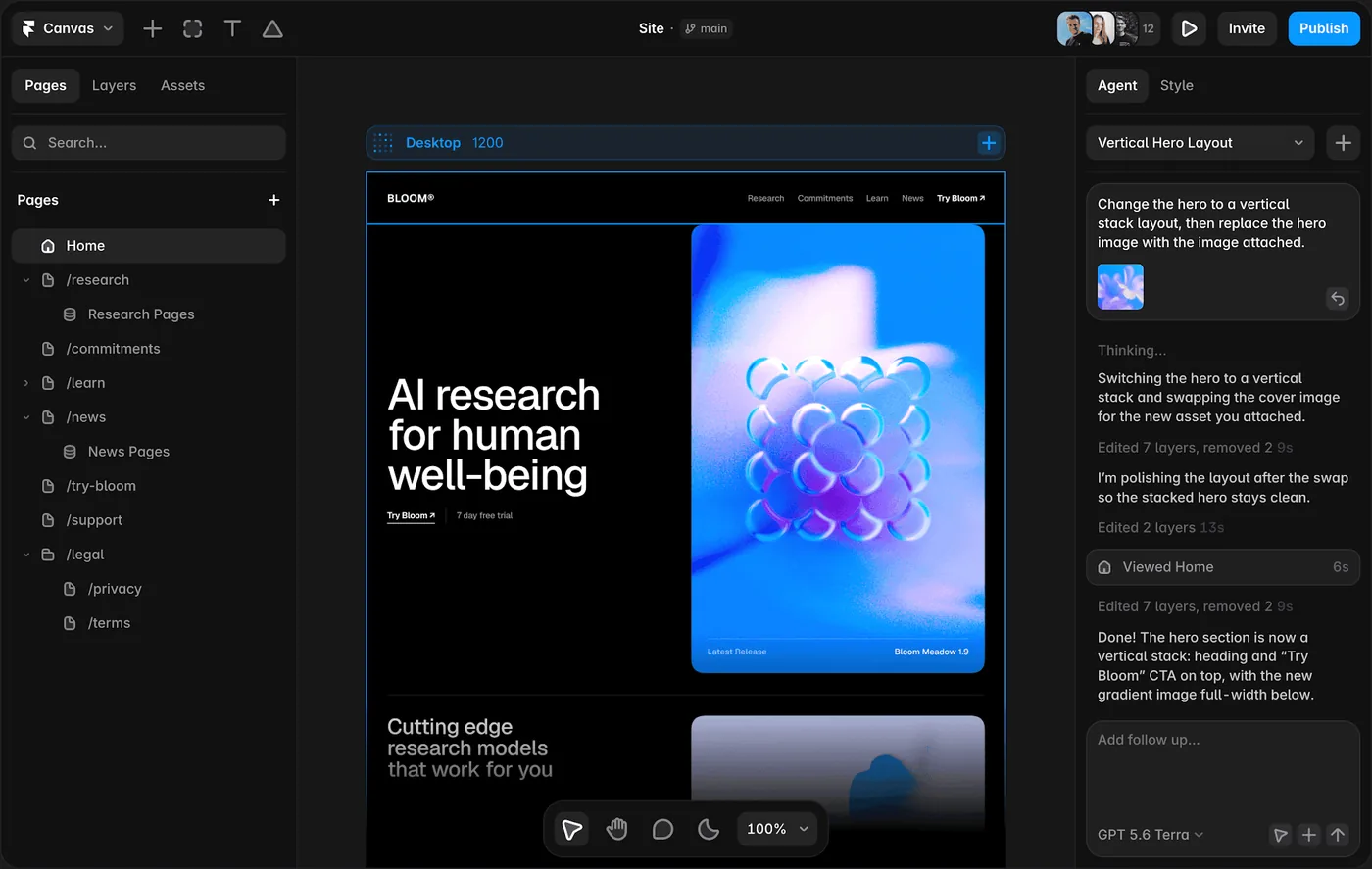
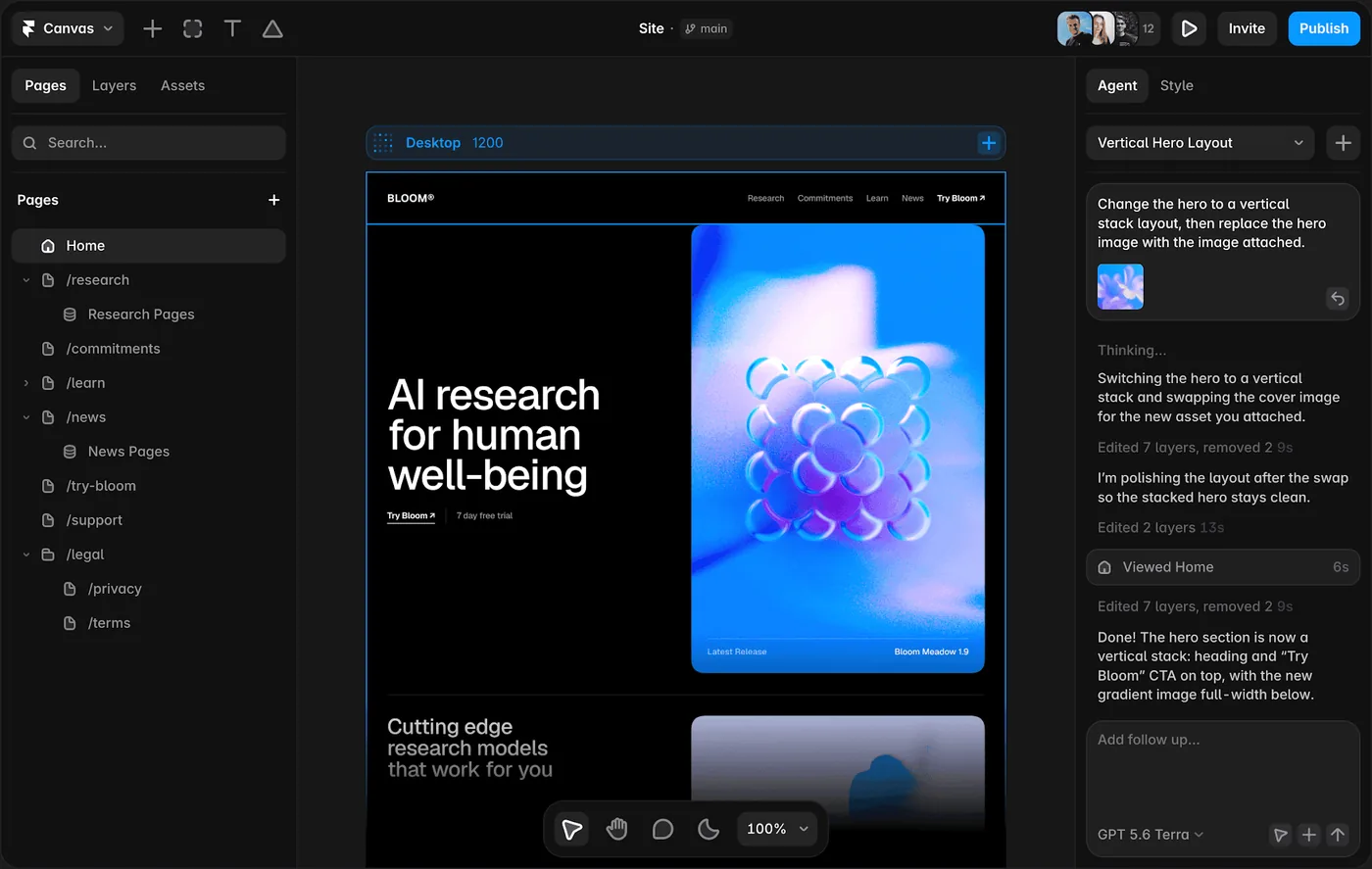
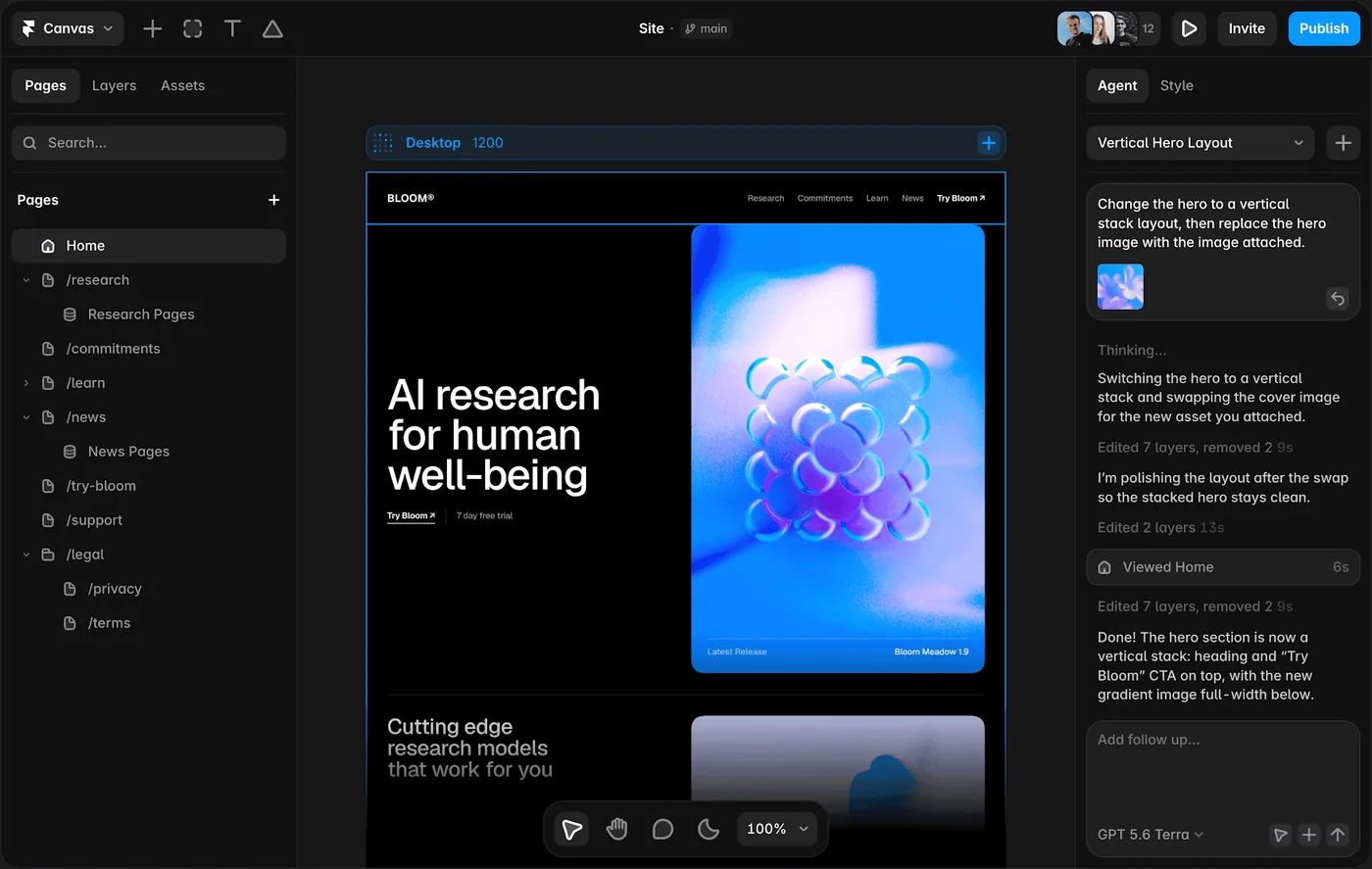
    Framer is strongest when the artifact you are designing is a website and the team wants to shorten the trip from layout to live URL. Responsive design, CMS, animations, interactions, and publishing live in one environment, while AI can help generate starting structures.

    Framer website design canvas

    Framer is most convincing when the prototype needs website design that can move directly into a responsive published site. That tells you whether it belongs on the website side, the app side, or in both workflows.

    The unusual advantage is that the design does not have to die at handoff. A marketing page or content site can keep evolving inside the same tool until it ships.

    Where it fits best

    Use Framer when website design that can move directly into a responsive published site. It is particularly useful when that need is already visible in your current workflow and the team can measure whether the tool actually removes a handoff, shortens iteration, or improves the quality of the artifact.

    The tradeoff

    It is website-centric. For large native applications, research-heavy UX work, or complicated enterprise interaction logic, it is usually better as a specialist rather than the main design platform.

    Current context: Framer said in June 2026 that more than 188,000 companies across 200 countries were using the platform, powering more than 4 million published websites. Source

    Image placement: Use a current in-product interface image showing Framer doing the job described above. Filename: best-prototyping-tools-websites-apps-framer.webp. Keep WebP under 100 KB.

    2. Figma: Best for Collaborative interface design from wireframe to developer handoff

    Product: Figma

    Figma remains the safest default for teams that want one workspace for interface design, reusable components, prototyping, comments, and handoff. Its biggest advantage is not a single feature. It is how little context has to be lost as a rough screen becomes a production-ready design.
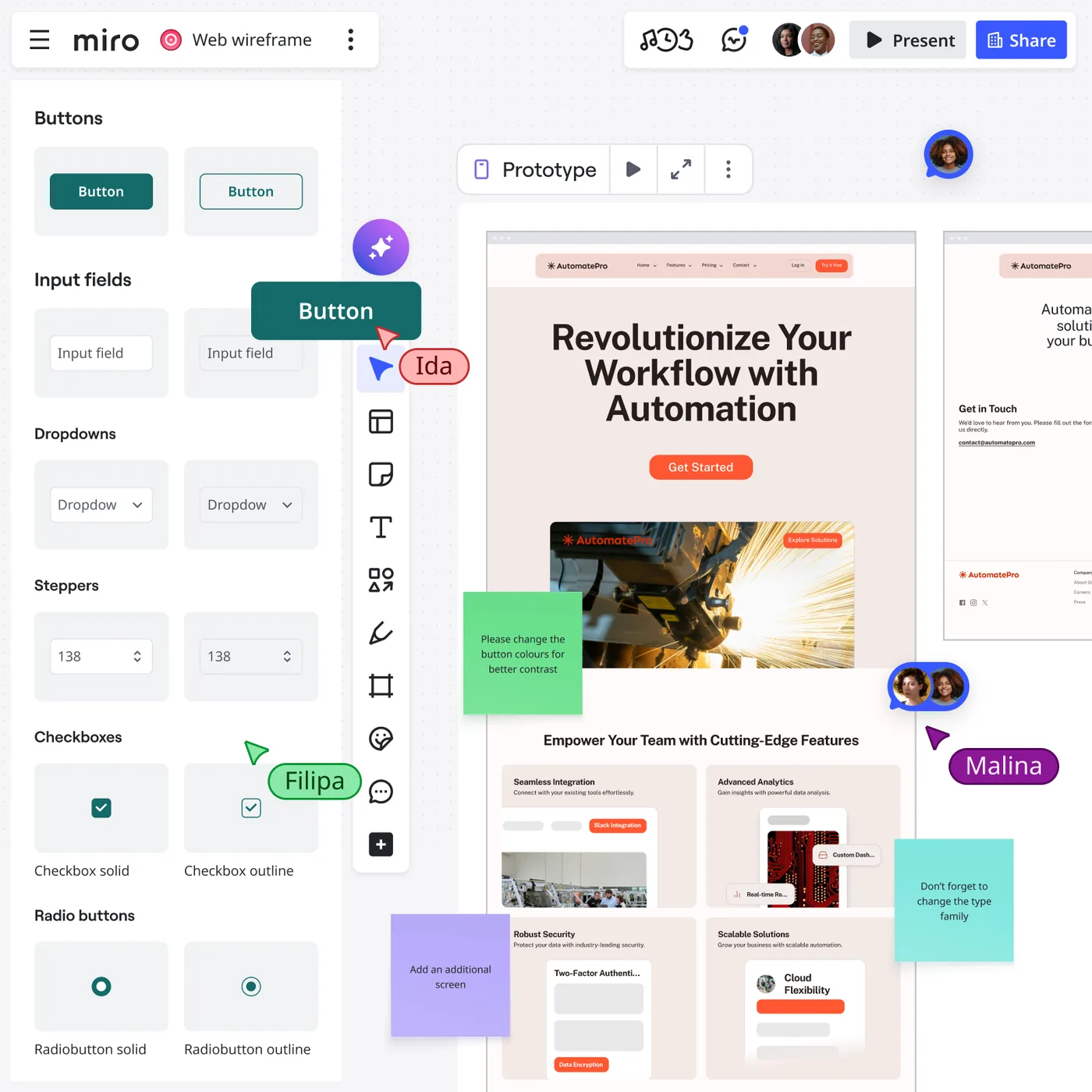
    Figma design interface

    Figma is most convincing when the prototype needs collaborative interface design from wireframe to developer handoff. That tells you whether it belongs on the website side, the app side, or in both workflows.

    Real-time collaboration, browser access, mature component systems, Dev Mode, and a huge surrounding ecosystem make it easy to bring product managers and developers into the same source of truth.

    Where it fits best

    Use Figma when collaborative interface design from wireframe to developer handoff. It is particularly useful when that need is already visible in your current workflow and the team can measure whether the tool actually removes a handoff, shortens iteration, or improves the quality of the artifact.

    The tradeoff

    Because it can do almost everything, it can also encourage teams to polish too soon. Specialized tools are often faster for rough ideation, complex interaction logic, or code-backed prototypes.

    Current context: Figma reports that 95% of the Fortune 500 uses its platform, based on March 2025 data. Source

    Image placement: Use a current product workflow image showing Figma doing the job described above. Filename: best-prototyping-tools-websites-apps-figma.webp. Keep WebP under 100 KB.

    3. ProtoPie: Best for High-fidelity interaction prototypes with logic, sensors,

    Product: ProtoPie

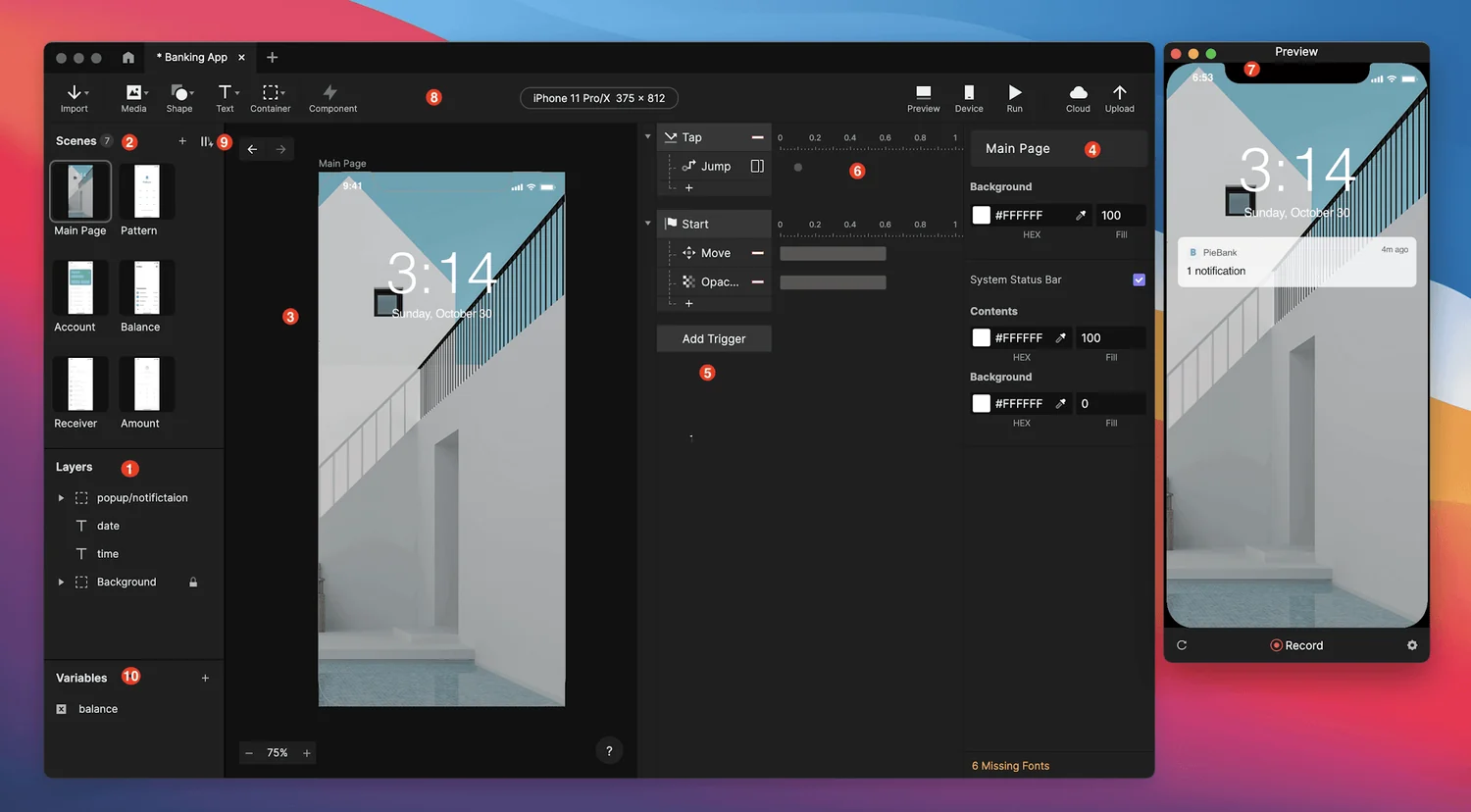
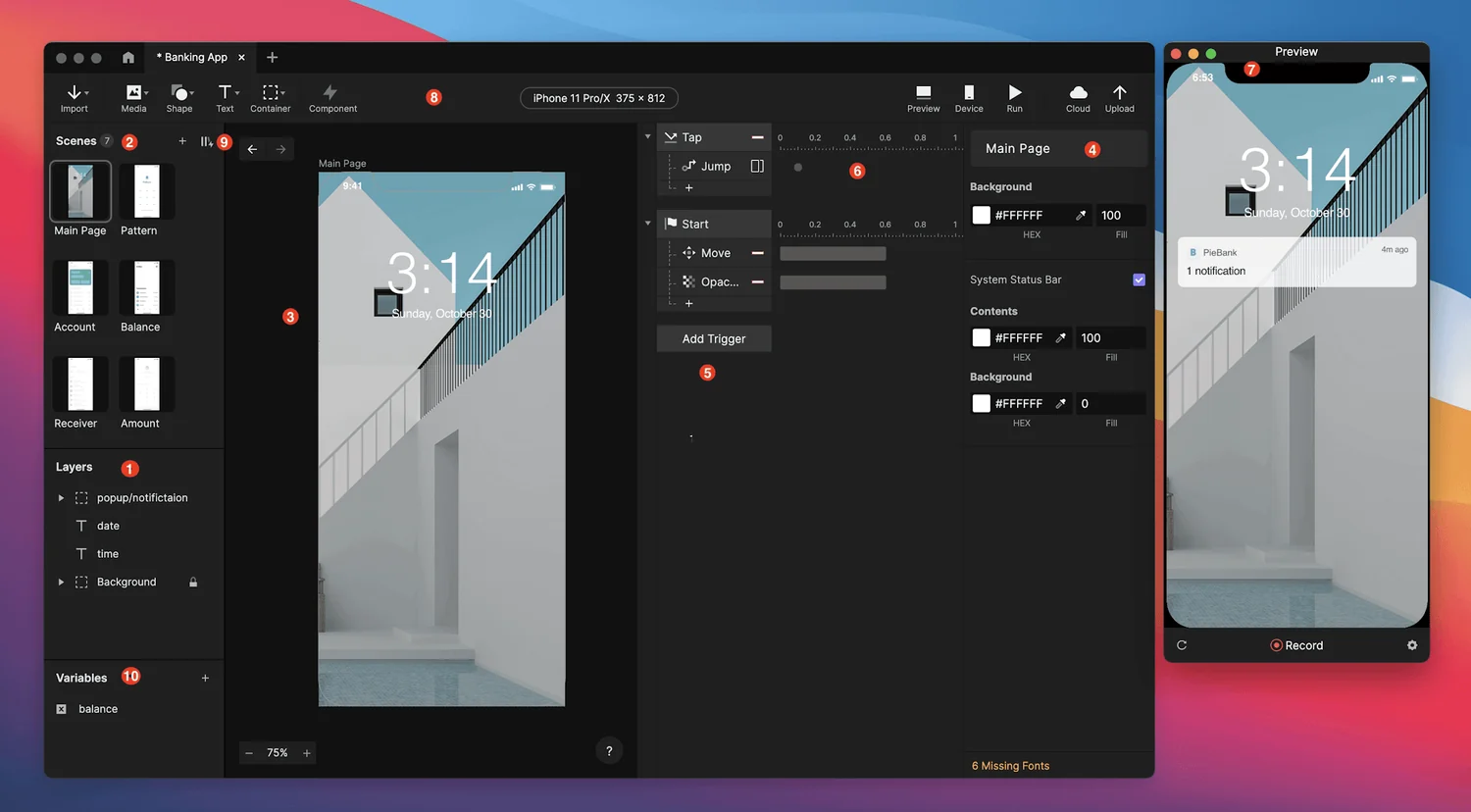
    ProtoPie is built for the point where a clickable slideshow is no longer enough. It handles variables, conditions, sensors, multi-device interactions, API-connected behavior, and realistic microinteractions without requiring the prototype itself to become a production app.

    ProtoPie prototyping studio interface

    ProtoPie is most convincing when the prototype needs high-fidelity interaction prototypes with logic, sensors, and realistic behavior. That tells you whether it belongs on the website side, the app side, or in both workflows.

    That makes it especially valuable for advanced mobile experiences, automotive interfaces, connected devices, and product ideas where the quality of the interaction is the thing being tested.

    Where it fits best

    Use ProtoPie when high-fidelity interaction prototypes with logic, sensors, and realistic behavior. It is particularly useful when that need is already visible in your current workflow and the team can measure whether the tool actually removes a handoff, shortens iteration, or improves the quality of the artifact.

    The tradeoff

    It is not the fastest place to sketch a rough screen. Most teams will design elsewhere first, then move the screens into ProtoPie when interaction fidelity becomes the priority.

    Current context: ProtoPie introduced AI-assisted component authoring in June 2026, extending its interaction workflow with natural-language assistance. Source

    Image placement: Use a current in-product interface image showing ProtoPie doing the job described above. Filename: best-prototyping-tools-websites-apps-protopie.webp. Keep WebP under 100 KB.

    4. Axure RP: Best for Complex functional prototypes with conditions, variables, forms,

    Product: Axure RP

    Axure RP still earns a place when a prototype needs to behave more like software than a slide deck. Conditional logic, dynamic panels, working forms, repeaters, variables, and data-driven interactions let teams model complex enterprise workflows before development.

    Axure RP is most convincing when the prototype needs complex functional prototypes with conditions, variables, forms, and business logic. That tells you whether it belongs on the website side, the app side, or in both workflows.

    It is especially strong for internal tools, enterprise applications, financial products, and systems where errors usually happen in states and rules rather than in the visual styling.

    Where it fits best

    Use Axure RP when complex functional prototypes with conditions, variables, forms, and business logic. It is particularly useful when that need is already visible in your current workflow and the team can measure whether the tool actually removes a handoff, shortens iteration, or improves the quality of the artifact.

    The tradeoff

    The learning curve is real, and teams focused on modern visual collaboration may find Figma more inviting. Axure pays off when logic matters enough to justify the extra setup.

    Current context: Axure positions RP 11 around realistic functional prototypes and supports unlimited prototypes and reviewers on its paid plans. Source

    Image placement: Use a current product workflow image showing Axure RP doing the job described above. Filename: best-prototyping-tools-websites-apps-axure-rp.webp. Keep WebP under 100 KB.

    5. UXPin: Best for Code-aware prototyping

    Product: UXPin

    UXPin sits between traditional design tools and production code. Its prototyping supports logic, variables, states, and interactions, while Merge can let teams design with real React components pulled from a development system.

    UXPin is most convincing when the prototype needs code-aware prototyping and design-system work. That tells you whether it belongs on the website side, the app side, or in both workflows.

    For organizations with an established component library, that can collapse the gap between what designers prototype and what engineers eventually build. The prototype uses the same component logic instead of a visual imitation.

    Where it fits best

    Use UXPin when code-aware prototyping and design-system work. It is particularly useful when that need is already visible in your current workflow and the team can measure whether the tool actually removes a handoff, shortens iteration, or improves the quality of the artifact.

    The tradeoff

    It is a more specialized choice than Figma. Teams without a mature design system or code-component workflow may not use enough of its advantage to justify switching.

    Current context: UXPin Merge supports code-component workflows through sources such as Storybook and Git, depending on plan and setup. Source

    Image placement: Use a current in-product interface image showing UXPin doing the job described above. Filename: best-prototyping-tools-websites-apps-uxpin.webp. Keep WebP under 100 KB.

    6. Uizard: Best for Quick editable ui concepts for designers

    Product: Uizard

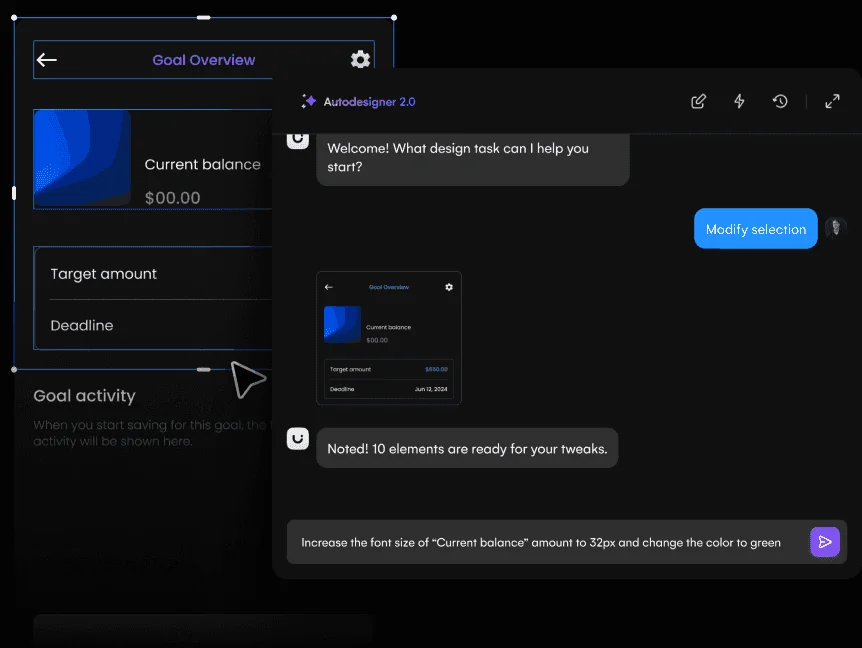
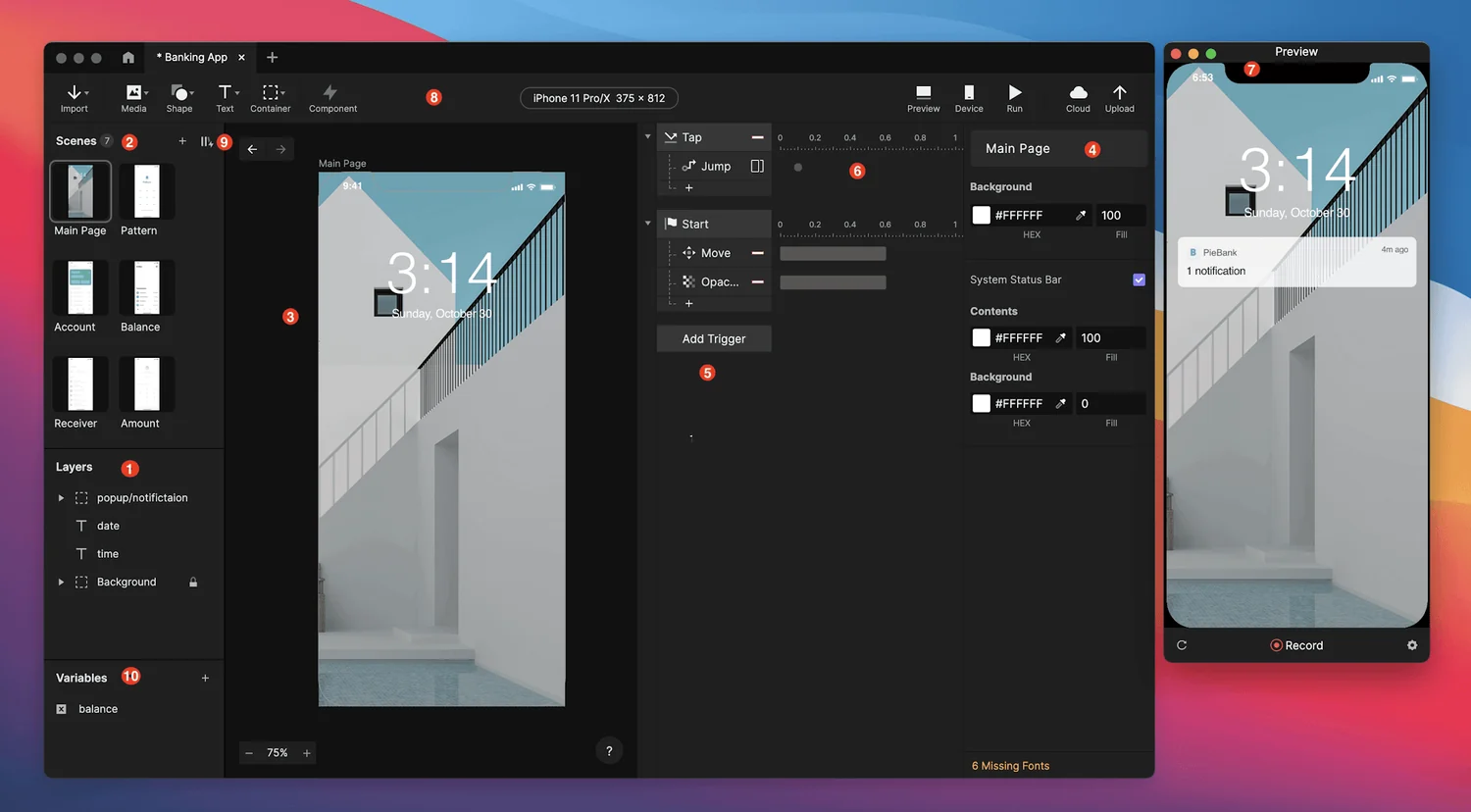
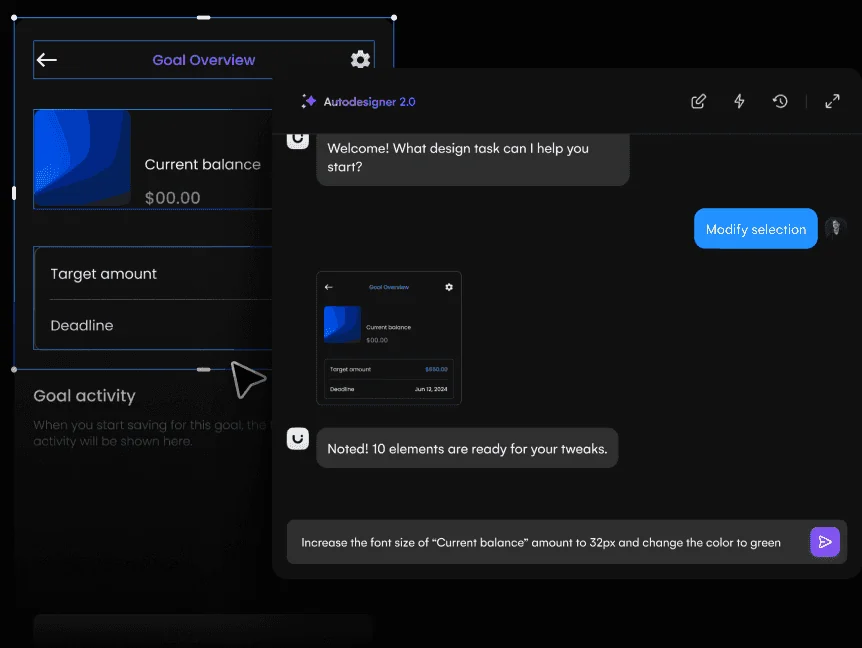
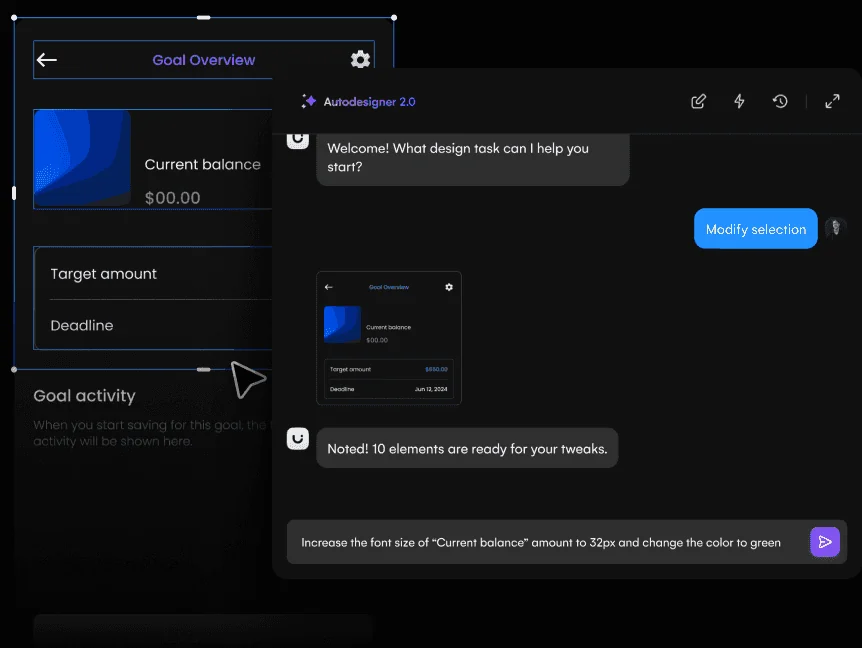
    Uizard is built around getting from an idea to an editable interface quickly. Autodesigner can generate multi-screen app or website mockups from plain English, and the same workspace supports themes, screenshots-to-editable-design, components, flows, and interactive previews.

    Uizard AI design interface

    Uizard is most convincing when the prototype needs quick editable UI concepts for designers and non-designers. That tells you whether it belongs on the website side, the app side, or in both workflows.

    It is particularly useful when the person shaping the product idea is not a full-time UI designer. Product managers, founders, marketers, and early-stage teams can produce something concrete without learning a dense professional design environment first.

    Where it fits best

    Use Uizard when quick editable UI concepts for designers and non-designers. It is particularly useful when that need is already visible in your current workflow and the team can measure whether the tool actually removes a handoff, shortens iteration, or improves the quality of the artifact.

    The tradeoff

    The ceiling is lower than Figma, Sketch, or a code-backed builder when you need a large design system, advanced interactions, or highly specific production handoff.

    Current context: Uizard describes Autodesigner as an AI system that generates multi-screen app and website mockups from plain-English prompts. Source

    Image placement: Use a current product workflow image showing Uizard doing the job described above. Filename: best-prototyping-tools-websites-apps-uizard.webp. Keep WebP under 100 KB.

    Which One Should You Choose?

    Choose Framer if your priority is website design that can move directly into a responsive published site. Choose Figma if your priority is collaborative interface design from wireframe to developer handoff. Choose ProtoPie if your priority is high-fidelity interaction prototypes with logic, sensors, and realistic behavior.

    Choose Axure RP if your priority is complex functional prototypes with conditions, variables, forms, and business logic. Choose UXPin if your priority is code-aware prototyping and design-system work. Choose Uizard if your priority is quick editable UI concepts for designers and non-designers.

    Do not choose from the feature count alone. Pick the tool that removes the next expensive handoff in your workflow. If it only gives you a faster first draft but creates more cleanup later, the speed is mostly cosmetic.

    FAQs

    What is the best best prototyping tools for most teams?

    For most teams, Framer is the safest starting point because it matches the central job of this list: website design that can move directly into a responsive published site. The better answer can change quickly when your team has a strong platform, code, or workflow constraint.

    Are free best prototyping tools good enough?

    Free plans are usually enough to test the workflow and judge first-result quality. The limits show up later in collaboration, AI credits, private projects, exports, version history, team controls, or production use. Test your real workflow before paying for a year.

    Should AI replace the designer in this workflow?

    No. AI is most useful for generating options, assembling first passes, translating structure, or automating repetitive edits. Problem framing, accessibility, product judgment, prioritization, and deciding which direction is actually right still need human ownership.

    How should I evaluate these tools before buying?

    Use one small real project. Give every candidate the same brief, the same existing assets, and the same correction request. Compare the second and third iterations, not just the first output. That exposes workflow friction much faster than a feature checklist.

    Final Thoughts

    The best best prototyping tools is the one that makes the next decision cheaper. For this list, Framer is the strongest default, but the specialist options become better as soon as your constraint becomes specific. Match the tool to the output, handoff, and level of fidelity you actually need. That is how you get speed without simply moving the work somewhere else.

    If you want help turning product ideas into a polished interface, Omnix Studio offers website UI/UX design and mobile app UI/UX design.
  • 7 Best Design Tools for Designers and Product Teams

    7 Best Design Tools for Designers and Product Teams

    Product teams do not design in a straight line, and they do not all live in the same app. A researcher needs evidence. A PM needs a shared model of the problem. A designer needs a system. Engineering needs a clear handoff. These tools earn their place by helping a specific decision move forward.

    Key Takeaways

    • Figma is the strongest pick for collaborative interface design from wireframe to developer handoff.
    • Miro is the strongest pick for collaborative discovery, workshops, research synthesis, flows, and early wireframes.
    • Dovetail is the strongest pick for research synthesis, customer evidence, and turning qualitative data into product insight.
    • Maze is the strongest pick for remote user testing, prototype validation, and rapid research.
    • ProtoPie is the strongest pick for high-fidelity interaction prototypes with logic, sensors, and realistic behavior.

    Map the Tool to the Decision

    A tool earns its place when it removes a handoff or makes a decision easier. Research tools help a team agree on what is true. Whiteboards help agree on the problem. Design tools make a proposed solution visible. Testing tools tell you where it fails. Handoff tools reduce ambiguity when the solution moves into code.

    What Product Teams Actually Need

    • Who owns the tool
    • Decision it improves
    • Collaboration cost
    • Handoff created or removed
    • Learning curve
    • Long-term reuse

    Quick Comparison

    ToolBest ForBiggest StrengthWatch Out For
    FigmaCollaborative interface design from wireframe to developer handoffReal-time collaboration, browser access, mature component systems, Dev Mode, and a huge surrounding ecosystem make it easy to bring product managers and developers into the same source of truth.Because it can do almost everything, it can also encourage teams to polish too soon.
    MiroCollaborative discovery, workshops, research synthesis, flows, and early wireframesThat context makes it one of the best tools for cross-functional discovery.It is a collaboration workspace first.
    DovetailResearch synthesis, customer evidence, and turning qualitative data into product insightFor UX teams, this matters because better screens usually start with better evidence.It does not replace a design or prototyping tool.
    MazeRemote user testing, prototype validation, and rapid researchThe real value is cadence.The platform does not create the design itself.
    ProtoPieHigh-fidelity interaction prototypes with logic, sensors, and realistic behaviorThat makes it especially valuable for advanced mobile experiences, automotive interfaces, connected devices, and product ideas where the quality of the interaction is the thing being tested.It is not the fastest place to sketch a rough screen.
    FramerWebsite design that can move directly into a responsive published siteThe unusual advantage is that the design does not have to die at handoff.It is website-centric.
    ZeplinStructured design delivery, specs, screens, and design-to-development communicationThat separation can be valuable in larger teams where “latest design” and “ready to build” are not the same thing.Figma Dev Mode and code-aware workflows have absorbed some of the handoff work Zeplin once owned.

    1. Figma: Best for Collaborative interface design from wireframe to developer handoff

    Product: Figma

    Figma remains the safest default for teams that want one workspace for interface design, reusable components, prototyping, comments, and handoff. Its biggest advantage is not a single feature. It is how little context has to be lost as a rough screen becomes a production-ready design.
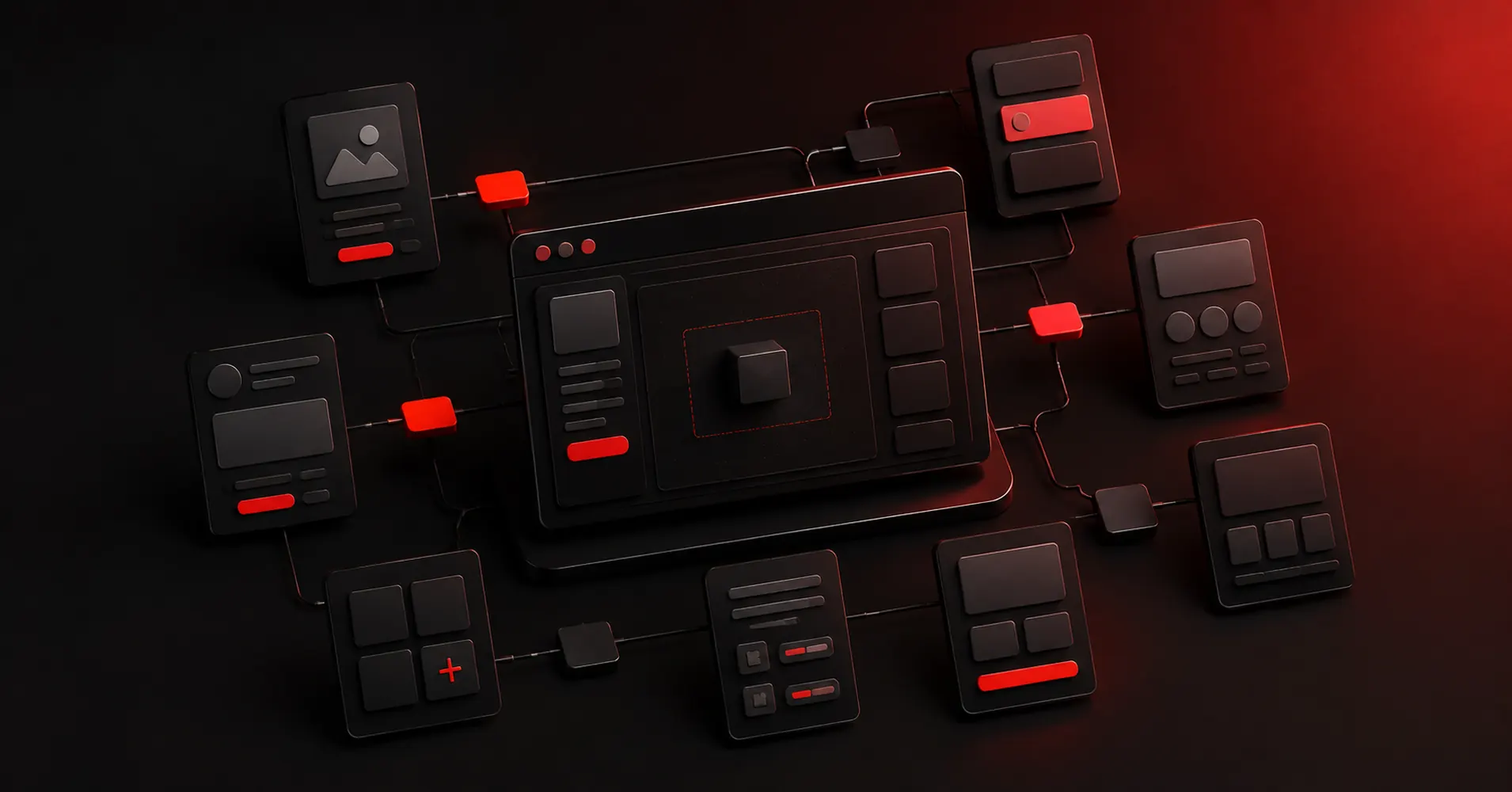
    Figma design interface

    For a product team, the right owner for Figma is the person responsible for collaborative interface design from wireframe to developer handoff. The tool works best when that decision is visible to the rest of the team, not trapped in a specialist silo.

    Real-time collaboration, browser access, mature component systems, Dev Mode, and a huge surrounding ecosystem make it easy to bring product managers and developers into the same source of truth.

    Where it fits best

    Use Figma when collaborative interface design from wireframe to developer handoff. It is particularly useful when that need is already visible in your current workflow and the team can measure whether the tool actually removes a handoff, shortens iteration, or improves the quality of the artifact.

    The tradeoff

    Because it can do almost everything, it can also encourage teams to polish too soon. Specialized tools are often faster for rough ideation, complex interaction logic, or code-backed prototypes.

    Current context: Figma reports that 95% of the Fortune 500 uses its platform, based on March 2025 data. Source

    2. Miro: Best for Collaborative discovery, workshops, research synthesis, flows,

    Product: Miro

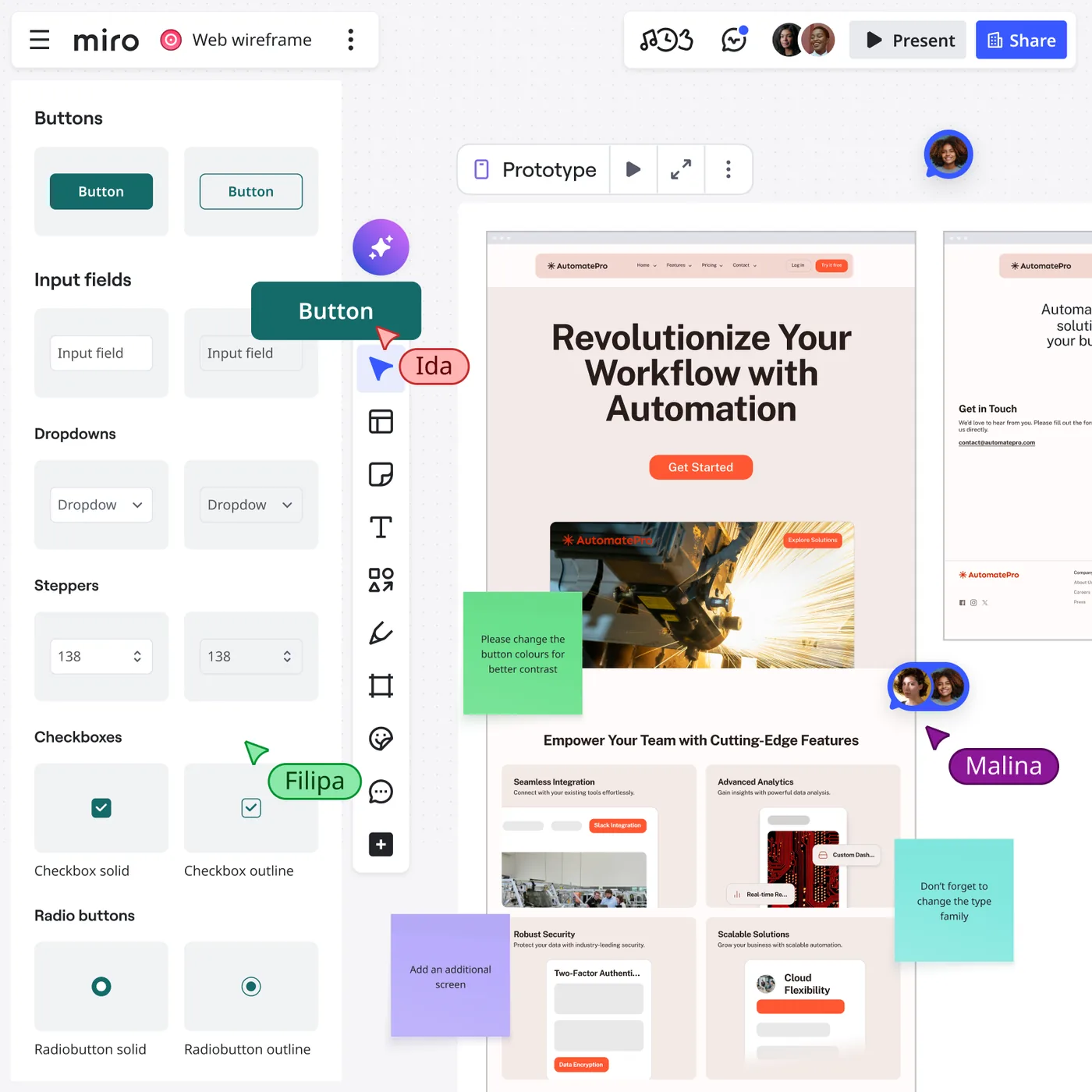
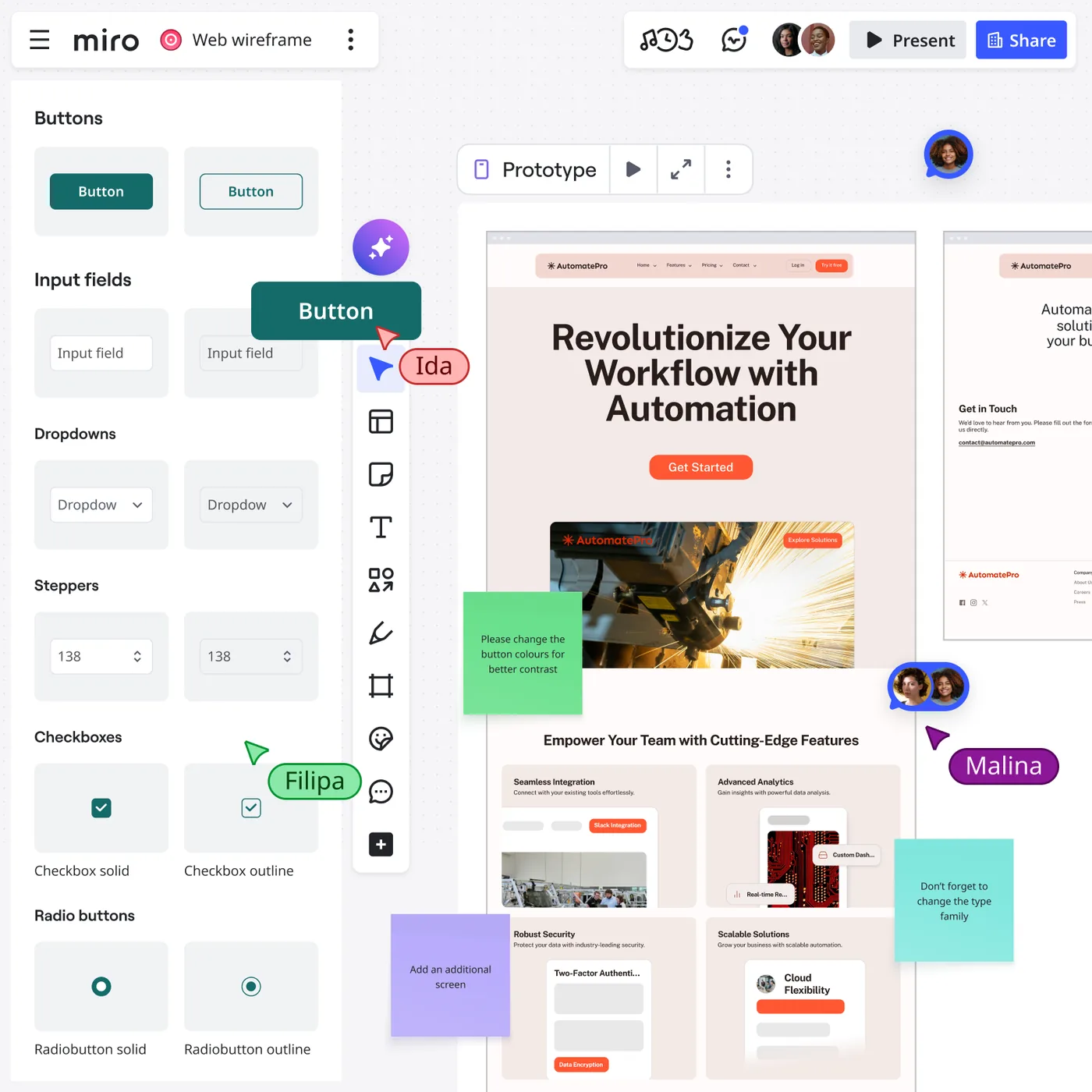
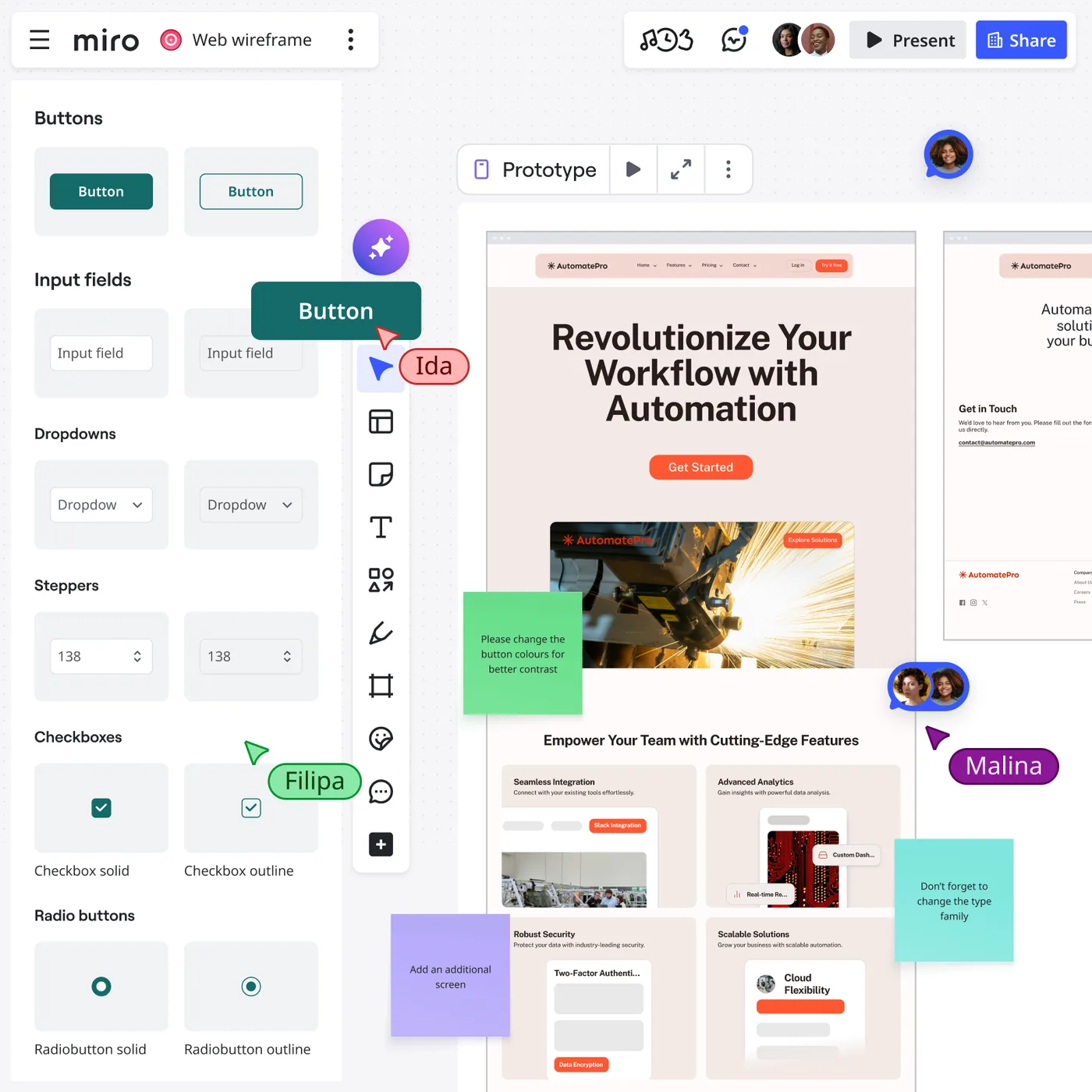
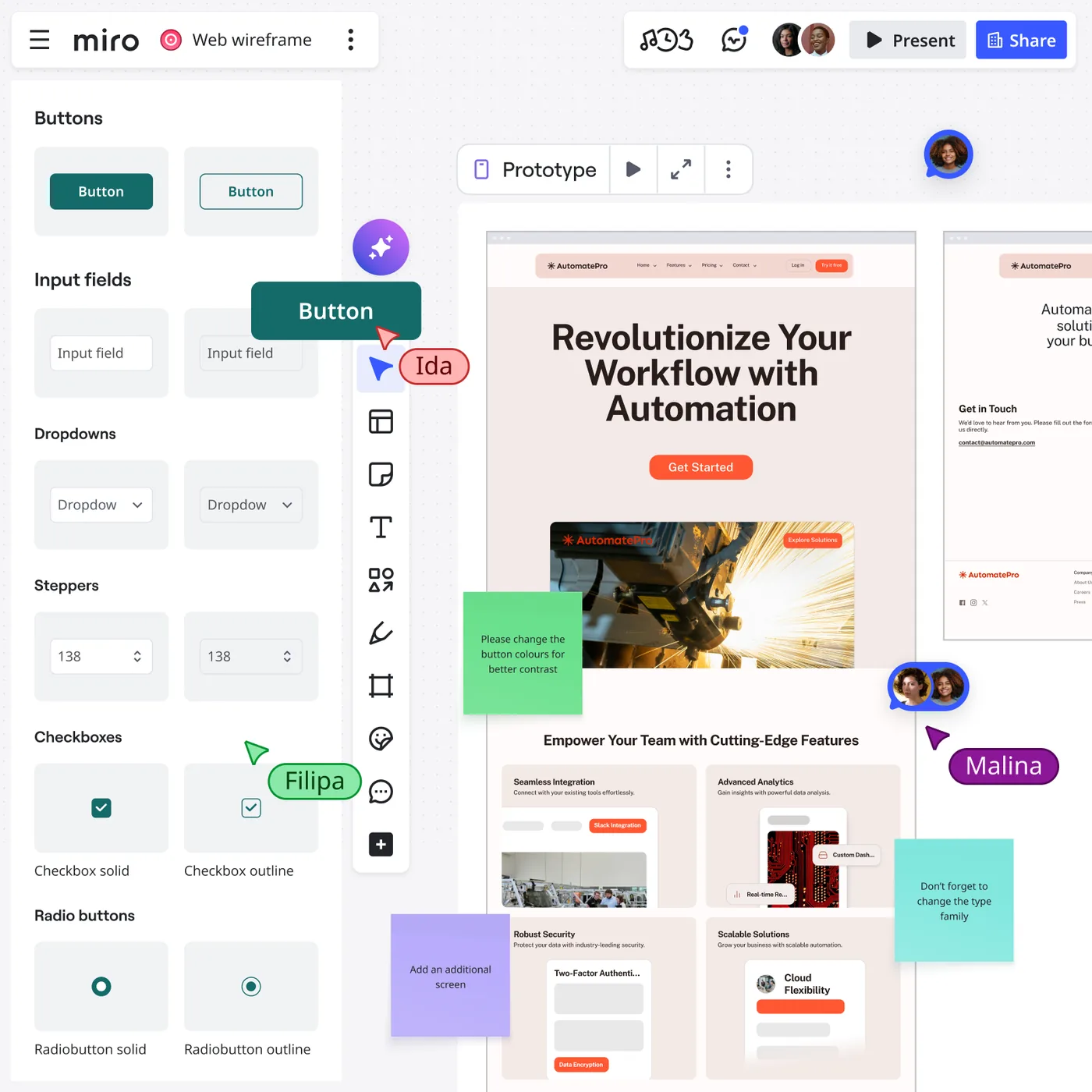
    Miro is useful when the design problem is still messy. Research notes, journey maps, service blueprints, flow diagrams, workshop voting, competitor references, and rough wireframes can live on the same board instead of being split across six documents.

    Miro collaborative design board

    For a product team, the right owner for Miro is the person responsible for collaborative discovery, workshops, research synthesis, flows, and early wireframes. The tool works best when that decision is visible to the rest of the team, not trapped in a specialist silo.

    That context makes it one of the best tools for cross-functional discovery. Product, design, engineering, and stakeholders can work visibly together before the team commits to polished screens.

    Where it fits best

    Use Miro when collaborative discovery, workshops, research synthesis, flows, and early wireframes. It is particularly useful when that need is already visible in your current workflow and the team can measure whether the tool actually removes a handoff, shortens iteration, or improves the quality of the artifact.

    The tradeoff

    It is a collaboration workspace first. Once a screen needs a production-grade component system, advanced visual design, or precise handoff, most teams will move into a dedicated design environment.

    Current context: Miro says more than 100 million users across 250,000 organizations use its platform. Source

    3. Dovetail: Best for Research synthesis, customer evidence,

    Product: Dovetail

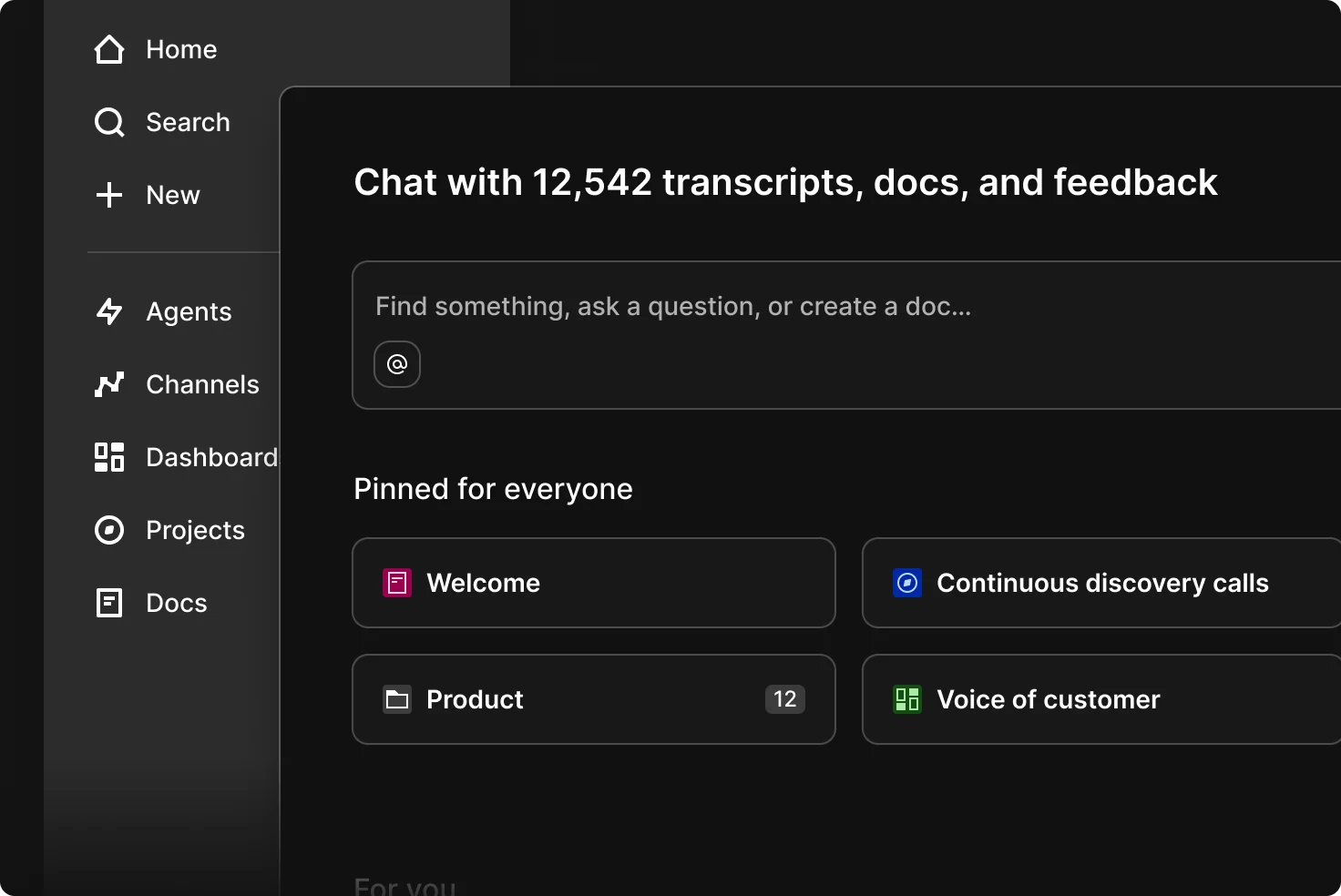
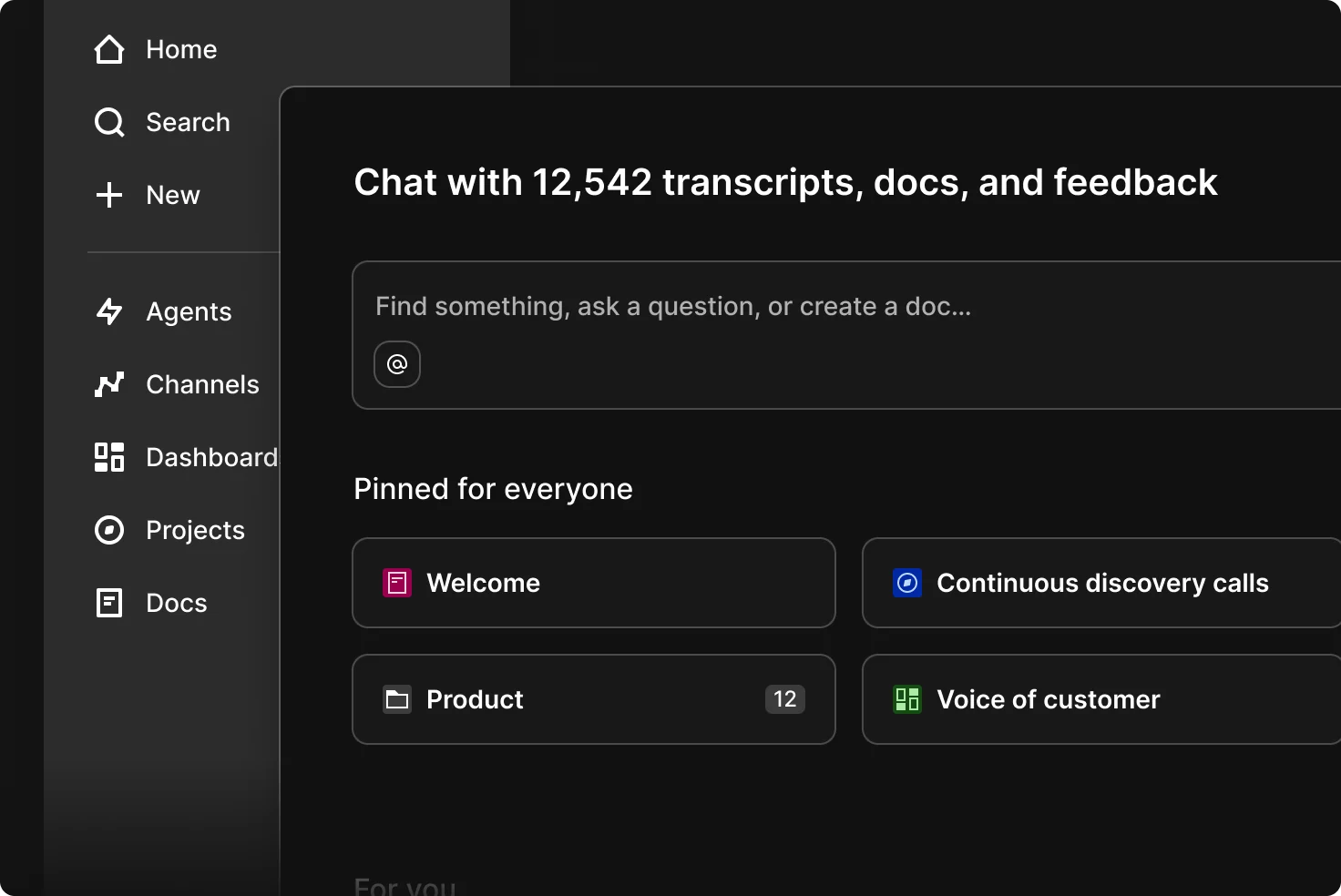
    Dovetail sits upstream of the UI canvas. It helps teams organize interviews, feedback, notes, and research, then use AI-assisted analysis to find themes and make evidence easier to reuse across product decisions.

    Dovetail research workspace

    For a product team, the right owner for Dovetail is the person responsible for research synthesis, customer evidence, and turning qualitative data into product insight. The tool works best when that decision is visible to the rest of the team, not trapped in a specialist silo.

    For UX teams, this matters because better screens usually start with better evidence. Dovetail gives research a home that is more durable than scattered docs, meeting notes, and one-off presentation slides.

    Where it fits best

    Use Dovetail when research synthesis, customer evidence, and turning qualitative data into product insight. It is particularly useful when that need is already visible in your current workflow and the team can measure whether the tool actually removes a handoff, shortens iteration, or improves the quality of the artifact.

    The tradeoff

    It does not replace a design or prototyping tool. Its job is to improve the quality and traceability of the decisions that feed those tools.

    Current context: Dovetail positions AI-assisted analysis as part of its customer-research and insights platform for product teams. Source

    4. Maze: Best for Remote user testing, prototype validation,

    Product: Maze

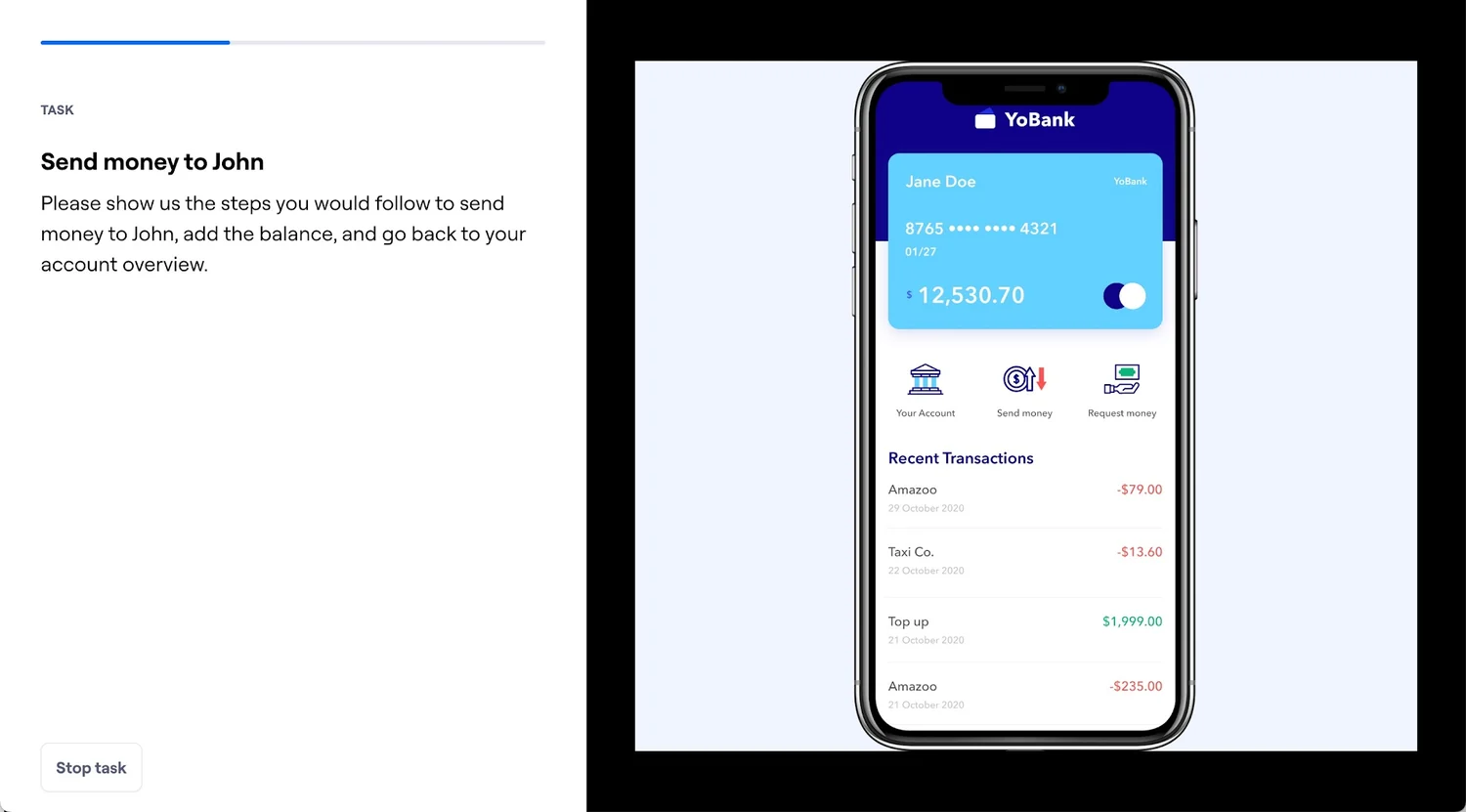
    Maze helps teams test prototypes and product experiences with users without turning every study into a fully moderated research project. It supports prototype testing, surveys, usability research, and analysis workflows that product teams can repeat frequently.

    Maze usability testing interface

    For a product team, the right owner for Maze is the person responsible for remote user testing, prototype validation, and rapid research. The tool works best when that decision is visible to the rest of the team, not trapped in a specialist silo.

    The real value is cadence. Teams can test smaller decisions more often instead of saving research for the end of a project when changing direction is expensive.

    Where it fits best

    Use Maze when remote user testing, prototype validation, and rapid research. It is particularly useful when that need is already visible in your current workflow and the team can measure whether the tool actually removes a handoff, shortens iteration, or improves the quality of the artifact.

    The tradeoff

    The platform does not create the design itself. The quality of the test still depends on a clear research question, representative participants, and a prototype that reflects what you actually need to learn.

    Current context: Maze focuses on continuous product discovery and supports prototype testing alongside other remote research methods. Source

    5. ProtoPie: Best for High-fidelity interaction prototypes with logic, sensors,

    Product: ProtoPie

    ProtoPie is built for the point where a clickable slideshow is no longer enough. It handles variables, conditions, sensors, multi-device interactions, API-connected behavior, and realistic microinteractions without requiring the prototype itself to become a production app.

    ProtoPie prototyping studio interface

    For a product team, the right owner for ProtoPie is the person responsible for high-fidelity interaction prototypes with logic, sensors, and realistic behavior. The tool works best when that decision is visible to the rest of the team, not trapped in a specialist silo.

    That makes it especially valuable for advanced mobile experiences, automotive interfaces, connected devices, and product ideas where the quality of the interaction is the thing being tested.

    Where it fits best

    Use ProtoPie when high-fidelity interaction prototypes with logic, sensors, and realistic behavior. It is particularly useful when that need is already visible in your current workflow and the team can measure whether the tool actually removes a handoff, shortens iteration, or improves the quality of the artifact.

    The tradeoff

    It is not the fastest place to sketch a rough screen. Most teams will design elsewhere first, then move the screens into ProtoPie when interaction fidelity becomes the priority.

    Current context: ProtoPie introduced AI-assisted component authoring in June 2026, extending its interaction workflow with natural-language assistance. Source

    6. Framer: Best for Website design that can move directly into a responsive published site

    Product: Framer

    Framer is strongest when the artifact you are designing is a website and the team wants to shorten the trip from layout to live URL. Responsive design, CMS, animations, interactions, and publishing live in one environment, while AI can help generate starting structures.

    Framer website design canvas

    For a product team, the right owner for Framer is the person responsible for website design that can move directly into a responsive published site. The tool works best when that decision is visible to the rest of the team, not trapped in a specialist silo.

    The unusual advantage is that the design does not have to die at handoff. A marketing page or content site can keep evolving inside the same tool until it ships.

    Where it fits best

    Use Framer when website design that can move directly into a responsive published site. It is particularly useful when that need is already visible in your current workflow and the team can measure whether the tool actually removes a handoff, shortens iteration, or improves the quality of the artifact.

    The tradeoff

    It is website-centric. For large native applications, research-heavy UX work, or complicated enterprise interaction logic, it is usually better as a specialist rather than the main design platform.

    Current context: Framer said in June 2026 that more than 188,000 companies across 200 countries were using the platform, powering more than 4 million published websites. Source

    7. Zeplin: Best for Structured design delivery, specs, screens,

    Product: Zeplin

    Zeplin remains useful for teams that want a deliberate handoff layer between design files and implementation. It organizes approved screens, components, specs, flows, and developer context so engineers are not forced to infer what is ready from a working design canvas.

    For a product team, the right owner for Zeplin is the person responsible for structured design delivery, specs, screens, and design-to-development communication. The tool works best when that decision is visible to the rest of the team, not trapped in a specialist silo.

    That separation can be valuable in larger teams where “latest design” and “ready to build” are not the same thing.

    Where it fits best

    Use Zeplin when structured design delivery, specs, screens, and design-to-development communication. It is particularly useful when that need is already visible in your current workflow and the team can measure whether the tool actually removes a handoff, shortens iteration, or improves the quality of the artifact.

    The tradeoff

    Figma Dev Mode and code-aware workflows have absorbed some of the handoff work Zeplin once owned. Its value is highest when the team genuinely benefits from a dedicated delivery layer.

    Current context: Zeplin positions itself around design delivery and collaboration between designers and developers. Source

    Which One Should You Choose?

    Choose Figma if your priority is collaborative interface design from wireframe to developer handoff. Choose Miro if your priority is collaborative discovery, workshops, research synthesis, flows, and early wireframes. Choose Dovetail if your priority is research synthesis, customer evidence, and turning qualitative data into product insight.

    Choose Maze if your priority is remote user testing, prototype validation, and rapid research. Choose ProtoPie if your priority is high-fidelity interaction prototypes with logic, sensors, and realistic behavior. Choose Framer if your priority is website design that can move directly into a responsive published site. Choose Zeplin if your priority is structured design delivery, specs, screens, and design-to-development communication.

    Do not choose from the feature count alone. Pick the tool that removes the next expensive handoff in your workflow. If it only gives you a faster first draft but creates more cleanup later, the speed is mostly cosmetic.

    FAQs

    What is the best best design tools for most teams?

    For most teams, Figma is the safest starting point because it matches the central job of this list: collaborative interface design from wireframe to developer handoff. The better answer can change quickly when your team has a strong platform, code, or workflow constraint.

    Are free best design tools good enough?

    Free plans are usually enough to test the workflow and judge first-result quality. The limits show up later in collaboration, AI credits, private projects, exports, version history, team controls, or production use. Test your real workflow before paying for a year.

    Should AI replace the designer in this workflow?

    No. AI is most useful for generating options, assembling first passes, translating structure, or automating repetitive edits. Problem framing, accessibility, product judgment, prioritization, and deciding which direction is actually right still need human ownership.

    How should I evaluate these tools before buying?

    Use one small real project. Give every candidate the same brief, the same existing assets, and the same correction request. Compare the second and third iterations, not just the first output. That exposes workflow friction much faster than a feature checklist.

    Final Thoughts

    The best best design tools is the one that makes the next decision cheaper. For this list, Figma is the strongest default, but the specialist options become better as soon as your constraint becomes specific. Match the tool to the output, handoff, and level of fidelity you actually need. That is how you get speed without simply moving the work somewhere else.

    If you want help turning UX decisions into a polished interface, Omnix Studio offers website UI/UX design and mobile app UI/UX design.
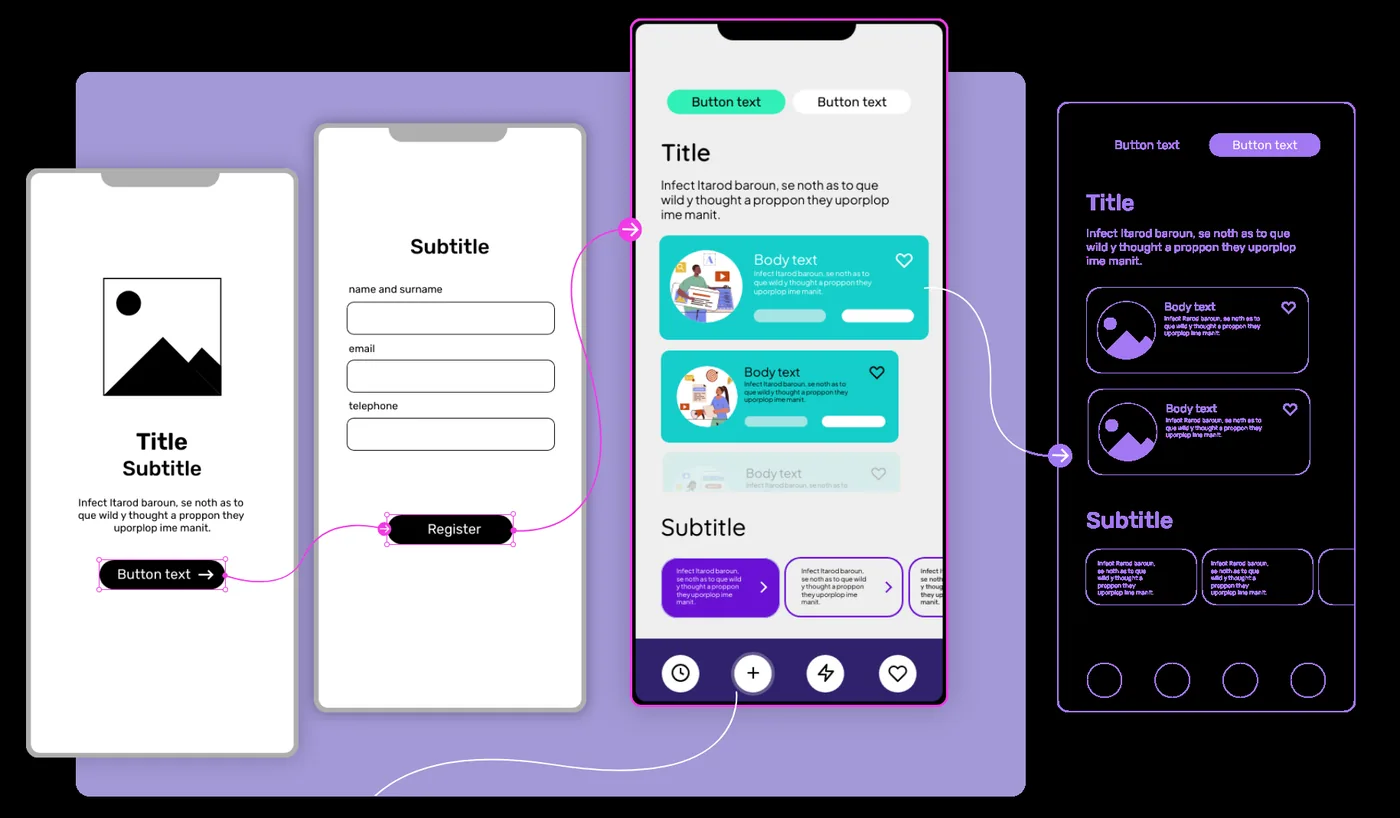
  • 7 Best AI Wireframe Generators for Faster UI Design

    7 Best AI Wireframe Generators for Faster UI Design

    Every AI wireframe generator can make a first screen quickly. The useful test starts five minutes later. Can you change the navigation? Add an empty state? Match the structure of an existing product? Keep it low fidelity? I compared these tools around the speed of useful iteration, not the speed of the first screenshot.

    Key Takeaways

    • Uizard is the strongest pick for quick editable UI concepts for designers and non-designers.
    • Visily is the strongest pick for AI-assisted UI ideation for product teams that want fast editable results.
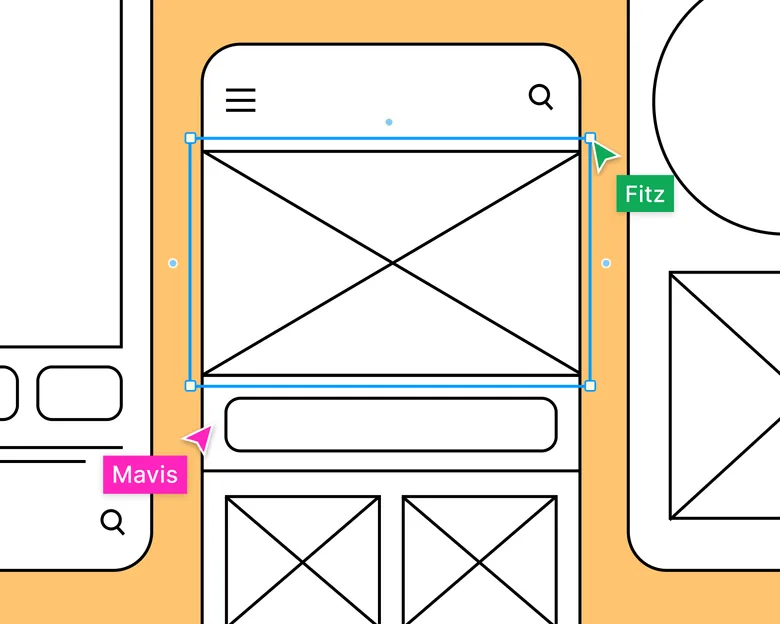
    • Balsamiq is the strongest pick for deliberately rough, fast low-fidelity wireframes.
    • Figma Make is the strongest pick for turning design context into functional prototypes and web experiences.
    • Miro is the strongest pick for collaborative discovery, workshops, research synthesis, flows, and early wireframes.

    A Five-Minute Wireframe Test

    Imagine the same brief in every tool: a mobile subscription app with onboarding, plan selection, checkout, and a success state. The useful generator is not the one that returns the prettiest onboarding screen. It is the one that lets you add the missing states and reshape the flow without starting over.

    What Makes an AI Wireframe Useful

    • Prompt-to-first-wireframe time
    • Correction speed
    • Low-fidelity discipline
    • New-state generation
    • Editability
    • Export path

    Quick Comparison

    ToolBest ForBiggest StrengthWatch Out For
    UizardQuick editable ui concepts for designers and non-designersIt is particularly useful when the person shaping the product idea is not a full-time UI designer.The ceiling is lower than Figma, Sketch, or a code-backed builder when you need a large design system, advanced interactions, or highly specific production handoff.
    VisilyAi-assisted ui ideation for product teams that want fast editable resultsFor product managers and founders, that can make it a practical middle ground between a whiteboard and a heavyweight design environment.Advanced design-system work and final production handoff may still move to Figma or another specialist.
    BalsamiqDeliberately rough, fast low-fidelity wireframesIn 2026 the product also added AI-assisted wireframing, screenshot and sketch conversion, prototyping, and MCP support, but the real advantage is still the discipline created by roughness.Once the structure is approved, most teams will move to another tool for final UI, design systems, and detailed visual production.
    UX Pilot AIAI-powered wireframes and high-fidelity multi-screen flowsGenerates designs from prompts, sketches, or PRDs with design-system consistency, Figma and code exportCredit-based pricing; complex interactions and accessibility need review
    Figma MakeTurning design context into functional prototypes and web experiencesThe strongest reason to choose it is continuity.It makes the most sense inside a Figma-heavy workflow.
    MiroCollaborative discovery, workshops, research synthesis, flows, and early wireframesThat context makes it one of the best tools for cross-functional discovery.It is a collaboration workspace first.
    RelumeAi-assisted website sitemaps, wireframes, component-driven page planning, and exportThe structure-first approach is the reason to use it.It is not the tool for native app design or deeply custom interaction logic.
    Google StitchAi-native ui generation, exploration, and design-agent workflowsThe strongest reason to use Stitch is exploration with an AI agent that understands the artifact as design context, not just an image.It is still changing quickly.

    1. Uizard: Best for Quick editable ui concepts for designers

    Product: Uizard

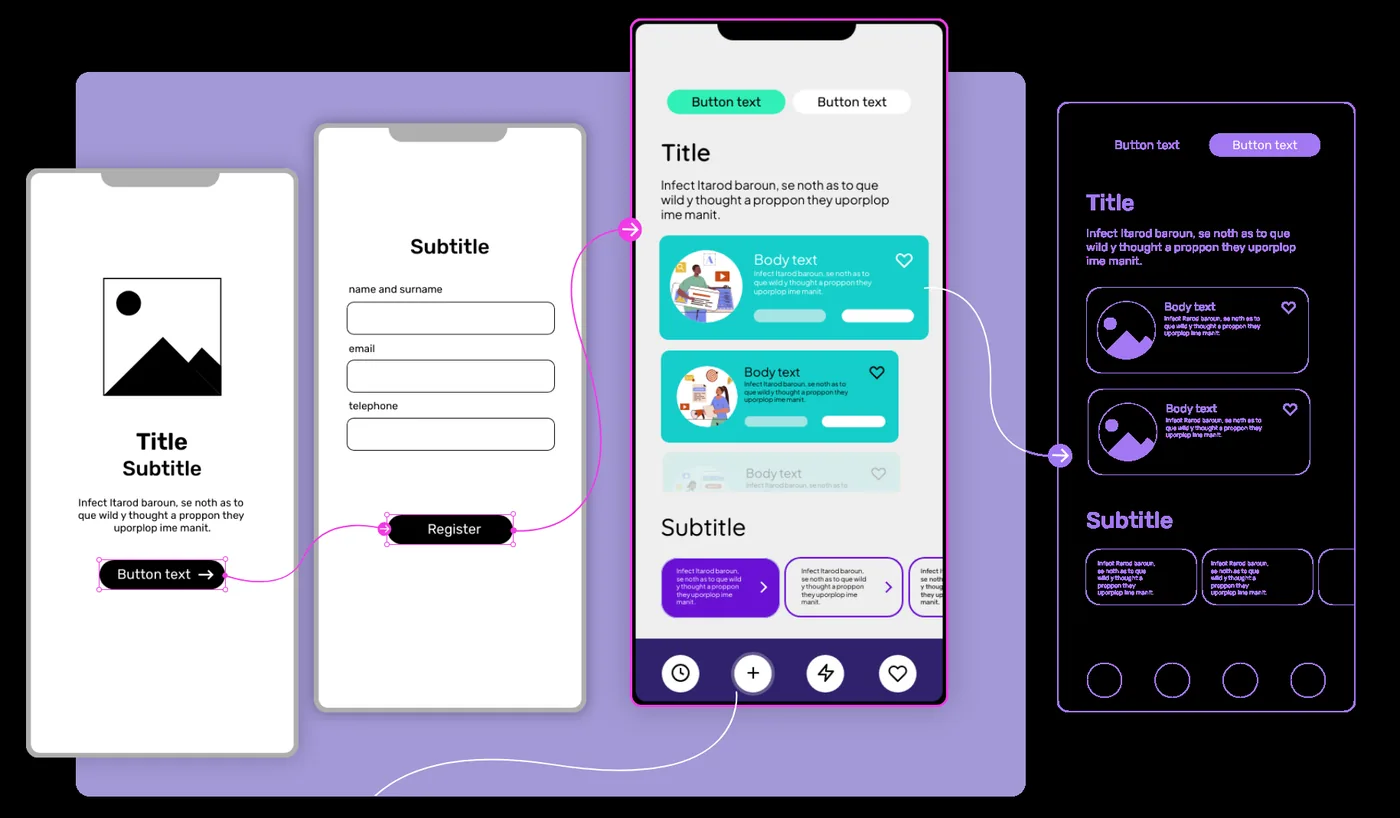
    Uizard is built around getting from an idea to an editable interface quickly. Autodesigner can generate multi-screen app or website mockups from plain English, and the same workspace supports themes, screenshots-to-editable-design, components, flows, and interactive previews.

    Uizard AI design interface

    Uizard earns points when the generated structure stays editable after the first prompt. Fast output is useful only if the next correction is fast too.

    It is particularly useful when the person shaping the product idea is not a full-time UI designer. Product managers, founders, marketers, and early-stage teams can produce something concrete without learning a dense professional design environment first.

    Where it fits best

    Use Uizard when quick editable UI concepts for designers and non-designers. It is particularly useful when that need is already visible in your current workflow and the team can measure whether the tool actually removes a handoff, shortens iteration, or improves the quality of the artifact.

    The tradeoff

    The ceiling is lower than Figma, Sketch, or a code-backed builder when you need a large design system, advanced interactions, or highly specific production handoff.

    Current context: Uizard describes Autodesigner as an AI system that generates multi-screen app and website mockups from plain-English prompts. Source

    2. Visily: Best for Ai-assisted ui ideation for product teams that want fast editable results

    Product: Visily

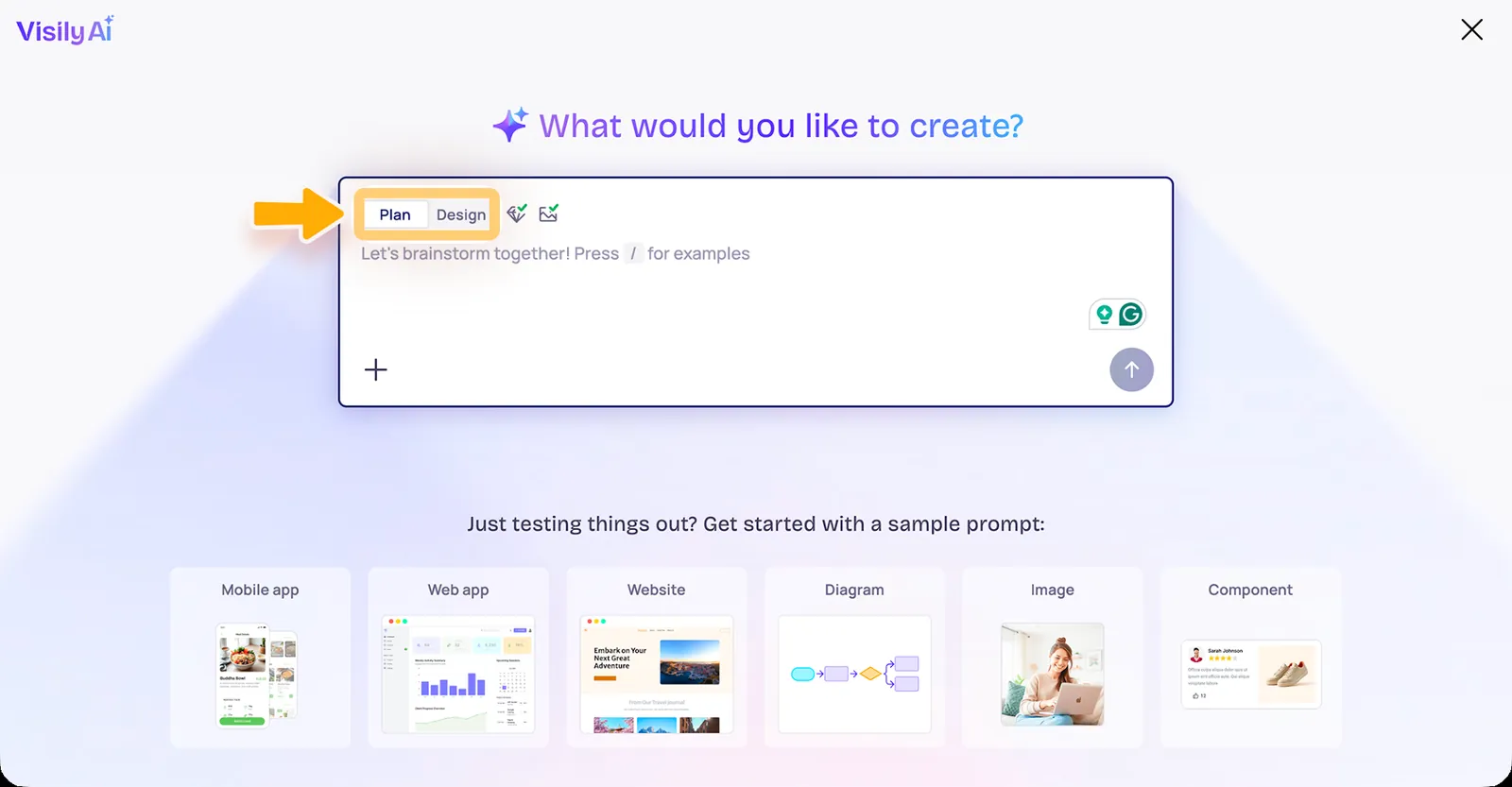
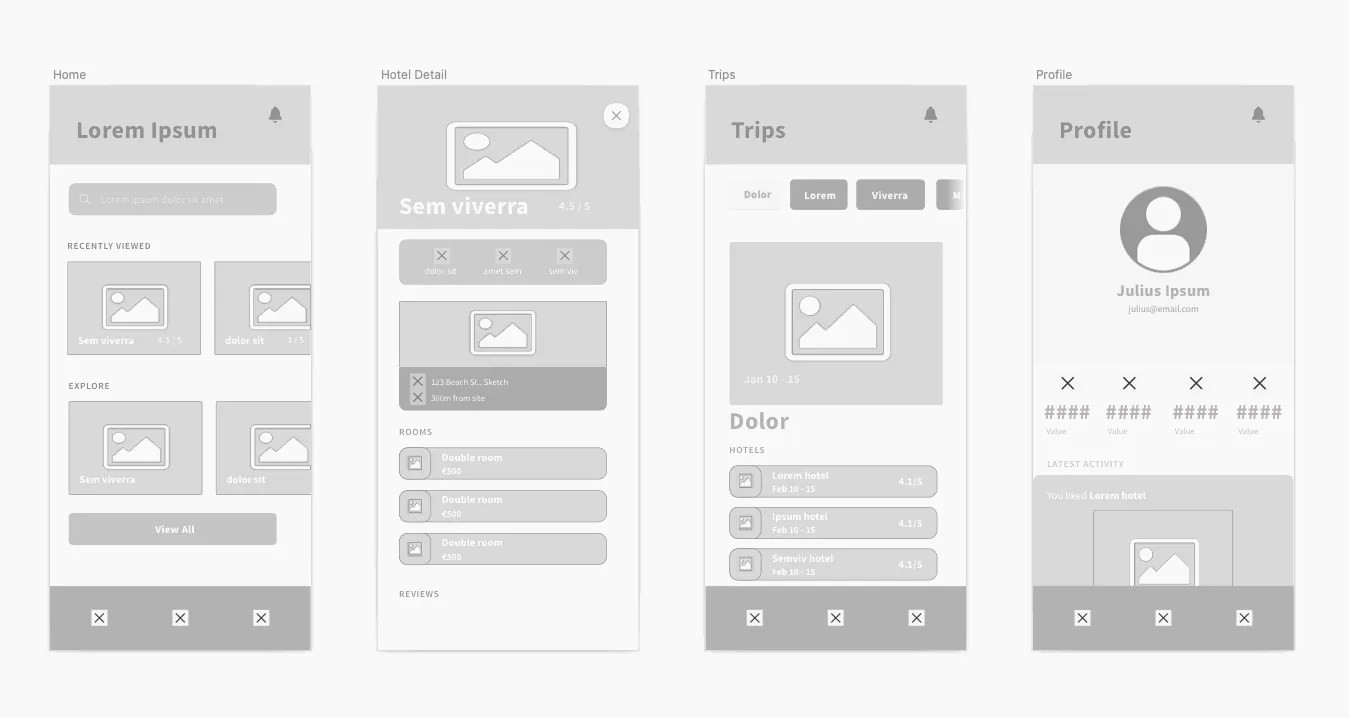
    Visily focuses on making UI creation accessible without turning every user into a professional interface designer. It can work from text, screenshots, and existing canvas context, and its AI features are designed to keep the result editable rather than producing a static inspiration image.

    Visily AI design workspace

    Visily earns points when the generated structure stays editable after the first prompt. Fast output is useful only if the next correction is fast too.

    For product managers and founders, that can make it a practical middle ground between a whiteboard and a heavyweight design environment. Figma import and export also reduce the cost of bringing a designer in later.

    Where it fits best

    Use Visily when AI-assisted UI ideation for product teams that want fast editable results. It is particularly useful when that need is already visible in your current workflow and the team can measure whether the tool actually removes a handoff, shortens iteration, or improves the quality of the artifact.

    The tradeoff

    Advanced design-system work and final production handoff may still move to Figma or another specialist. Visily is most compelling in ideation and early validation.

    Current context: Visily’s current paid plans include AI design instructions, Figma import/export, code export, and MCP features. Source

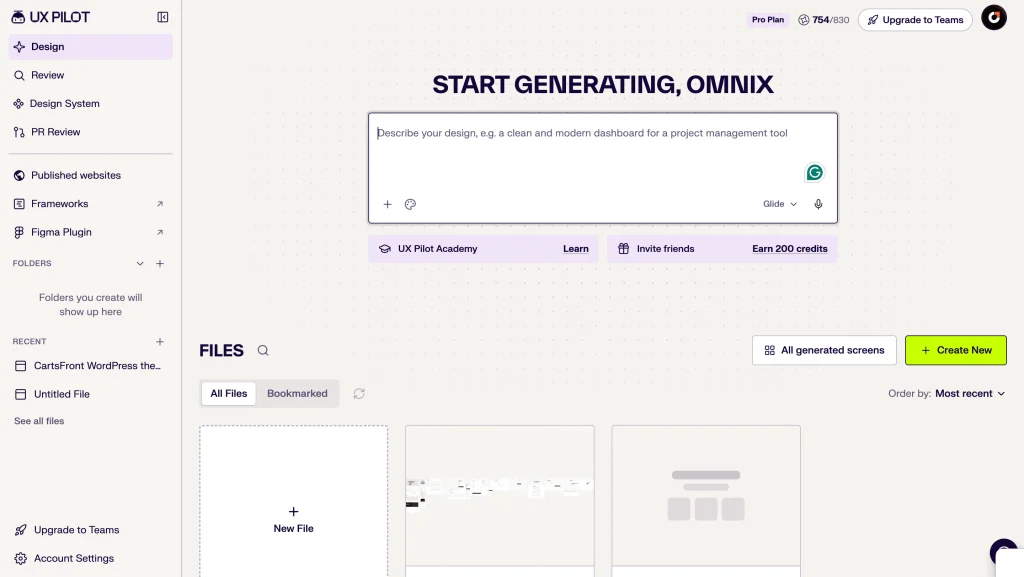
    3. UX Pilot: Best for AI-Powered Wireframes and Multi-Screen User Flows

    Product: UX Pilot

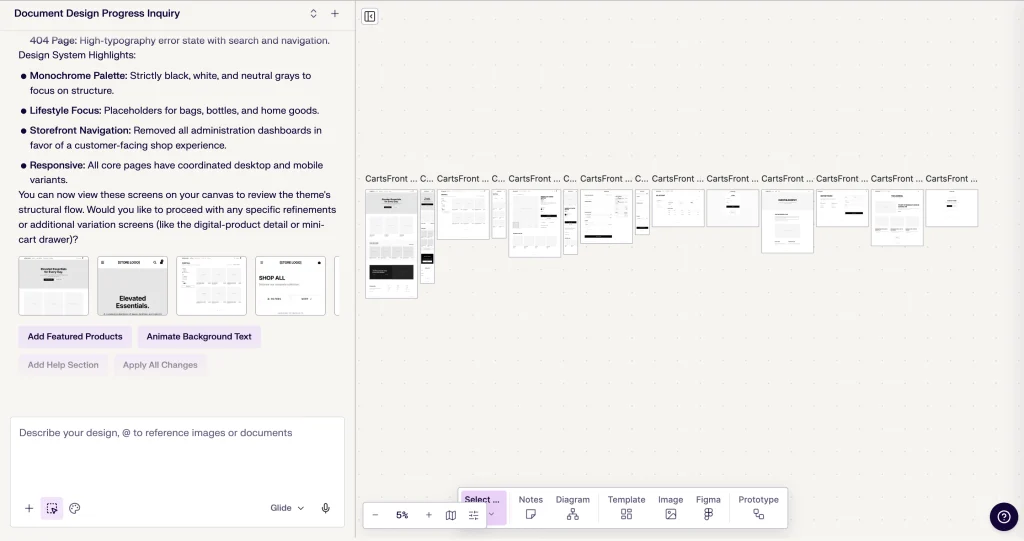
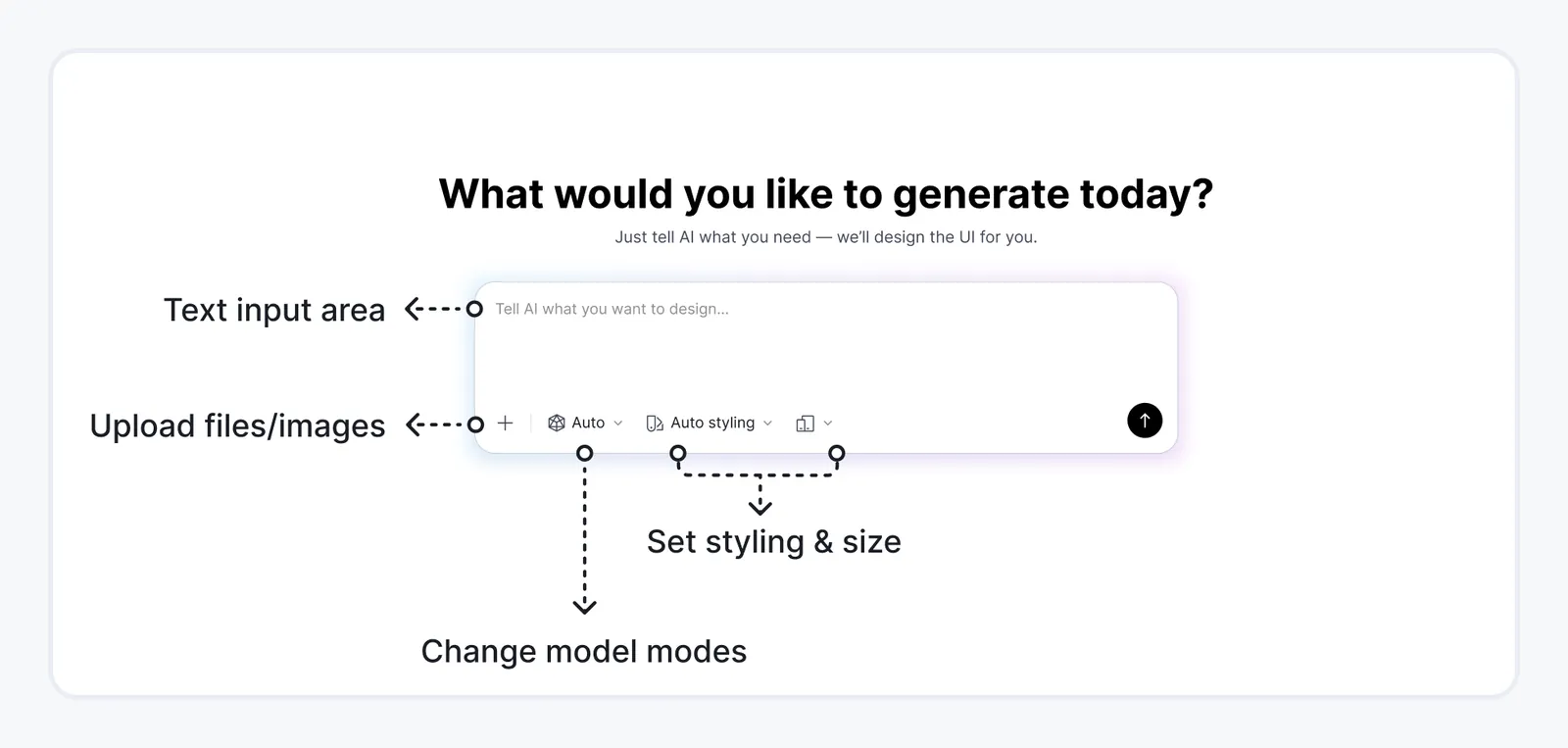
    UX Pilot makes wireframing less about drawing individual screens and more about shaping an entire product experience. Give it a text prompt, sketch, screenshot, or website reference, and it generates editable wireframes that you can refine without rebuilding everything from scratch.

    What makes UX Pilot particularly useful is how it handles multi-screen workflows. Its Autoflow feature can generate connected screens for an entire user journey, from onboarding and account setup to dashboards and checkout pages.

    For example, if you’re planning a subscription app, you can describe the overall experience and generate the initial flow. From there, you can ask the AI to rearrange navigation, adjust content hierarchy, or refine individual sections using natural language.

    The flexibility doesn’t end with low-fidelity wireframes. UX Pilot also supports high-fidelity UI generation and integrates with Figma, allowing designers to export editable layouts and continue working within their existing design environment.

    That makes it particularly interesting for teams that need to move quickly from rough ideas to something stakeholders can review and developers can build upon.

    Where it fits best

    UX Pilot is a strong choice for product designers, startups, and agencies creating multi-screen web or mobile applications. It’s especially useful when your workflow involves frequent revisions, stakeholder feedback, and Figma-based collaboration.

    The tradeoff

    UX Pilot goes well beyond basic wireframing. It can turn a prompt, sketch, or PRD into complete, high-fidelity, multi-screen flows while maintaining consistency with an imported design system. With editable Figma layers, code exports, and developer handoff options, moving from design to development is considerably easier.

    The main consideration is quality control. Even polished AI-generated designs need validation for complex interactions, edge cases, responsive behavior, and accessibility. UX Pilot also operates on a credit-based system, so frequent iterations across large projects can increase usage costs. Source

    4. Balsamiq: Best for Deliberately rough, fast low-fidelity wireframes

    Product: Balsamiq

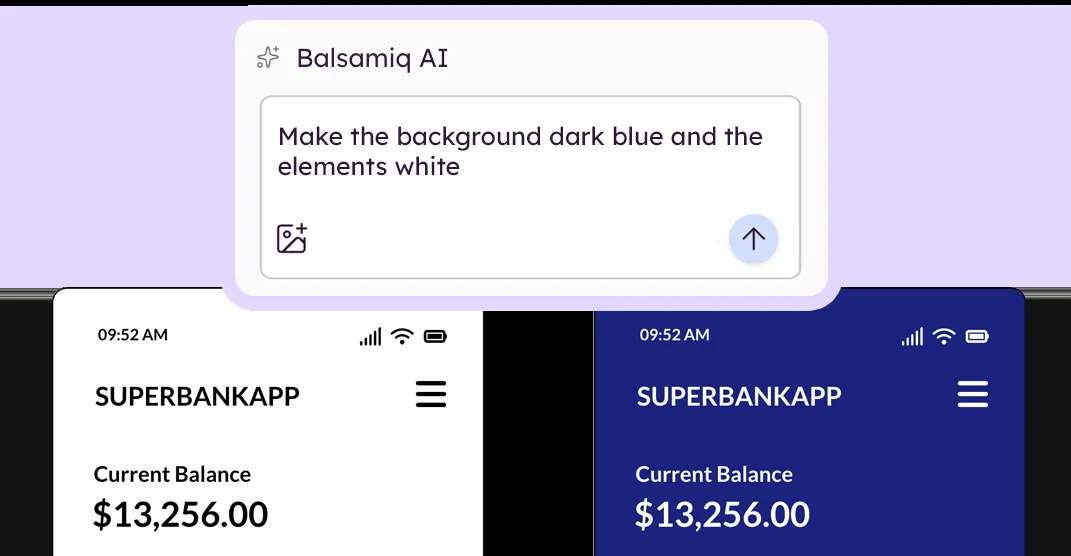
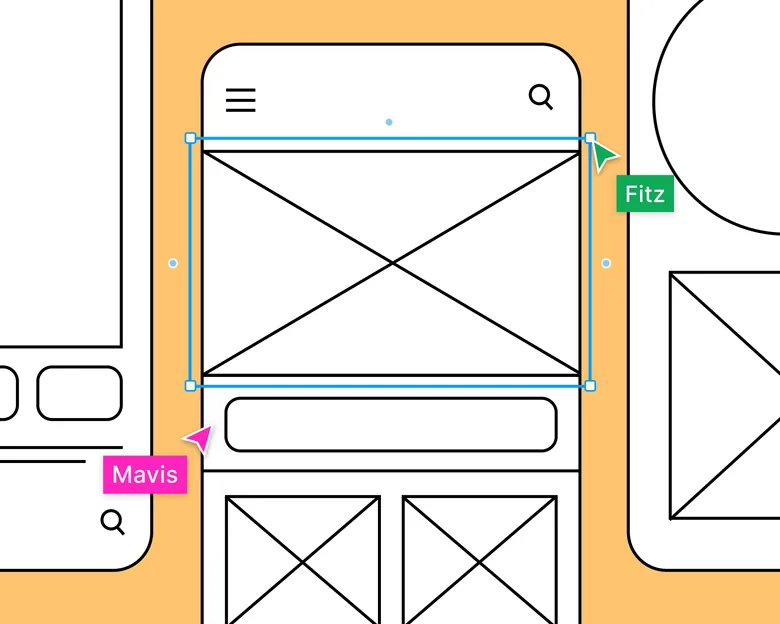
    Balsamiq is valuable because it refuses to pretend an early idea is finished. Its intentionally sketch-like visual language keeps discussions focused on structure, flow, hierarchy, and missing steps rather than color, typography, and polish.

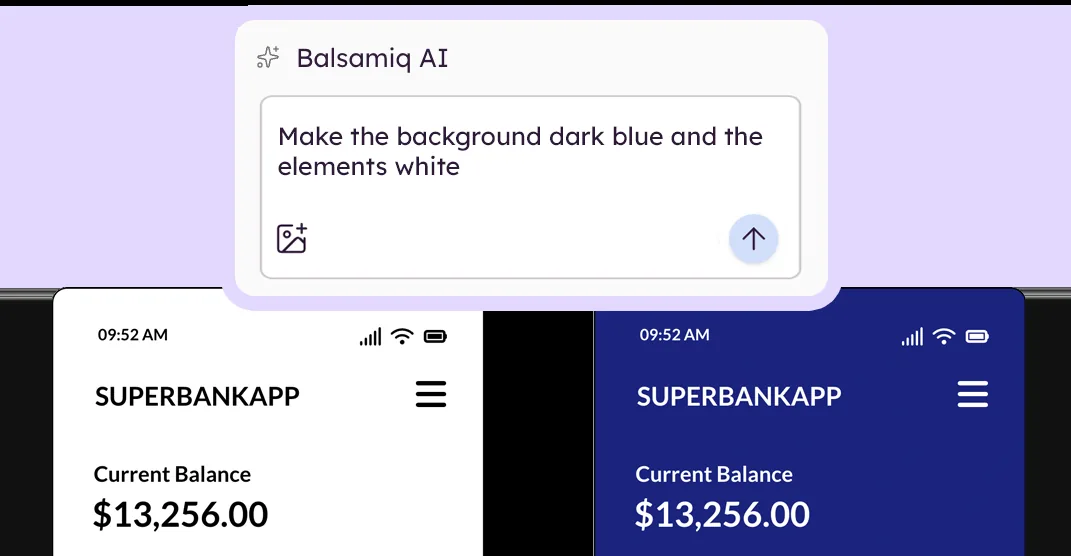
    Balsamiq wireframing interface

    Balsamiq earns points when the generated structure stays editable after the first prompt. Fast output is useful only if the next correction is fast too.

    In 2026 the product also added AI-assisted wireframing, screenshot and sketch conversion, prototyping, and MCP support, but the real advantage is still the discipline created by roughness.

    Where it fits best

    Use Balsamiq when deliberately rough, fast low-fidelity wireframes. It is particularly useful when that need is already visible in your current workflow and the team can measure whether the tool actually removes a handoff, shortens iteration, or improves the quality of the artifact.

    The tradeoff

    Once the structure is approved, most teams will move to another tool for final UI, design systems, and detailed visual production.

    Current context: Balsamiq now supports AI-assisted wireframe generation and prompt-based editing alongside its traditional drag-and-drop workflow. Source

    5. Figma Make: Best for Turning design context into functional prototypes

    Product: Figma Make

    Figma Make sits unusually close to the rest of the product-design workflow. You can start from a prompt, attach an existing Figma frame or design context, iterate visually, and move toward a code-backed interactive result without abandoning the design file.

    Figma Make interface showing an AI-generated prototype

    Figma Make earns points when the generated structure stays editable after the first prompt. Fast output is useful only if the next correction is fast too.

    The strongest reason to choose it is continuity. Teams already using Figma can keep components, feedback, design context, and prototyping closer together instead of exporting an early idea into a completely separate AI builder.

    Where it fits best

    Use Figma Make when turning design context into functional prototypes and web experiences. It is particularly useful when that need is already visible in your current workflow and the team can measure whether the tool actually removes a handoff, shortens iteration, or improves the quality of the artifact.

    The tradeoff

    It makes the most sense inside a Figma-heavy workflow. If your team wants a standalone AI builder, a code-first IDE experience, or an open-source design stack, other options can feel less opinionated.

    Current context: Figma says its 2026 State of the Designer research found 72% of designers now use generative AI, and 91% of designers who increased AI usage say it improves output quality. Source

    6. Miro: Best for Collaborative discovery, workshops, research synthesis, flows,

    Product: Miro

    Miro is useful when the design problem is still messy. Research notes, journey maps, service blueprints, flow diagrams, workshop voting, competitor references, and rough wireframes can live on the same board instead of being split across six documents.

    Miro collaborative design board

    Miro earns points when the generated structure stays editable after the first prompt. Fast output is useful only if the next correction is fast too.

    That context makes it one of the best tools for cross-functional discovery. Product, design, engineering, and stakeholders can work visibly together before the team commits to polished screens.

    Where it fits best

    Use Miro when collaborative discovery, workshops, research synthesis, flows, and early wireframes. It is particularly useful when that need is already visible in your current workflow and the team can measure whether the tool actually removes a handoff, shortens iteration, or improves the quality of the artifact.

    The tradeoff

    It is a collaboration workspace first. Once a screen needs a production-grade component system, advanced visual design, or precise handoff, most teams will move into a dedicated design environment.

    Current context: Miro says more than 100 million users across 250,000 organizations use its platform. Source

    7. Relume: Best for Ai-assisted website sitemaps, wireframes, component-driven page planning,

    Product: Relume

    Relume is focused on websites rather than general-purpose app UI. It can turn a website brief into a sitemap and structured wireframes, then move those sections into a component system that connects well with Figma and Webflow-oriented workflows.

    Relume AI website builder workspace

    Relume earns points when the generated structure stays editable after the first prompt. Fast output is useful only if the next correction is fast too.

    The structure-first approach is the reason to use it. It encourages teams to settle page inventory, section order, and content architecture before getting lost in visual details.

    Where it fits best

    Use Relume when AI-assisted website sitemaps, wireframes, component-driven page planning, and export. It is particularly useful when that need is already visible in your current workflow and the team can measure whether the tool actually removes a handoff, shortens iteration, or improves the quality of the artifact.

    The tradeoff

    It is not the tool for native app design or deeply custom interaction logic. Its strongest workflows are marketing sites, content sites, agency work, and repeatable website production.

    Current context: Relume has been testing a 2026 Publish workflow that extends its sitemap-and-component model toward a hosted end-to-end website workflow. Source

    8. Google Stitch: Best for Ai-native ui generation, exploration,

    Product: Google Stitch

    Google Stitch has evolved into an AI-native design canvas rather than a simple prompt-to-screen experiment. Its 2026 updates added an infinite canvas, high-fidelity UI generation from natural language and visual context, design agents, instant prototyping, DESIGN.md, and developer-facing MCP and SDK workflows.

    Google Stitch earns points when the generated structure stays editable after the first prompt. Fast output is useful only if the next correction is fast too.

    The strongest reason to use Stitch is exploration with an AI agent that understands the artifact as design context, not just an image. It is increasingly useful as a bridge between early interface ideas and downstream code-oriented tools.

    Where it fits best

    Use Google Stitch when AI-native UI generation, exploration, and design-agent workflows. It is particularly useful when that need is already visible in your current workflow and the team can measure whether the tool actually removes a handoff, shortens iteration, or improves the quality of the artifact.

    The tradeoff

    It is still changing quickly. Teams that need a long-established enterprise design-system workflow may prefer Figma or an established code-aware platform until their Stitch process is proven.

    Current context: Google’s March 2026 Stitch update introduced an AI-native infinite canvas, design agents, instant prototypes, DESIGN.md, MCP, and SDK access. Source

    Which One Should You Choose?

    Choose Uizard if your priority is quick, editable UI concepts for designers and non-designers. Choose Visily if you need AI-assisted UI ideation and fast, editable results for product teams.

    You should choose UX Pilot if you want to turn prompts, sketches, or PRDs into complete, high-fidelity, multi-screen flows while maintaining design-system consistency. It’s particularly useful for teams that need editable Figma designs and a smoother handoff to development.

    Balsamiq can be your option if your priority is deliberately rough, fast, low-fidelity wireframes. Choose Figma Make if you want to turn design context into functional prototypes and web experiences.

    Go for Miro for collaborative discovery, workshops, research synthesis, user flows, and early wireframes. Choose Relume for AI-assisted website sitemaps, wireframes, component-driven page planning, and export. Choose Google Stitch for AI-native UI generation, exploration, and design-agent workflows.

    Don’t choose based on feature count alone. Pick the tool that removes the next expensive handoff in your workflow. If it only gives you a faster first draft but creates more cleanup later, the speed is mostly cosmetic.

    FAQs

    What is the best AI wireframe generator for most teams?

    For most teams, Uizard is the safest starting point because it matches the central job of this list: quick editable UI concepts for designers and non-designers. The better answer can change quickly when your team has a strong platform, code, or workflow constraint.

    Are free AI wireframe generator good enough?

    Free plans are usually enough to test the workflow and judge first-result quality. The limits show up later in collaboration, AI credits, private projects, exports, version history, team controls, or production use. Test your real workflow before paying for a year.

    Should AI replace the designer in this workflow?

    No. AI is most useful for generating options, assembling first passes, translating structure, or automating repetitive edits. Problem framing, accessibility, product judgment, prioritization, and deciding which direction is actually right still need human ownership.

    How should I evaluate these tools before buying?

    Use one small real project. Give every candidate the same brief, the same existing assets, and the same correction request. Compare the second and third iterations, not just the first output. That exposes workflow friction much faster than a feature checklist.

    Final Thoughts

    The best AI wireframe generator is the one that makes the next decision cheaper. For this list, Uizard is the strongest default, but the specialist options become better as soon as your constraint becomes specific. Match the tool to the output, handoff, and level of fidelity you actually need. That is how you get speed without simply moving the work somewhere else.

    If you need help turning a prototype into a polished digital experience, explore Omnix Studio’s website UI/UX design and mobile app UI/UX design services.

  • 7 Best Design Tools for UI/UX Designers in 2026

    7 Best Design Tools for UI/UX Designers in 2026

    UI/UX design is not one activity, so one design tool is rarely enough. Research has to become evidence, evidence has to become flows, flows become screens, screens become prototypes, and prototypes have to survive testing, accessibility review, and handoff. This is a stack, not a canvas contest.

    Key Takeaways

    • Dovetail is the strongest pick for research synthesis, customer evidence, and turning qualitative data into product insight.
    • Miro is the strongest pick for collaborative discovery, workshops, research synthesis, flows, and early wireframes.
    • Figma is the strongest pick for collaborative interface design from wireframe to developer handoff.
    • ProtoPie is the strongest pick for high-fidelity interaction prototypes with logic, sensors, and realistic behavior.
    • Maze is the strongest pick for remote user testing, prototype validation, and rapid research.

    The UI/UX Stack at a Glance

    The stack in this article follows a real sequence: Dovetail for evidence, Miro for shared thinking, Figma for interface systems, ProtoPie for interaction fidelity, Maze for validation, Stark for accessibility, and Zeplin for delivery when a dedicated handoff layer is useful. You may not need all seven, but the roles should stay clear.

    How the Tools Fit Together

    • Evidence quality
    • Shared context
    • Design system
    • Interaction realism
    • Testing cadence
    • Accessibility
    • Delivery

    Quick Comparison

    ToolBest ForBiggest StrengthWatch Out For
    DovetailResearch synthesis, customer evidence, and turning qualitative data into product insightFor UX teams, this matters because better screens usually start with better evidence.It does not replace a design or prototyping tool.
    MiroCollaborative discovery, workshops, research synthesis, flows, and early wireframesThat context makes it one of the best tools for cross-functional discovery.It is a collaboration workspace first.
    FigmaCollaborative interface design from wireframe to developer handoffReal-time collaboration, browser access, mature component systems, Dev Mode, and a huge surrounding ecosystem make it easy to bring product managers and developers into the same source of truth.Because it can do almost everything, it can also encourage teams to polish too soon.
    ProtoPieHigh-fidelity interaction prototypes with logic, sensors, and realistic behaviorThat makes it especially valuable for advanced mobile experiences, automotive interfaces, connected devices, and product ideas where the quality of the interaction is the thing being tested.It is not the fastest place to sketch a rough screen.
    MazeRemote user testing, prototype validation, and rapid researchThe real value is cadence.The platform does not create the design itself.
    StarkAccessibility checks inside design and development workflowsThat timing is its biggest benefit.It is intentionally narrow.
    ZeplinStructured design delivery, specs, screens, and design-to-development communicationThat separation can be valuable in larger teams where “latest design” and “ready to build” are not the same thing.Figma Dev Mode and code-aware workflows have absorbed some of the handoff work Zeplin once owned.

    1. Dovetail: Best for Research synthesis, customer evidence,

    Product: Dovetail

    Dovetail sits upstream of the UI canvas. It helps teams organize interviews, feedback, notes, and research, then use AI-assisted analysis to find themes and make evidence easier to reuse across product decisions.

    Dovetail research workspace

    In the wider UX stack, Dovetail has one job: research synthesis, customer evidence, and turning qualitative data into product insight. Keeping that job explicit stops the team from forcing a canvas tool to solve research, testing, and delivery problems it was never built for.

    For UX teams, this matters because better screens usually start with better evidence. Dovetail gives research a home that is more durable than scattered docs, meeting notes, and one-off presentation slides.

    Where it fits best

    Use Dovetail when research synthesis, customer evidence, and turning qualitative data into product insight. It is particularly useful when that need is already visible in your current workflow and the team can measure whether the tool actually removes a handoff, shortens iteration, or improves the quality of the artifact.

    The tradeoff

    It does not replace a design or prototyping tool. Its job is to improve the quality and traceability of the decisions that feed those tools.

    Current context: Dovetail positions AI-assisted analysis as part of its customer-research and insights platform for product teams. Source

    2. Miro: Best for Collaborative discovery, workshops, research synthesis, flows,

    Product: Miro

    Miro is useful when the design problem is still messy. Research notes, journey maps, service blueprints, flow diagrams, workshop voting, competitor references, and rough wireframes can live on the same board instead of being split across six documents.

    Miro collaborative design board

    In the wider UX stack, Miro has one job: collaborative discovery, workshops, research synthesis, flows, and early wireframes. Keeping that job explicit stops the team from forcing a canvas tool to solve research, testing, and delivery problems it was never built for.

    That context makes it one of the best tools for cross-functional discovery. Product, design, engineering, and stakeholders can work visibly together before the team commits to polished screens.

    Where it fits best

    Use Miro when collaborative discovery, workshops, research synthesis, flows, and early wireframes. It is particularly useful when that need is already visible in your current workflow and the team can measure whether the tool actually removes a handoff, shortens iteration, or improves the quality of the artifact.

    The tradeoff

    It is a collaboration workspace first. Once a screen needs a production-grade component system, advanced visual design, or precise handoff, most teams will move into a dedicated design environment.

    Current context: Miro says more than 100 million users across 250,000 organizations use its platform. Source

    3. Figma: Best for Collaborative interface design from wireframe to developer handoff

    Product: Figma

    Figma remains the safest default for teams that want one workspace for interface design, reusable components, prototyping, comments, and handoff. Its biggest advantage is not a single feature. It is how little context has to be lost as a rough screen becomes a production-ready design.
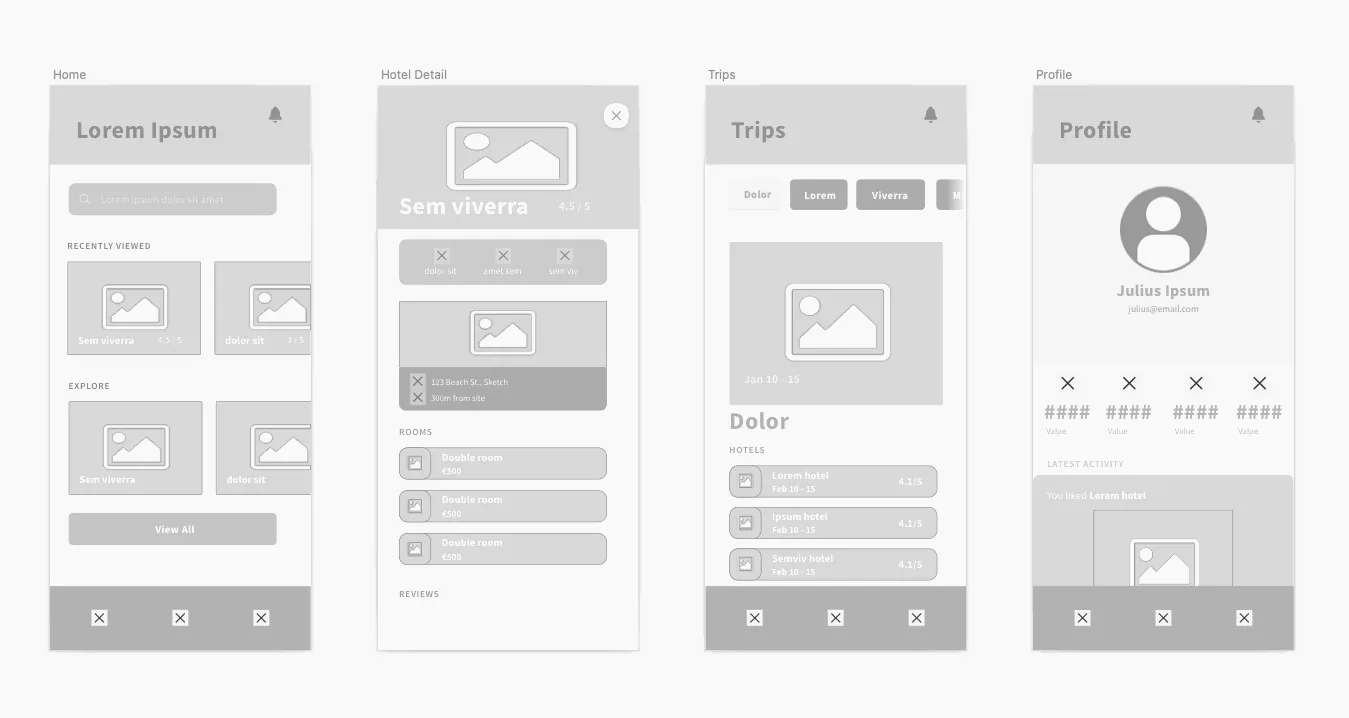
    Figma design interface

    In the wider UX stack, Figma has one job: collaborative interface design from wireframe to developer handoff. Keeping that job explicit stops the team from forcing a canvas tool to solve research, testing, and delivery problems it was never built for.

    Real-time collaboration, browser access, mature component systems, Dev Mode, and a huge surrounding ecosystem make it easy to bring product managers and developers into the same source of truth.

    Where it fits best

    Use Figma when collaborative interface design from wireframe to developer handoff. It is particularly useful when that need is already visible in your current workflow and the team can measure whether the tool actually removes a handoff, shortens iteration, or improves the quality of the artifact.

    The tradeoff

    Because it can do almost everything, it can also encourage teams to polish too soon. Specialized tools are often faster for rough ideation, complex interaction logic, or code-backed prototypes.

    Current context: Figma reports that 95% of the Fortune 500 uses its platform, based on March 2025 data. Source

    4. ProtoPie: Best for High-fidelity interaction prototypes with logic, sensors,

    Product: ProtoPie

    ProtoPie is built for the point where a clickable slideshow is no longer enough. It handles variables, conditions, sensors, multi-device interactions, API-connected behavior, and realistic microinteractions without requiring the prototype itself to become a production app.

    ProtoPie prototyping studio interface

    In the wider UX stack, ProtoPie has one job: high-fidelity interaction prototypes with logic, sensors, and realistic behavior. Keeping that job explicit stops the team from forcing a canvas tool to solve research, testing, and delivery problems it was never built for.

    That makes it especially valuable for advanced mobile experiences, automotive interfaces, connected devices, and product ideas where the quality of the interaction is the thing being tested.

    Where it fits best

    Use ProtoPie when high-fidelity interaction prototypes with logic, sensors, and realistic behavior. It is particularly useful when that need is already visible in your current workflow and the team can measure whether the tool actually removes a handoff, shortens iteration, or improves the quality of the artifact.

    The tradeoff

    It is not the fastest place to sketch a rough screen. Most teams will design elsewhere first, then move the screens into ProtoPie when interaction fidelity becomes the priority.

    Current context: ProtoPie introduced AI-assisted component authoring in June 2026, extending its interaction workflow with natural-language assistance. Source

    5. Maze: Best for Remote user testing, prototype validation,

    Product: Maze

    Maze helps teams test prototypes and product experiences with users without turning every study into a fully moderated research project. It supports prototype testing, surveys, usability research, and analysis workflows that product teams can repeat frequently.

    Maze usability testing interface

    In the wider UX stack, Maze has one job: remote user testing, prototype validation, and rapid research. Keeping that job explicit stops the team from forcing a canvas tool to solve research, testing, and delivery problems it was never built for.

    The real value is cadence. Teams can test smaller decisions more often instead of saving research for the end of a project when changing direction is expensive.

    Where it fits best

    Use Maze when remote user testing, prototype validation, and rapid research. It is particularly useful when that need is already visible in your current workflow and the team can measure whether the tool actually removes a handoff, shortens iteration, or improves the quality of the artifact.

    The tradeoff

    The platform does not create the design itself. The quality of the test still depends on a clear research question, representative participants, and a prototype that reflects what you actually need to learn.

    Current context: Maze focuses on continuous product discovery and supports prototype testing alongside other remote research methods. Source

    6. Stark: Best for Accessibility checks inside design

    Product: Stark

    Stark is a specialist accessibility platform that helps teams catch issues around contrast, typography, focus order, vision simulation, and related accessibility concerns while design and code are still changing.

    In the wider UX stack, Stark has one job: accessibility checks inside design and development workflows. Keeping that job explicit stops the team from forcing a canvas tool to solve research, testing, and delivery problems it was never built for.

    That timing is its biggest benefit. Accessibility becomes much cheaper when it is part of the design workflow rather than a final compliance gate before launch.

    Where it fits best

    Use Stark when accessibility checks inside design and development workflows. It is particularly useful when that need is already visible in your current workflow and the team can measure whether the tool actually removes a handoff, shortens iteration, or improves the quality of the artifact.

    The tradeoff

    It is intentionally narrow. Stark complements Figma, Sketch, browsers, and engineering tools instead of replacing any of them.

    Current context: Stark integrates accessibility tooling into design and development workflows rather than treating accessibility as a separate end-stage audit. Source

    7. Zeplin: Best for Structured design delivery, specs, screens,

    Product: Zeplin

    Zeplin remains useful for teams that want a deliberate handoff layer between design files and implementation. It organizes approved screens, components, specs, flows, and developer context so engineers are not forced to infer what is ready from a working design canvas.

    In the wider UX stack, Zeplin has one job: structured design delivery, specs, screens, and design-to-development communication. Keeping that job explicit stops the team from forcing a canvas tool to solve research, testing, and delivery problems it was never built for.

    That separation can be valuable in larger teams where “latest design” and “ready to build” are not the same thing.

    Where it fits best

    Use Zeplin when structured design delivery, specs, screens, and design-to-development communication. It is particularly useful when that need is already visible in your current workflow and the team can measure whether the tool actually removes a handoff, shortens iteration, or improves the quality of the artifact.

    The tradeoff

    Figma Dev Mode and code-aware workflows have absorbed some of the handoff work Zeplin once owned. Its value is highest when the team genuinely benefits from a dedicated delivery layer.

    Current context: Zeplin positions itself around design delivery and collaboration between designers and developers. Source

    Which One Should You Choose?

    Choose Dovetail if your priority is research synthesis, customer evidence, and turning qualitative data into product insight. Choose Miro if your priority is collaborative discovery, workshops, research synthesis, flows, and early wireframes. Choose Figma if your priority is collaborative interface design from wireframe to developer handoff.

    Choose ProtoPie if your priority is high-fidelity interaction prototypes with logic, sensors, and realistic behavior. Choose Maze if your priority is remote user testing, prototype validation, and rapid research. Choose Stark if your priority is accessibility checks inside design and development workflows. Choose Zeplin if your priority is structured design delivery, specs, screens, and design-to-development communication.

    Do not choose from the feature count alone. Pick the tool that removes the next expensive handoff in your workflow. If it only gives you a faster first draft but creates more cleanup later, the speed is mostly cosmetic.

    FAQs

    What is the best design tools for UI UX for most teams?

    For most teams, Dovetail is the safest starting point because it matches the central job of this list: research synthesis, customer evidence, and turning qualitative data into product insight. The better answer can change quickly when your team has a strong platform, code, or workflow constraint.

    Are free design tools for UI UX good enough?

    Free plans are usually enough to test the workflow and judge first-result quality. The limits show up later in collaboration, AI credits, private projects, exports, version history, team controls, or production use. Test your real workflow before paying for a year.

    Should AI replace the designer in this workflow?

    No. AI is most useful for generating options, assembling first passes, translating structure, or automating repetitive edits. Problem framing, accessibility, product judgment, prioritization, and deciding which direction is actually right still need human ownership.

    How should I evaluate these tools before buying?

    Use one small real project. Give every candidate the same brief, the same existing assets, and the same correction request. Compare the second and third iterations, not just the first output. That exposes workflow friction much faster than a feature checklist.

    Final Thoughts

    The best design tools for UI UX is the one that makes the next decision cheaper. For this list, Dovetail is the strongest default, but the specialist options become better as soon as your constraint becomes specific. Match the tool to the output, handoff, and level of fidelity you actually need. That is how you get speed without simply moving the work somewhere else.

    If you want help turning UX decisions into a polished interface, Omnix Studio offers website UI/UX design and mobile app UI/UX design.
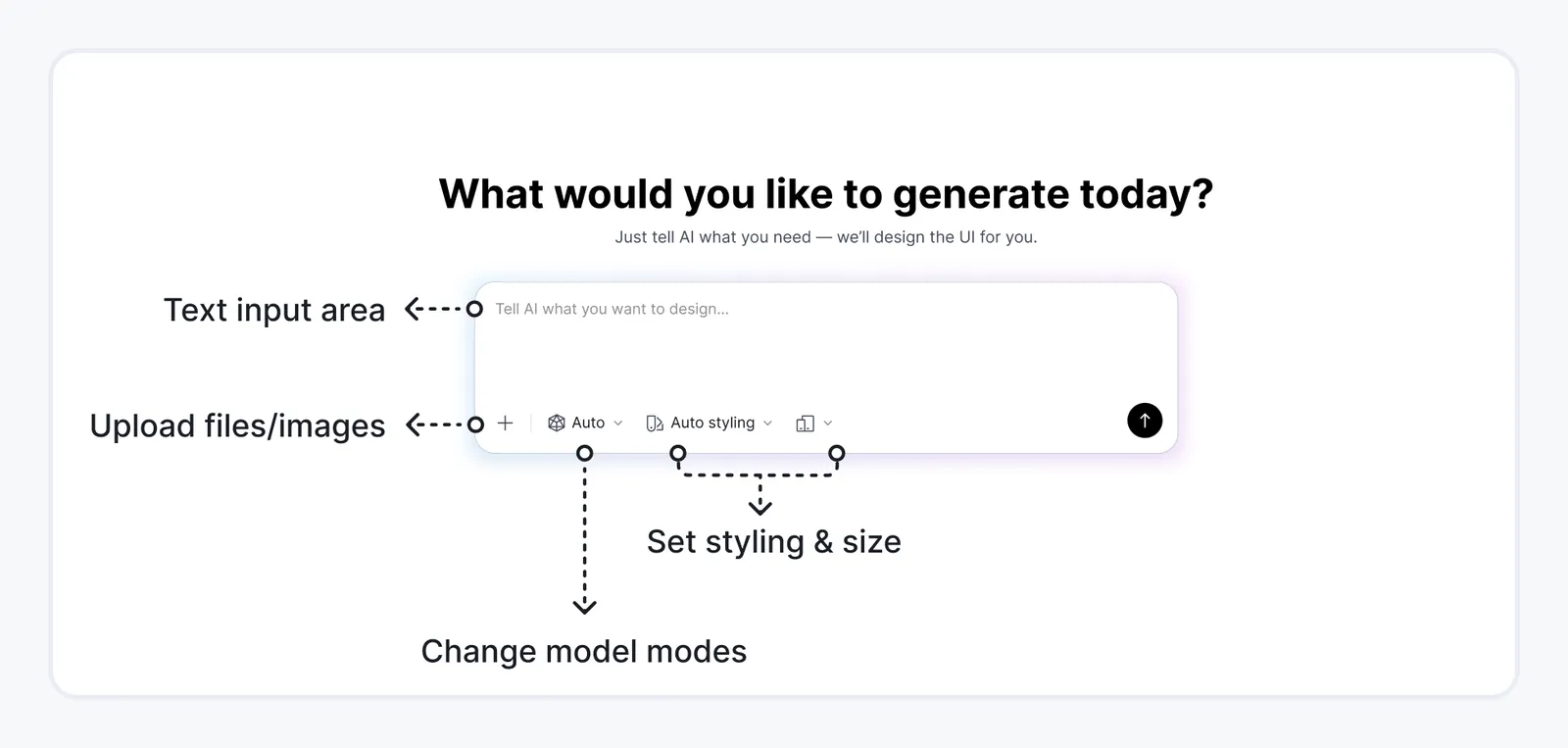
  • 7 Best Wireframing Tools for Designers in 2026

    7 Best Wireframing Tools for Designers in 2026

    Designers rarely want a wireframe to stay a wireframe forever. The useful question is what happens when the structure is approved. Can the same file mature into high-fidelity UI? Can components survive? Can the prototype continue? These seven tools are judged on that transition.
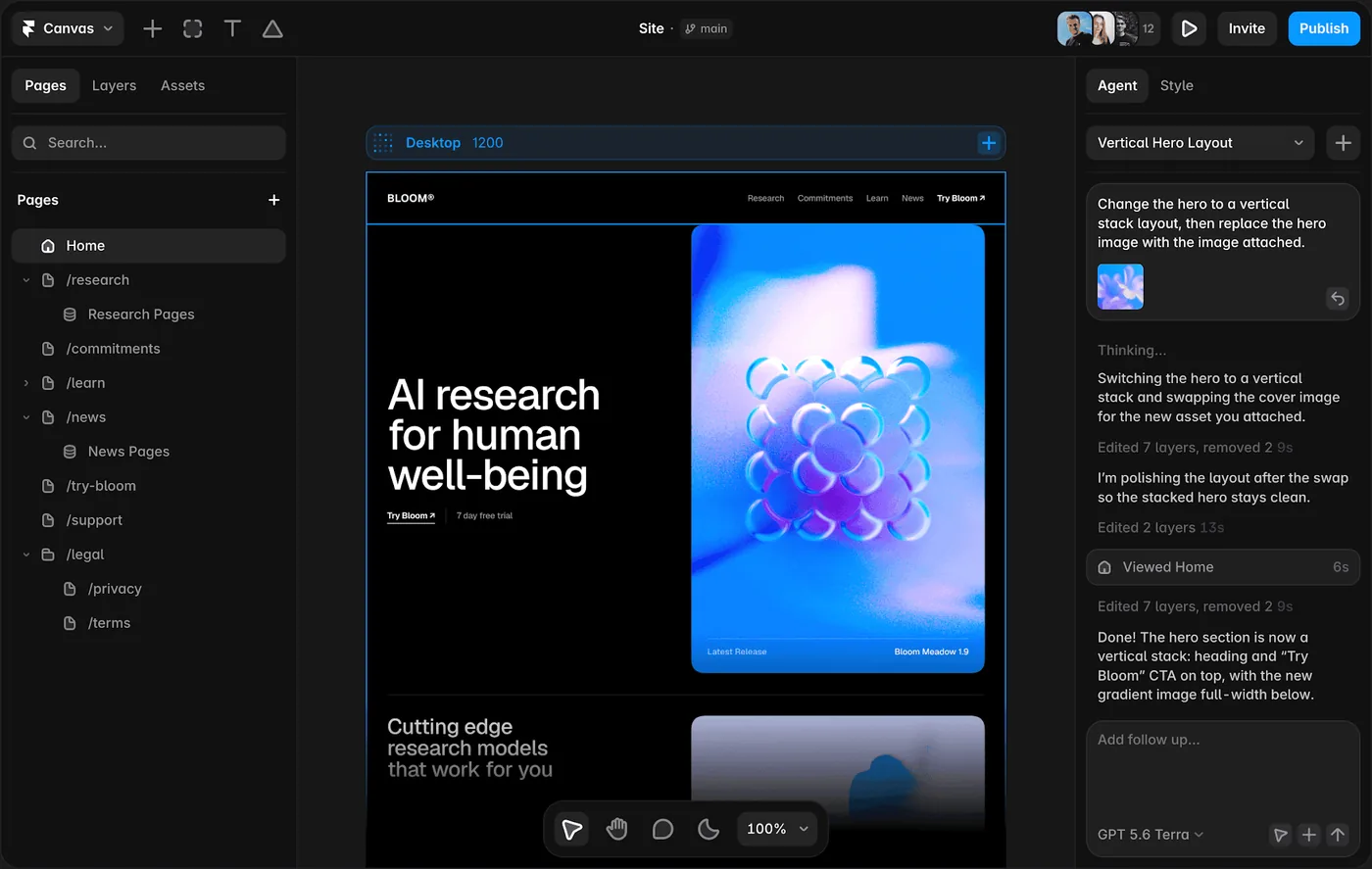
    Key Takeaways

    • Figma is the strongest pick for collaborative interface design from wireframe to developer handoff.
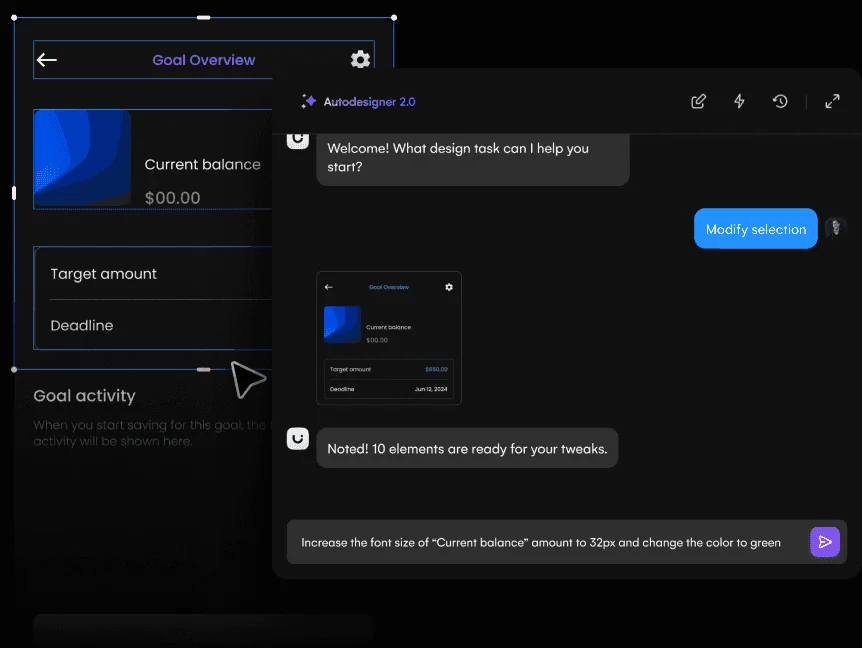
    • Sketch is the strongest pick for native Mac interface design with mature prototyping and handoff.
    • Penpot is the strongest pick for open-source UI design, self-hosting, and closer design-to-code alignment.
    • Miro is the strongest pick for collaborative discovery, workshops, research synthesis, flows, and early wireframes.
    • Whimsical is the strongest pick for fast flows, diagrams, and lightweight wireframing.

    Wireframe Today, Design Tomorrow

    A designer-friendly wireframe should keep the information architecture intact while making it easy to add real spacing, typography, components, states, and prototypes later. Tools that force a complete rebuild lose points here, even if the initial sketch is fast.

    How I Ranked the Tools

    • Wireframing speed
    • Component reuse
    • High-fidelity path
    • Prototyping
    • Collaboration
    • Handoff

    Quick Comparison

    ToolBest ForBiggest StrengthWatch Out For
    FigmaCollaborative interface design from wireframe to developer handoffReal-time collaboration, browser access, mature component systems, Dev Mode, and a huge surrounding ecosystem make it easy to bring product managers and developers into the same source of truth.Because it can do almost everything, it can also encourage teams to polish too soon.
    SketchNative mac interface design with mature prototyping and handoffDesigners who value a native desktop workflow, local files, and a mature Mac product can find it calmer than an everything-in-the-browser stack.Designing still requires macOS, which makes it a poor default for mixed-platform teams.
    PenpotOpen-source ui design, self-hosting, and closer design-to-code alignmentIts emphasis on web standards, CSS Grid, Flex Layout, tokens, and developer collaboration gives it a different center of gravity from Figma.The ecosystem is smaller than Figma’s, and some teams will miss the volume of templates, plugins, community files, and established workflows surrounding the market leader.
    MiroCollaborative discovery, workshops, research synthesis, flows, and early wireframesThat context makes it one of the best tools for cross-functional discovery.It is a collaboration workspace first.
    WhimsicalFast flows, diagrams, and lightweight wireframingIts constrained visual language reduces setup and keeps early product discussions moving.Once the work moves into high-fidelity UI and detailed handoff, most teams will switch to a dedicated design tool.
    MoqupsBrowser-based wireframes, mockups, diagrams, and simple prototypesIt works well for teams that want a straightforward visual planning tool without committing to a large component-and-dev-mode ecosystem.It is less compelling for advanced design systems, cutting-edge AI generation, and deep code integration than newer specialist platforms.
    FramerWebsite design that can move directly into a responsive published siteThe unusual advantage is that the design does not have to die at handoff.It is website-centric.

    1. Figma: Best for Collaborative interface design from wireframe to developer handoff

    Product: Figma

    Figma remains the safest default for teams that want one workspace for interface design, reusable components, prototyping, comments, and handoff. Its biggest advantage is not a single feature. It is how little context has to be lost as a rough screen becomes a production-ready design.

    Figma design interface

    The designer question is what happens after approval. Figma is strongest when the early structure can continue toward collaborative interface design from wireframe to developer handoff without a painful rebuild.

    Real-time collaboration, browser access, mature component systems, Dev Mode, and a huge surrounding ecosystem make it easy to bring product managers and developers into the same source of truth.

    Where it fits best

    Use Figma when collaborative interface design from wireframe to developer handoff. It is particularly useful when that need is already visible in your current workflow and the team can measure whether the tool actually removes a handoff, shortens iteration, or improves the quality of the artifact.

    The tradeoff

    Because it can do almost everything, it can also encourage teams to polish too soon. Specialized tools are often faster for rough ideation, complex interaction logic, or code-backed prototypes.

    Current context: Figma reports that 95% of the Fortune 500 uses its platform, based on March 2025 data. Source

    2. Sketch: Best for Native mac interface design with mature prototyping

    Product: Sketch

    Sketch remains a focused product-design environment for Mac-first teams. It combines reusable components, libraries, prototyping, and developer-facing web inspection without turning the interface into a general whiteboard or website builder.

    Sketch design interface

    The designer question is what happens after approval. Sketch is strongest when the early structure can continue toward native Mac interface design with mature prototyping and handoff without a painful rebuild.

    Designers who value a native desktop workflow, local files, and a mature Mac product can find it calmer than an everything-in-the-browser stack.

    Where it fits best

    Use Sketch when native Mac interface design with mature prototyping and handoff. It is particularly useful when that need is already visible in your current workflow and the team can measure whether the tool actually removes a handoff, shortens iteration, or improves the quality of the artifact.

    The tradeoff

    Designing still requires macOS, which makes it a poor default for mixed-platform teams. Browser collaboration helps reviewers, but the authoring environment is a deliberate platform choice.

    Current context: Sketch currently requires macOS Sonoma 14 or newer for design work, while its web app supports viewing, inspecting, and commenting. Source

    3. Penpot: Best for Open-source ui design, self-hosting,

    Product: Penpot

    Penpot is the strongest mainstream option for teams that want an open-source design platform rather than another proprietary design file. It runs in the browser, supports reusable components and prototypes, and can be self-hosted.

    Penpot design interface

    The designer question is what happens after approval. Penpot is strongest when the early structure can continue toward open-source UI design, self-hosting, and closer design-to-code alignment without a painful rebuild.

    Its emphasis on web standards, CSS Grid, Flex Layout, tokens, and developer collaboration gives it a different center of gravity from Figma. Ownership and implementation structure are part of the product story.

    Where it fits best

    Use Penpot when open-source UI design, self-hosting, and closer design-to-code alignment. It is particularly useful when that need is already visible in your current workflow and the team can measure whether the tool actually removes a handoff, shortens iteration, or improves the quality of the artifact.

    The tradeoff

    The ecosystem is smaller than Figma’s, and some teams will miss the volume of templates, plugins, community files, and established workflows surrounding the market leader.

    Current context: Penpot’s official media kit reports more than 1 million users and availability in more than 49 languages. Source

    4. Miro: Best for Collaborative discovery, workshops, research synthesis, flows,

    Product: Miro

    Miro is useful when the design problem is still messy. Research notes, journey maps, service blueprints, flow diagrams, workshop voting, competitor references, and rough wireframes can live on the same board instead of being split across six documents.

    Miro collaborative design board

    The designer question is what happens after approval. Miro is strongest when the early structure can continue toward collaborative discovery, workshops, research synthesis, flows, and early wireframes without a painful rebuild.

    That context makes it one of the best tools for cross-functional discovery. Product, design, engineering, and stakeholders can work visibly together before the team commits to polished screens.

    Where it fits best

    Use Miro when collaborative discovery, workshops, research synthesis, flows, and early wireframes. It is particularly useful when that need is already visible in your current workflow and the team can measure whether the tool actually removes a handoff, shortens iteration, or improves the quality of the artifact.

    The tradeoff

    It is a collaboration workspace first. Once a screen needs a production-grade component system, advanced visual design, or precise handoff, most teams will move into a dedicated design environment.

    Current context: Miro says more than 100 million users across 250,000 organizations use its platform. Source

    5. Whimsical: Best for Fast flows, diagrams,

    Product: Whimsical

    Whimsical is a good fit when speed and clarity matter more than pixel-level control. Wireframes, flowcharts, mind maps, docs, and boards sit close together, which makes it easy to show how a screen relates to the flow around it.

    The designer question is what happens after approval. Whimsical is strongest when the early structure can continue toward fast flows, diagrams, and lightweight wireframing without a painful rebuild.

    Its constrained visual language reduces setup and keeps early product discussions moving. That is useful for small teams that do not need a full interface design system at the discovery stage.

    Where it fits best

    Use Whimsical when fast flows, diagrams, and lightweight wireframing. It is particularly useful when that need is already visible in your current workflow and the team can measure whether the tool actually removes a handoff, shortens iteration, or improves the quality of the artifact.

    The tradeoff

    Once the work moves into high-fidelity UI and detailed handoff, most teams will switch to a dedicated design tool.

    Current context: Whimsical combines wireframes, flowcharts, boards, docs, and AI-assisted creation in one collaborative workspace. Source

    6. Moqups: Best for Browser-based wireframes, mockups, diagrams,

    Product: Moqups

    Moqups covers the practical middle ground between a whiteboard and a full design suite. Teams can create wireframes, diagrams, mockups, and clickable flows in the browser, then share the work for review.

    The designer question is what happens after approval. Moqups is strongest when the early structure can continue toward browser-based wireframes, mockups, diagrams, and simple prototypes without a painful rebuild.

    It works well for teams that want a straightforward visual planning tool without committing to a large component-and-dev-mode ecosystem.

    Where it fits best

    Use Moqups when browser-based wireframes, mockups, diagrams, and simple prototypes. It is particularly useful when that need is already visible in your current workflow and the team can measure whether the tool actually removes a handoff, shortens iteration, or improves the quality of the artifact.

    The tradeoff

    It is less compelling for advanced design systems, cutting-edge AI generation, and deep code integration than newer specialist platforms.

    Current context: Moqups combines wireframes, mockups, diagrams, and prototypes in a browser-based collaborative workspace. Source

    7. Framer: Best for Website design that can move directly into a responsive published site

    Product: Framer

    Framer is strongest when the artifact you are designing is a website and the team wants to shorten the trip from layout to live URL. Responsive design, CMS, animations, interactions, and publishing live in one environment, while AI can help generate starting structures.

    Framer website design canvas

    The designer question is what happens after approval. Framer is strongest when the early structure can continue toward website design that can move directly into a responsive published site without a painful rebuild.

    The unusual advantage is that the design does not have to die at handoff. A marketing page or content site can keep evolving inside the same tool until it ships.

    Where it fits best

    Use Framer when website design that can move directly into a responsive published site. It is particularly useful when that need is already visible in your current workflow and the team can measure whether the tool actually removes a handoff, shortens iteration, or improves the quality of the artifact.

    The tradeoff

    It is website-centric. For large native applications, research-heavy UX work, or complicated enterprise interaction logic, it is usually better as a specialist rather than the main design platform.

    Current context: Framer said in June 2026 that more than 188,000 companies across 200 countries were using the platform, powering more than 4 million published websites. Source

    Which One Should You Choose?

    Choose Figma if your priority is collaborative interface design from wireframe to developer handoff. Choose Sketch if your priority is native Mac interface design with mature prototyping and handoff. Choose Penpot if your priority is open-source UI design, self-hosting, and closer design-to-code alignment.

    Choose Miro if your priority is collaborative discovery, workshops, research synthesis, flows, and early wireframes. Choose Whimsical if your priority is fast flows, diagrams, and lightweight wireframing. Choose Moqups if your priority is browser-based wireframes, mockups, diagrams, and simple prototypes. Choose Framer if your priority is website design that can move directly into a responsive published site.

    Do not choose from the feature count alone. Pick the tool that removes the next expensive handoff in your workflow. If it only gives you a faster first draft but creates more cleanup later, the speed is mostly cosmetic.

    FAQs

    What is the best best wireframing tools for most teams?

    For most teams, Figma is the safest starting point because it matches the central job of this list: collaborative interface design from wireframe to developer handoff. The better answer can change quickly when your team has a strong platform, code, or workflow constraint.

    Are free best wireframing tools good enough?

    Free plans are usually enough to test the workflow and judge first-result quality. The limits show up later in collaboration, AI credits, private projects, exports, version history, team controls, or production use. Test your real workflow before paying for a year.

    Should AI replace the designer in this workflow?

    No. AI is most useful for generating options, assembling first passes, translating structure, or automating repetitive edits. Problem framing, accessibility, product judgment, prioritization, and deciding which direction is actually right still need human ownership.

    How should I evaluate these tools before buying?

    Use one small real project. Give every candidate the same brief, the same existing assets, and the same correction request. Compare the second and third iterations, not just the first output. That exposes workflow friction much faster than a feature checklist.

    Final Thoughts

    The best best wireframing tools is the one that makes the next decision cheaper. For this list, Figma is the strongest default, but the specialist options become better as soon as your constraint becomes specific. Match the tool to the output, handoff, and level of fidelity you actually need. That is how you get speed without simply moving the work somewhere else.

    If you need help turning a prototype into a polished digital experience, explore Omnix Studio’s website UI/UX design and mobile app UI/UX design services.

  • 7 Best Figma Alternatives for UI/UX Design in 2026

    7 Best Figma Alternatives for UI/UX Design in 2026

    A Figma alternative only makes sense when it solves the reason you are thinking about leaving Figma. Price, open source, Mac-native work, code alignment, website publishing, and easier AI-assisted ideation all lead to different answers. This list starts there instead of pretending every alternative is a drop-in clone.

    Key Takeaways

    • Penpot is the strongest pick for open-source UI design, self-hosting, and closer design-to-code alignment.
    • Sketch is the strongest pick for native Mac interface design with mature prototyping and handoff.
    • Motiff is the strongest pick for collaborative UI design with AI-native assistance.
    • UXPin is the strongest pick for code-aware prototyping and design-system work.
    • Framer is the strongest pick for website design that can move directly into a responsive published site.

    Start With Your Reason for Leaving Figma

    Open source points toward Penpot. Native Mac work points toward Sketch. Website publishing points toward Framer. Code-component design points toward UXPin. AI-first UI ideation points toward Uizard or Motiff. The best alternative is the one that changes the part of your workflow you actually dislike.

    What a Real Alternative Has to Replace

    • Migration cost
    • Component model
    • Collaboration
    • Platform freedom
    • AI workflow
    • Developer handoff

    Quick Comparison

    ToolBest ForBiggest StrengthWatch Out For
    PenpotOpen-source ui design, self-hosting, and closer design-to-code alignmentIts emphasis on web standards, CSS Grid, Flex Layout, tokens, and developer collaboration gives it a different center of gravity from Figma.The ecosystem is smaller than Figma’s, and some teams will miss the volume of templates, plugins, community files, and established workflows surrounding the market leader.
    SketchNative mac interface design with mature prototyping and handoffDesigners who value a native desktop workflow, local files, and a mature Mac product can find it calmer than an everything-in-the-browser stack.Designing still requires macOS, which makes it a poor default for mixed-platform teams.
    MotiffCollaborative ui design with ai-native assistanceThe attraction is a familiar design-tool model with more AI assistance woven into the workflow, rather than a separate prompt-only generator that produces something you then have to rebuild.It has a younger ecosystem than Figma.
    UXPinCode-aware prototyping and design-system workFor organizations with an established component library, that can collapse the gap between what designers prototype and what engineers eventually build.It is a more specialized choice than Figma.
    FramerWebsite design that can move directly into a responsive published siteThe unusual advantage is that the design does not have to die at handoff.It is website-centric.
    LunacyCross-platform ui design with built-in assets and offline-friendly desktop workflowThe practical benefit is self-containment.It has less team mindshare and a smaller professional ecosystem than Figma or Sketch, so collaboration conventions and handoff expectations may need more deliberate setup.
    UizardQuick editable ui concepts for designers and non-designersIt is particularly useful when the person shaping the product idea is not a full-time UI designer.The ceiling is lower than Figma, Sketch, or a code-backed builder when you need a large design system, advanced interactions, or highly specific production handoff.

    1. Penpot: Best for Open-source ui design, self-hosting,

    Product: Penpot

    Penpot is the strongest mainstream option for teams that want an open-source design platform rather than another proprietary design file. It runs in the browser, supports reusable components and prototypes, and can be self-hosted.

    Penpot design interface

    If you are leaving Figma because you want open-source UI design, self-hosting, and closer design-to-code alignment, Penpot has a coherent reason to exist in the comparison. If that is not your problem, switching may create more work than it removes.

    Its emphasis on web standards, CSS Grid, Flex Layout, tokens, and developer collaboration gives it a different center of gravity from Figma. Ownership and implementation structure are part of the product story.

    Where it fits best

    Use Penpot when open-source UI design, self-hosting, and closer design-to-code alignment. It is particularly useful when that need is already visible in your current workflow and the team can measure whether the tool actually removes a handoff, shortens iteration, or improves the quality of the artifact.

    The tradeoff

    The ecosystem is smaller than Figma’s, and some teams will miss the volume of templates, plugins, community files, and established workflows surrounding the market leader.

    Current context: Penpot’s official media kit reports more than 1 million users and availability in more than 49 languages. Source

    2. Sketch: Best for Native mac interface design with mature prototyping

    Product: Sketch

    Sketch remains a focused product-design environment for Mac-first teams. It combines reusable components, libraries, prototyping, and developer-facing web inspection without turning the interface into a general whiteboard or website builder.

    Sketch design interface

    If you are leaving Figma because you want native Mac interface design with mature prototyping and handoff, Sketch has a coherent reason to exist in the comparison. If that is not your problem, switching may create more work than it removes.

    Designers who value a native desktop workflow, local files, and a mature Mac product can find it calmer than an everything-in-the-browser stack.

    Where it fits best

    Use Sketch when native Mac interface design with mature prototyping and handoff. It is particularly useful when that need is already visible in your current workflow and the team can measure whether the tool actually removes a handoff, shortens iteration, or improves the quality of the artifact.

    The tradeoff

    Designing still requires macOS, which makes it a poor default for mixed-platform teams. Browser collaboration helps reviewers, but the authoring environment is a deliberate platform choice.

    Current context: Sketch currently requires macOS Sonoma 14 or newer for design work, while its web app supports viewing, inspecting, and commenting. Source

    3. Motiff: Best for Collaborative ui design with ai-native assistance

    Product: Motiff

    Motiff is a modern collaborative interface design tool that competes directly with established screen-design platforms while building AI into common design tasks. It is aimed at teams that want professional UI design, components, prototyping, and developer collaboration in one environment.

    Motiff AI design interface

    If you are leaving Figma because you want collaborative UI design with AI-native assistance, Motiff has a coherent reason to exist in the comparison. If that is not your problem, switching may create more work than it removes.

    The attraction is a familiar design-tool model with more AI assistance woven into the workflow, rather than a separate prompt-only generator that produces something you then have to rebuild.

    Where it fits best

    Use Motiff when collaborative UI design with AI-native assistance. It is particularly useful when that need is already visible in your current workflow and the team can measure whether the tool actually removes a handoff, shortens iteration, or improves the quality of the artifact.

    The tradeoff

    It has a younger ecosystem than Figma. Teams should evaluate plugin depth, design-system migration, and developer workflow before making it the default platform.

    Current context: Motiff positions itself as an AI-powered professional interface design tool for collaborative product teams. Source

    4. UXPin: Best for Code-aware prototyping

    Product: UXPin

    UXPin sits between traditional design tools and production code. Its prototyping supports logic, variables, states, and interactions, while Merge can let teams design with real React components pulled from a development system.

    If you are leaving Figma because you want code-aware prototyping and design-system work, UXPin has a coherent reason to exist in the comparison. If that is not your problem, switching may create more work than it removes.

    For organizations with an established component library, that can collapse the gap between what designers prototype and what engineers eventually build. The prototype uses the same component logic instead of a visual imitation.

    Where it fits best

    Use UXPin when code-aware prototyping and design-system work. It is particularly useful when that need is already visible in your current workflow and the team can measure whether the tool actually removes a handoff, shortens iteration, or improves the quality of the artifact.

    The tradeoff

    It is a more specialized choice than Figma. Teams without a mature design system or code-component workflow may not use enough of its advantage to justify switching.

    Current context: UXPin Merge supports code-component workflows through sources such as Storybook and Git, depending on plan and setup. Source

    5. Framer: Best for Website design that can move directly into a responsive published site

    Product: Framer

    Framer is strongest when the artifact you are designing is a website and the team wants to shorten the trip from layout to live URL. Responsive design, CMS, animations, interactions, and publishing live in one environment, while AI can help generate starting structures.

    Framer website design canvas

    If you are leaving Figma because you want website design that can move directly into a responsive published site, Framer has a coherent reason to exist in the comparison. If that is not your problem, switching may create more work than it removes.

    The unusual advantage is that the design does not have to die at handoff. A marketing page or content site can keep evolving inside the same tool until it ships.

    Where it fits best

    Use Framer when website design that can move directly into a responsive published site. It is particularly useful when that need is already visible in your current workflow and the team can measure whether the tool actually removes a handoff, shortens iteration, or improves the quality of the artifact.

    The tradeoff

    It is website-centric. For large native applications, research-heavy UX work, or complicated enterprise interaction logic, it is usually better as a specialist rather than the main design platform.

    Current context: Framer said in June 2026 that more than 188,000 companies across 200 countries were using the platform, powering more than 4 million published websites. Source

    6. Lunacy: Best for Cross-platform ui design with built-in assets

    Product: Lunacy

    Lunacy is a desktop UI and graphic design tool from Icons8 with built-in graphics, icons, photos, and AI-assisted features. It is useful for designers who prefer a native app and want access to a large asset library without constantly leaving the workspace.

    If you are leaving Figma because you want cross-platform UI design with built-in assets and offline-friendly desktop workflow, Lunacy has a coherent reason to exist in the comparison. If that is not your problem, switching may create more work than it removes.

    The practical benefit is self-containment. A lot of the supporting visual material that usually requires browsing stock sites is already close to the design canvas.

    Where it fits best

    Use Lunacy when cross-platform UI design with built-in assets and offline-friendly desktop workflow. It is particularly useful when that need is already visible in your current workflow and the team can measure whether the tool actually removes a handoff, shortens iteration, or improves the quality of the artifact.

    The tradeoff

    It has less team mindshare and a smaller professional ecosystem than Figma or Sketch, so collaboration conventions and handoff expectations may need more deliberate setup.

    Current context: Lunacy is available on Windows, macOS, and Linux and integrates Icons8 assets directly into the design workflow. Source

    7. Uizard: Best for Quick editable ui concepts for designers

    Product: Uizard

    Uizard is built around getting from an idea to an editable interface quickly. Autodesigner can generate multi-screen app or website mockups from plain English, and the same workspace supports themes, screenshots-to-editable-design, components, flows, and interactive previews.

    Uizard AI design interface

    If you are leaving Figma because you want quick editable UI concepts for designers and non-designers, Uizard has a coherent reason to exist in the comparison. If that is not your problem, switching may create more work than it removes.

    It is particularly useful when the person shaping the product idea is not a full-time UI designer. Product managers, founders, marketers, and early-stage teams can produce something concrete without learning a dense professional design environment first.

    Where it fits best

    Use Uizard when quick editable UI concepts for designers and non-designers. It is particularly useful when that need is already visible in your current workflow and the team can measure whether the tool actually removes a handoff, shortens iteration, or improves the quality of the artifact.

    The tradeoff

    The ceiling is lower than Figma, Sketch, or a code-backed builder when you need a large design system, advanced interactions, or highly specific production handoff.

    Current context: Uizard describes Autodesigner as an AI system that generates multi-screen app and website mockups from plain-English prompts. Source

    Which One Should You Choose?

    Choose Penpot if your priority is open-source UI design, self-hosting, and closer design-to-code alignment. Choose Sketch if your priority is native Mac interface design with mature prototyping and handoff. Choose Motiff if your priority is collaborative UI design with AI-native assistance.

    Choose UXPin if your priority is code-aware prototyping and design-system work. Choose Framer if your priority is website design that can move directly into a responsive published site. Choose Lunacy if your priority is cross-platform UI design with built-in assets and offline-friendly desktop workflow. Choose Uizard if your priority is quick editable UI concepts for designers and non-designers.

    Do not choose from the feature count alone. Pick the tool that removes the next expensive handoff in your workflow. If it only gives you a faster first draft but creates more cleanup later, the speed is mostly cosmetic.

    FAQs

    What is the best Figma alternatives for most teams?

    For most teams, Penpot is the safest starting point because it matches the central job of this list: open-source UI design, self-hosting, and closer design-to-code alignment. The better answer can change quickly when your team has a strong platform, code, or workflow constraint.

    Are free Figma alternatives good enough?

    Free plans are usually enough to test the workflow and judge first-result quality. The limits show up later in collaboration, AI credits, private projects, exports, version history, team controls, or production use. Test your real workflow before paying for a year.

    Should AI replace the designer in this workflow?

    No. AI is most useful for generating options, assembling first passes, translating structure, or automating repetitive edits. Problem framing, accessibility, product judgment, prioritization, and deciding which direction is actually right still need human ownership.

    How should I evaluate these tools before buying?

    Use one small real project. Give every candidate the same brief, the same existing assets, and the same correction request. Compare the second and third iterations, not just the first output. That exposes workflow friction much faster than a feature checklist.

    Final Thoughts

    The best Figma alternatives is the one that makes the next decision cheaper. For this list, Penpot is the strongest default, but the specialist options become better as soon as your constraint becomes specific. Match the tool to the output, handoff, and level of fidelity you actually need. That is how you get speed without simply moving the work somewhere else.

    If you want help turning UX decisions into a polished interface, Omnix Studio offers website UI/UX design and mobile app UI/UX design.

  • 7 Best AI Frontend Tools for Building Websites and Apps

    7 Best AI Frontend Tools for Building Websites and Apps

    The newest AI frontend tools do far more than generate a hero section. Some can create routes, databases, authentication, deployment, and real application behavior. That makes the category exciting, but it also makes comparisons tricky. A code generator and a full-stack agent are not the same tool.

    Key Takeaways

    • v0 is the strongest pick for prompt-to-frontend and full-stack web work inside the Vercel ecosystem.
    • Lovable is the strongest pick for building complete web apps through conversation with visual editing and cloud services.
    • Bolt.new is the strongest pick for full-stack prototypes and web apps that run directly in the browser.
    • Replit Agent is the strongest pick for AI app building with integrated coding, hosting, databases, and parallel agents.
    • Figma Make is the strongest pick for turning design context into functional prototypes and web experiences.

    Know Which Layer You Want AI to Build

    A modern AI frontend workflow can touch five layers: interface, component code, application logic, data and authentication, and deployment. Very few tools are equally good at all five. Decide whether you need a front-end accelerator or a product-building agent before you compare prices.

    What I Looked for Beyond the Demo

    • UI quality
    • Code ownership
    • Back-end capability
    • Repository integration
    • Deployment
    • Team controls

    Quick Comparison

    ToolBest ForBiggest StrengthWatch Out For
    v0Prompt-to-frontend and full-stack web work inside the vercel ecosystemDevelopers and technical product teams benefit from the proximity to modern React and Vercel workflows.Non-technical users can get impressive first results, but production applications still need engineering decisions around architecture, data, testing, security, and maintainability.
    LovableBuilding complete web apps through conversation with visual editing and cloud servicesIts appeal is the full journey.It builds web applications, not native iOS or Android binaries.
    Bolt.newFull-stack prototypes and web apps that run directly in the browserThe immediacy is useful for prototyping.As the project grows, token usage, architecture, and code quality matter more.
    Replit AgentAi app building with integrated coding, hosting, databases, and parallel agentsThat end-to-end environment makes it useful for prototypes that need to become operational software.It is a software-building platform first.
    Figma MakeTurning design context into functional prototypes and web experiencesThe strongest reason to choose it is continuity.It makes the most sense inside a Figma-heavy workflow.
    FramerWebsite design that can move directly into a responsive published siteThe unusual advantage is that the design does not have to die at handoff.It is website-centric.
    Builder.io FusionAi-assisted design-to-code work grounded in an existing repository and design systemFor established engineering teams, this is a meaningful distinction.The setup pays off most when a team already has a real codebase, reusable components, and engineering standards.

    1. v0: Best for Vercel and React Teams

    Product: v0

    v0 is strongest when the output needs to become real web code quickly. It can generate UI and application flows, edit visually through Design Mode, sync with GitHub, and deploy to Vercel, making it more of a build environment than a static mockup generator.

    v0 sits at a particular layer of the build stack. Its best case is prompt-to-frontend and full-stack web work inside the Vercel ecosystem, so judge it on that layer before expecting it to replace an entire engineering workflow.

    Developers and technical product teams benefit from the proximity to modern React and Vercel workflows. You can move from idea to component to deployed preview without copying the concept through a traditional handoff chain.

    Where it fits best

    Use v0 when prompt-to-frontend and full-stack web work inside the Vercel ecosystem. It is particularly useful when that need is already visible in your current workflow and the team can measure whether the tool actually removes a handoff, shortens iteration, or improves the quality of the artifact.

    The tradeoff

    Non-technical users can get impressive first results, but production applications still need engineering decisions around architecture, data, testing, security, and maintainability.

    Current context: v0’s current free plan includes visual Design Mode, GitHub sync, and Vercel deployment; paid plans add more credits and team features. Source

    2. Lovable: Best for Founder-Led Web Apps

    Product: Lovable

    Lovable is an AI software-building environment aimed at people who want a working web app, not only a screen. It combines conversational building, visual edits, code ownership, integrations, cloud services, and GitHub sync so an early prototype can keep moving toward a real product.

    Lovable sits at a particular layer of the build stack. Its best case is building complete web apps through conversation with visual editing and cloud services, so judge it on that layer before expecting it to replace an entire engineering workflow.

    Its appeal is the full journey. A founder can validate an idea with real data, authentication, integrations, and deployment instead of showing users a click-through simulation.

    Where it fits best

    Use Lovable when building complete web apps through conversation with visual editing and cloud services. It is particularly useful when that need is already visible in your current workflow and the team can measure whether the tool actually removes a handoff, shortens iteration, or improves the quality of the artifact.

    The tradeoff

    It builds web applications, not native iOS or Android binaries. Teams with deep platform-specific mobile requirements will need a different toolchain.

    Current context: Lovable’s current pricing page says users own their code and projects, while paid workspaces share a common credit pool rather than charging per seat. Source

    3. Bolt.new: Best for In-Browser Full-Stack Building

    Product: Bolt.new

    Bolt.new turns a prompt into a working website or web app inside the browser, including front-end and back-end pieces. It supports iterative chat, code ownership, hosting, databases, Figma and GitHub import paths, and deployment-oriented workflows.

    Bolt.new sits at a particular layer of the build stack. Its best case is full-stack prototypes and web apps that run directly in the browser, so judge it on that layer before expecting it to replace an entire engineering workflow.

    The immediacy is useful for prototyping. A team can test a real flow with state and backend behavior instead of guessing how a static prototype will translate later.

    Where it fits best

    Use Bolt.new when full-stack prototypes and web apps that run directly in the browser. It is particularly useful when that need is already visible in your current workflow and the team can measure whether the tool actually removes a handoff, shortens iteration, or improves the quality of the artifact.

    The tradeoff

    As the project grows, token usage, architecture, and code quality matter more. The fact that the tool can build a working app does not remove the need for technical review before production.

    Current context: Bolt says its current builder can handle full-stack apps in-browser and gives users the actual code rather than locking the result into a closed visual prototype. Source

    4. Replit Agent: Best Integrated Build Environment

    Product: Replit Agent

    Replit Agent is a broad build environment rather than a UI generator. Agent 4 can create design variants on an infinite canvas, work on front-end and back-end tasks in parallel, and continue into the same environment where the application is run and deployed.

    Replit Agent sits at a particular layer of the build stack. Its best case is AI app building with integrated coding, hosting, databases, and parallel agents, so judge it on that layer before expecting it to replace an entire engineering workflow.

    That end-to-end environment makes it useful for prototypes that need to become operational software. Designers and product teams can explore the interface while technical work happens in the same project.

    Where it fits best

    Use Replit Agent when AI app building with integrated coding, hosting, databases, and parallel agents. It is particularly useful when that need is already visible in your current workflow and the team can measure whether the tool actually removes a handoff, shortens iteration, or improves the quality of the artifact.

    The tradeoff

    It is a software-building platform first. If the job is purely visual interface exploration, Figma, Stitch, or Uizard will feel lighter and more focused.

    Current context: Replit introduced Agent 4 in March 2026 with an infinite design canvas, parallel agents, and a focus on shipping production-ready software faster. Source

    5. Figma Make: Best for Design-Led Frontends

    Product: Figma Make

    Figma Make sits unusually close to the rest of the product-design workflow. You can start from a prompt, attach an existing Figma frame or design context, iterate visually, and move toward a code-backed interactive result without abandoning the design file.

    Figma Make interface showing an AI-generated prototype

    Figma Make sits at a particular layer of the build stack. Its best case is turning design context into functional prototypes and web experiences, so judge it on that layer before expecting it to replace an entire engineering workflow.

    The strongest reason to choose it is continuity. Teams already using Figma can keep components, feedback, design context, and prototyping closer together instead of exporting an early idea into a completely separate AI builder.

    Where it fits best

    Use Figma Make when turning design context into functional prototypes and web experiences. It is particularly useful when that need is already visible in your current workflow and the team can measure whether the tool actually removes a handoff, shortens iteration, or improves the quality of the artifact.

    The tradeoff

    It makes the most sense inside a Figma-heavy workflow. If your team wants a standalone AI builder, a code-first IDE experience, or an open-source design stack, other options can feel less opinionated.

    Current context: Figma says its 2026 State of the Designer research found 72% of designers now use generative AI, and 91% of designers who increased AI usage say it improves output quality. Source

    6. Framer: Best for Marketing Websites

    Product: Framer

    Framer is strongest when the artifact you are designing is a website and the team wants to shorten the trip from layout to live URL. Responsive design, CMS, animations, interactions, and publishing live in one environment, while AI can help generate starting structures.

    Framer sits at a particular layer of the build stack. Its best case is website design that can move directly into a responsive published site, so judge it on that layer before expecting it to replace an entire engineering workflow.

    The unusual advantage is that the design does not have to die at handoff. A marketing page or content site can keep evolving inside the same tool until it ships.

    Where it fits best

    Use Framer when website design that can move directly into a responsive published site. It is particularly useful when that need is already visible in your current workflow and the team can measure whether the tool actually removes a handoff, shortens iteration, or improves the quality of the artifact.

    The tradeoff

    It is website-centric. For large native applications, research-heavy UX work, or complicated enterprise interaction logic, it is usually better as a specialist rather than the main design platform.

    Current context: Framer said in June 2026 that more than 188,000 companies across 200 countries were using the platform, powering more than 4 million published websites. Source

    7. Builder.io Fusion: Best for Existing Repositories

    Product: Builder.io Fusion

    Builder.io Fusion approaches design-to-code from the codebase side. It can connect a repository and Figma context, use existing components and APIs, provide visual editing, and produce changes that can move through a normal pull-request workflow.

    Builder.io Fusion design-to-code interface

    Builder.io Fusion sits at a particular layer of the build stack. Its best case is AI-assisted design-to-code work grounded in an existing repository and design system, so judge it on that layer before expecting it to replace an entire engineering workflow.

    For established engineering teams, this is a meaningful distinction. The goal is not to generate an isolated demo. It is to work inside the conventions the product already has.

    Where it fits best

    Use Builder.io Fusion when AI-assisted design-to-code work grounded in an existing repository and design system. It is particularly useful when that need is already visible in your current workflow and the team can measure whether the tool actually removes a handoff, shortens iteration, or improves the quality of the artifact.

    The tradeoff

    The setup pays off most when a team already has a real codebase, reusable components, and engineering standards. It is heavier than a one-click exporter for a single landing page.

    Current context: Builder.io positions Fusion around repository-aware generation, visual editing, existing components, and PR-based workflows across major front-end frameworks. Source

    Which One Should You Choose?

    Choose v0 if your priority is prompt-to-frontend and full-stack web work inside the Vercel ecosystem. Choose Lovable if your priority is building complete web apps through conversation with visual editing and cloud services. Choose Bolt.new if your priority is full-stack prototypes and web apps that run directly in the browser.

    Choose Replit Agent if your priority is AI app building with integrated coding, hosting, databases, and parallel agents. Choose Figma Make if your priority is turning design context into functional prototypes and web experiences. Choose Framer if your priority is website design that can move directly into a responsive published site. Choose Builder.io Fusion if your priority is AI-assisted design-to-code work grounded in an existing repository and design system.

    Do not choose from the feature count alone. Pick the tool that removes the next expensive handoff in your workflow. If it only gives you a faster first draft but creates more cleanup later, the speed is mostly cosmetic.

    FAQs

    What is the best AI frontend tools for most teams?

    For most teams, v0 is the safest starting point because it matches the central job of this list: prompt-to-frontend and full-stack web work inside the Vercel ecosystem. The better answer can change quickly when your team has a strong platform, code, or workflow constraint.

    Are free AI frontend tools good enough?

    Free plans are usually enough to test the workflow and judge first-result quality. The limits show up later in collaboration, AI credits, private projects, exports, version history, team controls, or production use. Test your real workflow before paying for a year.

    Should AI replace the designer in this workflow?

    No. AI is most useful for generating options, assembling first passes, translating structure, or automating repetitive edits. Problem framing, accessibility, product judgment, prioritization, and deciding which direction is actually right still need human ownership.

    How should I evaluate these tools before buying?

    Use one small real project. Give every candidate the same brief, the same existing assets, and the same correction request. Compare the second and third iterations, not just the first output. That exposes workflow friction much faster than a feature checklist.

    Final Thoughts

    The best AI frontend tools is the one that makes the next decision cheaper. For this list, v0 is the strongest default, but the specialist options become better as soon as your constraint becomes specific. Match the tool to the output, handoff, and level of fidelity you actually need. That is how you get speed without simply moving the work somewhere else.

    If you want expert help carrying a design into production, Omnix Studio offers custom website design and development and custom web app development.

  • 6 Best AI Wireframing Tools in 2026

    6 Best AI Wireframing Tools in 2026

    AI can make wireframing faster, but it can also ruin the point of wireframing. The moment a rough idea comes back looking like a polished product, teams start debating the wrong things. I picked these tools based on whether AI helps you explore structure without stealing the thinking from the UX process.

    Key Takeaways

    • Balsamiq is the strongest pick for deliberately rough, fast low-fidelity wireframes.
    • Figma Make is the strongest pick for turning design context into functional prototypes and web experiences.
    • Uizard is the strongest pick for quick editable UI concepts for designers and non-designers.
    • Visily is the strongest pick for AI-assisted UI ideation for product teams that want fast editable results.
    • Miro is the strongest pick for collaborative discovery, workshops, research synthesis, flows, and early wireframes.

    The Best AI Wireframe Is Not the Prettiest One

    The best early wireframe still looks unfinished enough to invite change. I favored tools that keep structure editable, make iteration cheap, and let you delay typography and visual styling until those details actually matter.

    What I Tested

    • Speed
    • Low-fidelity control
    • Editability
    • Flow creation
    • Collaboration
    • Ability to delay polish

    Quick Comparison

    ToolBest ForBiggest StrengthWatch Out For
    BalsamiqDeliberately rough, fast low-fidelity wireframesIn 2026 the product also added AI-assisted wireframing, screenshot and sketch conversion, prototyping, and MCP support, but the real advantage is still the discipline created by roughness.Once the structure is approved, most teams will move to another tool for final UI, design systems, and detailed visual production.
    Figma MakeTurning design context into functional prototypes and web experiencesThe strongest reason to choose it is continuity.It makes the most sense inside a Figma-heavy workflow.
    UizardQuick editable ui concepts for designers and non-designersIt is particularly useful when the person shaping the product idea is not a full-time UI designer.The ceiling is lower than Figma, Sketch, or a code-backed builder when you need a large design system, advanced interactions, or highly specific production handoff.
    VisilyAi-assisted ui ideation for product teams that want fast editable resultsFor product managers and founders, that can make it a practical middle ground between a whiteboard and a heavyweight design environment.Advanced design-system work and final production handoff may still move to Figma or another specialist.
    MiroCollaborative discovery, workshops, research synthesis, flows, and early wireframesThat context makes it one of the best tools for cross-functional discovery.It is a collaboration workspace first.
    RelumeAi-assisted website sitemaps, wireframes, component-driven page planning, and exportThe structure-first approach is the reason to use it.It is not the tool for native app design or deeply custom interaction logic.

    1. Balsamiq: Best for Deliberately rough, fast low-fidelity wireframes

    Product: Balsamiq

    Balsamiq is valuable because it refuses to pretend an early idea is finished. Its intentionally sketch-like visual language keeps discussions focused on structure, flow, hierarchy, and missing steps rather than color, typography, and polish.

    Balsamiq wireframing interface

    For wireframing, I care less about how impressive Balsamiq looks in a demo and more about whether it keeps change cheap while the structure is still uncertain.

    In 2026 the product also added AI-assisted wireframing, screenshot and sketch conversion, prototyping, and MCP support, but the real advantage is still the discipline created by roughness.

    Where it fits best

    Use Balsamiq when deliberately rough, fast low-fidelity wireframes. It is particularly useful when that need is already visible in your current workflow and the team can measure whether the tool actually removes a handoff, shortens iteration, or improves the quality of the artifact.

    The tradeoff

    Once the structure is approved, most teams will move to another tool for final UI, design systems, and detailed visual production.

    Current context: Balsamiq now supports AI-assisted wireframe generation and prompt-based editing alongside its traditional drag-and-drop workflow. Source

    2. Figma Make: Best for Turning design context into functional prototypes

    Product: Figma Make

    Figma Make sits unusually close to the rest of the product-design workflow. You can start from a prompt, attach an existing Figma frame or design context, iterate visually, and move toward a code-backed interactive result without abandoning the design file.

    Figma Make interface showing an AI-generated prototype

    For wireframing, I care less about how impressive Figma Make looks in a demo and more about whether it keeps change cheap while the structure is still uncertain.

    The strongest reason to choose it is continuity. Teams already using Figma can keep components, feedback, design context, and prototyping closer together instead of exporting an early idea into a completely separate AI builder.

    Where it fits best

    Use Figma Make when turning design context into functional prototypes and web experiences. It is particularly useful when that need is already visible in your current workflow and the team can measure whether the tool actually removes a handoff, shortens iteration, or improves the quality of the artifact.

    The tradeoff

    It makes the most sense inside a Figma-heavy workflow. If your team wants a standalone AI builder, a code-first IDE experience, or an open-source design stack, other options can feel less opinionated.

    Current context: Figma says its 2026 State of the Designer research found 72% of designers now use generative AI, and 91% of designers who increased AI usage say it improves output quality. Source

    3. Uizard: Best for Quick editable ui concepts for designers

    Product: Uizard

    Uizard is built around getting from an idea to an editable interface quickly. Autodesigner can generate multi-screen app or website mockups from plain English, and the same workspace supports themes, screenshots-to-editable-design, components, flows, and interactive previews.

    Uizard AI design interface

    For wireframing, I care less about how impressive Uizard looks in a demo and more about whether it keeps change cheap while the structure is still uncertain.

    It is particularly useful when the person shaping the product idea is not a full-time UI designer. Product managers, founders, marketers, and early-stage teams can produce something concrete without learning a dense professional design environment first.

    Where it fits best

    Use Uizard when quick editable UI concepts for designers and non-designers. It is particularly useful when that need is already visible in your current workflow and the team can measure whether the tool actually removes a handoff, shortens iteration, or improves the quality of the artifact.

    The tradeoff

    The ceiling is lower than Figma, Sketch, or a code-backed builder when you need a large design system, advanced interactions, or highly specific production handoff.

    Current context: Uizard describes Autodesigner as an AI system that generates multi-screen app and website mockups from plain-English prompts. Source

    4. Visily: Best for Ai-assisted ui ideation for product teams that want fast editable results

    Product: Visily

    Visily focuses on making UI creation accessible without turning every user into a professional interface designer. It can work from text, screenshots, and existing canvas context, and its AI features are designed to keep the result editable rather than producing a static inspiration image.

    For wireframing, I care less about how impressive Visily looks in a demo and more about whether it keeps change cheap while the structure is still uncertain.

    For product managers and founders, that can make it a practical middle ground between a whiteboard and a heavyweight design environment. Figma import and export also reduce the cost of bringing a designer in later.

    Where it fits best

    Use Visily when AI-assisted UI ideation for product teams that want fast editable results. It is particularly useful when that need is already visible in your current workflow and the team can measure whether the tool actually removes a handoff, shortens iteration, or improves the quality of the artifact.

    The tradeoff

    Advanced design-system work and final production handoff may still move to Figma or another specialist. Visily is most compelling in ideation and early validation.

    Current context: Visily’s current paid plans include AI design instructions, Figma import/export, code export, and MCP features. Source

    5. Miro: Best for Collaborative discovery, workshops, research synthesis, flows,

    Product: Miro

    Miro is useful when the design problem is still messy. Research notes, journey maps, service blueprints, flow diagrams, workshop voting, competitor references, and rough wireframes can live on the same board instead of being split across six documents.

    Miro collaborative design board

    For wireframing, I care less about how impressive Miro looks in a demo and more about whether it keeps change cheap while the structure is still uncertain.

    That context makes it one of the best tools for cross-functional discovery. Product, design, engineering, and stakeholders can work visibly together before the team commits to polished screens.

    Where it fits best

    Use Miro when collaborative discovery, workshops, research synthesis, flows, and early wireframes. It is particularly useful when that need is already visible in your current workflow and the team can measure whether the tool actually removes a handoff, shortens iteration, or improves the quality of the artifact.

    The tradeoff

    It is a collaboration workspace first. Once a screen needs a production-grade component system, advanced visual design, or precise handoff, most teams will move into a dedicated design environment.

    Current context: Miro says more than 100 million users across 250,000 organizations use its platform. Source

    6. Relume: Best for Ai-assisted website sitemaps, wireframes, component-driven page planning,

    Product: Relume

    Relume is focused on websites rather than general-purpose app UI. It can turn a website brief into a sitemap and structured wireframes, then move those sections into a component system that connects well with Figma and Webflow-oriented workflows.

    Relume AI website builder workspace

    For wireframing, I care less about how impressive Relume looks in a demo and more about whether it keeps change cheap while the structure is still uncertain.

    The structure-first approach is the reason to use it. It encourages teams to settle page inventory, section order, and content architecture before getting lost in visual details.

    Where it fits best

    Use Relume when AI-assisted website sitemaps, wireframes, component-driven page planning, and export. It is particularly useful when that need is already visible in your current workflow and the team can measure whether the tool actually removes a handoff, shortens iteration, or improves the quality of the artifact.

    The tradeoff

    It is not the tool for native app design or deeply custom interaction logic. Its strongest workflows are marketing sites, content sites, agency work, and repeatable website production.

    Current context: Relume has been testing a 2026 Publish workflow that extends its sitemap-and-component model toward a hosted end-to-end website workflow. Source

    Which One Should You Choose?

    Choose Balsamiq if your priority is deliberately rough, fast low-fidelity wireframes. Choose Figma Make if your priority is turning design context into functional prototypes and web experiences. Choose Uizard if your priority is quick editable UI concepts for designers and non-designers.

    Choose Visily if your priority is AI-assisted UI ideation for product teams that want fast editable results. Choose Miro if your priority is collaborative discovery, workshops, research synthesis, flows, and early wireframes. Choose Relume if your priority is AI-assisted website sitemaps, wireframes, component-driven page planning, and export.

    Do not choose from the feature count alone. Pick the tool that removes the next expensive handoff in your workflow. If it only gives you a faster first draft but creates more cleanup later, the speed is mostly cosmetic.

    FAQs

    What is the best AI wireframing tools for most teams?

    For most teams, Balsamiq is the safest starting point because it matches the central job of this list: deliberately rough, fast low-fidelity wireframes. The better answer can change quickly when your team has a strong platform, code, or workflow constraint.

    Are free AI wireframing tools good enough?

    Free plans are usually enough to test the workflow and judge first-result quality. The limits show up later in collaboration, AI credits, private projects, exports, version history, team controls, or production use. Test your real workflow before paying for a year.

    Should AI replace the designer in this workflow?

    No. AI is most useful for generating options, assembling first passes, translating structure, or automating repetitive edits. Problem framing, accessibility, product judgment, prioritization, and deciding which direction is actually right still need human ownership.

    How should I evaluate these tools before buying?

    Use one small real project. Give every candidate the same brief, the same existing assets, and the same correction request. Compare the second and third iterations, not just the first output. That exposes workflow friction much faster than a feature checklist.

    Final Thoughts

    The best AI wireframing tools is the one that makes the next decision cheaper. For this list, Balsamiq is the strongest default, but the specialist options become better as soon as your constraint becomes specific. Match the tool to the output, handoff, and level of fidelity you actually need. That is how you get speed without simply moving the work somewhere else.

    If you need help turning a prototype into a polished digital experience, explore Omnix Studio’s website UI/UX design and mobile app UI/UX design services.

  • 7 Best UI Design Tools for Web and App Designers

    7 Best UI Design Tools for Web and App Designers

    There is no shortage of UI design software. The harder problem is choosing one without wasting a week moving files, rebuilding components, and convincing the rest of the team to follow. This shortlist starts with workflow decisions first, then matches the tool to the job.

    Key Takeaways

    • Figma is the strongest pick for collaborative interface design from wireframe to developer handoff.
    • Sketch is the strongest pick for native Mac interface design with mature prototyping and handoff.
    • Penpot is the strongest pick for open-source UI design, self-hosting, and closer design-to-code alignment.
    • Framer is the strongest pick for website design that can move directly into a responsive published site.
    • Motiff is the strongest pick for collaborative UI design with AI-native assistance.

    Pick the Workflow Before the Tool

    If your team is cross-platform and collaboration-heavy, start with Figma or Penpot. If designers are Mac-first, Sketch deserves a serious look. If the output is a website, Framer changes the economics. If real code components are the center of the design system, UXPin becomes more interesting.

    What Matters in a UI Design Platform

    • Canvas speed
    • Components and libraries
    • Prototyping
    • Cross-platform access
    • Collaboration
    • Developer workflow

    Quick Comparison

    ToolBest ForBiggest StrengthWatch Out For
    FigmaCollaborative interface design from wireframe to developer handoffReal-time collaboration, browser access, mature component systems, Dev Mode, and a huge surrounding ecosystem make it easy to bring product managers and developers into the same source of truth.Because it can do almost everything, it can also encourage teams to polish too soon.
    SketchNative mac interface design with mature prototyping and handoffDesigners who value a native desktop workflow, local files, and a mature Mac product can find it calmer than an everything-in-the-browser stack.Designing still requires macOS, which makes it a poor default for mixed-platform teams.
    PenpotOpen-source ui design, self-hosting, and closer design-to-code alignmentIts emphasis on web standards, CSS Grid, Flex Layout, tokens, and developer collaboration gives it a different center of gravity from Figma.The ecosystem is smaller than Figma’s, and some teams will miss the volume of templates, plugins, community files, and established workflows surrounding the market leader.
    FramerWebsite design that can move directly into a responsive published siteThe unusual advantage is that the design does not have to die at handoff.It is website-centric.
    MotiffCollaborative ui design with ai-native assistanceThe attraction is a familiar design-tool model with more AI assistance woven into the workflow, rather than a separate prompt-only generator that produces something you then have to rebuild.It has a younger ecosystem than Figma.
    LunacyCross-platform ui design with built-in assets and offline-friendly desktop workflowThe practical benefit is self-containment.It has less team mindshare and a smaller professional ecosystem than Figma or Sketch, so collaboration conventions and handoff expectations may need more deliberate setup.
    UXPinCode-aware prototyping and design-system workFor organizations with an established component library, that can collapse the gap between what designers prototype and what engineers eventually build.It is a more specialized choice than Figma.

    1. Figma: Best for Collaborative interface design from wireframe to developer handoff

    Product: Figma

    Figma remains the safest default for teams that want one workspace for interface design, reusable components, prototyping, comments, and handoff. Its biggest advantage is not a single feature. It is how little context has to be lost as a rough screen becomes a production-ready design.

    Figma design interface

    The workflow fit is clear: Figma belongs on the shortlist when collaborative interface design from wireframe to developer handoff is more important than having the broadest possible ecosystem.

    Real-time collaboration, browser access, mature component systems, Dev Mode, and a huge surrounding ecosystem make it easy to bring product managers and developers into the same source of truth.

    Where it fits best

    Use Figma when collaborative interface design from wireframe to developer handoff. It is particularly useful when that need is already visible in your current workflow and the team can measure whether the tool actually removes a handoff, shortens iteration, or improves the quality of the artifact.

    The tradeoff

    Because it can do almost everything, it can also encourage teams to polish too soon. Specialized tools are often faster for rough ideation, complex interaction logic, or code-backed prototypes.

    Current context: Figma reports that 95% of the Fortune 500 uses its platform, based on March 2025 data. Source

    2. Sketch: Best for Native mac interface design with mature prototyping

    Product: Sketch

    Sketch remains a focused product-design environment for Mac-first teams. It combines reusable components, libraries, prototyping, and developer-facing web inspection without turning the interface into a general whiteboard or website builder.

    Sketch design interface

    The workflow fit is clear: Sketch belongs on the shortlist when native Mac interface design with mature prototyping and handoff is more important than having the broadest possible ecosystem.

    Designers who value a native desktop workflow, local files, and a mature Mac product can find it calmer than an everything-in-the-browser stack.

    Where it fits best

    Use Sketch when native Mac interface design with mature prototyping and handoff. It is particularly useful when that need is already visible in your current workflow and the team can measure whether the tool actually removes a handoff, shortens iteration, or improves the quality of the artifact.

    The tradeoff

    Designing still requires macOS, which makes it a poor default for mixed-platform teams. Browser collaboration helps reviewers, but the authoring environment is a deliberate platform choice.

    Current context: Sketch currently requires macOS Sonoma 14 or newer for design work, while its web app supports viewing, inspecting, and commenting. Source

    3. Penpot: Best for Open-source ui design, self-hosting,

    Product: Penpot

    Penpot is the strongest mainstream option for teams that want an open-source design platform rather than another proprietary design file. It runs in the browser, supports reusable components and prototypes, and can be self-hosted.

    Penpot design interface

    The workflow fit is clear: Penpot belongs on the shortlist when open-source UI design, self-hosting, and closer design-to-code alignment is more important than having the broadest possible ecosystem.

    Its emphasis on web standards, CSS Grid, Flex Layout, tokens, and developer collaboration gives it a different center of gravity from Figma. Ownership and implementation structure are part of the product story.

    Where it fits best

    Use Penpot when open-source UI design, self-hosting, and closer design-to-code alignment. It is particularly useful when that need is already visible in your current workflow and the team can measure whether the tool actually removes a handoff, shortens iteration, or improves the quality of the artifact.

    The tradeoff

    The ecosystem is smaller than Figma’s, and some teams will miss the volume of templates, plugins, community files, and established workflows surrounding the market leader.

    Current context: Penpot’s official media kit reports more than 1 million users and availability in more than 49 languages. Source

    4. Framer: Best for Website design that can move directly into a responsive published site

    Product: Framer

    Framer is strongest when the artifact you are designing is a website and the team wants to shorten the trip from layout to live URL. Responsive design, CMS, animations, interactions, and publishing live in one environment, while AI can help generate starting structures.

    Framer website design canvas

    The workflow fit is clear: Framer belongs on the shortlist when website design that can move directly into a responsive published site is more important than having the broadest possible ecosystem.

    The unusual advantage is that the design does not have to die at handoff. A marketing page or content site can keep evolving inside the same tool until it ships.

    Where it fits best

    Use Framer when website design that can move directly into a responsive published site. It is particularly useful when that need is already visible in your current workflow and the team can measure whether the tool actually removes a handoff, shortens iteration, or improves the quality of the artifact.

    The tradeoff

    It is website-centric. For large native applications, research-heavy UX work, or complicated enterprise interaction logic, it is usually better as a specialist rather than the main design platform.

    Current context: Framer said in June 2026 that more than 188,000 companies across 200 countries were using the platform, powering more than 4 million published websites. Source

    5. Motiff: Best for Collaborative ui design with ai-native assistance

    Product: Motiff

    Motiff is a modern collaborative interface design tool that competes directly with established screen-design platforms while building AI into common design tasks. It is aimed at teams that want professional UI design, components, prototyping, and developer collaboration in one environment.

    Motiff AI design interface

    The workflow fit is clear: Motiff belongs on the shortlist when collaborative UI design with AI-native assistance is more important than having the broadest possible ecosystem.

    The attraction is a familiar design-tool model with more AI assistance woven into the workflow, rather than a separate prompt-only generator that produces something you then have to rebuild.

    Where it fits best

    Use Motiff when collaborative UI design with AI-native assistance. It is particularly useful when that need is already visible in your current workflow and the team can measure whether the tool actually removes a handoff, shortens iteration, or improves the quality of the artifact.

    The tradeoff

    It has a younger ecosystem than Figma. Teams should evaluate plugin depth, design-system migration, and developer workflow before making it the default platform.

    Current context: Motiff positions itself as an AI-powered professional interface design tool for collaborative product teams. Source

    6. Lunacy: Best for Cross-platform ui design with built-in assets

    Product: Lunacy

    Lunacy is a desktop UI and graphic design tool from Icons8 with built-in graphics, icons, photos, and AI-assisted features. It is useful for designers who prefer a native app and want access to a large asset library without constantly leaving the workspace.

    The workflow fit is clear: Lunacy belongs on the shortlist when cross-platform UI design with built-in assets and offline-friendly desktop workflow is more important than having the broadest possible ecosystem.

    The practical benefit is self-containment. A lot of the supporting visual material that usually requires browsing stock sites is already close to the design canvas.

    Where it fits best

    Use Lunacy when cross-platform UI design with built-in assets and offline-friendly desktop workflow. It is particularly useful when that need is already visible in your current workflow and the team can measure whether the tool actually removes a handoff, shortens iteration, or improves the quality of the artifact.

    The tradeoff

    It has less team mindshare and a smaller professional ecosystem than Figma or Sketch, so collaboration conventions and handoff expectations may need more deliberate setup.

    Current context: Lunacy is available on Windows, macOS, and Linux and integrates Icons8 assets directly into the design workflow. Source

    7. UXPin: Best for Code-aware prototyping

    Product: UXPin

    UXPin sits between traditional design tools and production code. Its prototyping supports logic, variables, states, and interactions, while Merge can let teams design with real React components pulled from a development system.

    The workflow fit is clear: UXPin belongs on the shortlist when code-aware prototyping and design-system work is more important than having the broadest possible ecosystem.

    For organizations with an established component library, that can collapse the gap between what designers prototype and what engineers eventually build. The prototype uses the same component logic instead of a visual imitation.

    Where it fits best

    Use UXPin when code-aware prototyping and design-system work. It is particularly useful when that need is already visible in your current workflow and the team can measure whether the tool actually removes a handoff, shortens iteration, or improves the quality of the artifact.

    The tradeoff

    It is a more specialized choice than Figma. Teams without a mature design system or code-component workflow may not use enough of its advantage to justify switching.

    Current context: UXPin Merge supports code-component workflows through sources such as Storybook and Git, depending on plan and setup. Source

    Which One Should You Choose?

    Choose Figma if your priority is collaborative interface design from wireframe to developer handoff. Choose Sketch if your priority is native Mac interface design with mature prototyping and handoff. Choose Penpot if your priority is open-source UI design, self-hosting, and closer design-to-code alignment.

    Choose Framer if your priority is website design that can move directly into a responsive published site. Choose Motiff if your priority is collaborative UI design with AI-native assistance. Choose Lunacy if your priority is cross-platform UI design with built-in assets and offline-friendly desktop workflow. Choose UXPin if your priority is code-aware prototyping and design-system work.

    Do not choose from the feature count alone. Pick the tool that removes the next expensive handoff in your workflow. If it only gives you a faster first draft but creates more cleanup later, the speed is mostly cosmetic.

    FAQs

    What is the best UI design tools for most teams?

    For most teams, Figma is the safest starting point because it matches the central job of this list: collaborative interface design from wireframe to developer handoff. The better answer can change quickly when your team has a strong platform, code, or workflow constraint.

    Are free UI design tools good enough?

    Free plans are usually enough to test the workflow and judge first-result quality. The limits show up later in collaboration, AI credits, private projects, exports, version history, team controls, or production use. Test your real workflow before paying for a year.

    Should AI replace the designer in this workflow?

    No. AI is most useful for generating options, assembling first passes, translating structure, or automating repetitive edits. Problem framing, accessibility, product judgment, prioritization, and deciding which direction is actually right still need human ownership.

    How should I evaluate these tools before buying?

    Use one small real project. Give every candidate the same brief, the same existing assets, and the same correction request. Compare the second and third iterations, not just the first output. That exposes workflow friction much faster than a feature checklist.

    Final Thoughts

    The best UI design tools is the one that makes the next decision cheaper. For this list, Figma is the strongest default, but the specialist options become better as soon as your constraint becomes specific. Match the tool to the output, handoff, and level of fidelity you actually need. That is how you get speed without simply moving the work somewhere else.

    If you want help turning UX decisions into a polished interface, Omnix Studio offers website UI/UX design and mobile app UI/UX design.