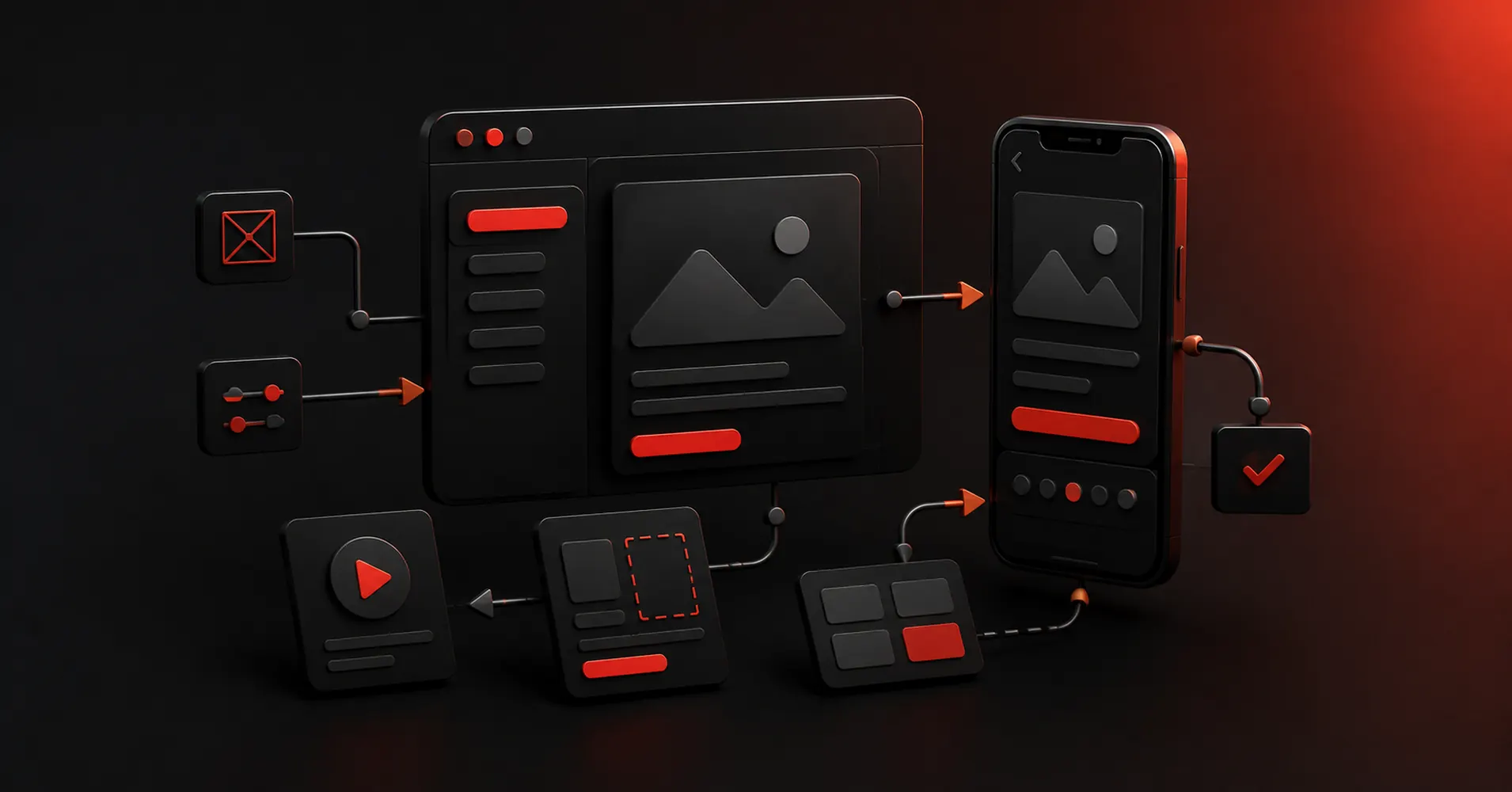
A prototype can be three linked screens or a near-functional product with conditions, variables, sensors, and real data. Calling both of them a prototype is why tool comparisons get messy. The right choice depends on how much behavior you need to prove before engineering starts.
Key Takeaways
- Figma is the strongest pick for collaborative interface design from wireframe to developer handoff.
- ProtoPie is the strongest pick for high-fidelity interaction prototypes with logic, sensors, and realistic behavior.
- Axure RP is the strongest pick for complex functional prototypes with conditions, variables, forms, and business logic.
- UXPin is the strongest pick for code-aware prototyping and design-system work.
- Framer is the strongest pick for website design that can move directly into a responsive published site.
Start With the Fidelity You Actually Need
Low fidelity proves structure. Mid fidelity proves flow. High fidelity proves the experience. Functional prototypes prove behavior. The more fidelity you ask for, the more time and logic the tool has to carry. Use the lightest prototype that can answer the question in front of you.
What I Looked for in a Prototyping Tool
- Speed at low fidelity
- Interaction depth
- Variables and conditions
- Realistic device behavior
- Testing and sharing
- Developer handoff
Quick Comparison
| Tool | Best For | Biggest Strength | Watch Out For |
|---|---|---|---|
| Figma | Collaborative interface design from wireframe to developer handoff | Real-time collaboration, browser access, mature component systems, Dev Mode, and a huge surrounding ecosystem make it easy to bring product managers and developers into the same source of truth. | Because it can do almost everything, it can also encourage teams to polish too soon. |
| ProtoPie | High-fidelity interaction prototypes with logic, sensors, and realistic behavior | That makes it especially valuable for advanced mobile experiences, automotive interfaces, connected devices, and product ideas where the quality of the interaction is the thing being tested. | It is not the fastest place to sketch a rough screen. |
| Axure RP | Complex functional prototypes with conditions, variables, forms, and business logic | It is especially strong for internal tools, enterprise applications, financial products, and systems where errors usually happen in states and rules rather than in the visual styling. | The learning curve is real, and teams focused on modern visual collaboration may find Figma more inviting. |
| UXPin | Code-aware prototyping and design-system work | For organizations with an established component library, that can collapse the gap between what designers prototype and what engineers eventually build. | It is a more specialized choice than Figma. |
| Framer | Website design that can move directly into a responsive published site | The unusual advantage is that the design does not have to die at handoff. | It is website-centric. |
| Sketch | Native Mac interface design with mature prototyping and handoff | Designers who value a native desktop workflow, local files, and a mature Mac product can find it calmer than an everything-in-the-browser stack. | Designing still requires macOS, which makes it a poor default for mixed-platform teams. |
| Uizard | Quick editable UI concepts for designers and non-designers | It is particularly useful when the person shaping the product idea is not a full-time UI designer. | The ceiling is lower than Figma, Sketch, or a code-backed builder when you need a large design system, advanced interactions, or highly specific production handoff. |
1. Figma: Best All-Round Prototyping Tool
Product: Figma
Figma remains the safest default for teams that want one workspace for interface design, reusable components, prototyping, comments, and handoff. Its biggest advantage is not a single feature. It is how little context has to be lost as a rough screen becomes a production-ready design.
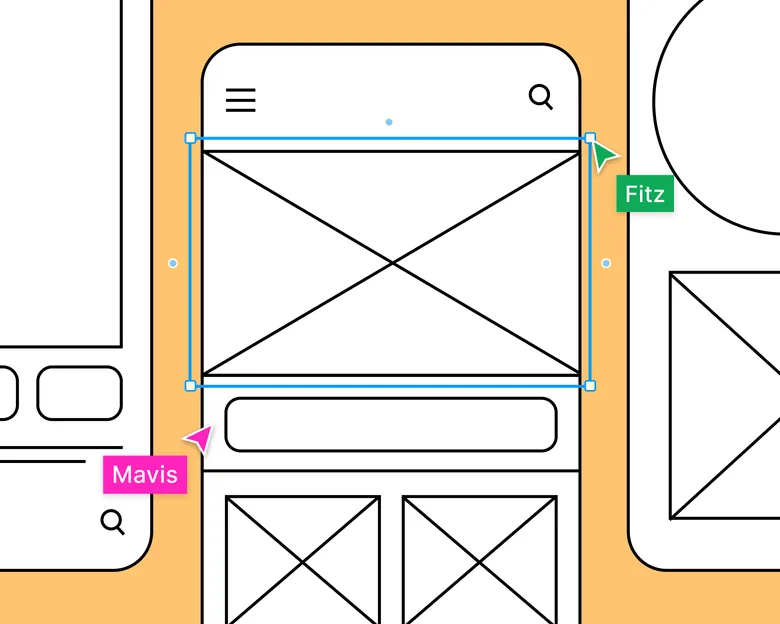
The question is fidelity. Figma becomes valuable when you need collaborative interface design from wireframe to developer handoff, not simply when you need another place to draw screens.
Real-time collaboration, browser access, mature component systems, Dev Mode, and a huge surrounding ecosystem make it easy to bring product managers and developers into the same source of truth.
Where it fits best
Use Figma when collaborative interface design from wireframe to developer handoff. It is particularly useful when that need is already visible in your current workflow and the team can measure whether the tool actually removes a handoff, shortens iteration, or improves the quality of the artifact.
The tradeoff
Because it can do almost everything, it can also encourage teams to polish too soon. Specialized tools are often faster for rough ideation, complex interaction logic, or code-backed prototypes.
Current context: Figma reports that 95% of the Fortune 500 uses its platform, based on March 2025 data. Source
2. ProtoPie: Best for Advanced Interactions
Product: ProtoPie
ProtoPie is built for the point where a clickable slideshow is no longer enough. It handles variables, conditions, sensors, multi-device interactions, API-connected behavior, and realistic microinteractions without requiring the prototype itself to become a production app.
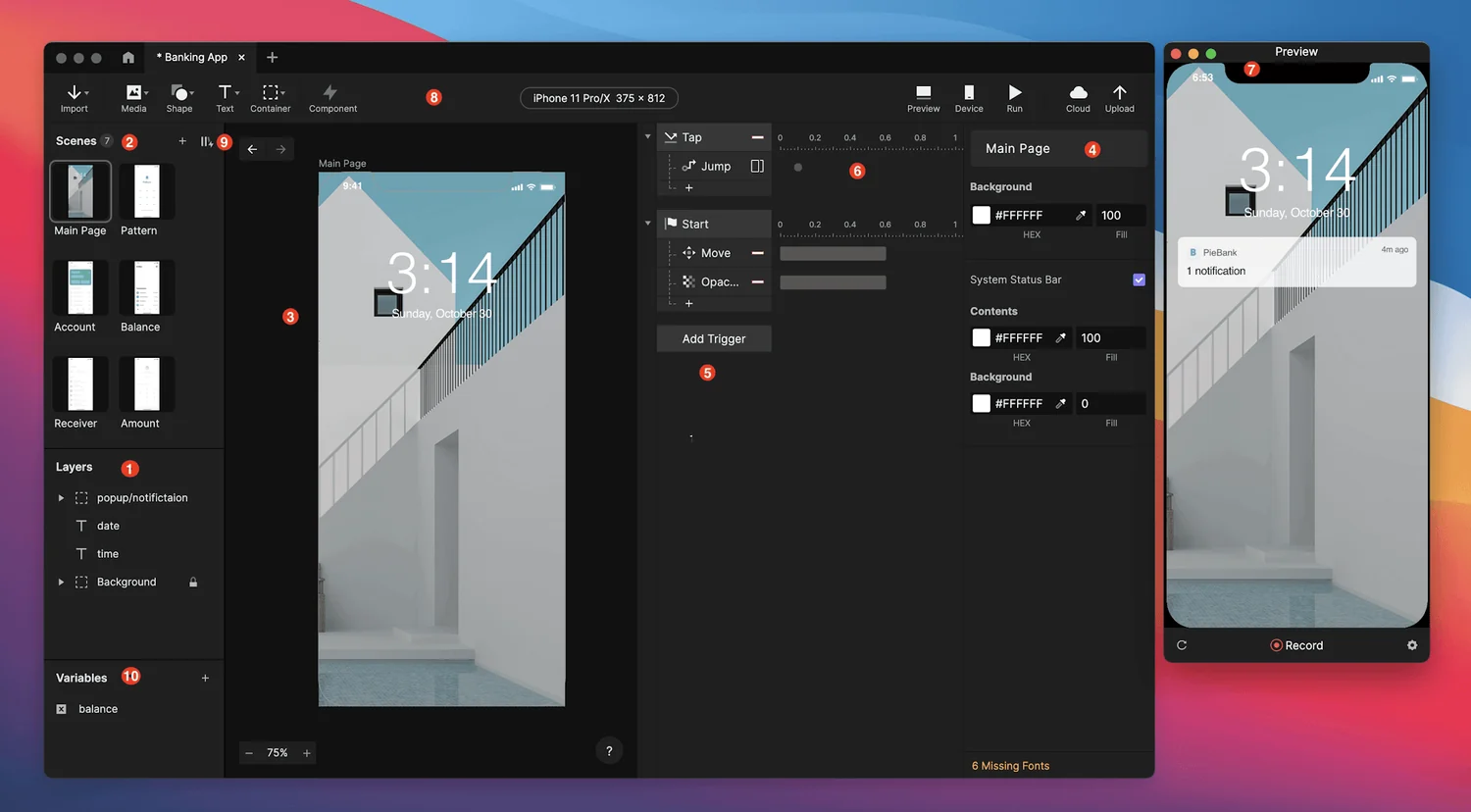
The question is fidelity. ProtoPie becomes valuable when you need high-fidelity interaction prototypes with logic, sensors, and realistic behavior, not simply when you need another place to draw screens.
That makes it especially valuable for advanced mobile experiences, automotive interfaces, connected devices, and product ideas where the quality of the interaction is the thing being tested.
Where it fits best
Use ProtoPie when high-fidelity interaction prototypes with logic, sensors, and realistic behavior. It is particularly useful when that need is already visible in your current workflow and the team can measure whether the tool actually removes a handoff, shortens iteration, or improves the quality of the artifact.
The tradeoff
It is not the fastest place to sketch a rough screen. Most teams will design elsewhere first, then move the screens into ProtoPie when interaction fidelity becomes the priority.
Current context: ProtoPie introduced AI-assisted component authoring in June 2026, extending its interaction workflow with natural-language assistance. Source
3. Axure RP: Best for Complex Logic
Product: Axure RP
Axure RP still earns a place when a prototype needs to behave more like software than a slide deck. Conditional logic, dynamic panels, working forms, repeaters, variables, and data-driven interactions let teams model complex enterprise workflows before development.
The question is fidelity. Axure RP becomes valuable when you need complex functional prototypes with conditions, variables, forms, and business logic, not simply when you need another place to draw screens.
It is especially strong for internal tools, enterprise applications, financial products, and systems where errors usually happen in states and rules rather than in the visual styling.
Where it fits best
Use Axure RP when complex functional prototypes with conditions, variables, forms, and business logic. It is particularly useful when that need is already visible in your current workflow and the team can measure whether the tool actually removes a handoff, shortens iteration, or improves the quality of the artifact.
The tradeoff
The learning curve is real, and teams focused on modern visual collaboration may find Figma more inviting. Axure pays off when logic matters enough to justify the extra setup.
Current context: Axure positions RP 11 around realistic functional prototypes and supports unlimited prototypes and reviewers on its paid plans. Source
4. UXPin: Best for Code-Component Prototypes
Product: UXPin
UXPin sits between traditional design tools and production code. Its prototyping supports logic, variables, states, and interactions, while Merge can let teams design with real React components pulled from a development system.
The question is fidelity. UXPin becomes valuable when you need code-aware prototyping and design-system work, not simply when you need another place to draw screens.
For organizations with an established component library, that can collapse the gap between what designers prototype and what engineers eventually build. The prototype uses the same component logic instead of a visual imitation.
Where it fits best
Use UXPin when code-aware prototyping and design-system work. It is particularly useful when that need is already visible in your current workflow and the team can measure whether the tool actually removes a handoff, shortens iteration, or improves the quality of the artifact.
The tradeoff
It is a more specialized choice than Figma. Teams without a mature design system or code-component workflow may not use enough of its advantage to justify switching.
Current context: UXPin Merge supports code-component workflows through sources such as Storybook and Git, depending on plan and setup. Source
5. Framer: Best for Website Prototypes
Product: Framer
Framer is strongest when the artifact you are designing is a website and the team wants to shorten the trip from layout to live URL. Responsive design, CMS, animations, interactions, and publishing live in one environment, while AI can help generate starting structures.
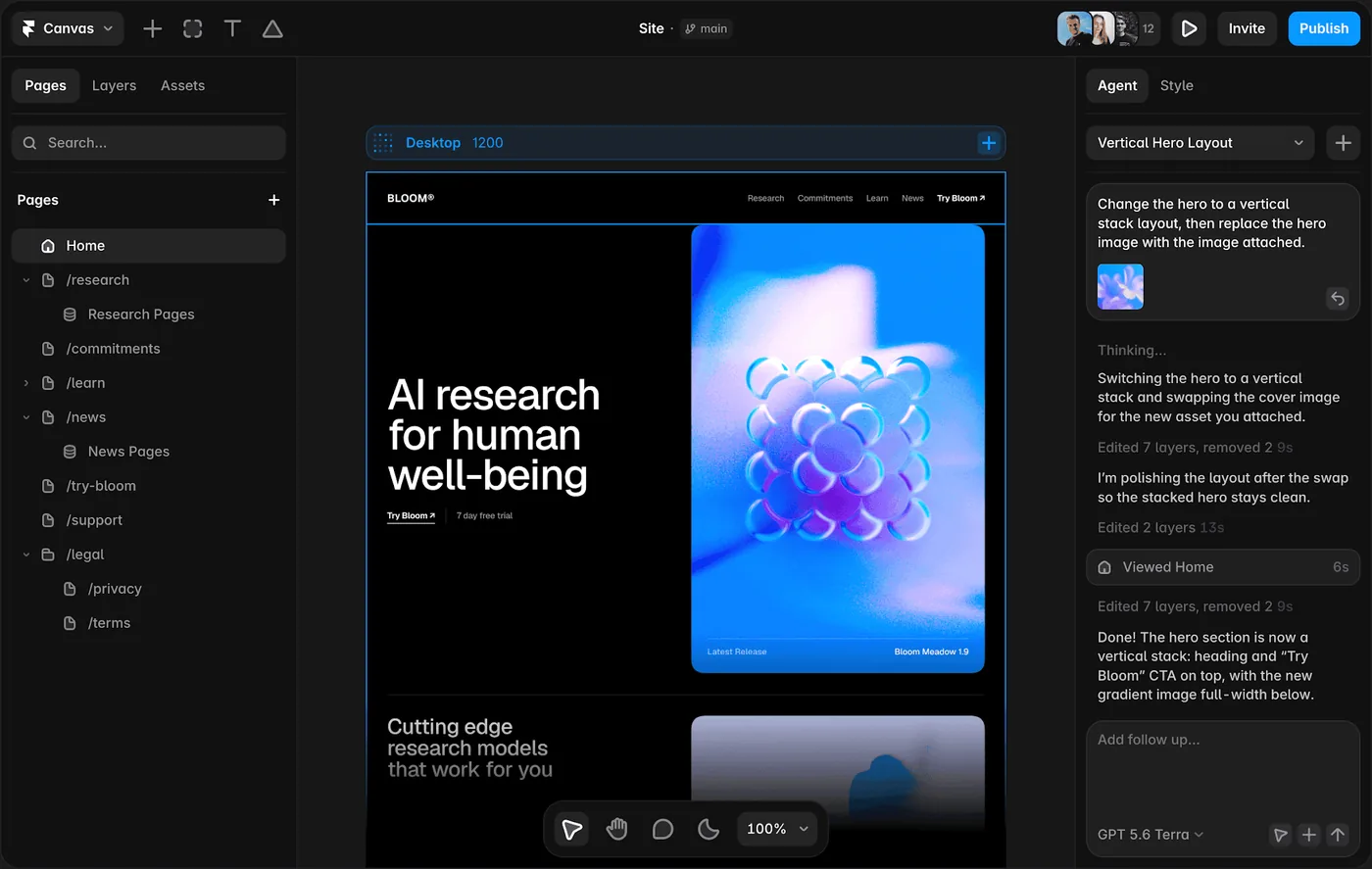
The question is fidelity. Framer becomes valuable when you need website design that can move directly into a responsive published site, not simply when you need another place to draw screens.
The unusual advantage is that the design does not have to die at handoff. A marketing page or content site can keep evolving inside the same tool until it ships.
Where it fits best
Use Framer when website design that can move directly into a responsive published site. It is particularly useful when that need is already visible in your current workflow and the team can measure whether the tool actually removes a handoff, shortens iteration, or improves the quality of the artifact.
The tradeoff
It is website-centric. For large native applications, research-heavy UX work, or complicated enterprise interaction logic, it is usually better as a specialist rather than the main design platform.
Current context: Framer said in June 2026 that more than 188,000 companies across 200 countries were using the platform, powering more than 4 million published websites. Source
6. Sketch: Best for Mac-First Product Teams
Product: Sketch
Sketch remains a focused product-design environment for Mac-first teams. It combines reusable components, libraries, prototyping, and developer-facing web inspection without turning the interface into a general whiteboard or website builder.
The question is fidelity. Sketch becomes valuable when you need native Mac interface design with mature prototyping and handoff, not simply when you need another place to draw screens.
Designers who value a native desktop workflow, local files, and a mature Mac product can find it calmer than an everything-in-the-browser stack.
Where it fits best
Use Sketch when native Mac interface design with mature prototyping and handoff. It is particularly useful when that need is already visible in your current workflow and the team can measure whether the tool actually removes a handoff, shortens iteration, or improves the quality of the artifact.
The tradeoff
Designing still requires macOS, which makes it a poor default for mixed-platform teams. Browser collaboration helps reviewers, but the authoring environment is a deliberate platform choice.
Current context: Sketch currently requires macOS Sonoma 14 or newer for design work, while its web app supports viewing, inspecting, and commenting. Source
7. Uizard: Best for Rapid Early Prototypes
Product: Uizard
Uizard is built around getting from an idea to an editable interface quickly. Autodesigner can generate multi-screen app or website mockups from plain English, and the same workspace supports themes, screenshots-to-editable-design, components, flows, and interactive previews.
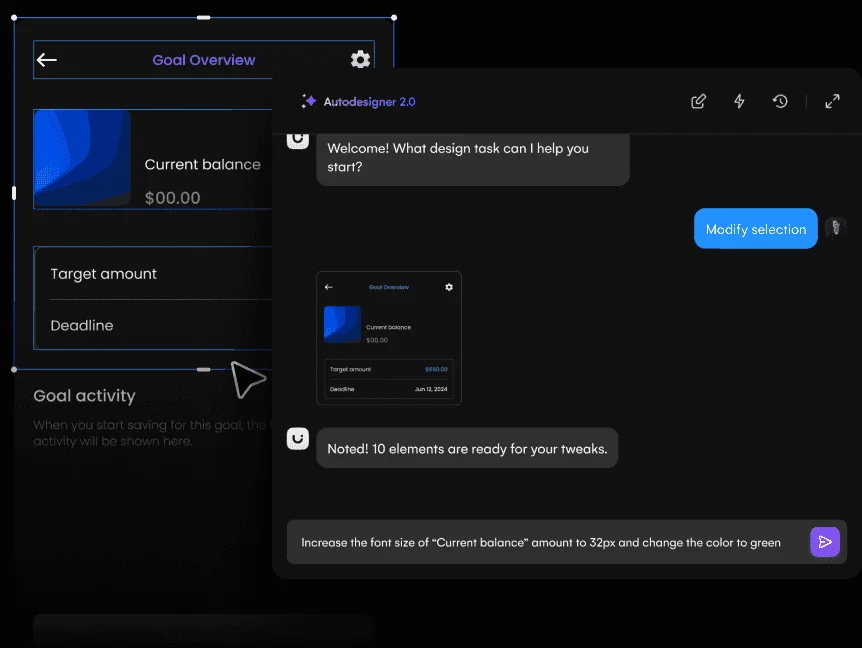
The question is fidelity. Uizard becomes valuable when you need quick editable UI concepts for designers and non-designers, not simply when you need another place to draw screens.
It is particularly useful when the person shaping the product idea is not a full-time UI designer. Product managers, founders, marketers, and early-stage teams can produce something concrete without learning a dense professional design environment first.
Where it fits best
Use Uizard when quick editable UI concepts for designers and non-designers. It is particularly useful when that need is already visible in your current workflow and the team can measure whether the tool actually removes a handoff, shortens iteration, or improves the quality of the artifact.
The tradeoff
The ceiling is lower than Figma, Sketch, or a code-backed builder when you need a large design system, advanced interactions, or highly specific production handoff.
Current context: Uizard describes Autodesigner as an AI system that generates multi-screen app and website mockups from plain-English prompts. Source
Which One Should You Choose?
Choose Figma if your priority is collaborative interface design from wireframe to developer handoff. Choose ProtoPie if your priority is high-fidelity interaction prototypes with logic, sensors, and realistic behavior. Choose Axure RP if your priority is complex functional prototypes with conditions, variables, forms, and business logic.
Choose UXPin if your priority is code-aware prototyping and design-system work. Choose Framer if your priority is website design that can move directly into a responsive published site. Choose Sketch if your priority is native Mac interface design with mature prototyping and handoff. Choose Uizard if your priority is quick editable UI concepts for designers and non-designers.
Do not choose from the feature count alone. Pick the tool that removes the next expensive handoff in your workflow. If it only gives you a faster first draft but creates more cleanup later, the speed is mostly cosmetic.
FAQs
What is the best prototyping tools for most teams?
For most teams, Figma is the safest starting point because it matches the central job of this list: collaborative interface design from wireframe to developer handoff. The better answer can change quickly when your team has a strong platform, code, or workflow constraint.
Are free prototyping tools good enough?
Free plans are usually enough to test the workflow and judge first-result quality. The limits show up later in collaboration, AI credits, private projects, exports, version history, team controls, or production use. Test your real workflow before paying for a year.
Should AI replace the designer in this workflow?
No. AI is most useful for generating options, assembling first passes, translating structure, or automating repetitive edits. Problem framing, accessibility, product judgment, prioritization, and deciding which direction is actually right still need human ownership.
How should I evaluate these tools before buying?
Use one small real project. Give every candidate the same brief, the same existing assets, and the same correction request. Compare the second and third iterations, not just the first output. That exposes workflow friction much faster than a feature checklist.
Final Thoughts
The best prototyping tools is the one that makes the next decision cheaper. For this list, Figma is the strongest default, but the specialist options become better as soon as your constraint becomes specific. Match the tool to the output, handoff, and level of fidelity you actually need. That is how you get speed without simply moving the work somewhere else.
If you need help turning a prototype into a polished digital experience, explore Omnix Studio’s website UI/UX design and mobile app UI/UX design services.
Leave a Reply